

Rendered sample video
SKILL.md contents
Premium subscribers can read, copy, and install this skill.
Unlock with Premium Sign inPre-Order Batch Announcement
Description
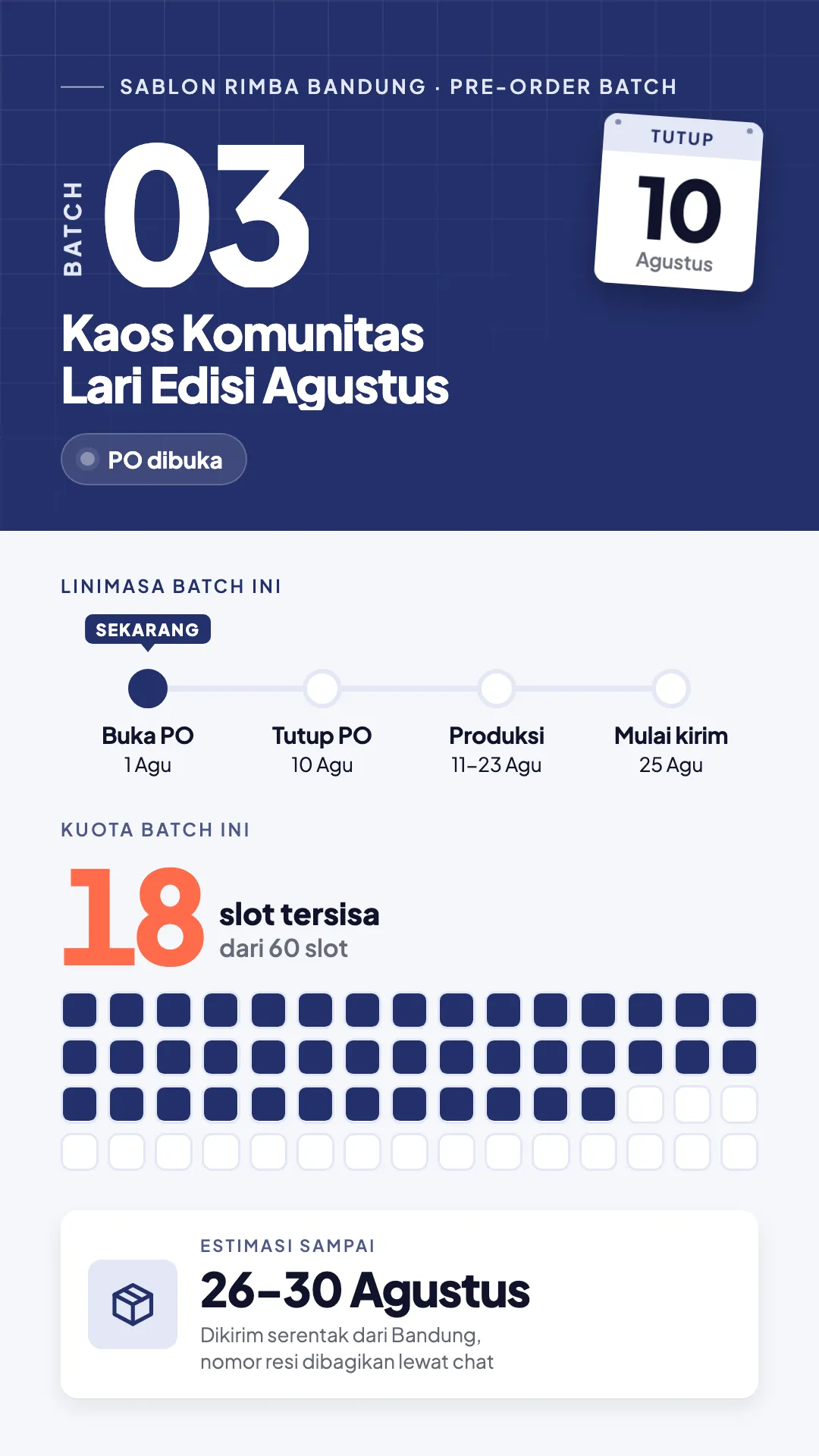
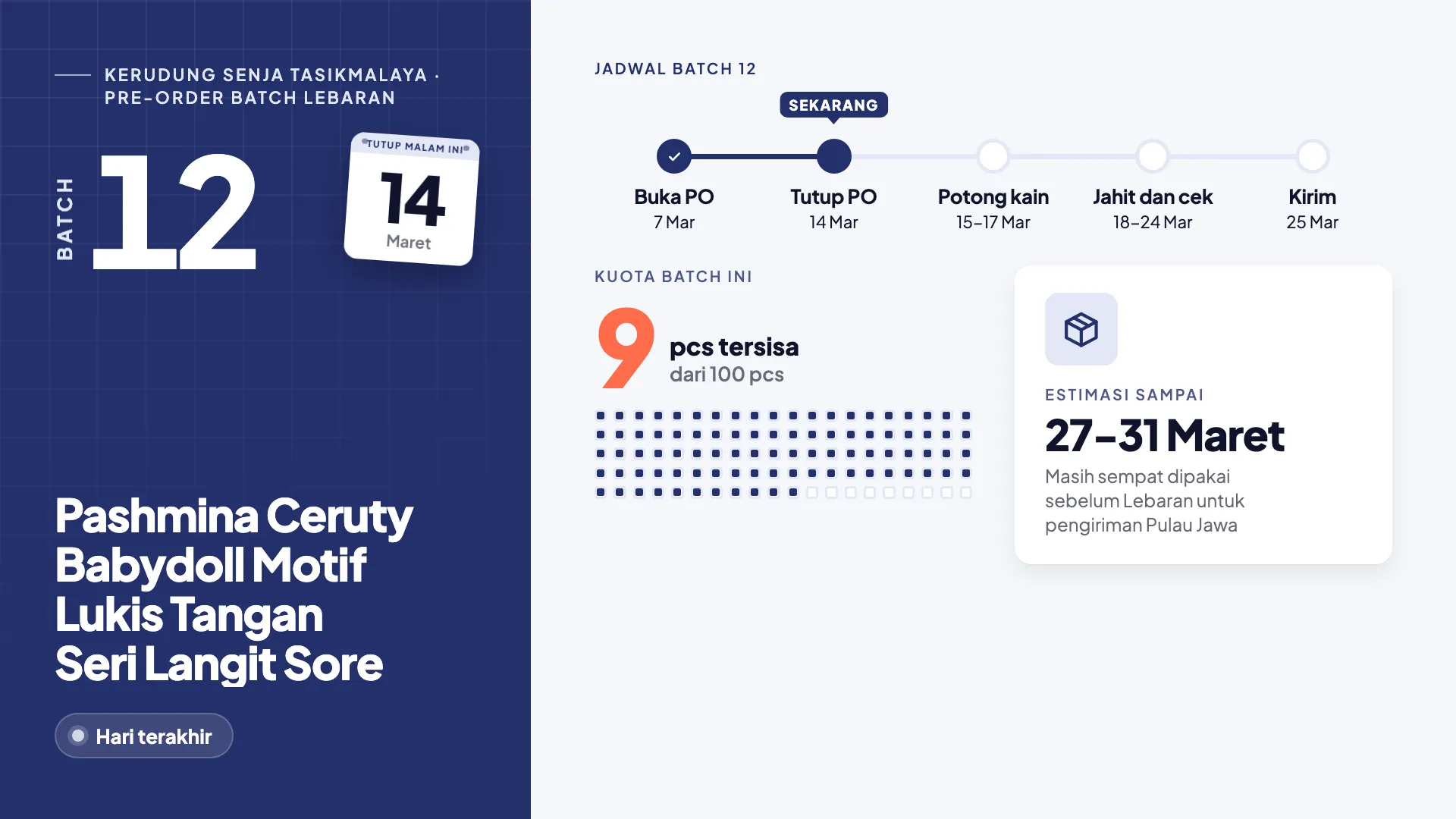
A pre-order announcement video for sellers who make products in batches: a giant batch number and a calendar sheet with the closing date, a batch timeline from opening, closing, production, to shipping with a "Now" marker on the current stage, then a shrinking quota (the remaining number counts down, slot boxes fill one by one), an estimated delivery card, and a close with the deadline, deposit terms, and a chat-to-order button. It is about the schedule and the slots left, not a discount. 9:16 and 16:9, driven by one config object, rendered to MP4 with one command.
Verified by SkillFlow
We checked every file in this skill automatically: no command that downloads and runs a program, no hidden code, no instruction telling your AI to ignore you.
- Loads from outside
- Fonts: Google Fonts
See the 7 files inside
skill.json8 KBSKILL.md9 KBprompt.md7 KBprompt.en.md7 KBfiles/contoh/po-hijab-16x9.html28 KBfiles/contoh/po-sambal-9x16.html28 KBfiles/scene.html28 KB
Checked 14 Nov 2026
Part of SkillFlow Pro
Pro opens every skill in every category: copy, ZIP, Send to AI, install, save, and request new skills.
Get Pro Already subscribed? Sign inWhat you get
- A pre-order script: batch number, product, status, 3-5 dated stages, quota, delivery estimate, deadline, terms, CTA
- An animated HTML scene driven by one config object
- A timeline with a current-stage marker, remaining quota and slot boxes worked out automatically
- MP4 1080x1920 (9:16) or 1920x1080 (16:9), 30 fps, 13-17 seconds
- 3 ready palettes, plus your own brand colors
Good fit
- Sellers opening a new batch of community tees, class jackets, Eid hijabs, or festive cookies
- Sellers posting a mid campaign reminder with honest slots left
- Weekly pre-order sellers such as caterers, sauce makers, or bakers on a cooking schedule
- Made to order products that need a clear timeline up to shipping
Not for
- It does not invent how many slots are taken; the number must be real
- Not a pre-order form page; the video is the intro to one
- Not a discount promo or a digital product launch
- Slots left are baked into the video, so it needs re-rendering when they change
About this skill
/pengumuman-pre-order Make a pre-order announcement for batch 03 of our community t-shirt, 4 dated stages, 60 slots with 38 taken, arriving end of August, 50 percent deposit, WhatsApp call to action, in 9:16
Show more
A pre-order announcement video for sellers who make products in batches: a giant batch number and a calendar sheet with the closing date, a batch timeline from opening, closing, production, to shipping with a "Now" marker on the current stage, then a shrinking quota (the remaining number counts down, slot boxes fill one by one), an estimated delivery card, and a close with the deadline, deposit terms, and a chat-to-order button. It is about the schedule and the slots left, not a discount. 9:16 and 16:9, driven by one config object, rendered to MP4 with one command.
User reviews
FAQ
How do I mark the current stage?
Set the index of the stage in progress, starting at 0 for the first stage. The NOW marker drops on that stage and earlier stages get ticks.
My quota is 150 bottles, will there be too many boxes?
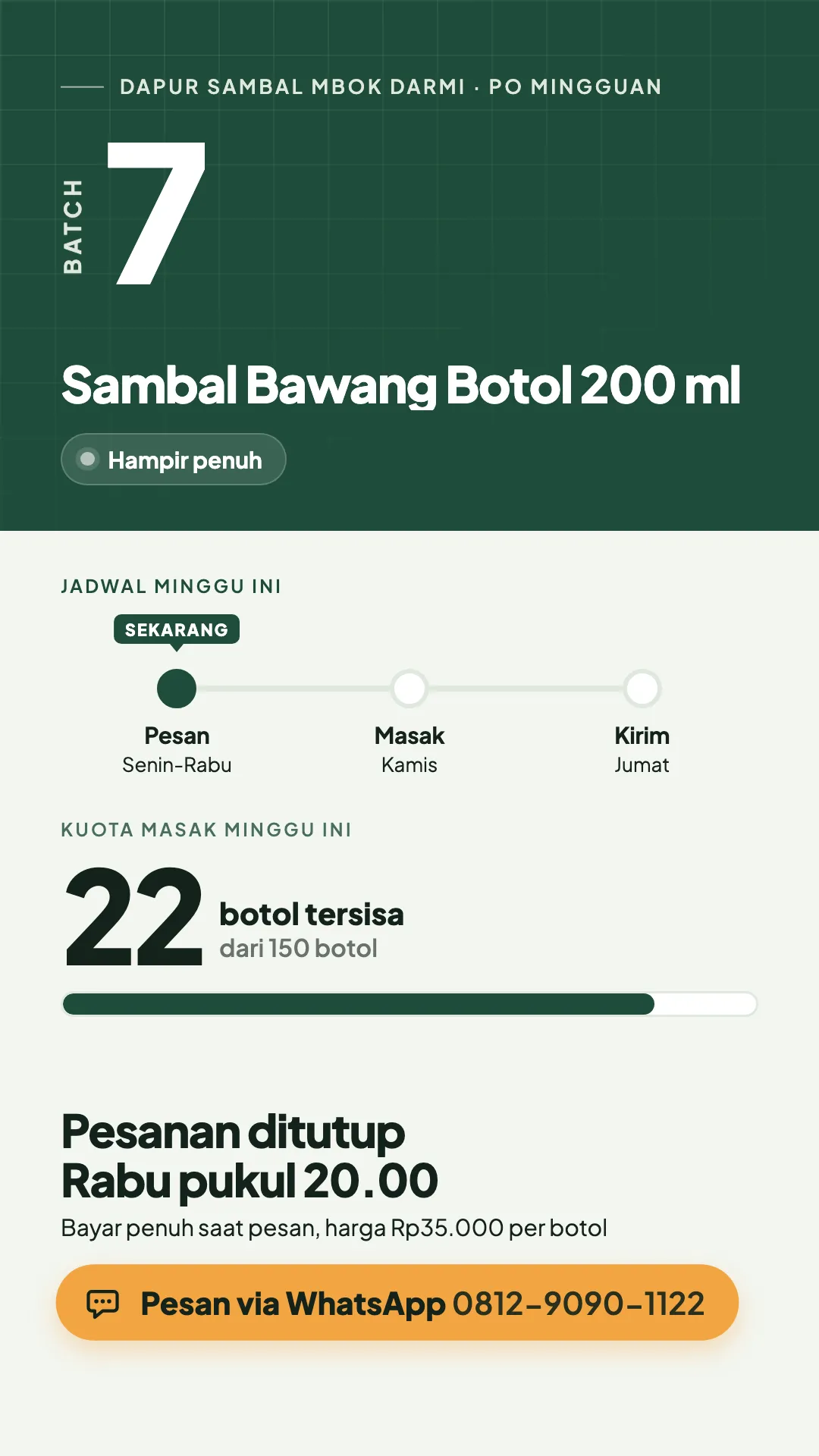
Quotas above 120 show as a bar instead of slot boxes. The unit can be changed to slots, pieces, bottles, or jars.
My pre-order is weekly, do I need the calendar?
No. Drop the calendar sheet and write the stages as days, for example order Monday to Wednesday, cook Thursday, ship Friday.
Which AI can I use it with?
Copy the prompt into a chat AI (ChatGPT, Claude, Gemini, DeepSeek): you get an HTML file; open it in Chrome and press Download MP4 (silent video, a minute or two to render); or download the ZIP and install it in an AI agent (Claude Code, Codex, Antigravity, Hermes Agent, Cursor, GitHub Copilot, Gemini CLI, OpenCode, Kimi Code, Trae), which then builds the files for you.
What is in the ZIP?
One folder named pengumuman-pre-order with SKILL.md (the instructions an AI agent reads) and the prompt, 7 files in all. Extract it into your agent's skills folder, or install it with npx skillflow-ai add pengumuman-pre-order. Pro only.
Is there a per-use fee or credits?
Not from SkillFlow. The skill runs on the AI you already use, so any cost follows that plan.
Which plan includes it?
SkillFlow Pro. It opens every skill in every category.
Can I use my own colours and brand?
Yes. Pick a colour theme on this page, or fill in your brand profile once; both go into the prompt you copy and into the ZIP.
Can I share what I made?
Pro members can upload the result and get a page at share.skillflow.ai.id to send to anyone. The page carries a small "Made with SkillFlow AI" mark.
Is there a download limit?
Yes, per day: 50 skills on Pro, 10 on other plans. Downloading a skill again on the same day does not count.



