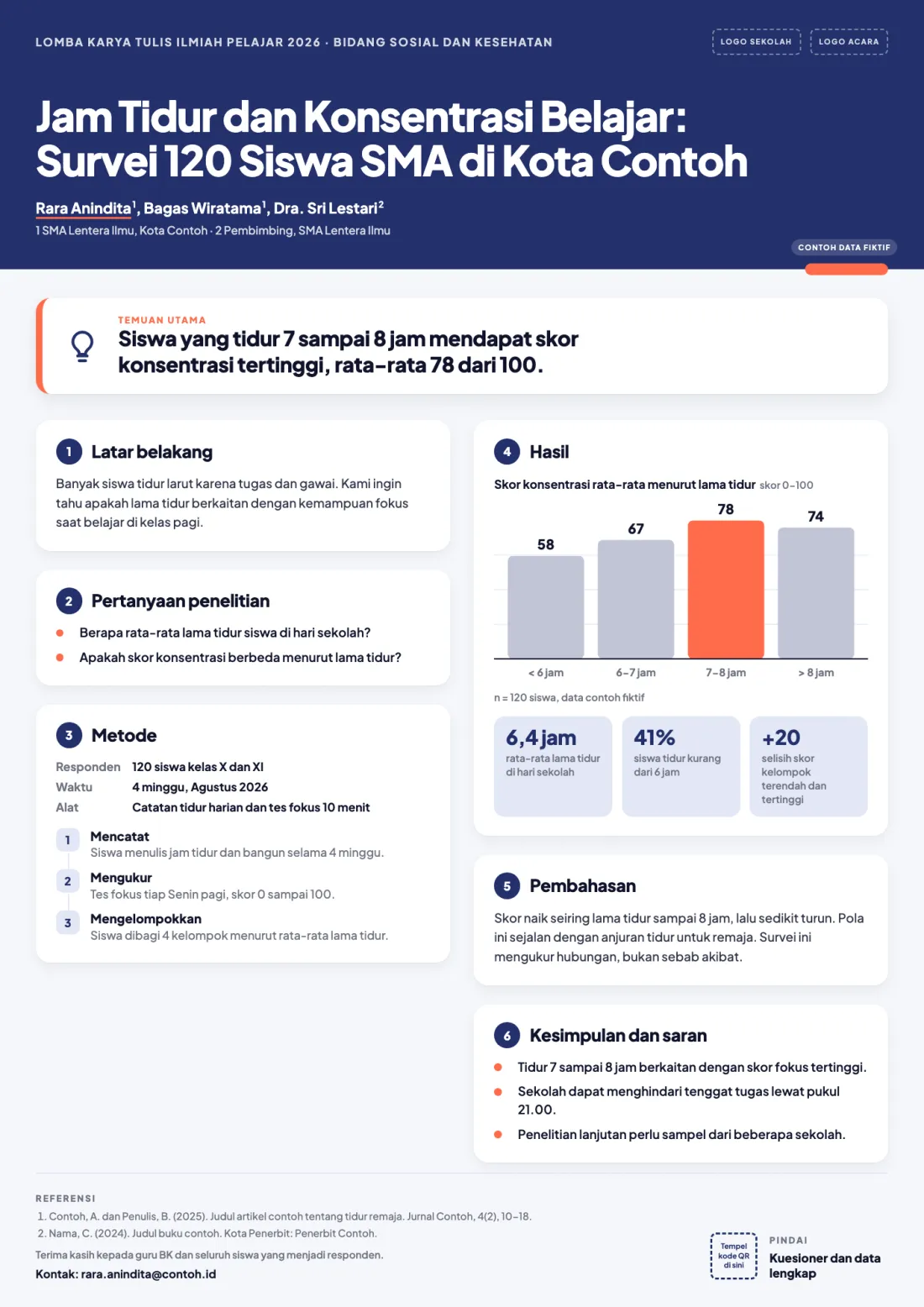
Portrait poster: title, key finding, six numbered panels with a chart, references, and QR
SKILL.md contents
Premium subscribers can read, copy, and install this skill.
Unlock with Premium Sign inResearch Summary Poster
Description
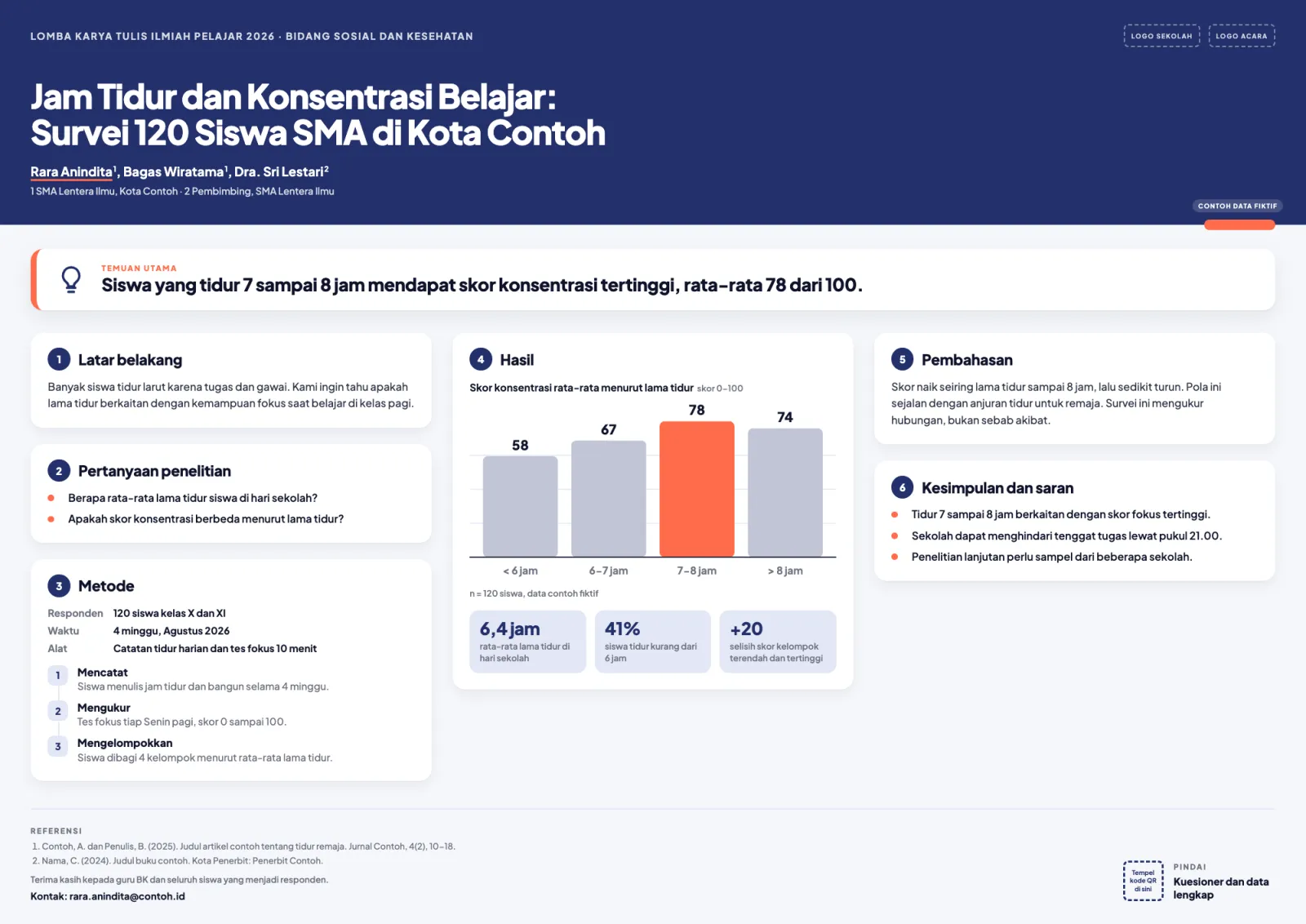
A multi-panel scientific poster for writing competitions, theses, school exhibitions, and conferences: a header with the title, authors, affiliations, and logo boxes, a Key finding box read first, numbered panels read in order (background, questions, step-by-step method, results with a bar chart and key figures, discussion, conclusion), references, contact, and a QR box. One data object exports portrait and landscape posters in A-paper ratio for printing, plus a short 1080x1350 version for social media.
Verified by SkillFlow
We checked every file in this skill automatically: no command that downloads and runs a program, no hidden code, no instruction telling your AI to ignore you.
- Loads from outside
- Fonts: Google Fonts
See the 5 files inside
skill.json10 KBSKILL.md7 KBprompt.md3 KBprompt.en.md3 KBfiles/poster.html19 KB
Checked 14 Nov 2026
Included in Basic and Pro
Basic copies the prompt. Pro also downloads the ZIP, sends to AI, installs into agents, and opens every category.
Get Pro Get Basic Already subscribed? Sign inWhat you get
- A poster script: title, a one-sentence key finding, each panel's content, references
- A one-data-object HTML template with numbered panels that flow in reading order
- An SVG bar chart from your data, one bar highlighted, plus 1-3 key figures
- Portrait 1414x2000 and landscape 2000x1414 posters (A-paper ratio), export with --scale 2 or 3 for print
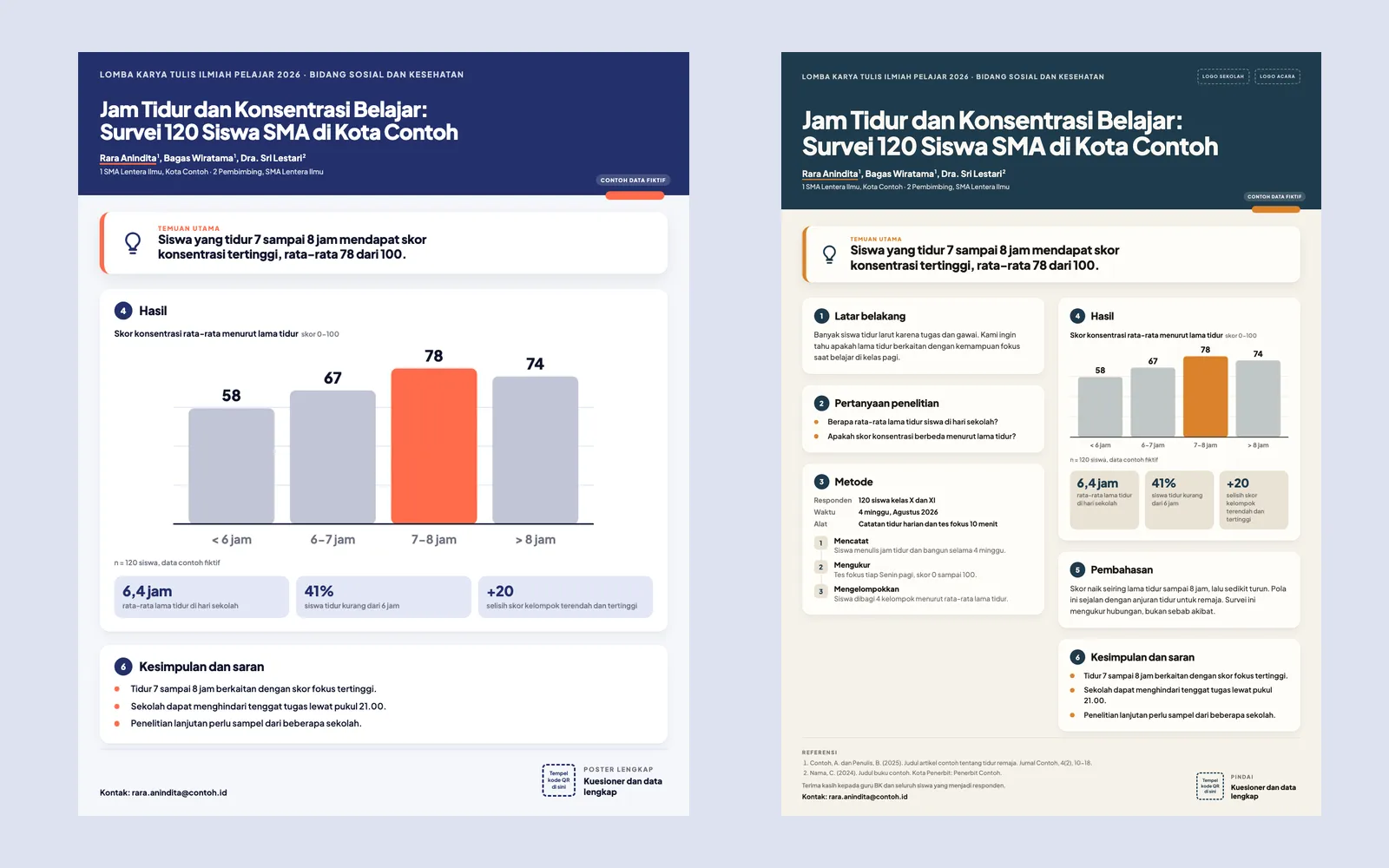
- A short 1080x1350 version for social media: finding, chart, conclusion, QR
- 3 palettes (city, paper, forest) and type size that adjusts to the content
Good fit
- Students and researchers preparing posters for paper competitions or conferences
- School students joining science fairs or competitions
- Lecturers wanting a short social media version of their research
Not for
- It does not analyse data; numbers and charts come from your research results
- Charts are limited to bar charts with one highlighted bar
- It does not print; large exports need a print shop
About this skill
/poster-riset-ringkas Make a research poster for Dewi Lestari of Nusa Bangsa University on how packaging affects purchase intent, with a results chart and key finding
Show more
A multi-panel scientific poster for writing competitions, theses, school exhibitions, and conferences: a header with the title, authors, affiliations, and logo boxes, a Key finding box read first, numbered panels read in order (background, questions, step-by-step method, results with a bar chart and key figures, discussion, conclusion), references, contact, and a QR box. One data object exports portrait and landscape posters in A-paper ratio for printing, plus a short 1080x1350 version for social media.
User reviews
FAQ
Why is there a Key finding box?
Passers-by only read for a few seconds. One big finding sentence makes sure they get your result even without reading the other panels.
How do I print at A0 or A1?
The poster uses A paper proportions. Export at scale 2 or 3 so the resolution is enough for large prints.
Which AI can I use it with?
Copy the prompt into a chat AI (ChatGPT, Claude, Gemini, DeepSeek); or download the ZIP and install it in an AI agent (Claude Code, Codex, Antigravity, Hermes Agent, Cursor, GitHub Copilot, Gemini CLI, OpenCode, Kimi Code, Trae), which then builds the files for you.
What is in the ZIP?
One folder named poster-riset-ringkas with SKILL.md (the instructions an AI agent reads) and the prompt, 5 files in all. Extract it into your agent's skills folder, or install it with npx skillflow-ai add poster-riset-ringkas. Pro only.
Is there a per-use fee or credits?
Not from SkillFlow. The skill runs on the AI you already use (and, for image prompts, the image AI you pick), so any cost follows that plan.
Which plan includes it?
Basic and Pro. Basic copies the prompt; Pro also downloads the ZIP, sends to AI, installs into agents and shares results by link.
Can I use my own colours and brand?
Yes. Pick a colour theme on this page, or fill in your brand profile once; both go into the prompt you copy and into the ZIP.
Can I share what I made?
Pro members can upload the result and get a page at share.skillflow.ai.id to send to anyone. The page carries a small "Made with SkillFlow AI" mark.
Is there a download limit?
Yes, per day: 50 skills on Pro, 10 on other plans. Downloading a skill again on the same day does not count.