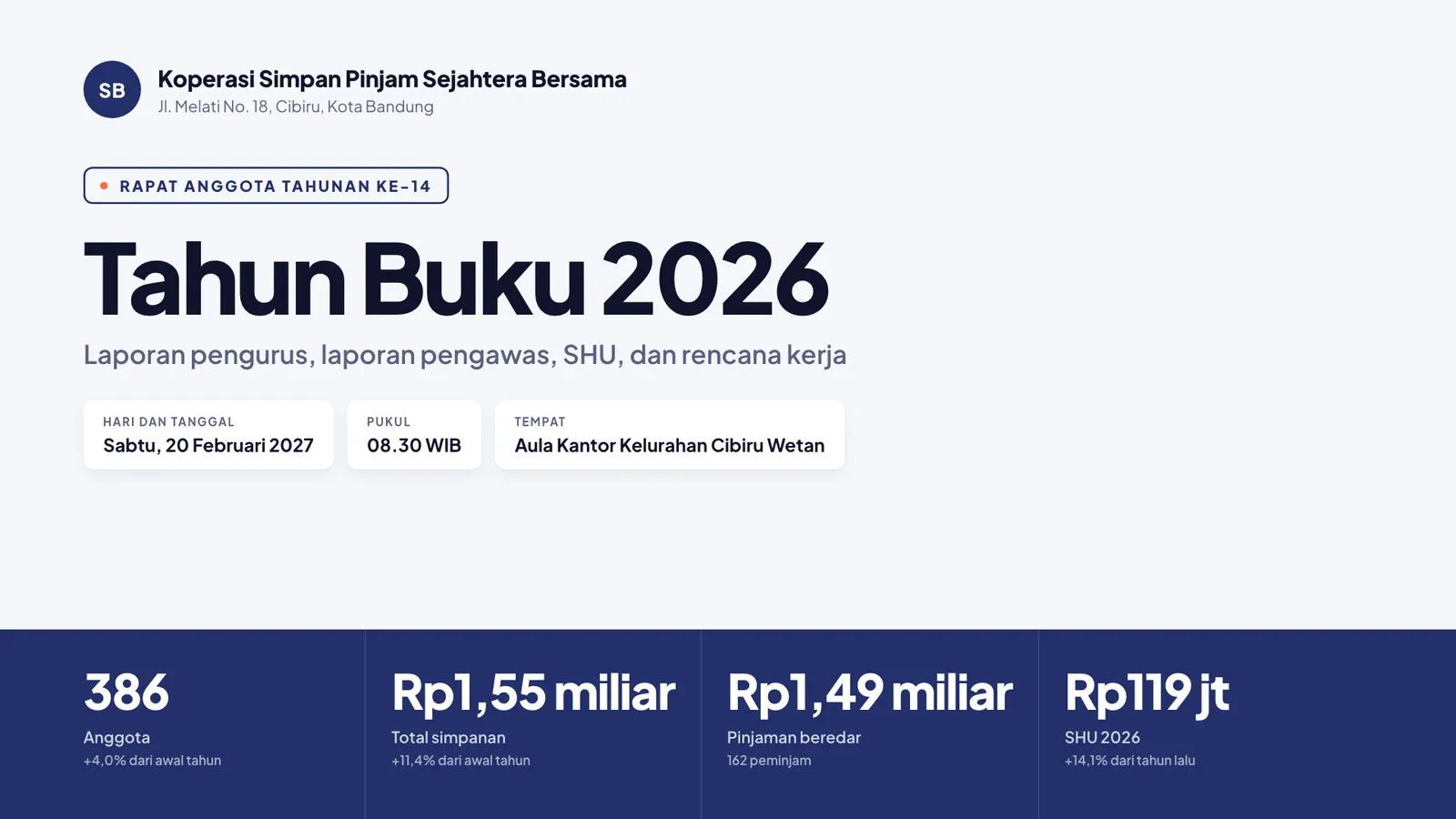
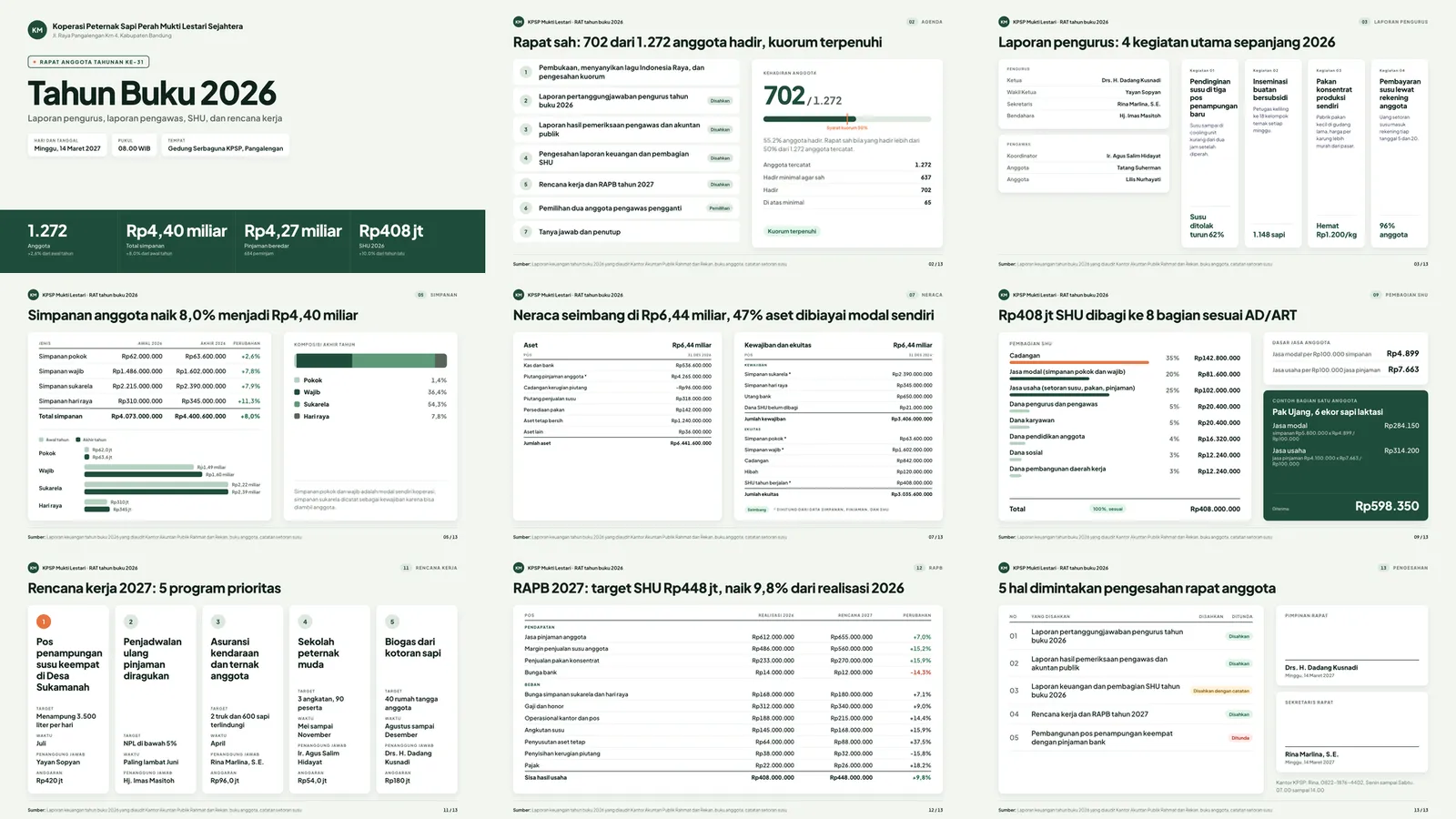
Cover of a savings and loan cooperative's 14th annual meeting with the key numbers band
SKILL.md contents
Premium subscribers can read, copy, and install this skill.
Unlock with Premium Sign inCooperative Annual Meeting
Description
A 13-slide deck for a cooperative's Annual Members' Meeting: key numbers, agenda and quorum, board and supervisors' reports, membership, member savings, loans with loan quality, a short balance sheet checked for balance, the surplus and how it is shared (with member rates and one member's example), the work plan, next year's budget, and an approval sheet. Totals, percents, the surplus, and its distribution are calculated from one data object. One HTML file that downloads as PDF, PPTX, or images.
Verified by SkillFlow
We checked every file in this skill automatically: no command that downloads and runs a program, no hidden code, no instruction telling your AI to ignore you.
- Loads from outside
- Fonts: Google Fonts SkillFlow: directory.skillflow.ai.id
See the 6 files inside
skill.json18 KBSKILL.md8 KBprompt.md8 KBprompt.en.md8 KBfiles/contoh/kpsp-peternak-susu-palet-hutan.html59 KBfiles/deck.html59 KB
Checked 14 Nov 2026
Included in Basic and Pro
Basic copies the prompt. Pro also downloads the ZIP, sends to AI, installs into agents, and opens every category.
Get Pro Get Basic Already subscribed? Sign inWhat you get
- A numbers summary: closing members, quorum, savings, loans, non-performing ratio, surplus, distribution, rates, and missing data
- A cover with a band of 4 key numbers, a numbered agenda, and a quorum card with the minimum attendance
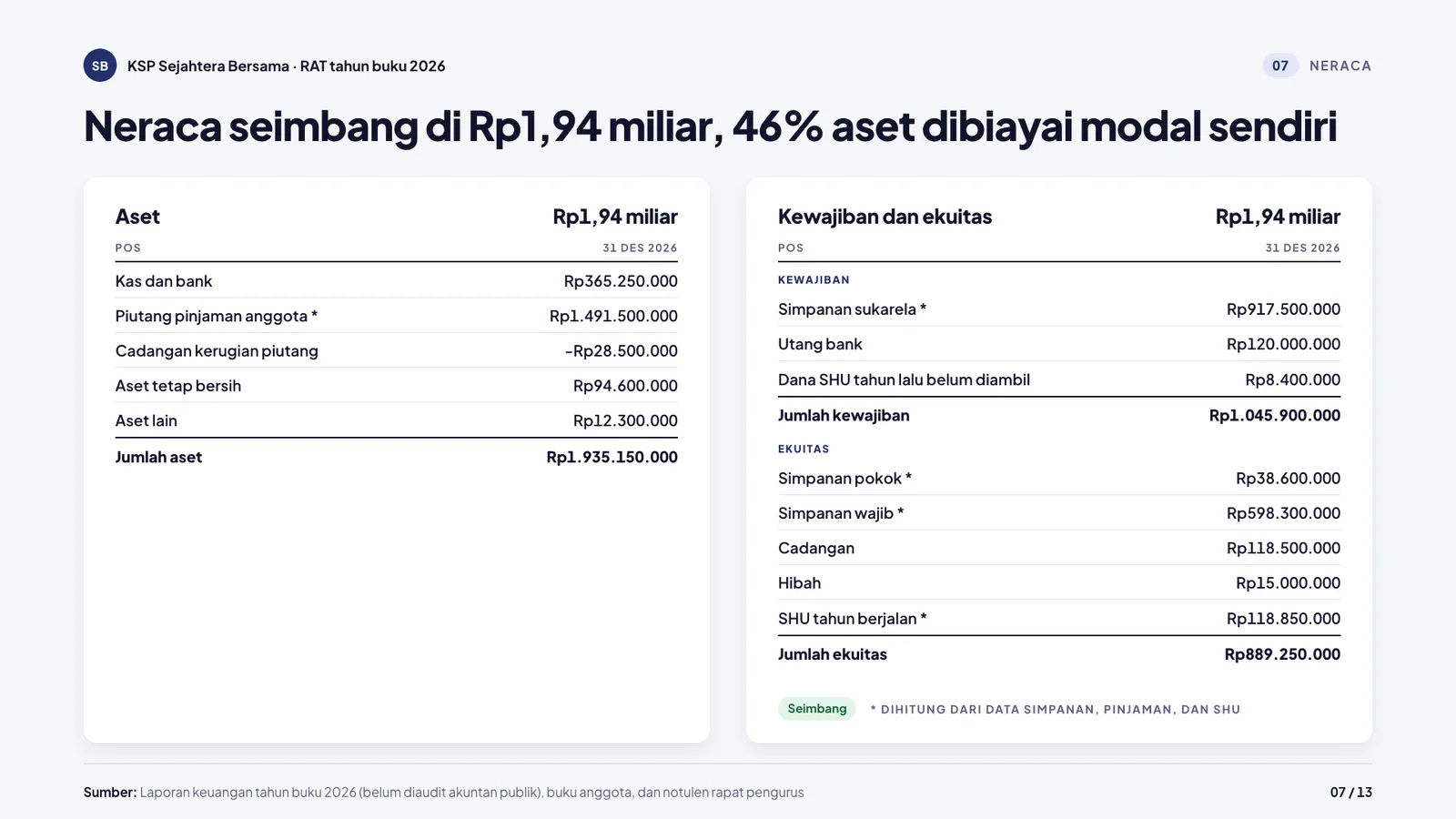
- Membership, savings, loans, and short balance sheet slides with an automatic balance check
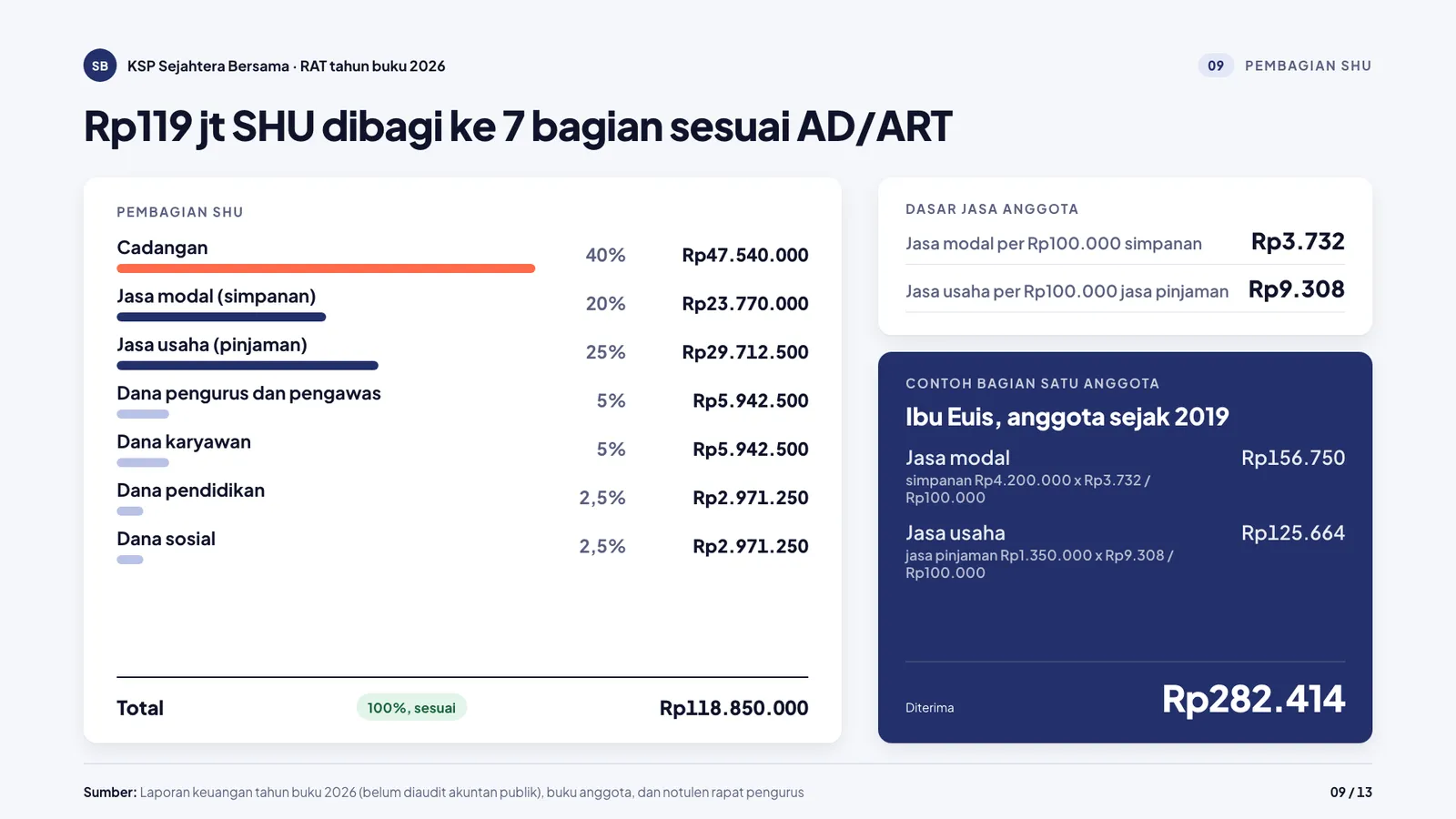
- The surplus calculation and its distribution by part (100% check), rates per 100,000, one member's example share
- Supervisors' report, work plan, budget actuals vs plan, and a signed approval sheet
- A 1920x1080 HTML deck with PDF, PPTX, and image download buttons, 3 palettes, automatic conclusion titles
Good fit
- Boards of savings and loan, village, employee, school, or producer cooperatives preparing the annual meeting
- Cooperative advisers helping a board put its report together
- Boards that want members to understand how the surplus is shared, down to one person's example
Not for
- It does not build the financial statements from transactions; the numbers come from the cooperative's books
- Not a substitute for a public accountant's audit or the supervisors' review
- It does not decide the surplus shares or the quorum rule; follow the cooperative's bylaws
- It does not write the meeting minutes
About this skill
/rapat-anggota-koperasi Make the materials for our savings and loan cooperative's 14th annual members' meeting for financial year 2026, with savings, loans, the balance sheet, and the surplus shared under our bylaws
Show more
A 13-slide deck for a cooperative's Annual Members' Meeting: key numbers, agenda and quorum, board and supervisors' reports, membership, member savings, loans with loan quality, a short balance sheet checked for balance, the surplus and how it is shared (with member rates and one member's example), the work plan, next year's budget, and an approval sheet. Totals, percents, the surplus, and its distribution are calculated from one data object. One HTML file that downloads as PDF, PPTX, or images.
User reviews
FAQ
How are each member's capital and patronage shares worked out?
The capital share is divided by total share capital and mandatory savings, giving a rate per 100,000 of savings. The patronage share is divided by income from member transactions, giving a rate per 100,000 paid. One member's share = their savings times the capital rate plus what they paid times the patronage rate. Voluntary savings can be included if the bylaws say so.
My balance sheet does not balance in the deck, what went wrong?
The deck shows the difference with a red chip and writes a console warning instead of forcing it to balance. Usually an item is missing, the surplus was typed twice, or voluntary savings were put in equity. Check it against the balance sheet in your books.
What are the Approved and Deferred columns on the last slide for?
They are shown during the meeting and marked as members decide. Afterwards, fill in the results in the data (approved, approved with notes, or deferred) so the archived PDF carries the meeting's decisions.
Which AI can I use it with?
Copy the prompt into a chat AI (ChatGPT, Claude, Gemini, DeepSeek); or download the ZIP and install it in an AI agent (Claude Code, Codex, Antigravity, Hermes Agent, Cursor, GitHub Copilot, Gemini CLI, OpenCode, Kimi Code, Trae), which then builds the files for you.
What is in the ZIP?
One folder named rapat-anggota-koperasi with SKILL.md (the instructions an AI agent reads) and the prompt, 6 files in all. Extract it into your agent's skills folder, or install it with npx skillflow-ai add rapat-anggota-koperasi. Pro only.
Is there a per-use fee or credits?
Not from SkillFlow. The skill runs on the AI you already use, so any cost follows that plan.
Which plan includes it?
Basic and Pro. Basic copies the prompt; Pro also downloads the ZIP, sends to AI, installs into agents and shares results by link.
Can I use my own colours and brand?
Yes. Pick a colour theme on this page, or fill in your brand profile once; both go into the prompt you copy and into the ZIP.
Can I share what I made?
Pro members can upload the result and get a page at share.skillflow.ai.id to send to anyone. The page carries a small "Made with SkillFlow AI" mark.
Is there a download limit?
Yes, per day: 50 skills on Pro, 10 on other plans. Downloading a skill again on the same day does not count.