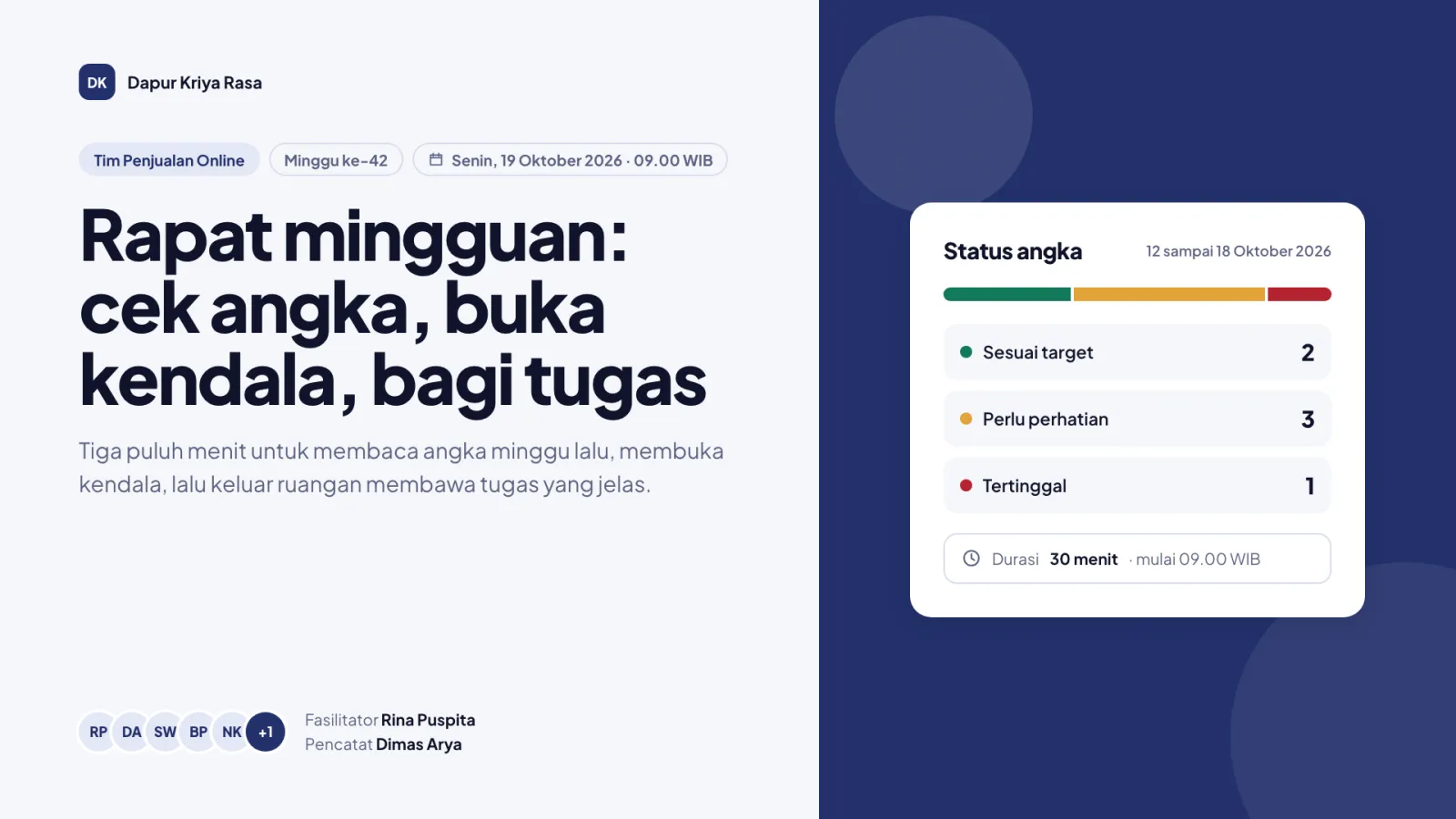
Cover: the team, the week number, attendees, and a summary of metric status
SKILL.md contents
Premium subscribers can read, copy, and install this skill.
Unlock with Premium Sign inWeekly Team Meeting
Description
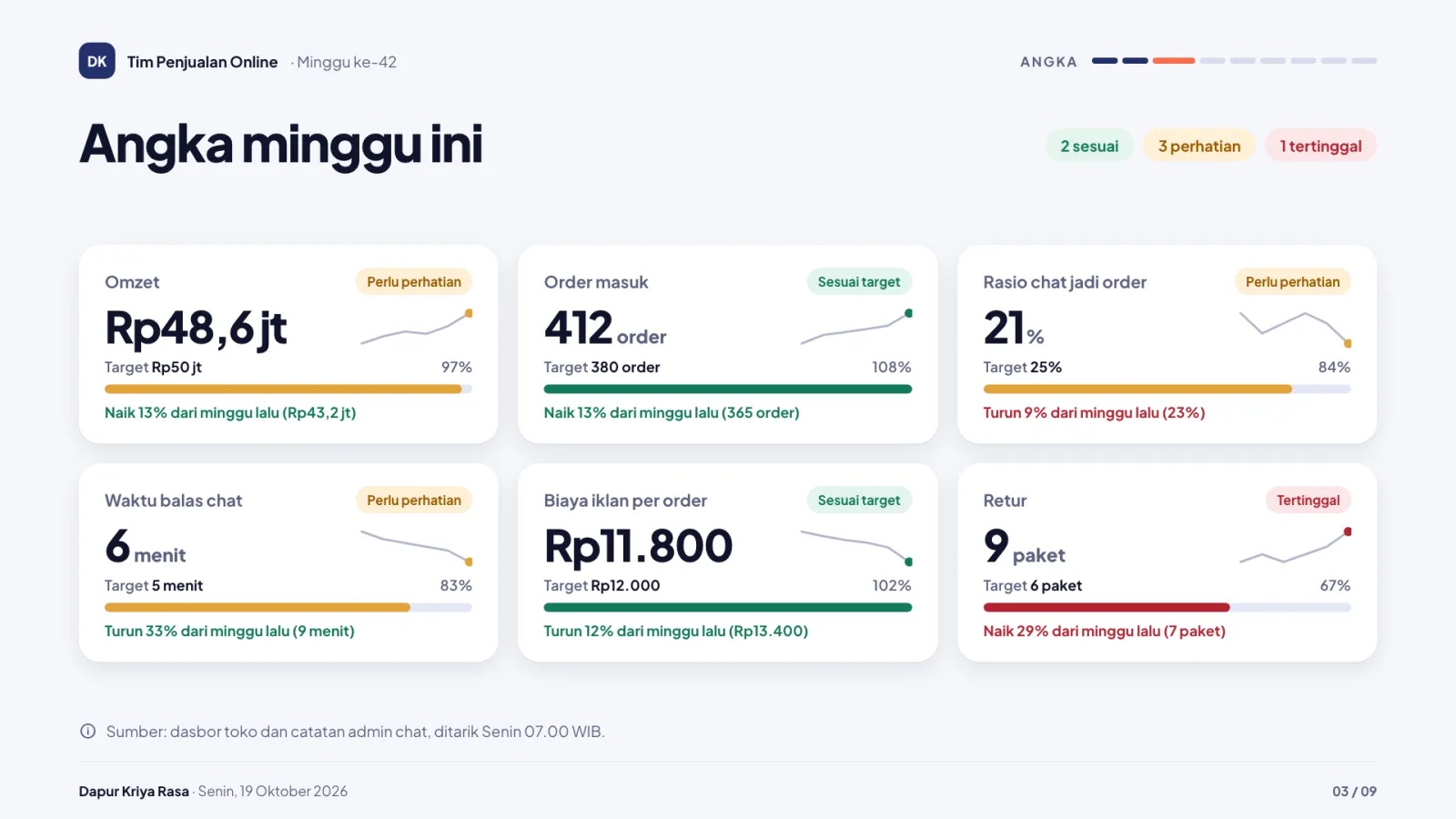
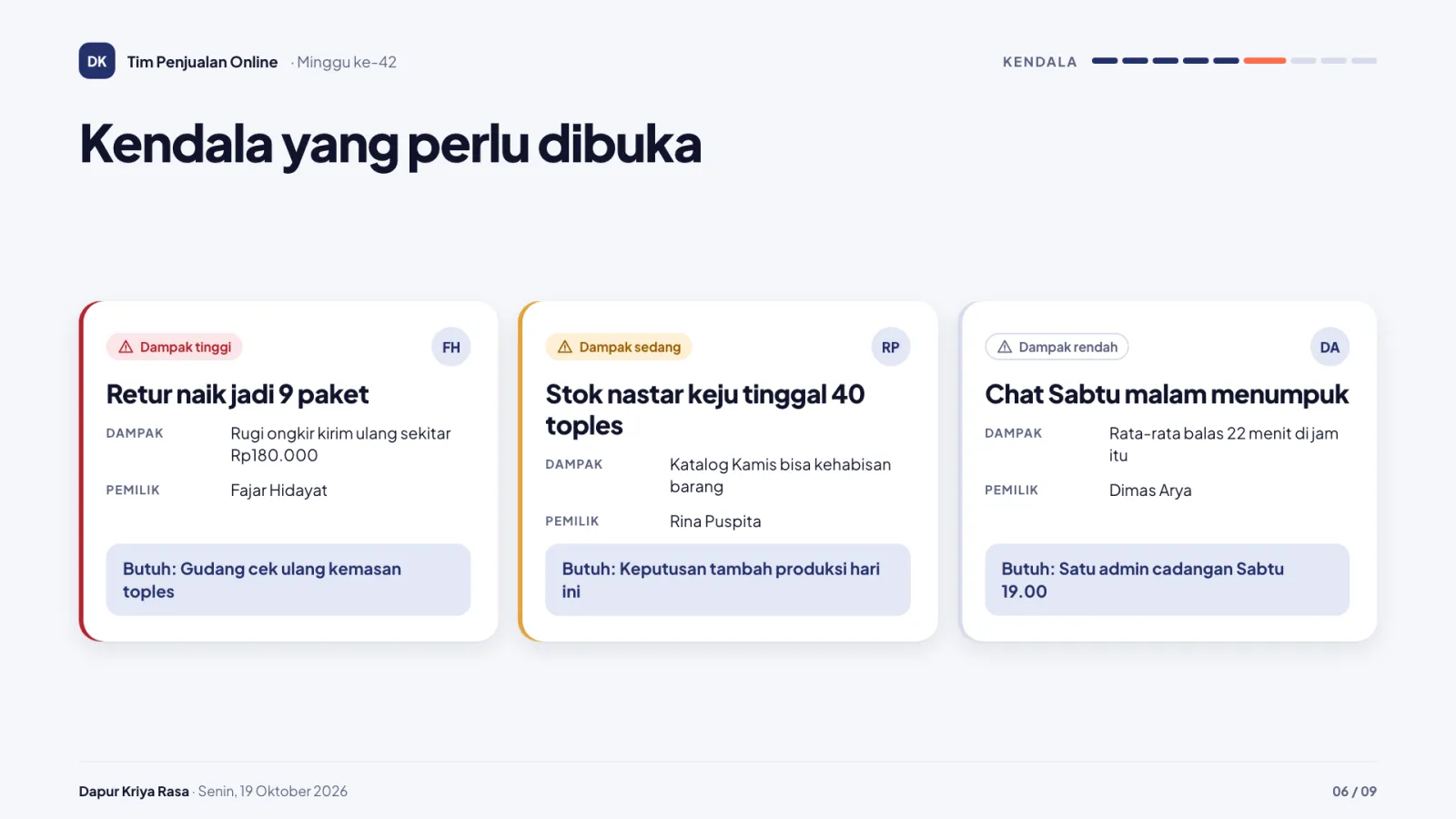
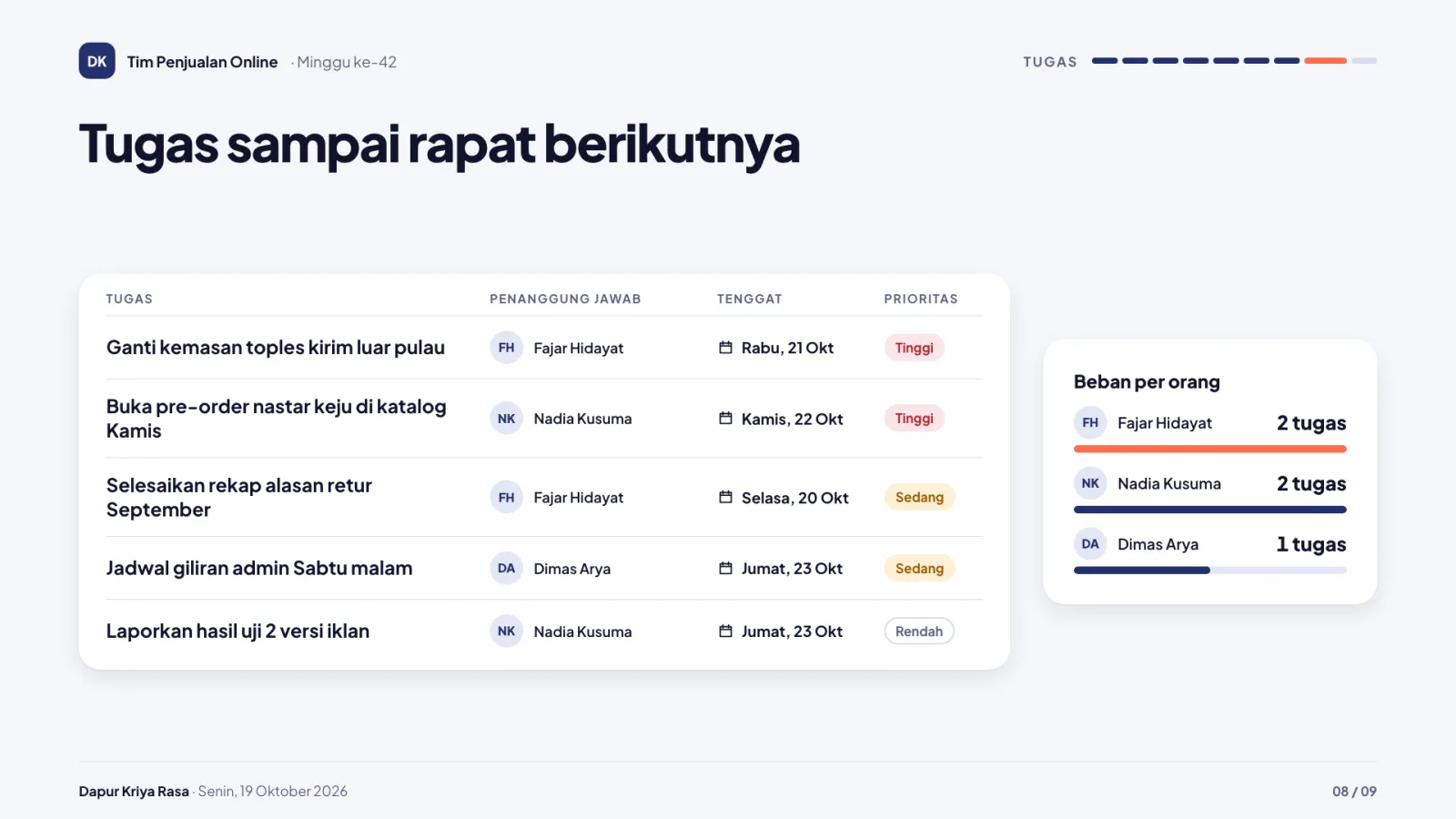
A short weekly meeting deck in a UI card style: a timed agenda with a start time for each topic, this week's numbers with targets, percentages, change from last week, trend lines, and automatically worked-out status, last week's commitments marked done or late, wins, blockers with impact level and the help needed, decisions with their options, next tasks with owners and due dates, and a closing slide. 9 16:9 slides from one data object, refilled every week, straight to PDF.
Verified by SkillFlow
We checked every file in this skill automatically: no command that downloads and runs a program, no hidden code, no instruction telling your AI to ignore you.
- Loads from outside
- Fonts: Google Fonts
See the 5 files inside
skill.json10 KBSKILL.md7 KBprompt.md6 KBprompt.en.md7 KBfiles/deck.html44 KB
Checked 14 Nov 2026
Included in Basic and Pro
Basic copies the prompt. Pro also downloads the ZIP, sends to AI, installs into agents, and opens every category.
Get Pro Get Basic Already subscribed? Sign inWhat you get
- A one-file 16:9 HTML deck, 9 slides, arrow navigation, adjustable slide order
- An agenda with time per topic, automatic start times, and a warning when it runs past the meeting length
- Metric cards: target, percentage, change from last week, a trend line, and automatic status
- Last week's commitments marked done, in progress, or late, with a completion score
- Blockers by impact level, decisions with the agreed option, and a task table with workload per person
- 3 themes (indigo, teal, plum) and a 1920x1080 PDF via Print in Chrome
Good fit
- Small teams meeting weekly whose meetings tend to drift
- Owners wanting meetings to start from numbers and end in clear tasks
- Managers wanting to track last week's commitments and each person's workload
Not for
- It does not connect to task apps or sales data; numbers are entered each week
- Not a monthly client report
- It does not take meeting minutes automatically
About this skill
/rapat-mingguan-tim Make a weekly meeting deck for the Sandal Kayu Jati online shop team, week 3 of November: a 30-minute agenda, 5 metrics with targets, last week's commitments, a stock issue, and next tasks
Show more
A short weekly meeting deck in a UI card style: a timed agenda with a start time for each topic, this week's numbers with targets, percentages, change from last week, trend lines, and automatically worked-out status, last week's commitments marked done or late, wins, blockers with impact level and the help needed, decisions with their options, next tasks with owners and due dates, and a closing slide. 9 16:9 slides from one data object, refilled every week, straight to PDF.
User reviews
FAQ
What if the agenda runs over the meeting time?
Each topic's start time is calculated from its duration, and the template warns you if the total runs past the meeting length.
Do I rebuild it from scratch next week?
No. Just update the numbers and lists in the data object; status, percentages, changes, commitment scores, and workload recalculate automatically.
Which AI can I use it with?
Copy the prompt into a chat AI (ChatGPT, Claude, Gemini, DeepSeek); or download the ZIP and install it in an AI agent (Claude Code, Codex, Antigravity, Hermes Agent, Cursor, GitHub Copilot, Gemini CLI, OpenCode, Kimi Code, Trae), which then builds the files for you.
What is in the ZIP?
One folder named rapat-mingguan-tim with SKILL.md (the instructions an AI agent reads) and the prompt, 5 files in all. Extract it into your agent's skills folder, or install it with npx skillflow-ai add rapat-mingguan-tim. Pro only.
Is there a per-use fee or credits?
Not from SkillFlow. The skill runs on the AI you already use, so any cost follows that plan.
Which plan includes it?
Basic and Pro. Basic copies the prompt; Pro also downloads the ZIP, sends to AI, installs into agents and shares results by link.
Can I use my own colours and brand?
Yes. Pick a colour theme on this page, or fill in your brand profile once; both go into the prompt you copy and into the ZIP.
Can I share what I made?
Pro members can upload the result and get a page at share.skillflow.ai.id to send to anyone. The page carries a small "Made with SkillFlow AI" mark.
Is there a download limit?
Yes, per day: 50 skills on Pro, 10 on other plans. Downloading a skill again on the same day does not count.