

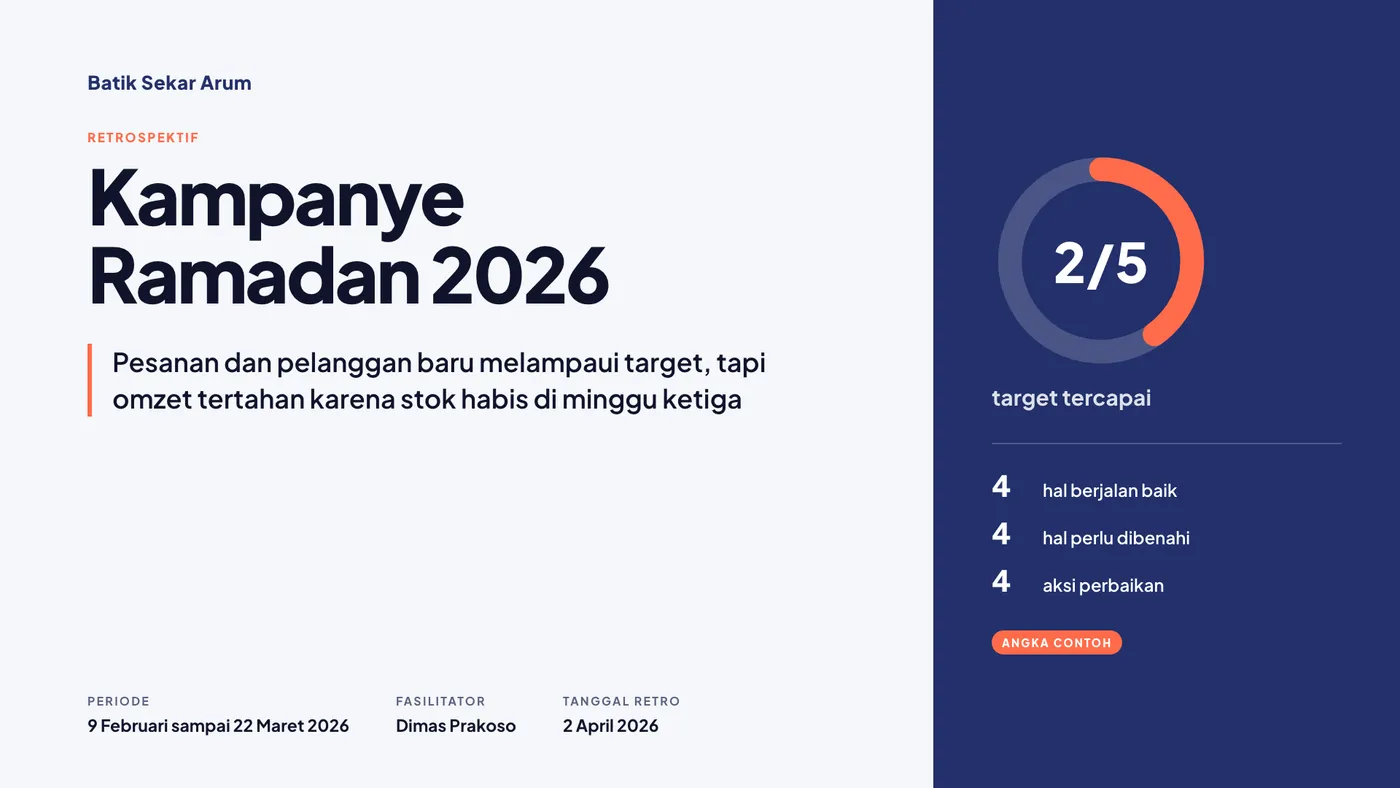
Cover: the result sentence and a 2 of 5 targets met ring
SKILL.md contents
Premium subscribers can read, copy, and install this skill.
Unlock with Premium Sign inProject Retrospective
Description
A 16:9 retrospective deck for reviewing a finished project, campaign, or event: a ring showing how many targets were met, targets vs results with calculated percentages and status (including measures where smaller is better), a planned vs actual timeline with day differences, what went well, what did not, causes per problem by category without blaming people, keep-stop-start lessons, and improvement actions with owners, deadlines, and status. Exports PDF, PPTX, images.
Verified by SkillFlow
We checked every file in this skill automatically: no command that downloads and runs a program, no hidden code, no instruction telling your AI to ignore you.
- Loads from outside
- Fonts: Google Fonts SkillFlow: directory.skillflow.ai.id
See the 6 files inside
skill.json12 KBSKILL.md6 KBprompt.md6 KBprompt.en.md6 KBfiles/contoh/acara-komunitas-palet-arang.html43 KBfiles/deck.html42 KB
Checked 14 Nov 2026
Included in Basic and Pro
Basic copies the prompt. Pro also downloads the ZIP, sends to AI, installs into agents, and opens every category.
Get Pro Get Basic Already subscribed? Sign inWhat you get
- An honest result sentence and an achievement ring showing how many targets were met
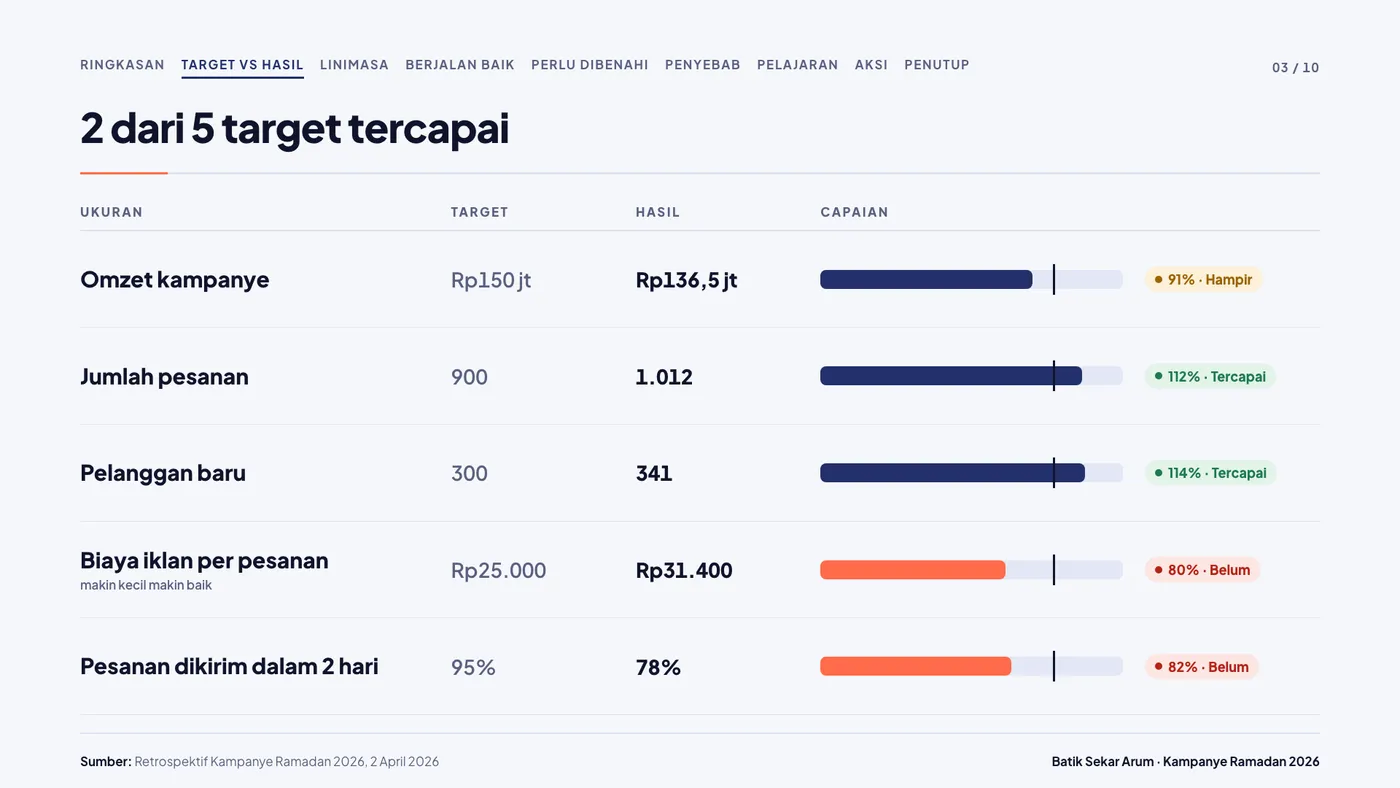
- Targets vs results with percent achieved and met, close, or missed status calculated automatically
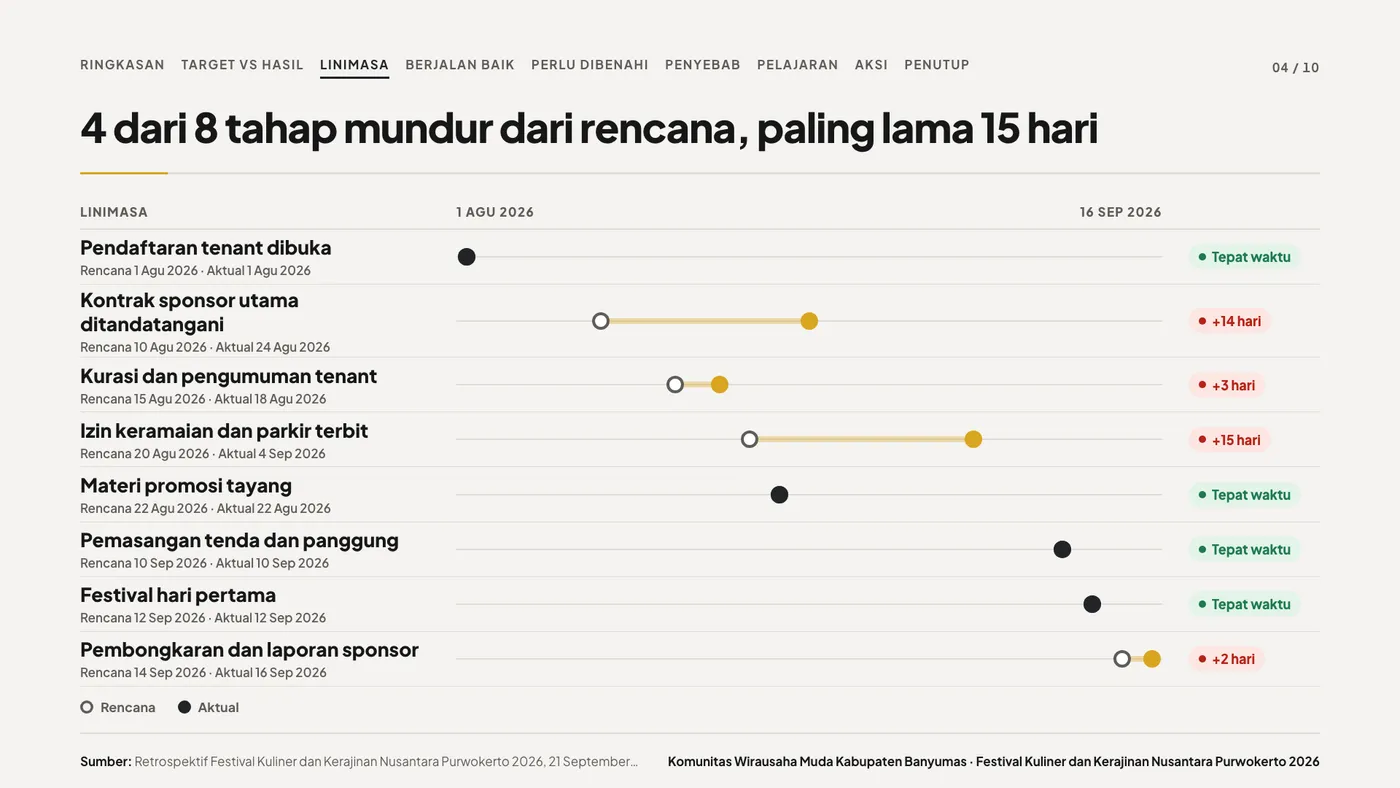
- A planned vs actual timeline on one shared date scale, with the day difference per milestone
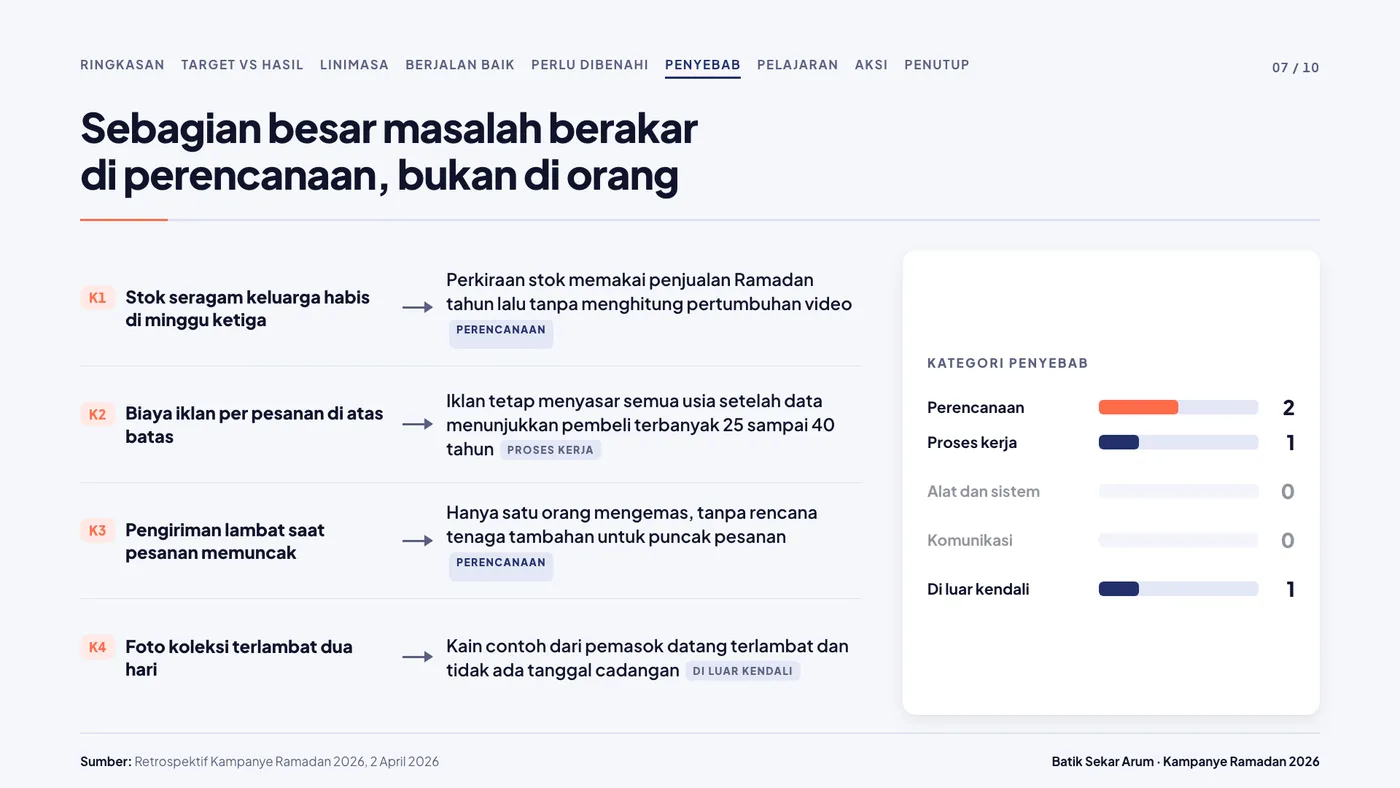
- Coded wins and fixes, a cause per problem with a category and a chart of categories
- Keep, stop, start lessons and improvement actions sorted by deadline with owners
- A 1920x1080 HTML deck that warns when a cause names a person, exporting PDF, PPTX, images
Good fit
- Business teams that just finished a sales campaign or product launch
- Event committees who want the next event to run smoother
- Agencies or consultants closing a client project with a review meeting
Not for
- Not a funding accountability report or budget realisation
- Not an individual performance review
- It does not guess causes; causes come from the team discussion
- Not a routine monthly or quarterly report
About this skill
/retrospektif-proyek Make a retrospective deck for our batik shop's Ramadan campaign: revenue missed target because stock ran out in week three, but orders and new customers beat their targets
Show more
A 16:9 retrospective deck for reviewing a finished project, campaign, or event: a ring showing how many targets were met, targets vs results with calculated percentages and status (including measures where smaller is better), a planned vs actual timeline with day differences, what went well, what did not, causes per problem by category without blaming people, keep-stop-start lessons, and improvement actions with owners, deadlines, and status. Exports PDF, PPTX, images.
User reviews
FAQ
How are smaller-is-better targets, like ad cost, calculated?
Mark that measure as going down. Achievement becomes target divided by result, so a cost of 31,400 against a limit of 25,000 shows as 80 percent and missed.
What does no blame mean here?
Causes are written about decisions, processes, tools, or communication, never about a person's name. If a cause mentions a meeting attendee by name, the console warns so it can be rewritten.
What if a problem has no action yet?
The console lists the problem codes that have no improvement action. Before the meeting ends, every problem should have one action with an owner and a deadline.
Which AI can I use it with?
Copy the prompt into a chat AI (ChatGPT, Claude, Gemini, DeepSeek); or download the ZIP and install it in an AI agent (Claude Code, Codex, Antigravity, Hermes Agent, Cursor, GitHub Copilot, Gemini CLI, OpenCode, Kimi Code, Trae), which then builds the files for you.
What is in the ZIP?
One folder named retrospektif-proyek with SKILL.md (the instructions an AI agent reads) and the prompt, 6 files in all. Extract it into your agent's skills folder, or install it with npx skillflow-ai add retrospektif-proyek. Pro only.
Is there a per-use fee or credits?
Not from SkillFlow. The skill runs on the AI you already use, so any cost follows that plan.
Which plan includes it?
Basic and Pro. Basic copies the prompt; Pro also downloads the ZIP, sends to AI, installs into agents and shares results by link.
Can I use my own colours and brand?
Yes. Pick a colour theme on this page, or fill in your brand profile once; both go into the prompt you copy and into the ZIP.
Can I share what I made?
Pro members can upload the result and get a page at share.skillflow.ai.id to send to anyone. The page carries a small "Made with SkillFlow AI" mark.
Is there a download limit?
Yes, per day: 50 skills on Pro, 10 on other plans. Downloading a skill again on the same day does not count.



