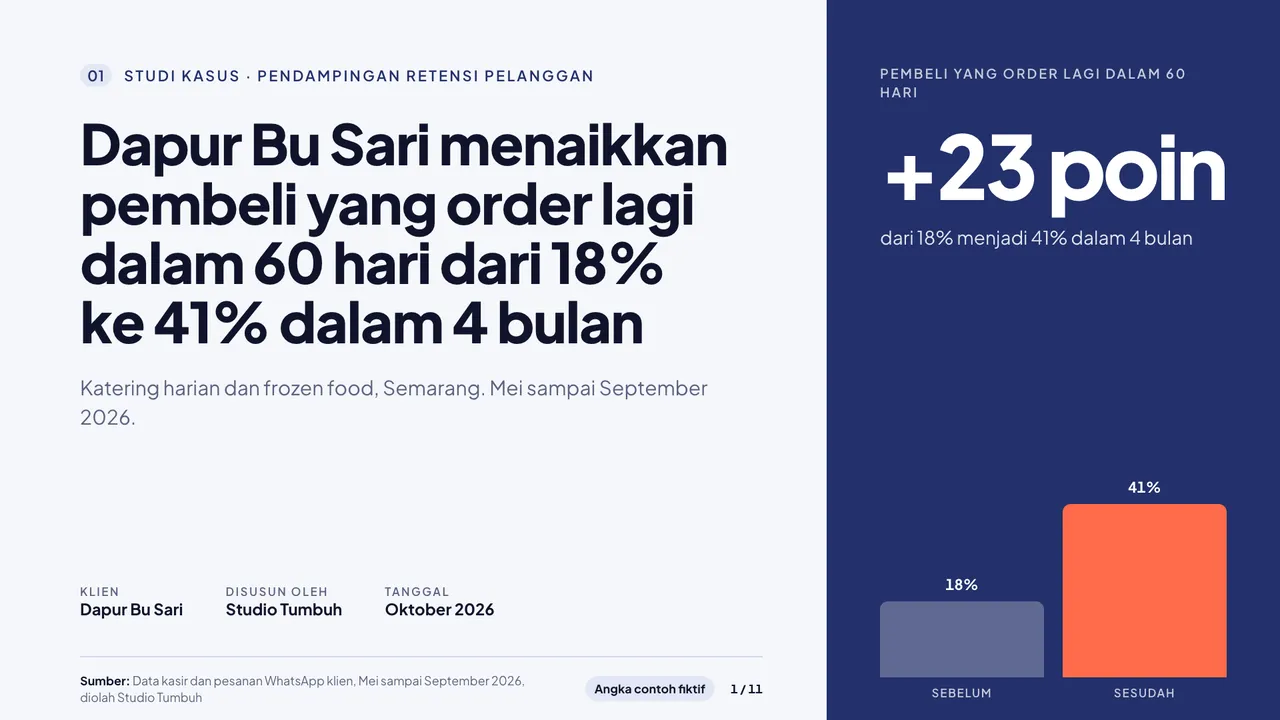
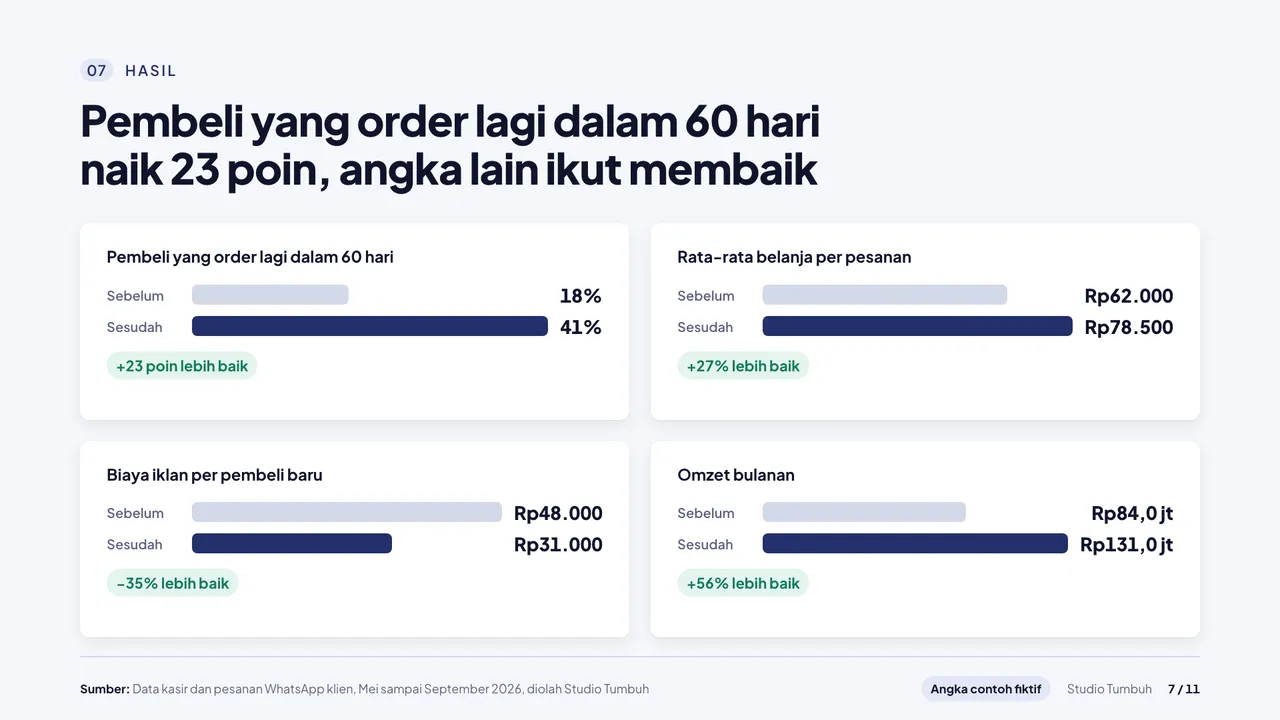
Cover: the title is the result, the biggest number and before/after bars
SKILL.md contents
Premium subscribers can read, copy, and install this skill.
Unlock with Premium Sign inClient Case Study Deck
Description
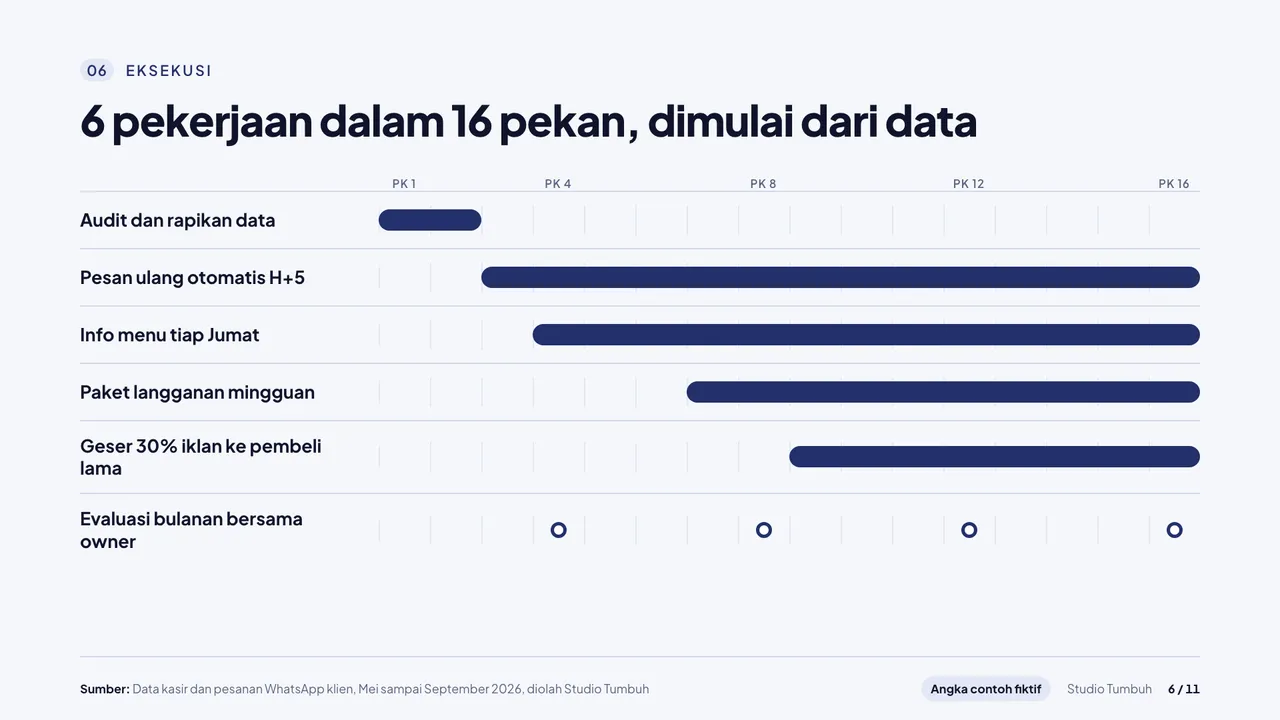
A consultant-style case study deck for agencies, freelancers, and consultants who want to prove their results: a cover with the biggest result, a three-number summary, client profile, starting point and problems, the approach as a three-step diagram, week-by-week execution, before and after results, a trend chart with change markers, a client quote, lessons, and a call to action. Differences, better-or-worse direction, charts, and most titles are worked out from the numbers you enter, with a sample-figures label until real data is used. One HTML file that saves straight to PDF.
Verified by SkillFlow
We checked every file in this skill automatically: no command that downloads and runs a program, no hidden code, no instruction telling your AI to ignore you.
- Loads from outside
- Fonts: Google Fonts
See the 5 files inside
skill.json10 KBSKILL.md5 KBprompt.md4 KBprompt.en.md4 KBfiles/deck.html34 KB
Checked 14 Nov 2026
Included in Basic and Pro
Basic copies the prompt. Pro also downloads the ZIP, sends to AI, installs into agents, and opens every category.
Get Pro Get Basic Already subscribed? Sign inWhat you get
- An 11-slide 16:9 deck that runs starting point, approach, execution, results
- Slide titles written as conclusions, generated from the numbers and editable
- Before and after results per metric with better-or-worse direction (up or down can be good)
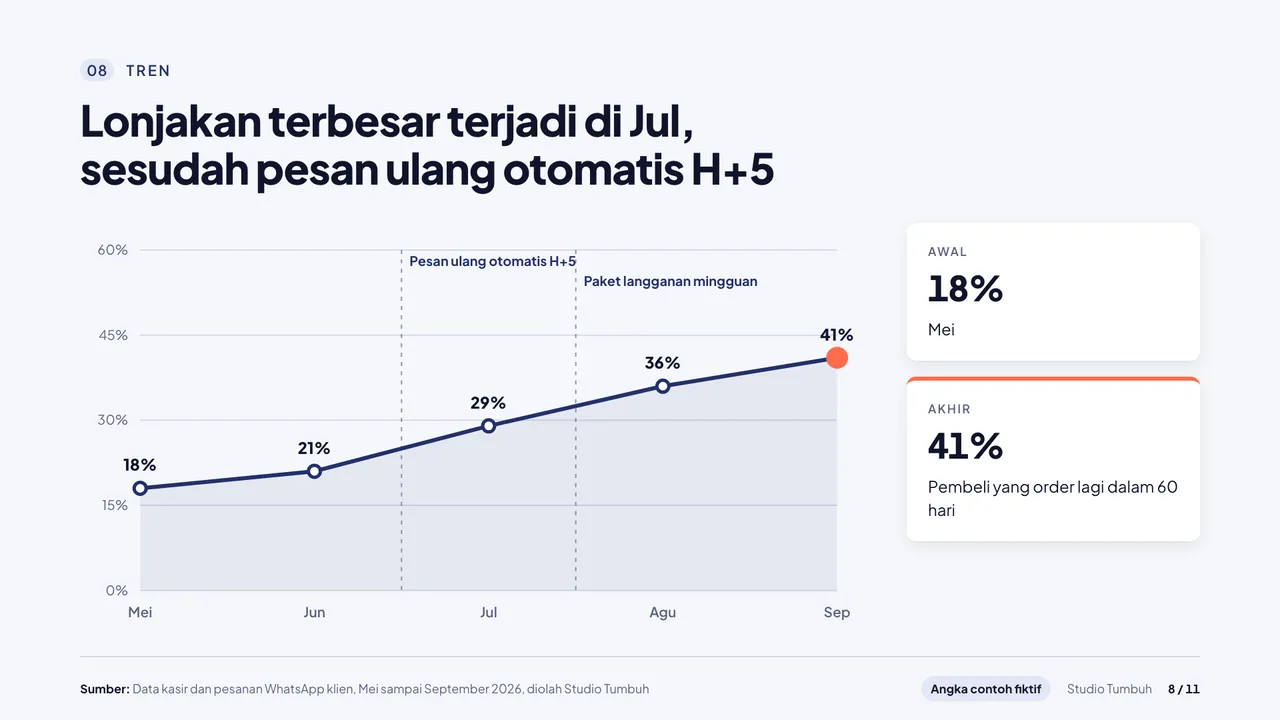
- An approach diagram, a week-by-week execution chart, and a monthly trend chart with change markers
- A sample-figures label in every slide footer and a permission note on the client quote
- One slide per page PDF via Print in Chrome
Good fit
- Agencies, freelancers, and consultants proving results to prospects
- Service providers with before and after data from one project
- Teams wanting a case study for proposals or sales presentations
Not for
- Figures and quotes must come from a real project with client permission
- One client per deck, not a multi-project portfolio
- Not a routine monthly report for an ongoing client
About this skill
/studi-kasus-klien-deck Make a client case study deck for Rimba Kreatif Digital Agency with Bunda Healthy Catering: repeat orders rose from 18 percent to 41 percent in 4 months
Show more
A consultant-style case study deck for agencies, freelancers, and consultants who want to prove their results: a cover with the biggest result, a three-number summary, client profile, starting point and problems, the approach as a three-step diagram, week-by-week execution, before and after results, a trend chart with change markers, a client quote, lessons, and a call to action. Differences, better-or-worse direction, charts, and most titles are worked out from the numbers you enter, with a sample-figures label until real data is used. One HTML file that saves straight to PDF.
User reviews
FAQ
How is the better direction set?
Each metric is marked as up-is-good or down-is-good. A falling cost per order shows as an improvement, just like rising sales.
What does the fictional sample label mean?
It shows in every slide footer while built-in data is still in use, so the deck never goes out with made-up numbers.
Which AI can I use it with?
Copy the prompt into a chat AI (ChatGPT, Claude, Gemini, DeepSeek); or download the ZIP and install it in an AI agent (Claude Code, Codex, Antigravity, Hermes Agent, Cursor, GitHub Copilot, Gemini CLI, OpenCode, Kimi Code, Trae), which then builds the files for you.
What is in the ZIP?
One folder named studi-kasus-klien-deck with SKILL.md (the instructions an AI agent reads) and the prompt, 5 files in all. Extract it into your agent's skills folder, or install it with npx skillflow-ai add studi-kasus-klien-deck. Pro only.
Is there a per-use fee or credits?
Not from SkillFlow. The skill runs on the AI you already use, so any cost follows that plan.
Which plan includes it?
Basic and Pro. Basic copies the prompt; Pro also downloads the ZIP, sends to AI, installs into agents and shares results by link.
Can I use my own colours and brand?
Yes. Pick a colour theme on this page, or fill in your brand profile once; both go into the prompt you copy and into the ZIP.
Can I share what I made?
Pro members can upload the result and get a page at share.skillflow.ai.id to send to anyone. The page carries a small "Made with SkillFlow AI" mark.
Is there a download limit?
Yes, per day: 50 skills on Pro, 10 on other plans. Downloading a skill again on the same day does not count.