

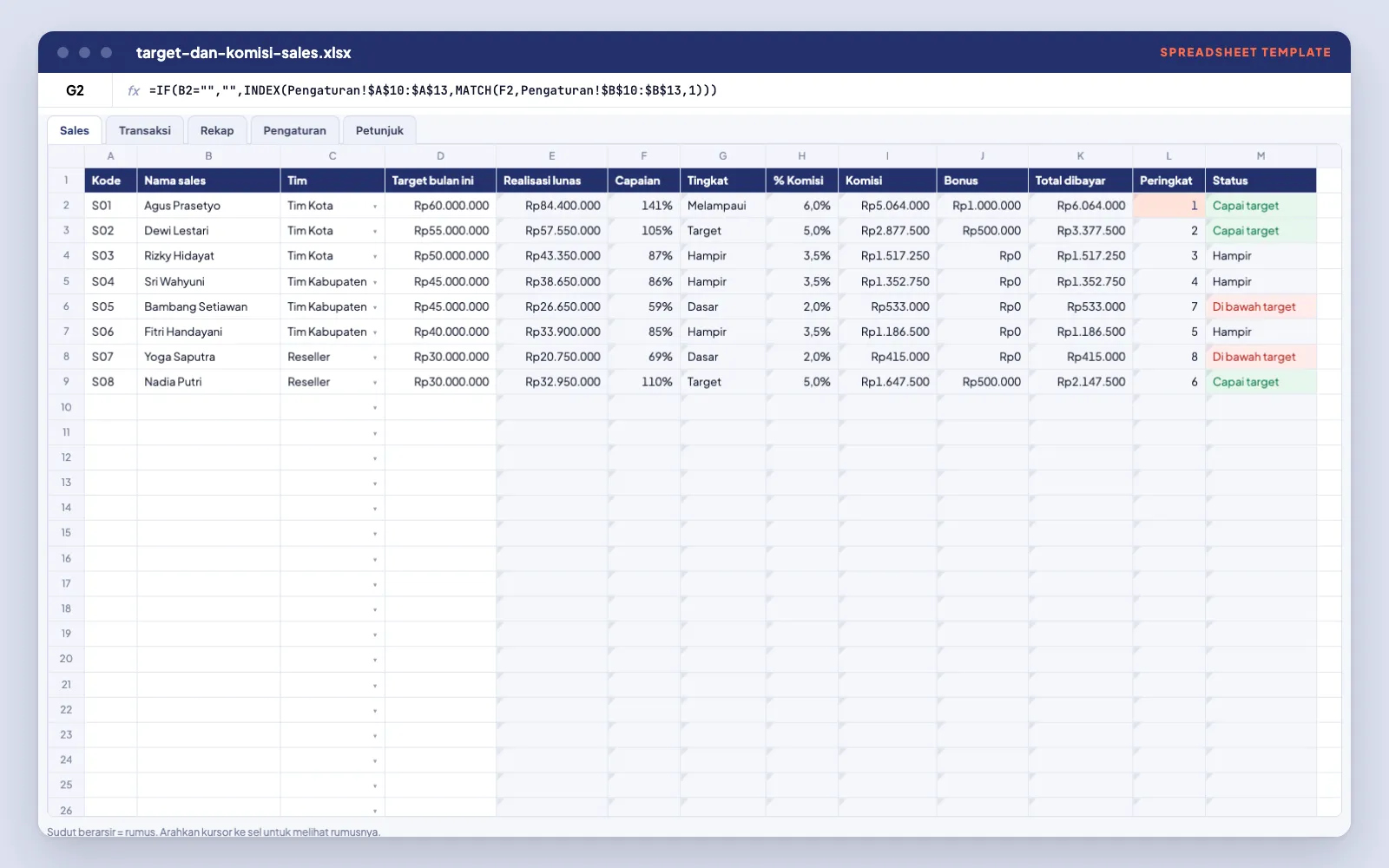
Sales sheet: target, paid sales, achievement, tier and rate from the table, bonus, rank, status
SKILL.md contents
Premium subscribers can read, copy, and install this skill.
Unlock with Premium Sign inSales Targets and Commission
Description
An Excel sales target and commission file for shops, distributors and reseller teams: a salesperson list with monthly targets, daily transactions with the salesperson and payment status from dropdowns, actual sales from invoices paid within the period, percent achieved, tiered commission and bonuses looked up from an editable tier table, a ranking, below-target status highlighted red, and a summary of total commission paid per team and per tier, plus Settings and Guide sheets. Opens in Excel, Numbers or Google Sheets.
Verified by SkillFlow
We checked every file in this skill automatically: no command that downloads and runs a program, no hidden code, no instruction telling your AI to ignore you.
- Loads from outside
- Fonts: Google Fonts SkillFlow: directory.skillflow.ai.id
See the 6 files inside
skill.json9 KBSKILL.md9 KBprompt.md7 KBprompt.en.md8 KBfiles/contoh/distributor-24-sales-3-bulan.html199 KBfiles/template.html123 KB
Checked 14 Nov 2026
Part of SkillFlow Pro
Pro opens every skill in every category: copy, ZIP, Send to AI, install, save, and request new skills.
Get Pro Already subscribed? Sign inWhat you get
- An .xlsx file with Sales, Transactions, Summary, Settings and Guide sheets
- Actual sales calculated from invoices marked Paid within the period (SUMIFS)
- Tier, commission rate and bonus looked up from an editable tier table (INDEX and MATCH)
- Achievement, rank and status per salesperson with below-target highlights
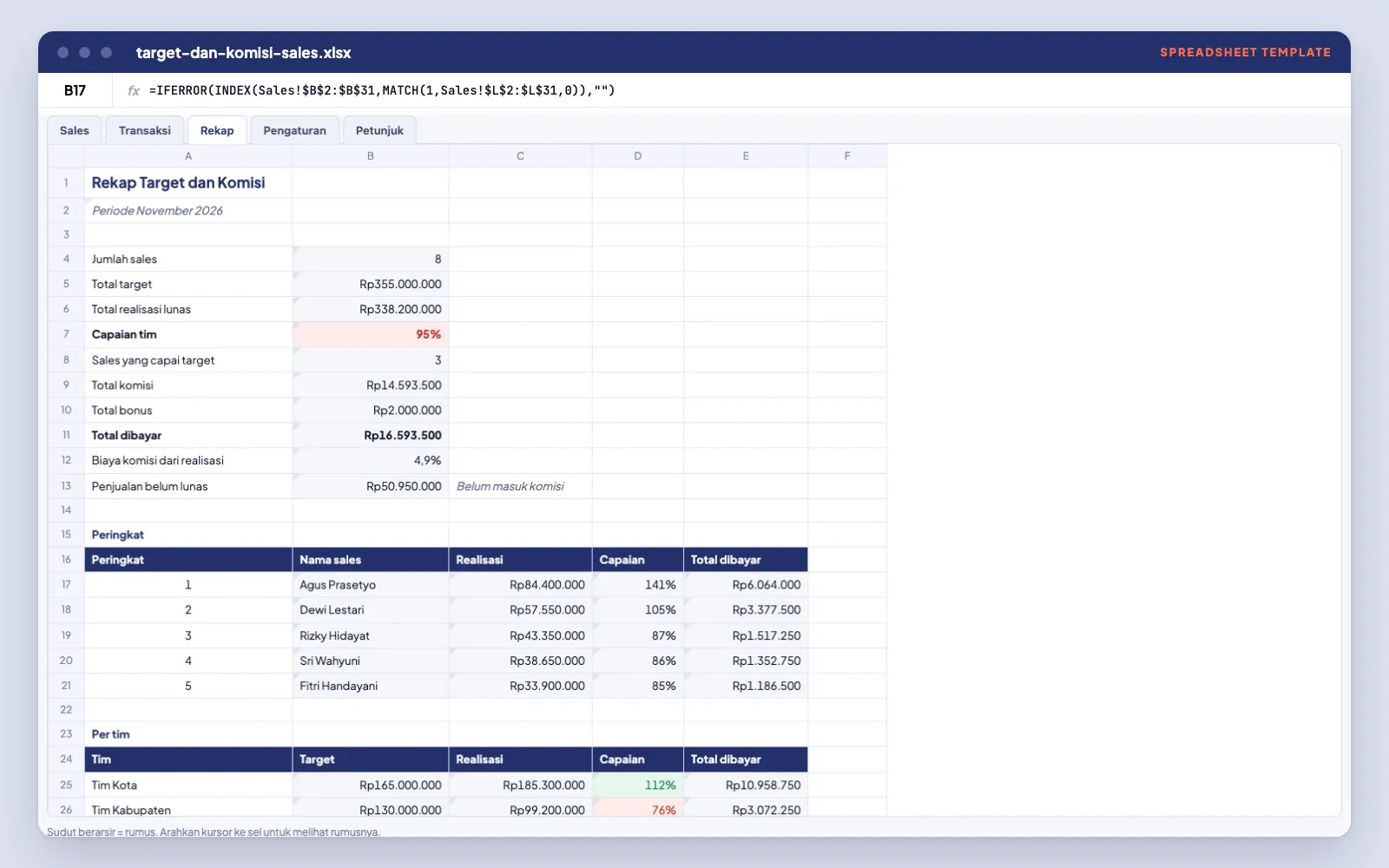
- A summary of commission and bonus paid, the top 5, per team and per tier
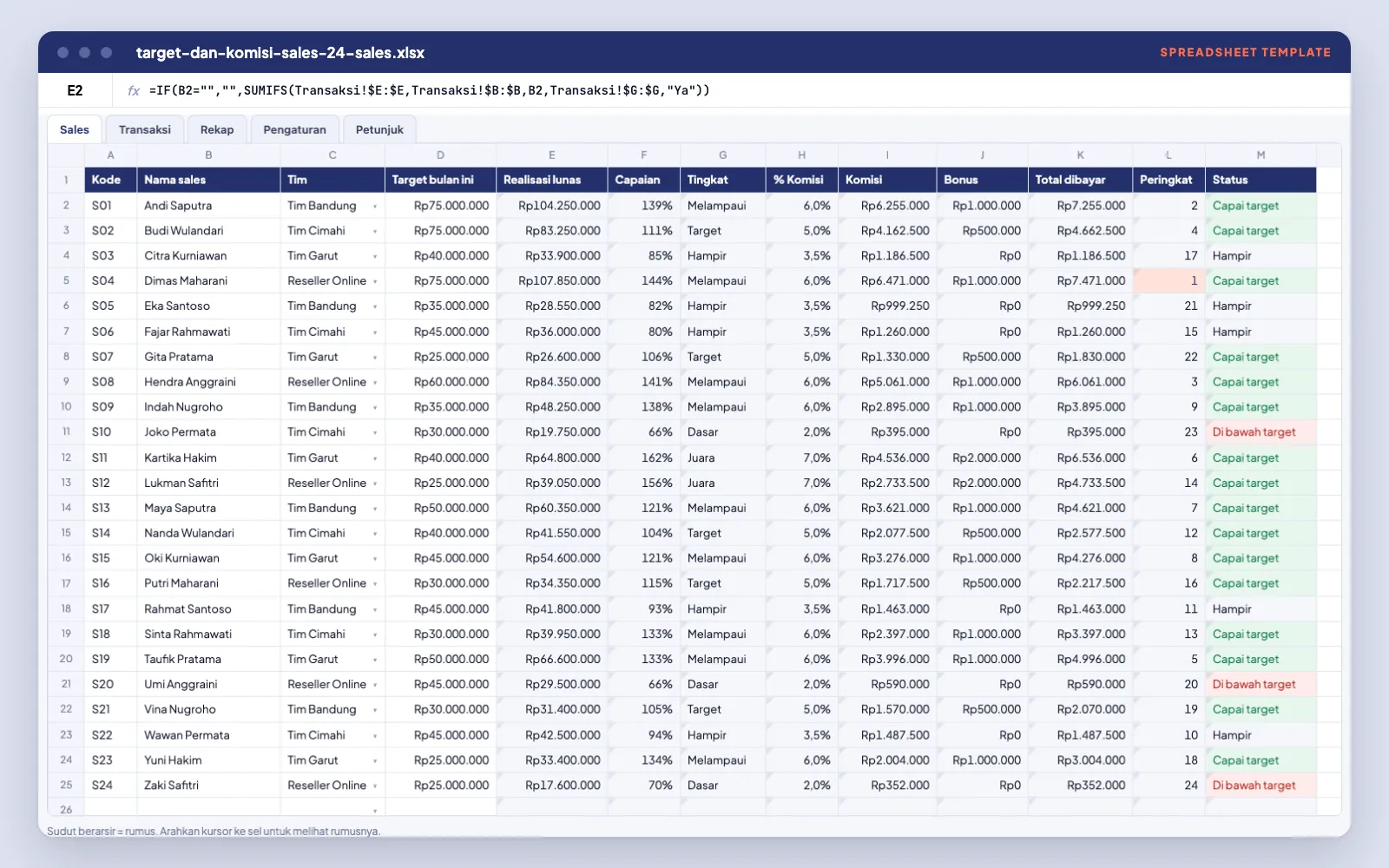
- An HTML template with a sheet preview and a Download Excel button, plus a heavy 24-person example
Good fit
- Shop owners and distributors who pay salespeople commission on sales
- Reseller team leads who set monthly targets and bonuses
- Sales admins still working out commission with a calculator every month end
Not for
- Not a payslip: base pay, allowances and deductions belong in Payroll Summary
- Not a receivables tracker per reseller; invoices and due dates belong in Reseller Orders and Balances
- The rate applies to all of a person's sales, not per layer
- It does not calculate income tax and is not connected to a POS app
About this skill
/target-dan-komisi-sales Make an Excel target and commission file for my 8 snack distributor salespeople, 2% commission under 80% of target, 3.5% up to 100%, and 5% plus a 500,000 bonus above that
Show more
An Excel sales target and commission file for shops, distributors and reseller teams: a salesperson list with monthly targets, daily transactions with the salesperson and payment status from dropdowns, actual sales from invoices paid within the period, percent achieved, tiered commission and bonuses looked up from an editable tier table, a ranking, below-target status highlighted red, and a summary of total commission paid per team and per tier, plus Settings and Guide sheets. Opens in Excel, Numbers or Google Sheets.
User reviews
FAQ
Why do only paid invoices count?
So commission is paid from money that has arrived. Unpaid invoices stay recorded and their total shows in the summary, then count as soon as the status changes to Paid. If your rule counts every invoice, change the Counted column formula.
How do I change the commission tiers?
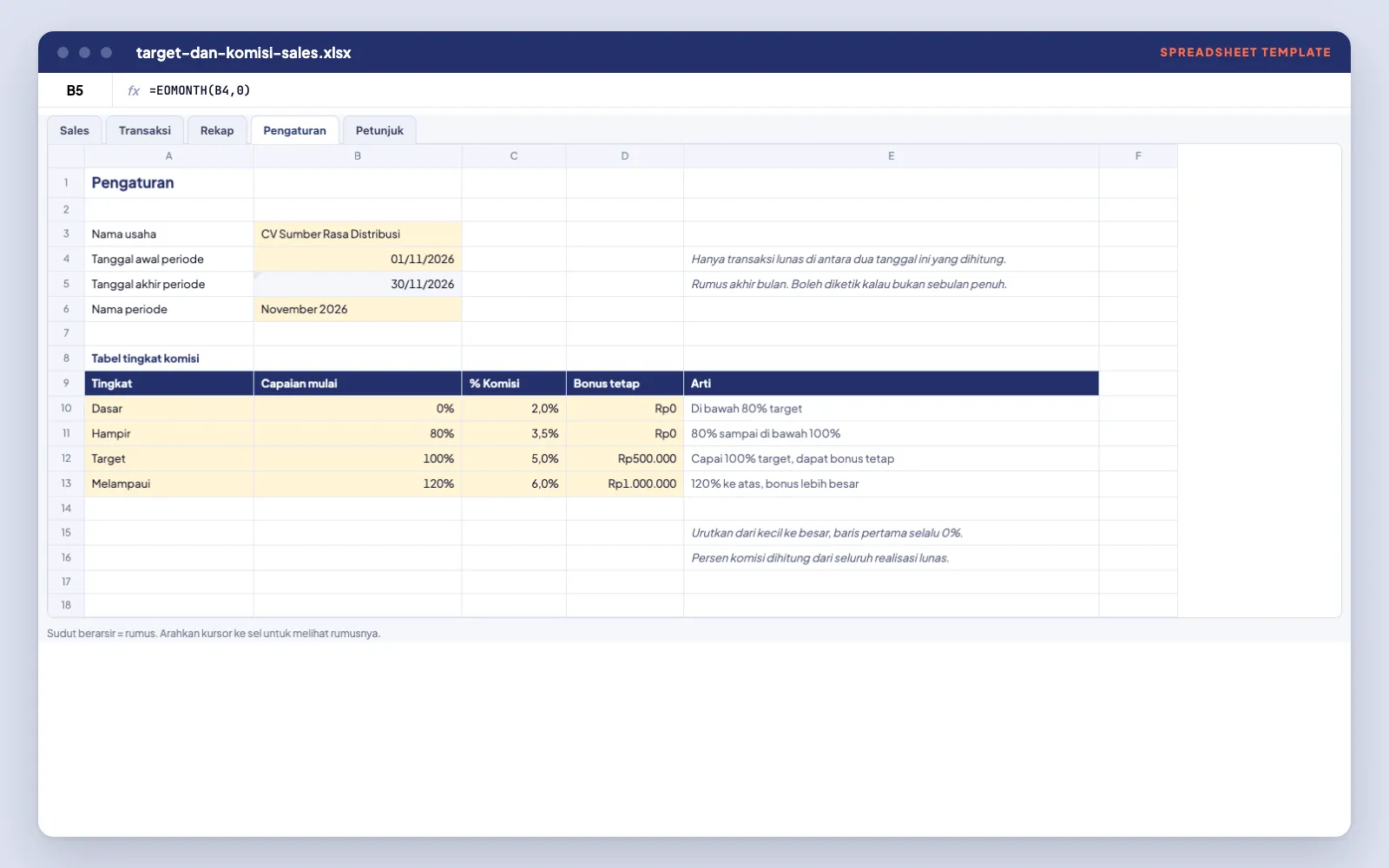
Edit the tier table on the Settings sheet: the threshold, commission rate and fixed bonus. Keep it sorted from the lowest threshold with the first row at 0%. Every salesperson recalculates straight away.
Does it work across months?
Yes. Other months can stay on the same sheet; only dates inside the period in Settings count. Change the period start date to work out the next month, and save a file per month as a record.
Which AI can I use it with?
Copy the prompt into a chat AI (ChatGPT, Claude, Gemini, DeepSeek); or download the ZIP and install it in an AI agent (Claude Code, Codex, Antigravity, Hermes Agent, Cursor, GitHub Copilot, Gemini CLI, OpenCode, Kimi Code, Trae), which then builds the files for you.
What is in the ZIP?
One folder named target-dan-komisi-sales with SKILL.md (the instructions an AI agent reads) and the prompt, 6 files in all. Extract it into your agent's skills folder, or install it with npx skillflow-ai add target-dan-komisi-sales. Pro only.
Is there a per-use fee or credits?
Not from SkillFlow. The skill runs on the AI you already use, so any cost follows that plan.
Which plan includes it?
SkillFlow Pro. It opens every skill in every category.
Can I use my own colours and brand?
Yes. Pick a colour theme on this page, or fill in your brand profile once; both go into the prompt you copy and into the ZIP.
Can I share what I made?
Pro members can upload the result and get a page at share.skillflow.ai.id to send to anyone. The page carries a small "Made with SkillFlow AI" mark.
Is there a download limit?
Yes, per day: 50 skills on Pro, 10 on other plans. Downloading a skill again on the same day does not count.



