

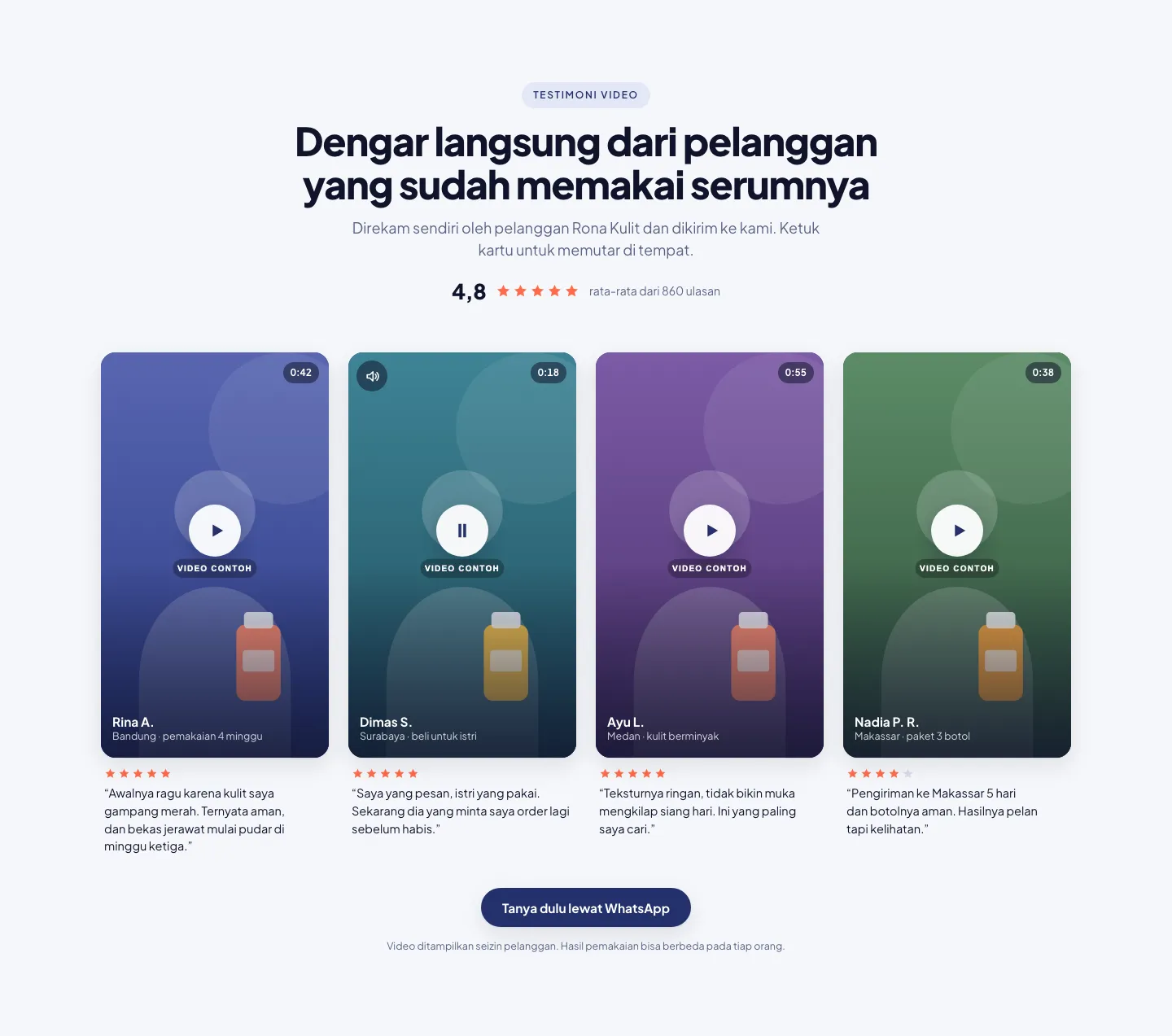
Grid layout: four vertical video cards, the second one playing in place
SKILL.md contents
Premium subscribers can read, copy, and install this skill.
Unlock with Premium Sign inVertical Video Testimonials (Section)
Description
A testimonial section of 9:16 vertical customer video cards: cover, duration, name, note, rating, and a short quote. Videos play in place, only one runs on the whole page, with a sound button and progress bar, and files only load when tapped. An optional muted autoplay that switches off for reduced motion and data saving. Grid or slider layout, placeholder videos drawn by the template. One HTML file with scoped CSS.
Verified by SkillFlow
We checked every file in this skill automatically: no command that downloads and runs a program, no hidden code, no instruction telling your AI to ignore you.
- Loads from outside
- Fonts: Google Fonts
See the 5 files inside
skill.json9 KBSKILL.md7 KBprompt.md4 KBprompt.en.md4 KBfiles/testimoni-video.html26 KB
Checked 14 Nov 2026
Part of SkillFlow Pro
Pro opens every skill in every category: copy, ZIP, Send to AI, install, save, and request new skills.
Get Pro Already subscribed? Sign inWhat you get
- A single-file HTML video testimonial section, CSS scoped so it is safe to paste into other pages
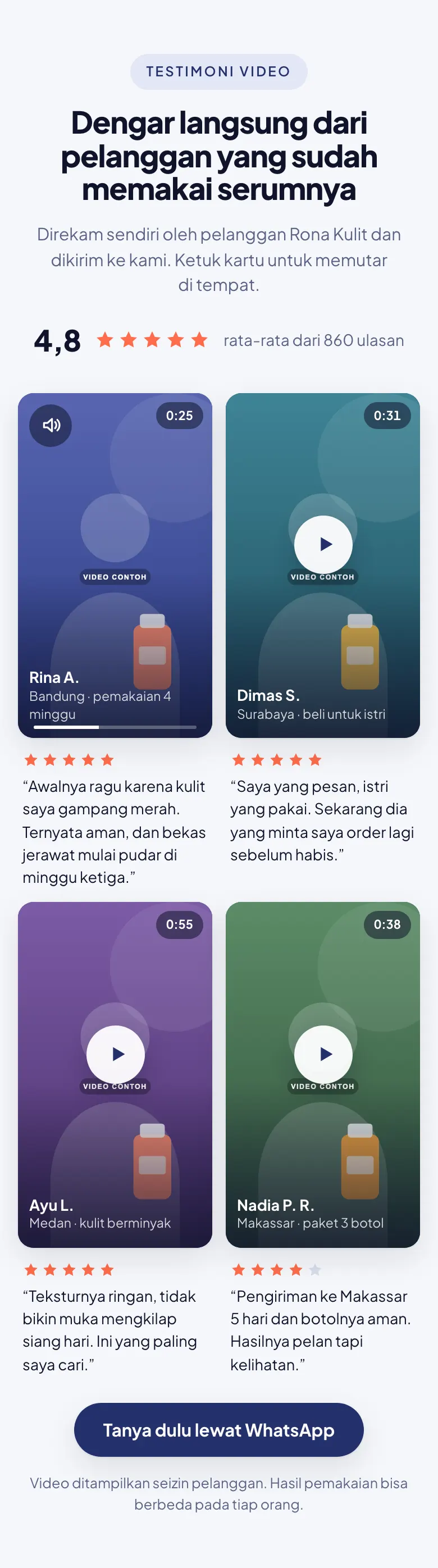
- 9:16 video cards: cover, duration, masked name, note, rating, quote
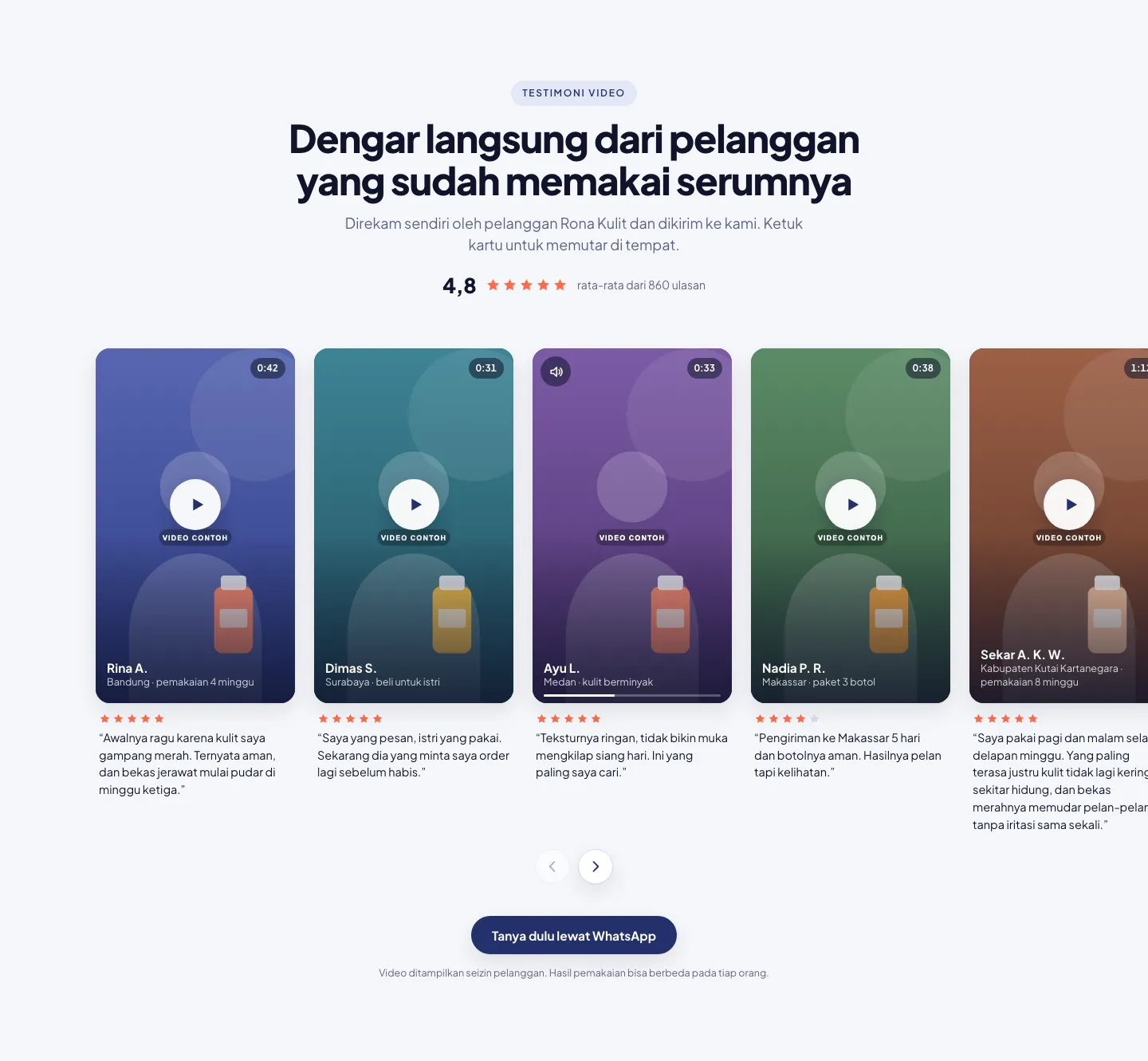
- In-place player: one video at a time, a sound button, a progress bar, optional .vtt captions
- Videos load on tap; an optional muted autoplay that respects reduced motion and data saving
- 2 layouts (grid, slider with buttons), placeholder videos drawn by the template, a WhatsApp CTA and a permission note
Good fit
- Sellers with 3 to 8 short phone testimonial videos
- Product, course, or service landing pages needing proof stronger than text
- Shops moving videos from social media onto their own page without a third party player
- Pages wanting visitors to watch silently with subtitles
Not for
- Not for staged videos, actors posing as buyers, or other people's videos from the internet
- It does not edit or compress your videos
- It does not embed social media players; it uses a plain video element
- Sample video placeholders must be replaced before going live
About this skill
/testimoni-video-vertikal Build a vertical video testimonial section for our beginner knitting course, 6 customer phone videos with consent, quotes from what they said, .vtt subtitles, grid layout, and a WhatsApp button
Show more
A testimonial section of 9:16 vertical customer video cards: cover, duration, name, note, rating, and a short quote. Videos play in place, only one runs on the whole page, with a sound button and progress bar, and files only load when tapped. An optional muted autoplay that switches off for reduced motion and data saving. Grid or slider layout, placeholder videos drawn by the template. One HTML file with scoped CSS.
User reviews
FAQ
What video format is recommended?
720x1280 H.264 at around 1.5 to 2.5 Mbps, so a 30 second clip is about 6 to 9 MB, with a WebP or JPG cover at 720x1280 of up to about 120 KB.
Can all videos play at once?
No, one video plays at a time. Tapping another stops the previous one, even in other sections built from this template. Videos only load when tapped.
Can videos autoplay?
Yes, muted, and the option respects visitors' reduced motion and data saver settings. It is off by default, so videos wait to be tapped.
Which AI can I use it with?
Copy the prompt into a chat AI (ChatGPT, Claude, Gemini, DeepSeek); or download the ZIP and install it in an AI agent (Claude Code, Codex, Antigravity, Hermes Agent, Cursor, GitHub Copilot, Gemini CLI, OpenCode, Kimi Code, Trae), which then builds the files for you.
What is in the ZIP?
One folder named testimoni-video-vertikal with SKILL.md (the instructions an AI agent reads) and the prompt, 5 files in all. Extract it into your agent's skills folder, or install it with npx skillflow-ai add testimoni-video-vertikal. Pro only.
Is there a per-use fee or credits?
Not from SkillFlow. The skill runs on the AI you already use, so any cost follows that plan.
Which plan includes it?
SkillFlow Pro. It opens every skill in every category.
Can I use my own colours and brand?
Yes. Pick a colour theme on this page, or fill in your brand profile once; both go into the prompt you copy and into the ZIP.
Can I share what I made?
Pro members can upload the result and get a page at share.skillflow.ai.id to send to anyone. The page carries a small "Made with SkillFlow AI" mark.
Is there a download limit?
Yes, per day: 50 skills on Pro, 10 on other plans. Downloading a skill again on the same day does not count.



