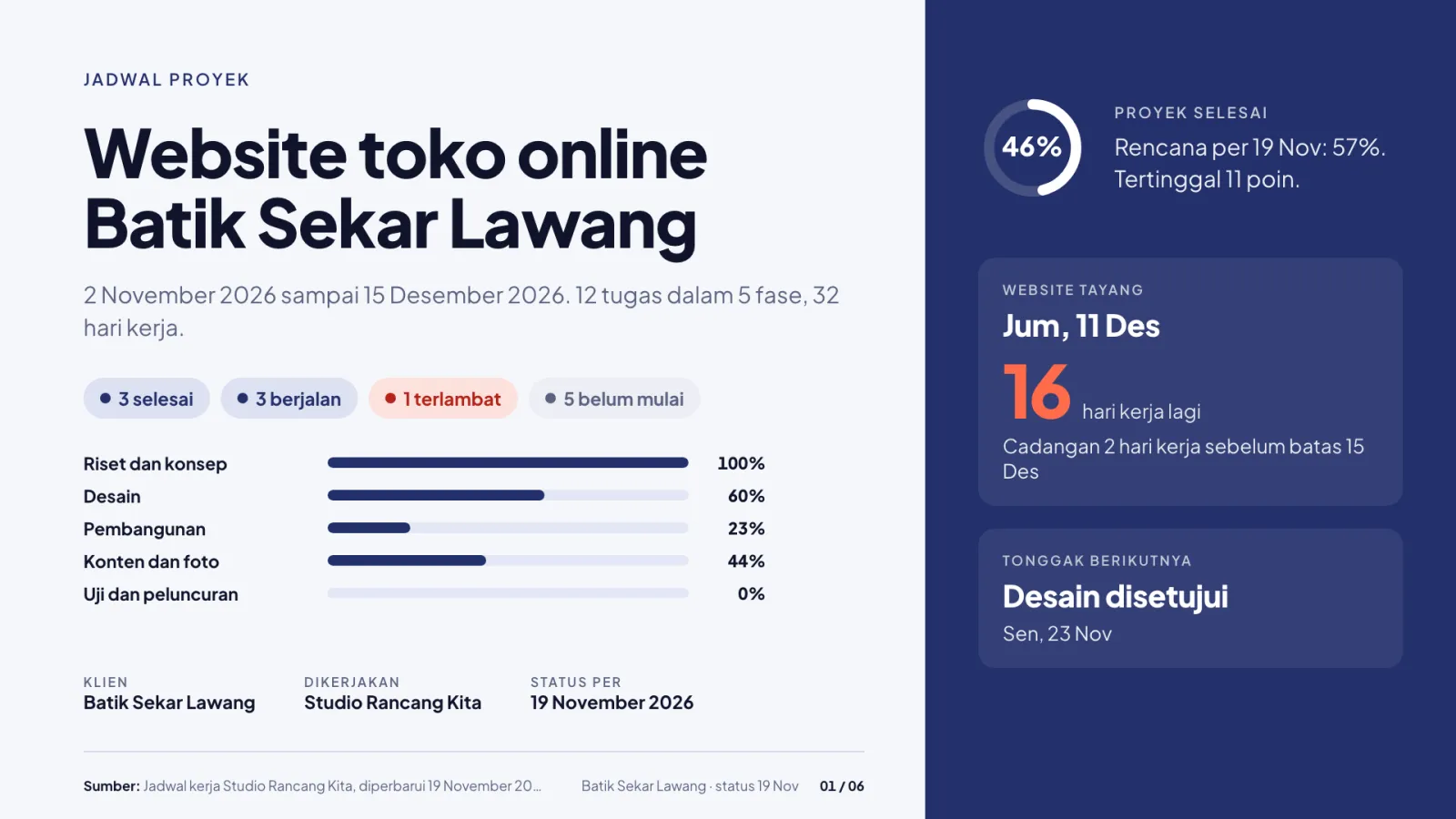
Cover: progress vs plan, progress per phase, and a countdown to the main milestone
SKILL.md contents
Premium subscribers can read, copy, and install this skill.
Unlock with Premium Sign inProject Gantt Timeline
Description
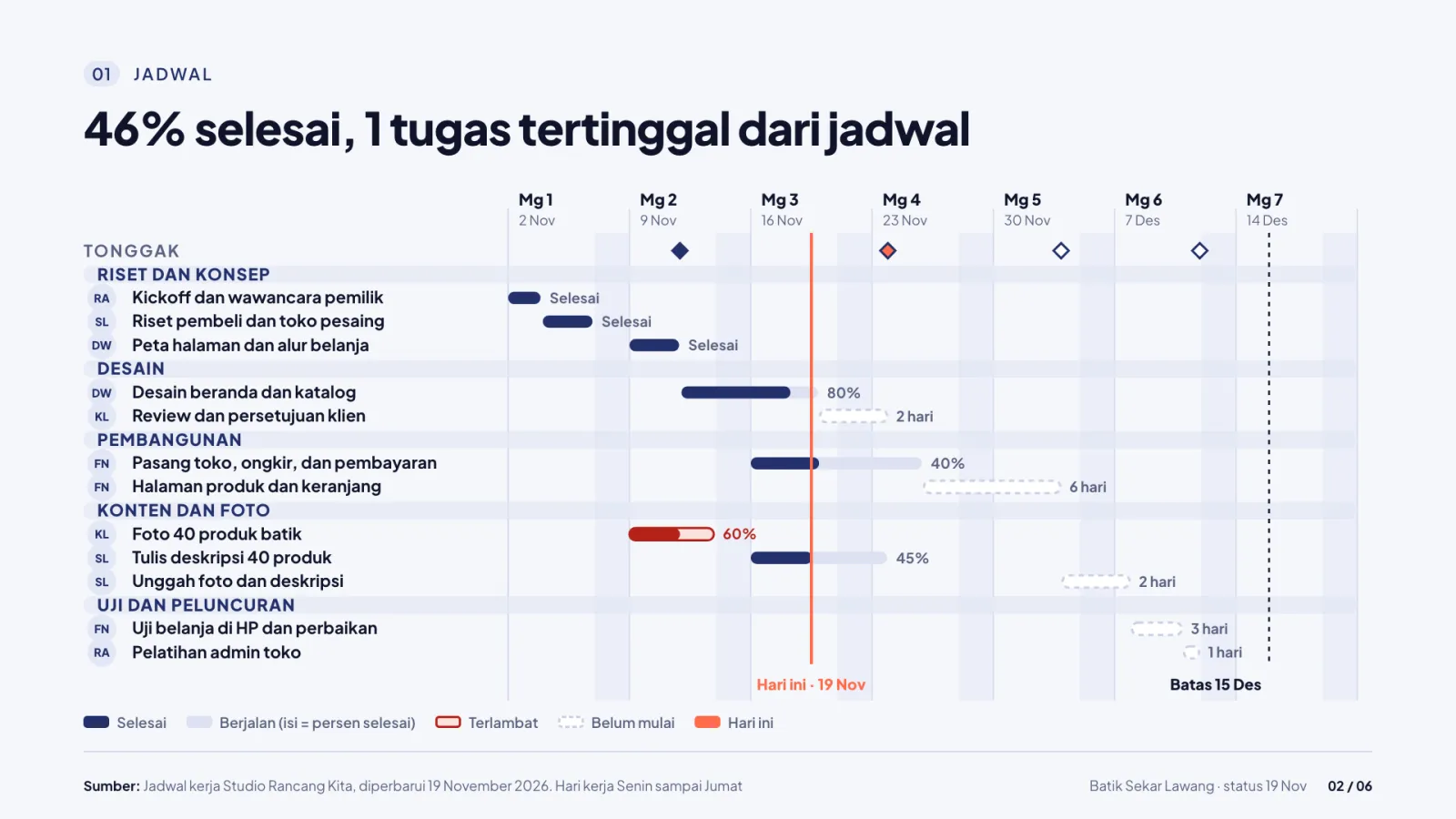
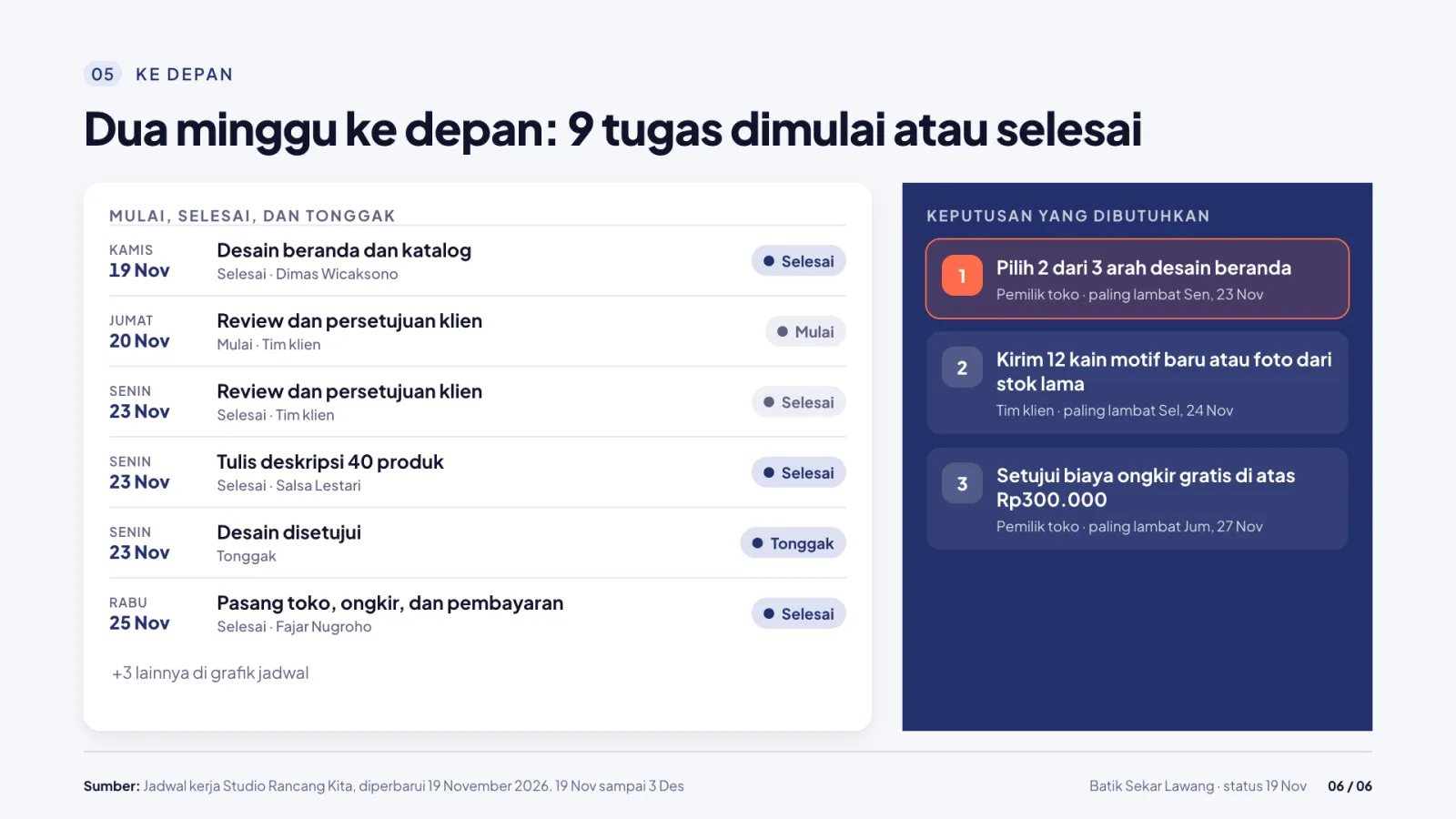
A UI-card style project schedule deck for teams and clients: a Gantt chart per phase with status-coloured bars, percent done inside each bar, a today line, a deadline line, and diamond milestones. Just list tasks, their length in working days, and what they come after; end dates, bar positions, late status, project progress vs plan, the critical path, slack, and the effect of delays on the deadline are all computed. 6 slides in 16:9 from one data object, straight to PDF.
Verified by SkillFlow
We checked every file in this skill automatically: no command that downloads and runs a program, no hidden code, no instruction telling your AI to ignore you.
- Loads from outside
- Fonts: Google Fonts
See the 5 files inside
skill.json10 KBSKILL.md8 KBprompt.md8 KBprompt.en.md8 KBfiles/deck.html48 KB
Checked 14 Nov 2026
Included in Basic and Pro
Basic copies the prompt. Pro also downloads the ZIP, sends to AI, installs into agents, and opens every category.
Get Pro Get Basic Already subscribed? Sign inWhat you get
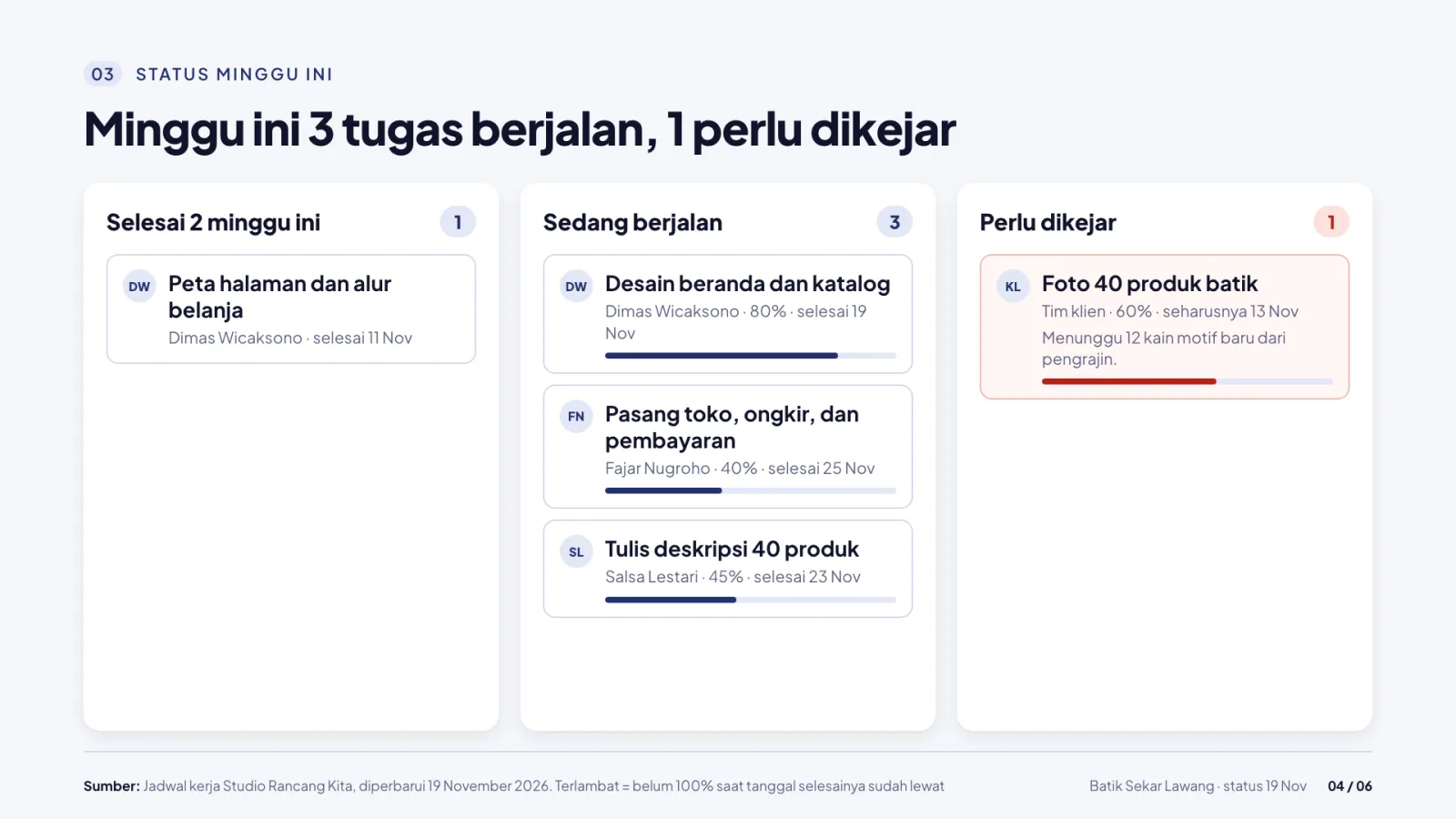
- 6-slide 16:9 deck: cover, Gantt chart, milestones, this week's status, critical path, next two weeks
- Dates computed from working-day lengths and predecessors, skipping weekends and holidays
- Automatic status: done, in progress, late, not started, on hold
- Actual project progress compared with the plan on the status date
- Critical path, slack, and how far the deadline would slip
- One slide per page PDF via Print in Chrome, 3 palettes
Good fit
- Agencies and freelancers reporting a project schedule to a client
- Internal teams that need one schedule picture for status meetings
- Owners preparing a new branch, a renovation, or a launch
- Anyone who wants dates computed from dependencies, not dragged by hand
Not for
- Not a project management app: no dragging bars, notifications, or syncing with team tools
- You still fill in each task's percent done; the deck cannot know real progress
- Works best up to about 20 tasks; projects with hundreds are split by phase or month
- It does not calculate costs or hours per person
About this skill
/timeline-proyek-gantt Make a project timeline for building an online shop website for the client Sekar Lawang Batik, 12 tasks in 5 phases, status as of 19 November, launch deadline 15 December
Show more
A UI-card style project schedule deck for teams and clients: a Gantt chart per phase with status-coloured bars, percent done inside each bar, a today line, a deadline line, and diamond milestones. Just list tasks, their length in working days, and what they come after; end dates, bar positions, late status, project progress vs plan, the critical path, slack, and the effect of delays on the deadline are all computed. 6 slides in 16:9 from one data object, straight to PDF.
User reviews
FAQ
Why don't I write task end dates myself?
Because they are computed from the start date or the predecessor plus the working-day length. If one task slips, change its length and everything after it moves. If you have a fixed date, fill in end and the template uses it.
What does the critical path slide mean?
The tasks with no slack before the last task. If one slips a day, the project end date slips a day. Late tasks that are not on it can still catch up without moving the deadline.
What if the team works Saturdays or there are public holidays?
Turn workdays off so every day counts, or list holiday dates in holidays so they are skipped.
Which AI can I use it with?
Copy the prompt into a chat AI (ChatGPT, Claude, Gemini, DeepSeek); or download the ZIP and install it in an AI agent (Claude Code, Codex, Antigravity, Hermes Agent, Cursor, GitHub Copilot, Gemini CLI, OpenCode, Kimi Code, Trae), which then builds the files for you.
What is in the ZIP?
One folder named timeline-proyek-gantt with SKILL.md (the instructions an AI agent reads) and the prompt, 5 files in all. Extract it into your agent's skills folder, or install it with npx skillflow-ai add timeline-proyek-gantt. Pro only.
Is there a per-use fee or credits?
Not from SkillFlow. The skill runs on the AI you already use, so any cost follows that plan.
Which plan includes it?
Basic and Pro. Basic copies the prompt; Pro also downloads the ZIP, sends to AI, installs into agents and shares results by link.
Can I use my own colours and brand?
Yes. Pick a colour theme on this page, or fill in your brand profile once; both go into the prompt you copy and into the ZIP.
Can I share what I made?
Pro members can upload the result and get a page at share.skillflow.ai.id to send to anyone. The page carries a small "Made with SkillFlow AI" mark.
Is there a download limit?
Yes, per day: 50 skills on Pro, 10 on other plans. Downloading a skill again on the same day does not count.