

Rendered sample video
SKILL.md contents
Premium subscribers can read, copy, and install this skill.
Unlock with Premium Sign inFloor Plan Tour
Description
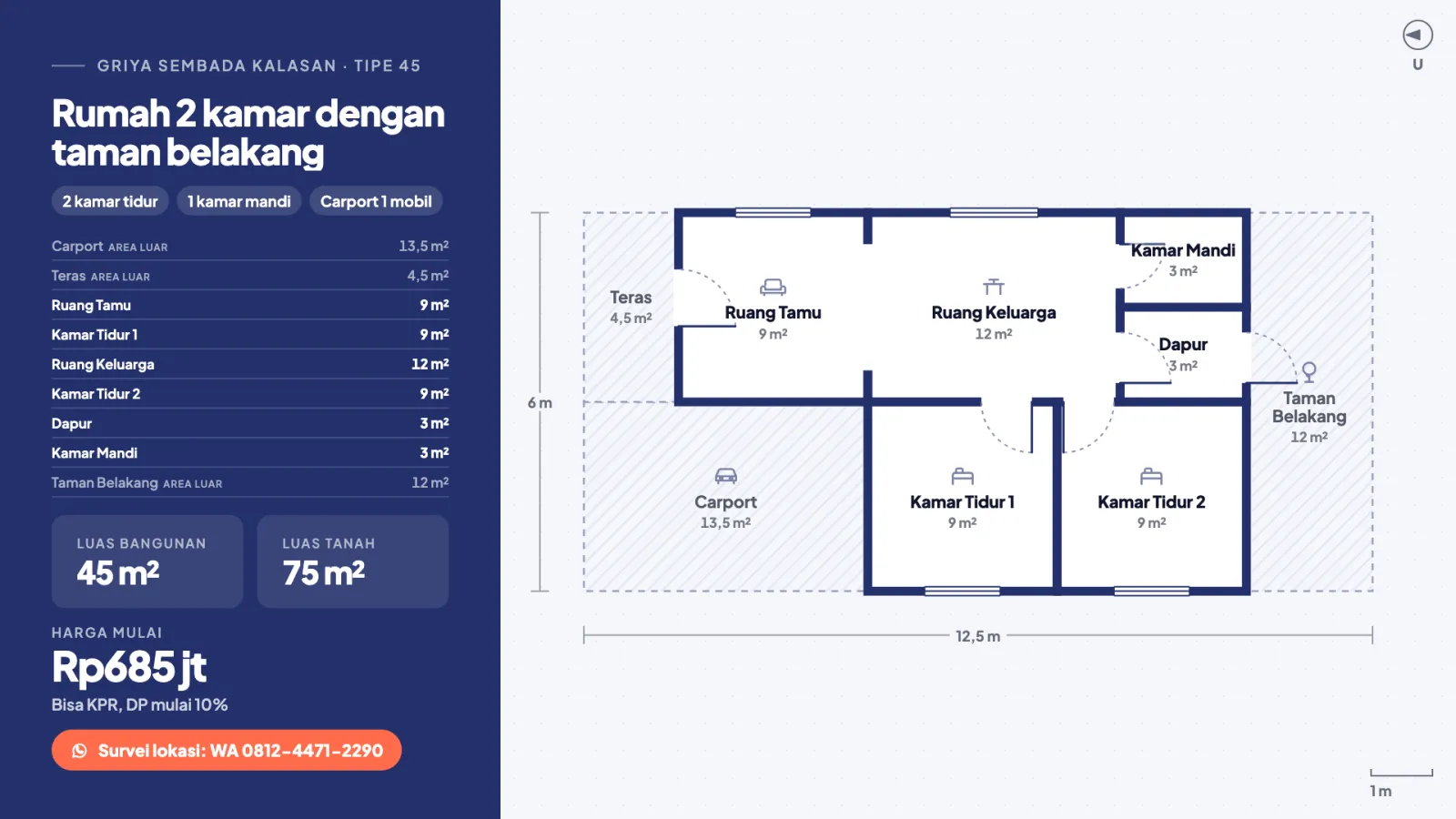
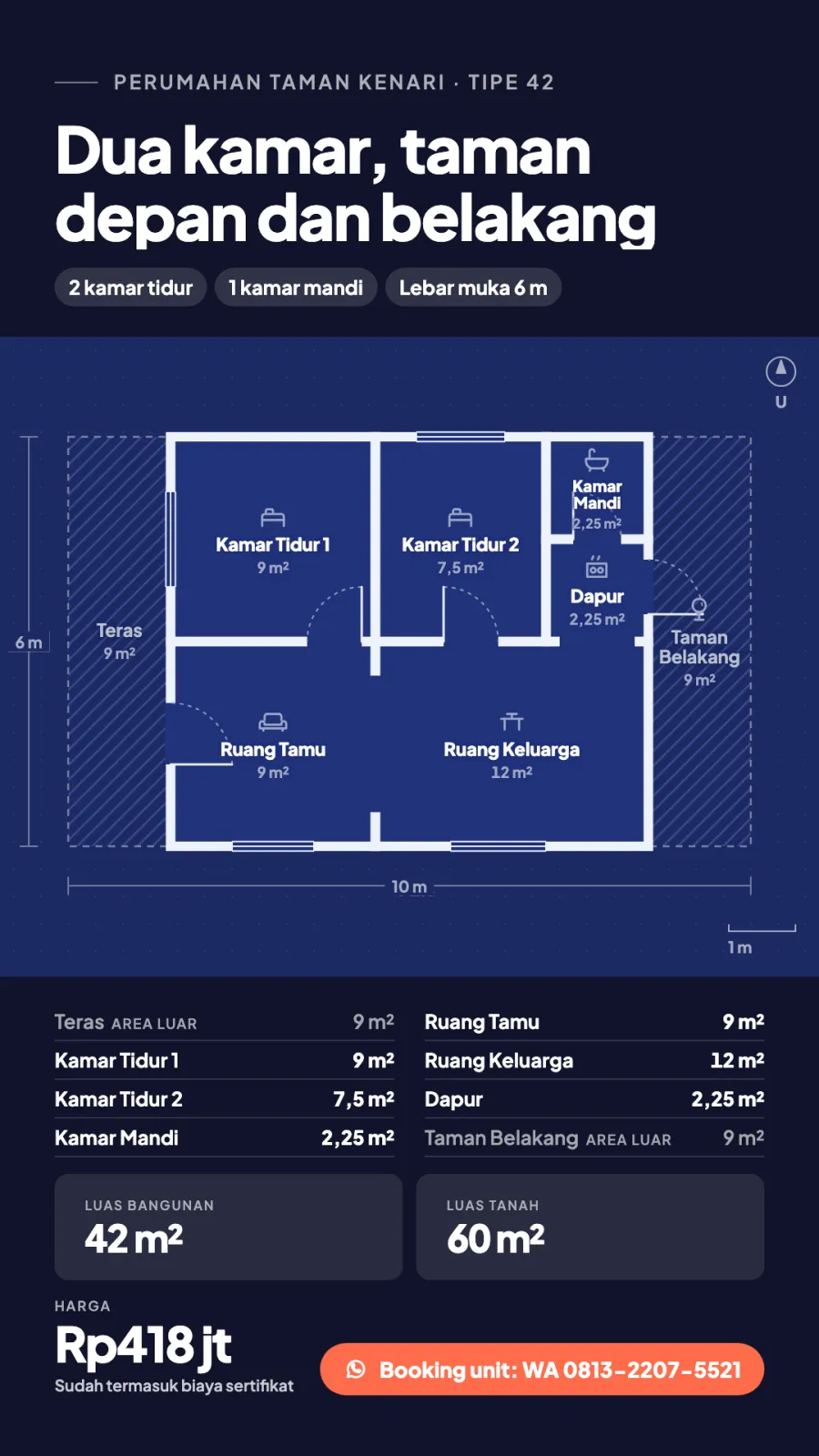
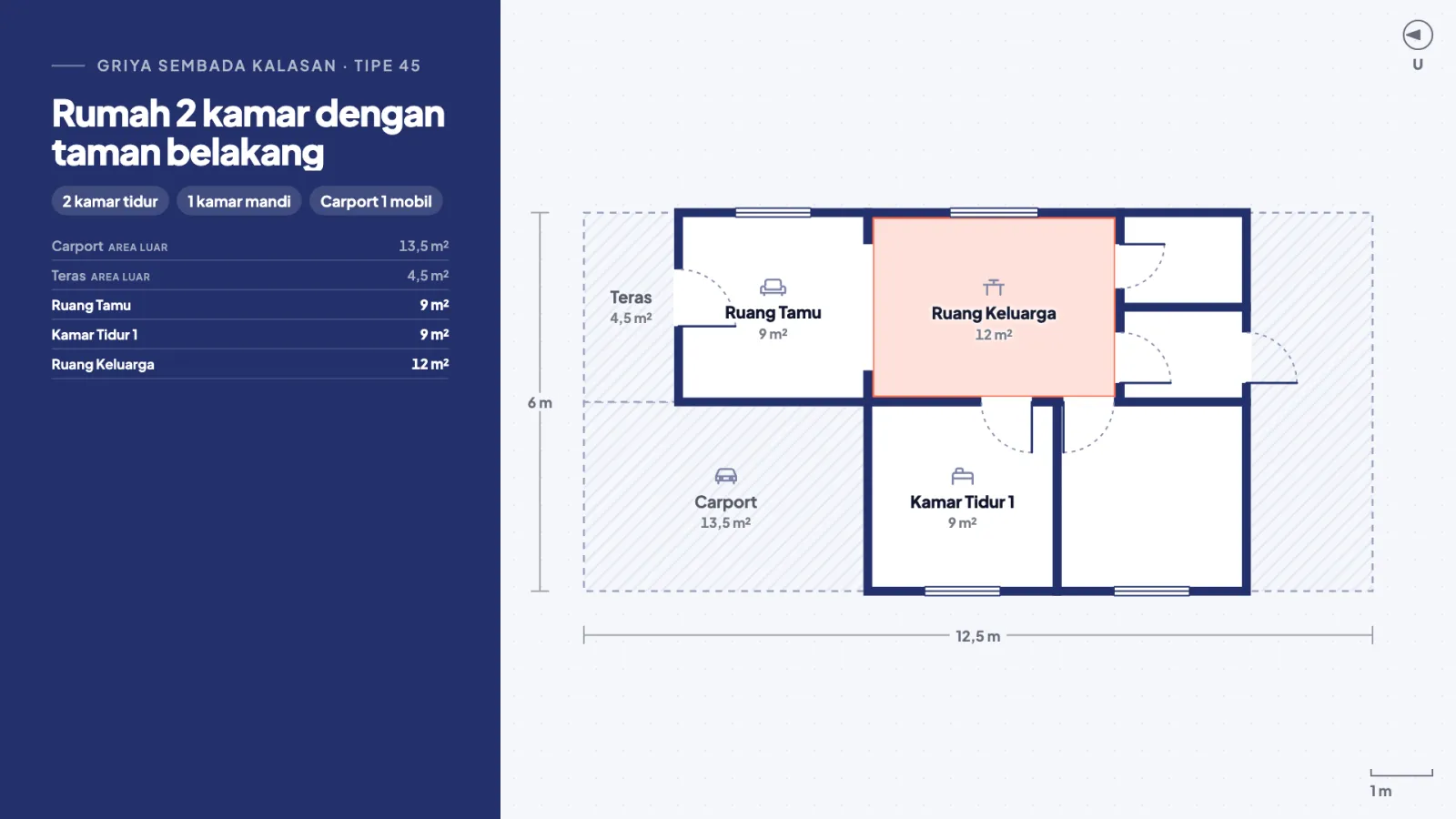
A floor plan video for property agents and developers: walls draw in room by room, doors and windows appear, dimension lines and a compass follow, then a tour highlights each room in turn while its name and area appear on the plan and in the side list. It closes with the floor area counting up, the land area, the price, and a WhatsApp button. The plan is entered as room boxes in metres in one config object, rotated automatically when that fits better, in 16:9 and 9:16, rendered to MP4 with one command.
Verified by SkillFlow
We checked every file in this skill automatically: no command that downloads and runs a program, no hidden code, no instruction telling your AI to ignore you.
- Loads from outside
- Fonts: Google Fonts
See the 6 files inside
skill.json8 KBSKILL.md9 KBprompt.md6 KBprompt.en.md6 KBfiles/contoh-tipe-42-9x16.html31 KBfiles/scene.html32 KB
Checked 14 Nov 2026
Part of SkillFlow Pro
Pro opens every skill in every category: copy, ZIP, Send to AI, install, save, and request new skills.
Get Pro Already subscribed? Sign inWhat you get
- A listing script: development name, title, 3 short selling points, price, WhatsApp call to action
- A plan built from room boxes in metres: walls, doors with swing direction, openings, windows, hatched outdoor areas
- Each room's area, the floor area, and the land area worked out automatically
- An animated HTML scene: walls drawing in, a room-by-room highlight tour, a price summary
- MP4 1920x1080 (16:9) or 1080x1920 (9:16), 30 fps, 12-16 seconds
- 3 ready palettes (indigo, blueprint, sand) and 10 room icons
Good fit
- Property agents or developers marketing one unit type on Reels, TikTok, or in presentations
- Second hand home sellers showing the room layout before a viewing
- Small contractors or architects explaining a renovation plan room by room
- Housing marketing admins needing a unit type video
Not for
- Not a technical drawing for builders; it is marketing material
- Not for angled or curved walls or complex L shaped rooms; rooms must be split into rectangles
- One video per floor
- It does not invent room sizes; they come from the plan or brochure
About this skill
/tur-denah-rumah Make a floor plan tour video for a type 45 house, room sizes from the brochure, 3 selling points, the price, and the agent's WhatsApp button, in 16:9
Show more
A floor plan video for property agents and developers: walls draw in room by room, doors and windows appear, dimension lines and a compass follow, then a tour highlights each room in turn while its name and area appear on the plan and in the side list. It closes with the floor area counting up, the land area, the price, and a WhatsApp button. The plan is entered as room boxes in metres in one config object, rotated automatically when that fits better, in 16:9 and 9:16, rendered to MP4 with one command.
User reviews
FAQ
I only have a brochure floor plan image, does that work?
Yes. Sizes are read from the brochure, turned into room boxes in metres, then shown back in a table for you to check. Also say where the main door is and which way the house faces.
How is the building area calculated?
From the sum of indoor rooms. Outdoor areas like carports, terraces, and gardens are excluded and drawn hatched. If the result differs from the stated type, the gap is pointed out, not quietly changed.
Can the plan be rotated?
Auto mode rotates the plan 90 degrees when that makes it larger on screen. You can also choose never or always rotate, and set the north direction yourself.
Which AI can I use it with?
Copy the prompt into a chat AI (ChatGPT, Claude, Gemini, DeepSeek): you get an HTML file; open it in Chrome and press Download MP4 (silent video, a minute or two to render); or download the ZIP and install it in an AI agent (Claude Code, Codex, Antigravity, Hermes Agent, Cursor, GitHub Copilot, Gemini CLI, OpenCode, Kimi Code, Trae), which then builds the files for you.
What is in the ZIP?
One folder named tur-denah-rumah with SKILL.md (the instructions an AI agent reads) and the prompt, 6 files in all. Extract it into your agent's skills folder, or install it with npx skillflow-ai add tur-denah-rumah. Pro only.
Is there a per-use fee or credits?
Not from SkillFlow. The skill runs on the AI you already use, so any cost follows that plan.
Which plan includes it?
SkillFlow Pro. It opens every skill in every category.
Can I use my own colours and brand?
Yes. Pick a colour theme on this page, or fill in your brand profile once; both go into the prompt you copy and into the ZIP.
Can I share what I made?
Pro members can upload the result and get a page at share.skillflow.ai.id to send to anyone. The page carries a small "Made with SkillFlow AI" mark.
Is there a download limit?
Yes, per day: 50 skills on Pro, 10 on other plans. Downloading a skill again on the same day does not count.



