

Rendered sample video
SKILL.md contents
Premium subscribers can read, copy, and install this skill.
Unlock with Premium Sign inLaptop Screen Tutorial with Close-Ups
Description
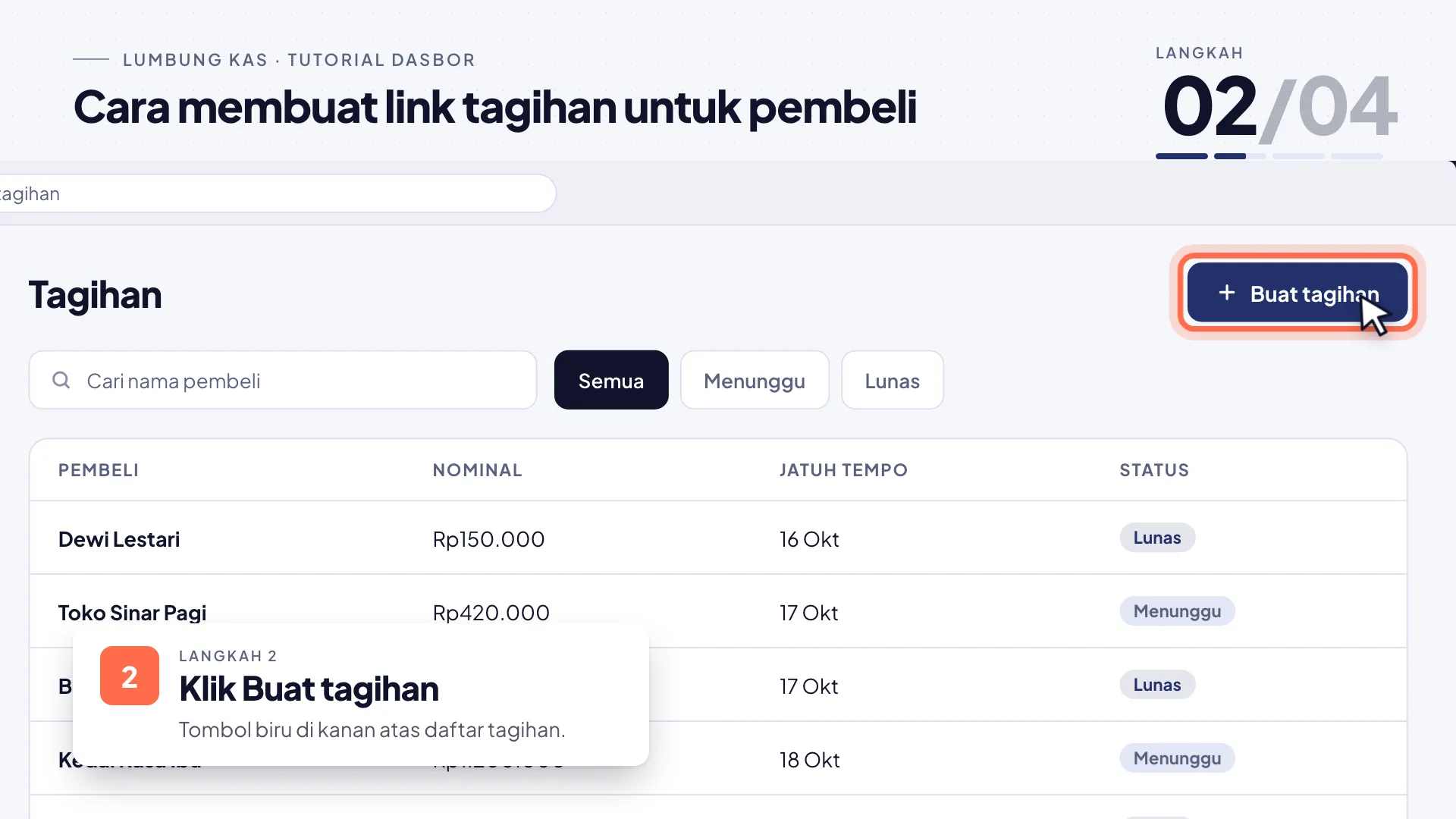
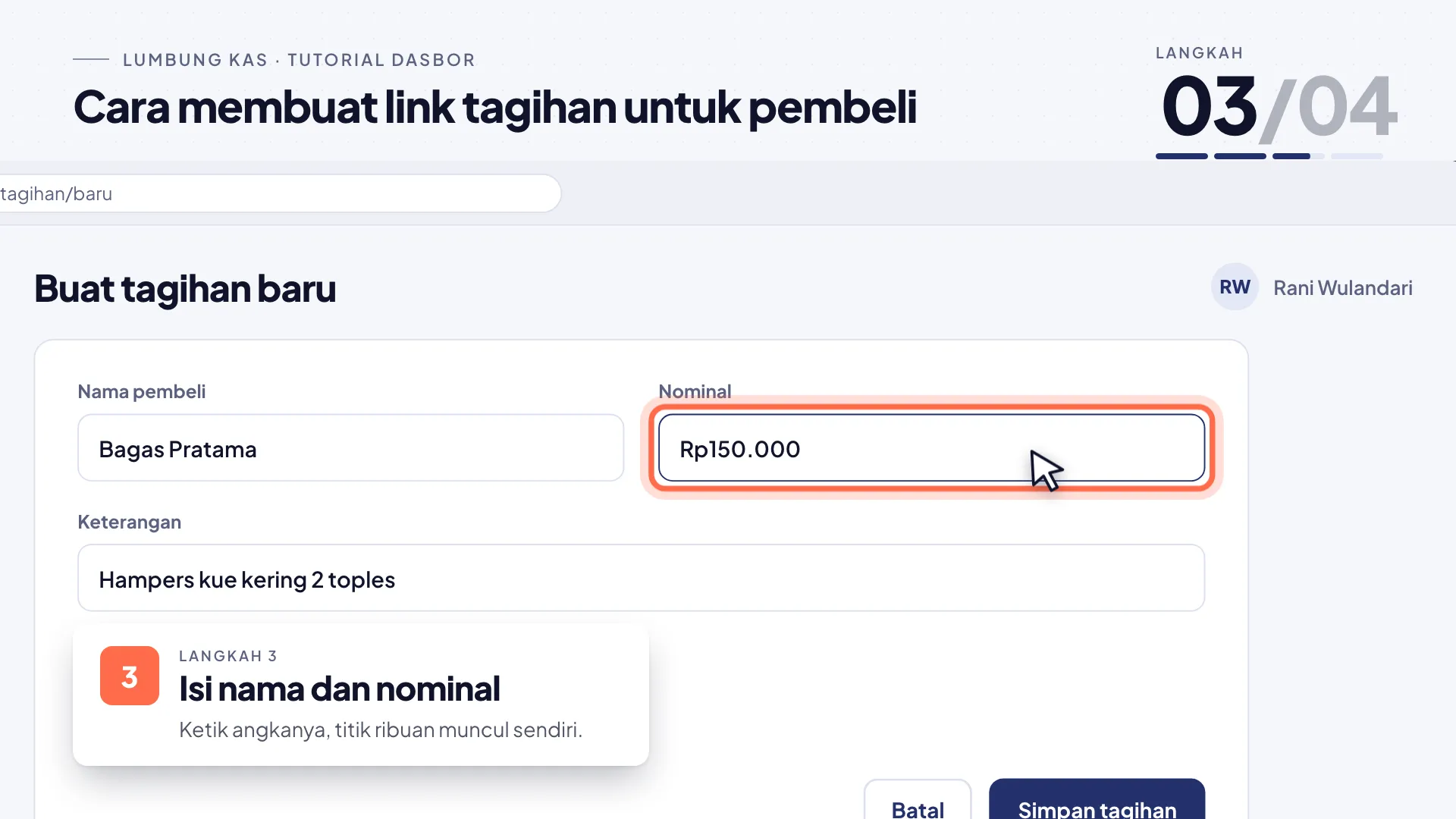
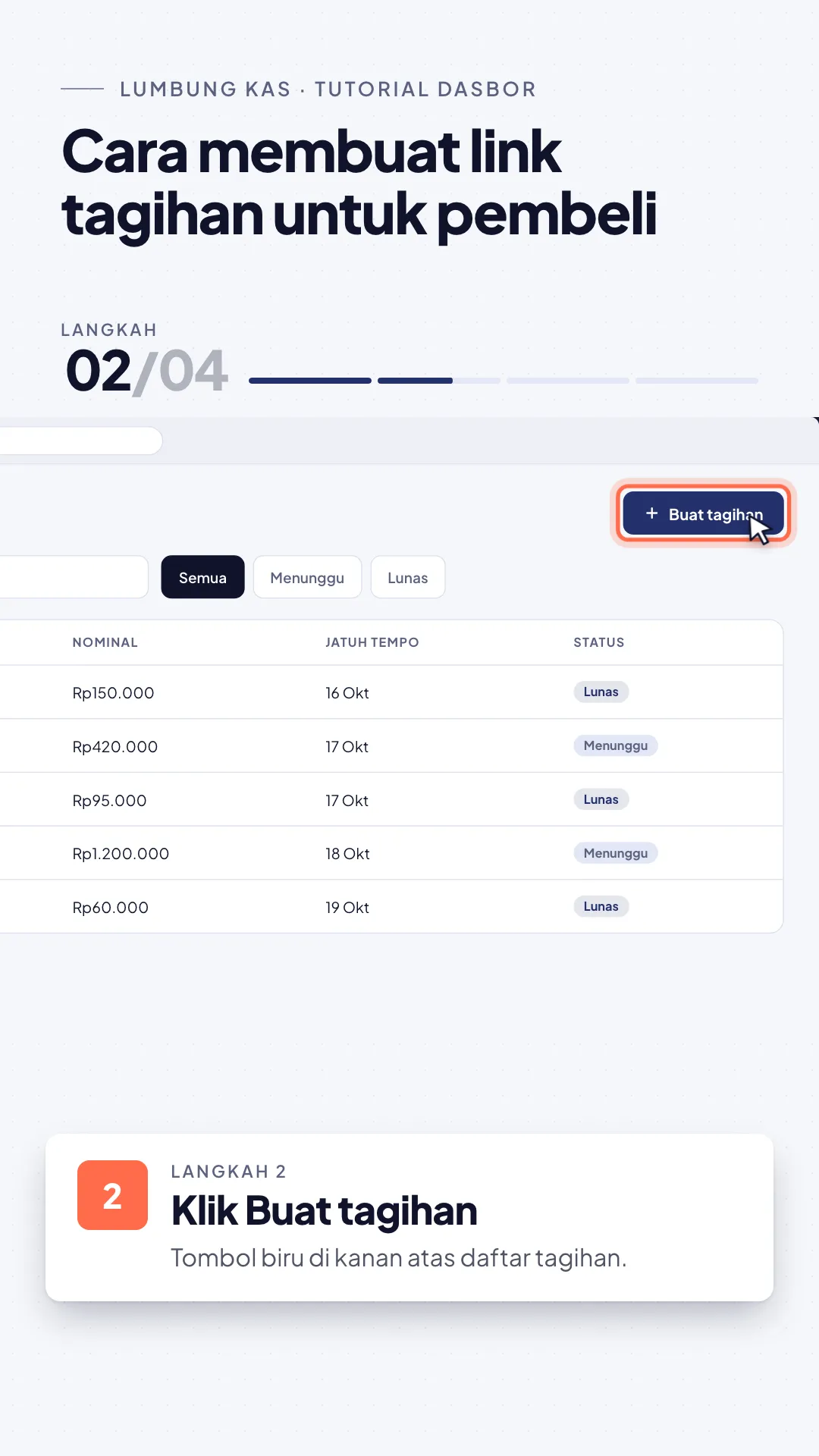
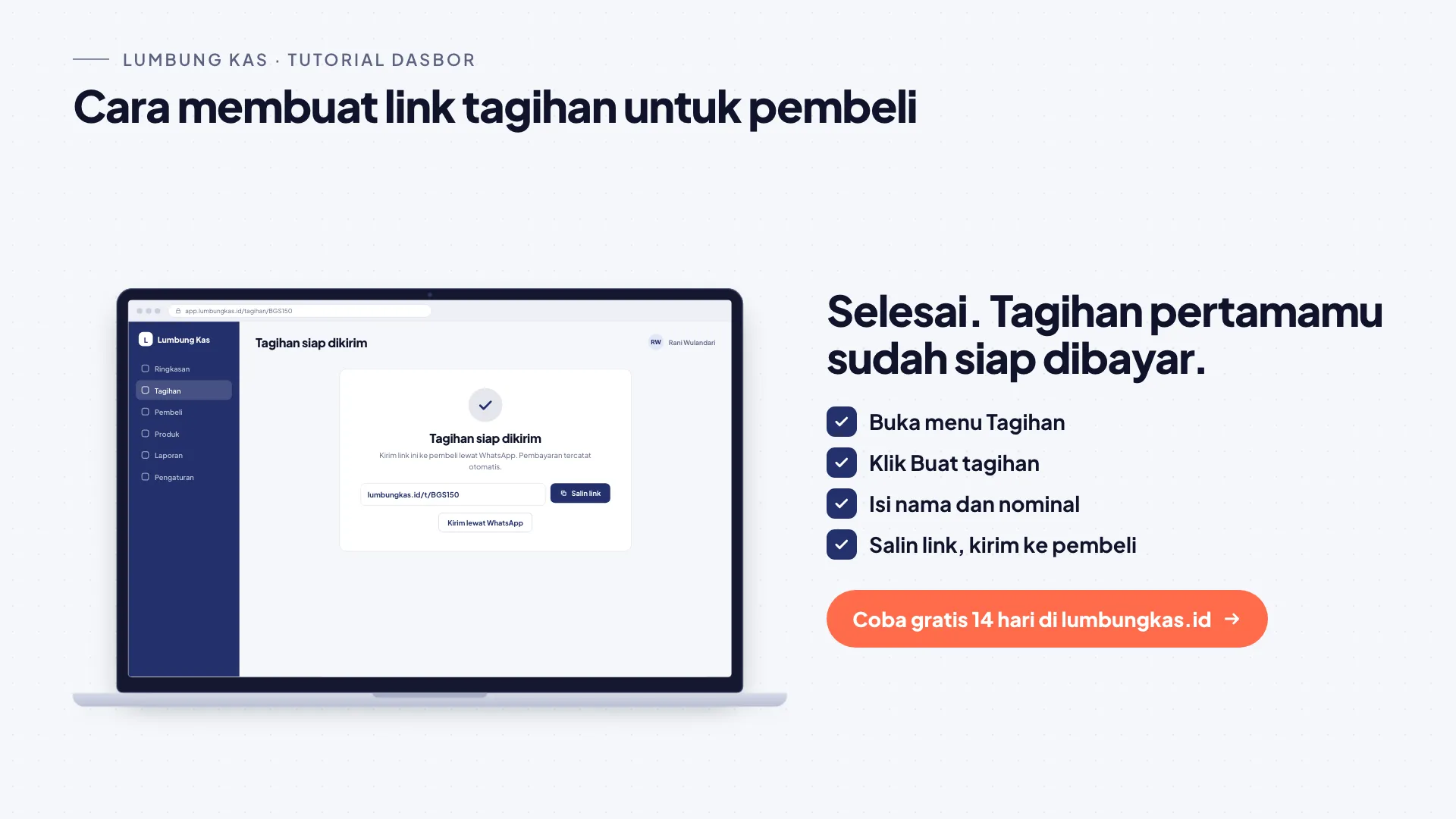
A tutorial clip for a web app or dashboard on a laptop screen: the cursor glides to the part to click, a click ripple and highlight frame appear, then the camera pushes in on that area while a numbered step card shows up. Form fields can be typed letter by letter. Screens are built in HTML (dashboard, table, form, success screen) or filled with screenshots of your own app, and it ends with a ticked recap and a call to action. 3 to 6 steps, 16:9 and 9:16, 16 to 24 seconds.
Verified by SkillFlow
We checked every file in this skill automatically: no command that downloads and runs a program, no hidden code, no instruction telling your AI to ignore you.
- Loads from outside
- Fonts: Google Fonts
See the 5 files inside
skill.json9 KBSKILL.md9 KBprompt.md6 KBprompt.en.md6 KBfiles/scene.html40 KB
Checked 14 Nov 2026
Part of SkillFlow Pro
Pro opens every skill in every category: copy, ZIP, Send to AI, install, save, and request new skills.
Get Pro Already subscribed? Sign inWhat you get
- A tutorial script: title, 3-6 steps (title + note), a closing line + call to action
- An animated HTML laptop + cursor + zooming camera scene driven by one config object
- 4 kinds of sample app screens built in HTML, or a mode for your own screenshots
- A typing effect in form fields and step cards that switch sides if they would cover the clicked part
- MP4 1920x1080 (16:9) or 1080x1920 (9:16), 30 fps, 16-24 seconds
- 3 ready palettes, plus your own brand colors
Good fit
- Web app, dashboard, or SaaS makers who need a desktop how to video
- Online course member area owners explaining login and downloads
- Admin teams needing internal SOPs like entering orders or checking payments
- Creators making how to on a laptop content for YouTube or help pages
Not for
- Not for phone apps; use the phone app walkthrough skill
- Not a real screen recording; screens are your screenshots or HTML samples
- At most 6 steps per video
- You hide any personal data in screenshots yourself
About this skill
/tutorial-layar-laptop Make a 4 step laptop tutorial on creating a payment link for buyers in our billing dashboard, using real screenshots, ending with a chat the admin call, in 16:9
Show more
A tutorial clip for a web app or dashboard on a laptop screen: the cursor glides to the part to click, a click ripple and highlight frame appear, then the camera pushes in on that area while a numbered step card shows up. Form fields can be typed letter by letter. Screens are built in HTML (dashboard, table, form, success screen) or filled with screenshots of your own app, and it ends with a ticked recap and a call to action. 3 to 6 steps, 16:9 and 9:16, 16 to 24 seconds.
User reviews
FAQ
What screenshots do I need?
One image per step at a 16:10 ratio, such as 1280x800. A browser bar with the address is drawn on top, and the camera zooms into the clicked area so small text is readable.
My app is not built yet, can I still do this?
Yes. Use the 4 HTML sample screens, dashboard, table, form, and success page, filled with your own text and numbers. The side menu and user name can be set too.
How do I write step titles?
2 to 5 words starting with the same verb as the on screen label, such as Click Create invoice, not Press the add button. Steps that fill a field show a letter by letter typing effect.
Which AI can I use it with?
Copy the prompt into a chat AI (ChatGPT, Claude, Gemini, DeepSeek): you get an HTML file; open it in Chrome and press Download MP4 (silent video, a minute or two to render); or download the ZIP and install it in an AI agent (Claude Code, Codex, Antigravity, Hermes Agent, Cursor, GitHub Copilot, Gemini CLI, OpenCode, Kimi Code, Trae), which then builds the files for you.
What is in the ZIP?
One folder named tutorial-layar-laptop with SKILL.md (the instructions an AI agent reads) and the prompt, 5 files in all. Extract it into your agent's skills folder, or install it with npx skillflow-ai add tutorial-layar-laptop. Pro only.
Is there a per-use fee or credits?
Not from SkillFlow. The skill runs on the AI you already use, so any cost follows that plan.
Which plan includes it?
SkillFlow Pro. It opens every skill in every category.
Can I use my own colours and brand?
Yes. Pick a colour theme on this page, or fill in your brand profile once; both go into the prompt you copy and into the ZIP.
Can I share what I made?
Pro members can upload the result and get a page at share.skillflow.ai.id to send to anyone. The page carries a small "Made with SkillFlow AI" mark.
Is there a download limit?
Yes, per day: 50 skills on Pro, 10 on other plans. Downloading a skill again on the same day does not count.



