

Rendered sample video
SKILL.md contents
Premium subscribers can read, copy, and install this skill.
Unlock with Premium Sign inProduct Page URL to Launch Video
Description
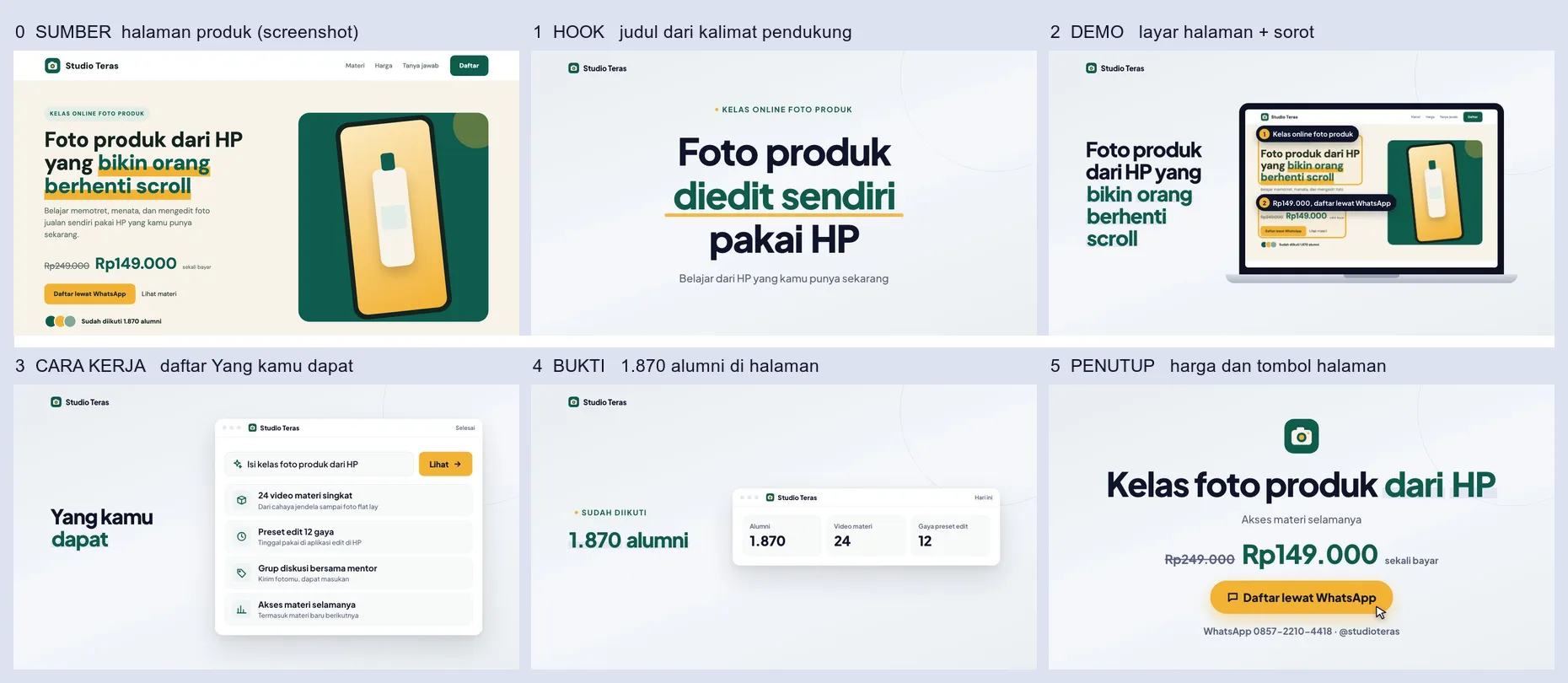
Give the address of your product page, and the agent reads it and takes the video material from it: name, main line, 2-4 facts, a proof number actually written there, price, button, WhatsApp, brand colours, logo, plus laptop and phone screenshots with the positions of key parts. That material is shown as a quoted brief for you to approve, with no fact that is not on the page. Then the agent builds a five-beat 30-45 second launch video with your page on screen, checks it, and renders 16:9, 9:16, and 1:1 MP4.
Verified by SkillFlow
We checked every file in this skill automatically: no command that downloads and runs a program, no hidden code, no instruction telling your AI to ignore you.
Good to know: Starts programs on the computer (files/alat/motion-mix.mjs), Starts programs on the computer (files/alat/motion-render.mjs), Starts programs on the computer (files/alat/motion-sfx.mjs) . These are tools that run on your own computer when you ask your agent to use them.
- Loads from outside
- Fonts: Google Fonts
See the 20 files inside
skill.json10 KBSKILL.md10 KBprompt.md4 KBprompt.en.md4 KBfiles/alat/kit-lib.mjs7 KBfiles/alat/launch-check.mjs8 KBfiles/alat/motion-mix.mjs8 KBfiles/alat/motion-render.mjs9 KBfiles/alat/motion-sfx.mjs2 KBfiles/alat/package.json1 KBfiles/ambil-dari-url.md4 KBfiles/ambil-url.mjs13 KBfiles/contoh/brief-dari-url.md2 KBfiles/contoh/dari-url/fakta.json5 KBfiles/contoh/dari-url/layar-hp.png150 KBfiles/contoh/dari-url/layar-laptop.png252 KBfiles/contoh/dari-url/logo.svg1 KBfiles/contoh/halaman-studio-teras.html7 KBfiles/contoh/logo-studioteras.svg1 KBfiles/video.html175 KB
Checked 14 Nov 2026
Part of SkillFlow Pro
Pro opens every skill in every category: copy, ZIP, Send to AI, install, save, and request new skills.
Get Pro Already subscribed? Sign inWhat you get
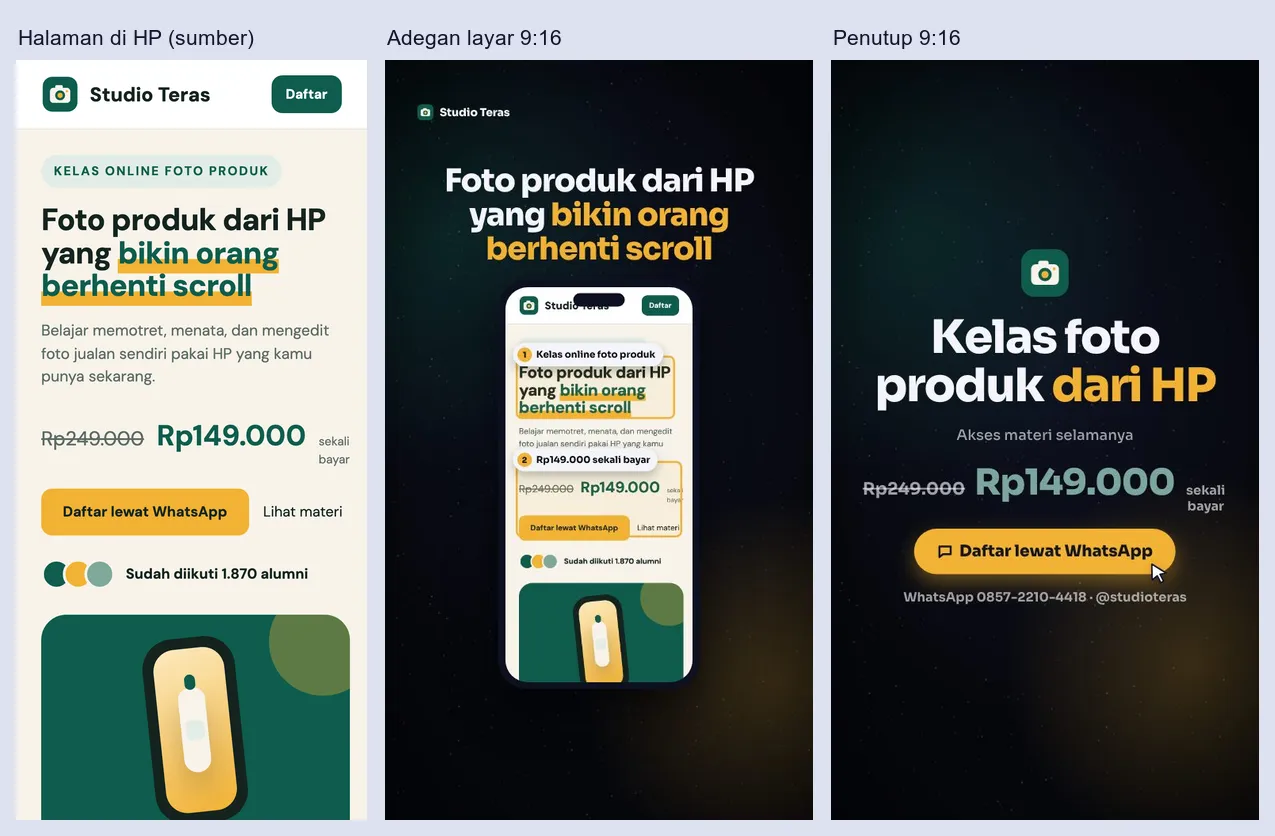
- Material from the page: fakta.json, laptop 1920x1200 and phone 780x1688 screenshots, logo, brand colours
- A three-column brief (material, used in the video, exact quote from the page) to approve before rendering
- A five-beat storyboard with your own page in the screen scene, highlight boxes taken from element positions
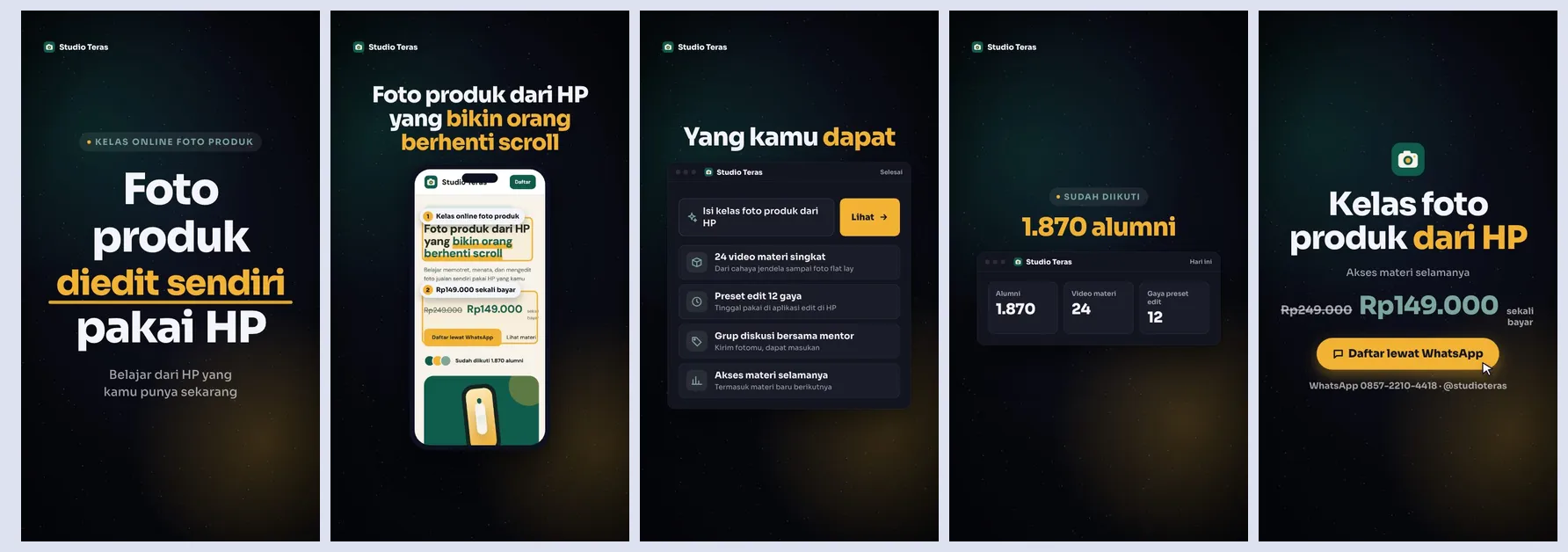
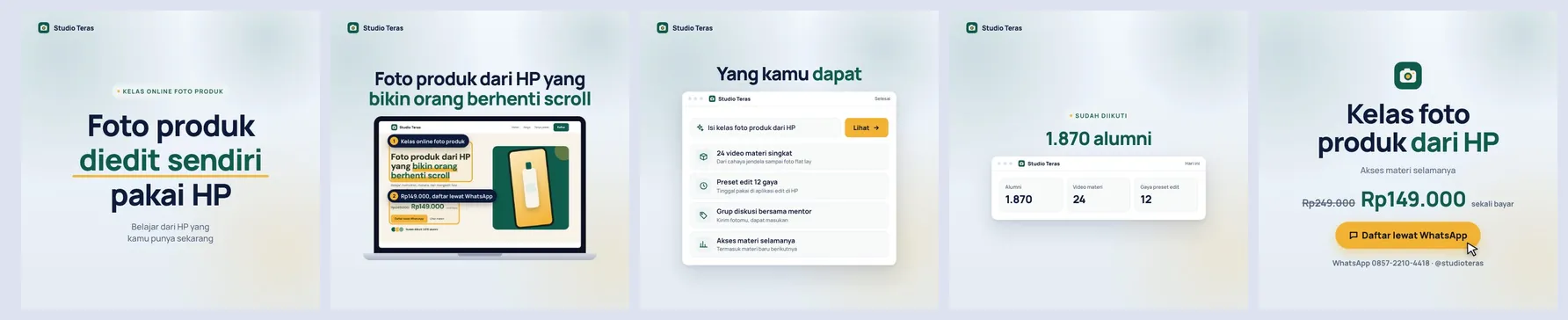
- 16:9 1920x1080, 9:16 1080x1920, and 1:1 1080x1080 MP4, 30 fps, 30-45 seconds, in your page's colours
- Home-made sound effects and your own background music (optional)
- The ambil-url.mjs tool for your next product page
Good fit
- Sellers who already have a product or landing page and want the ad video fast
- Online courses, digital products, or apps whose page already lists features and the price
- Agencies making many launch videos from client pages
- Anyone who wants the video and the page to use the same words, numbers, and colours
Not for
- It adds no fact, number, or testimonial that is not written on the page; if the page has no proof number, the proof beat uses a non-number proof
- Not a screen recorder: the page is captured as a still and animated, not scrolled like a screen video
- Pages behind a login or blocked from automated visits need to be saved as HTML by you first
- Rendering does not run in an ordinary web chat: it needs an agent that can run programs on your computer
About this skill
/url-jadi-video-launching Here is my course page: https://myshop.example/photo-class. Turn it into a 9:16 launch video of about 35 seconds, using the colours and price on the page
Show more
Give the address of your product page, and the agent reads it and takes the video material from it: name, main line, 2-4 facts, a proof number actually written there, price, button, WhatsApp, brand colours, logo, plus laptop and phone screenshots with the positions of key parts. That material is shown as a quoted brief for you to approve, with no fact that is not on the page. Then the agent builds a five-beat 30-45 second launch video with your page on screen, checks it, and renders 16:9, 9:16, and 1:1 MP4.
User reviews
FAQ
How does the agent know my brand colours?
From the page's theme-color meta tag, the colour variables in its CSS, and its button colours. The main colour is usually the theme-color or the main button, the accent the second button. The colours are written in the brief, so you can change them before rendering.
How is this different from the product launch video skill?
That skill starts from a brief you write. This one starts from your page: the material is read from it, your page appears in the video through screenshots, and the approved brief quotes the page exactly for every line and number.
Can I use it on someone else's or a competitor's product page?
No. Use it on your own page or a client's page with their permission. The agent asks before reading the page.
Which AI can I use it with?
Download the ZIP and install it in an AI agent (Claude Code, Codex, Antigravity, Hermes Agent, Cursor, GitHub Copilot, Gemini CLI, OpenCode, Kimi Code, Trae), which then builds the files for you.
What is in the ZIP?
One folder named url-jadi-video-launching with SKILL.md (the instructions an AI agent reads) and the prompt, 20 files in all. Extract it into your agent's skills folder, or install it with npx skillflow-ai add url-jadi-video-launching. Pro only.
Is there a per-use fee or credits?
Not from SkillFlow. The skill runs on the AI you already use (and, if you use an AI voice instead of your own recording, the voice service you pick), so any cost follows that plan.
Which plan includes it?
SkillFlow Pro. It opens every skill in every category.
Can I use my own colours and brand?
Yes. Pick a colour theme on this page, or fill in your brand profile once; both go into the prompt you copy and into the ZIP.
Can I share what I made?
Pro members can upload the result and get a page at share.skillflow.ai.id to send to anyone. The page carries a small "Made with SkillFlow AI" mark.
Is there a download limit?
Yes, per day: 50 skills on Pro, 10 on other plans. Downloading a skill again on the same day does not count.



