

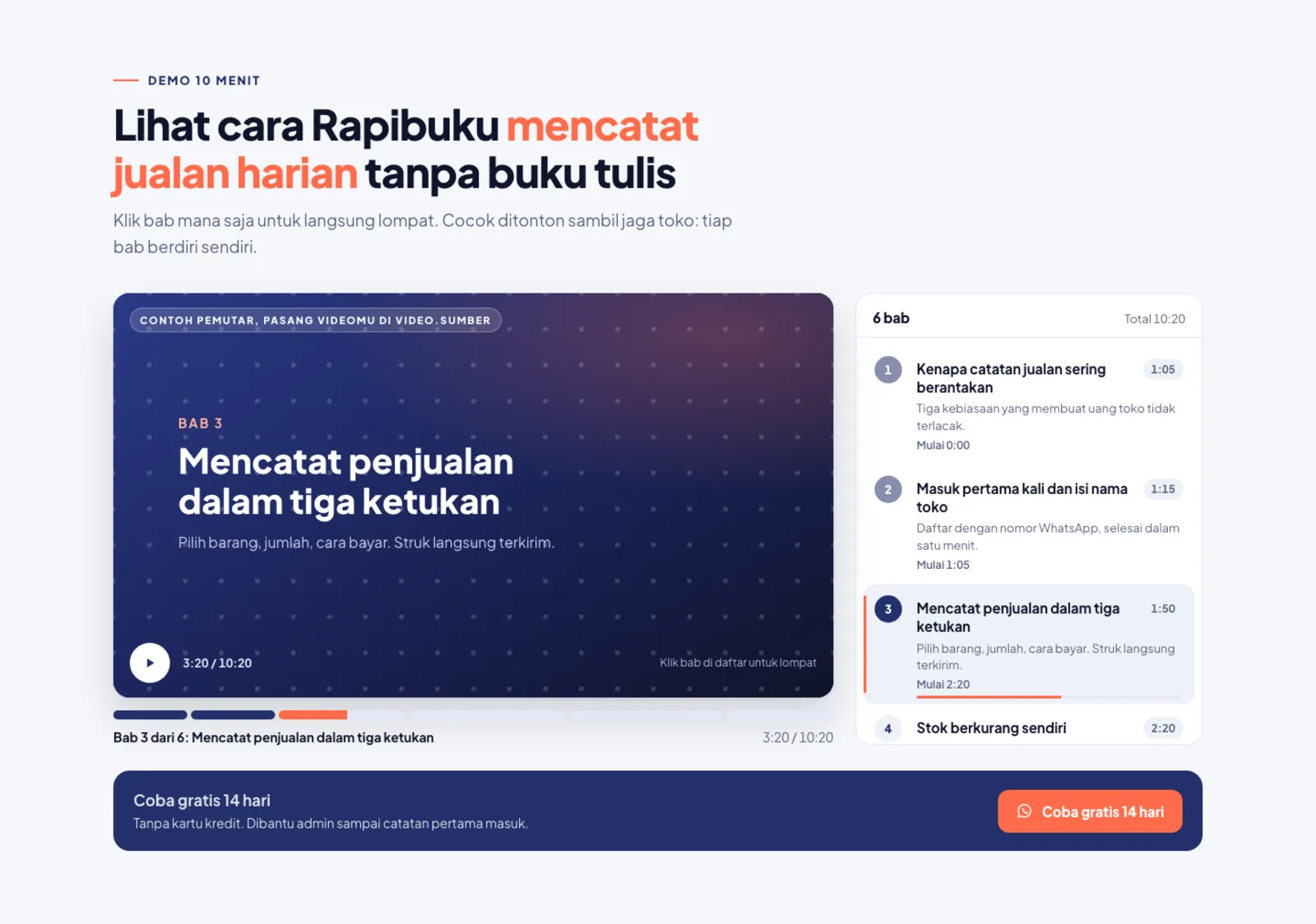
A 6-chapter app demo: chapter 3 is playing and highlighted in the list and strip
SKILL.md contents
Premium subscribers can read, copy, and install this skill.
Unlock with Premium Sign inChaptered Explainer Video (Section)
Description
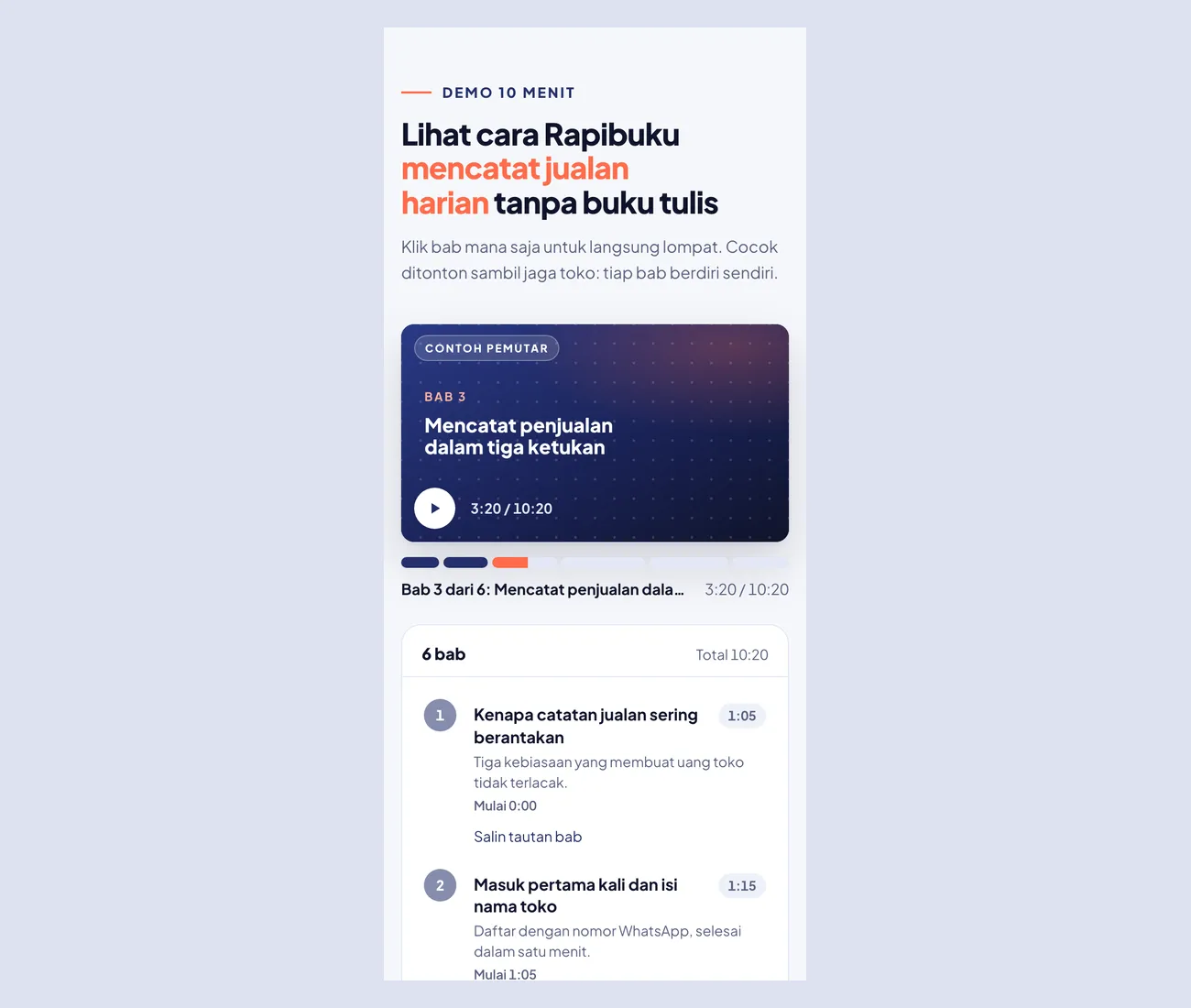
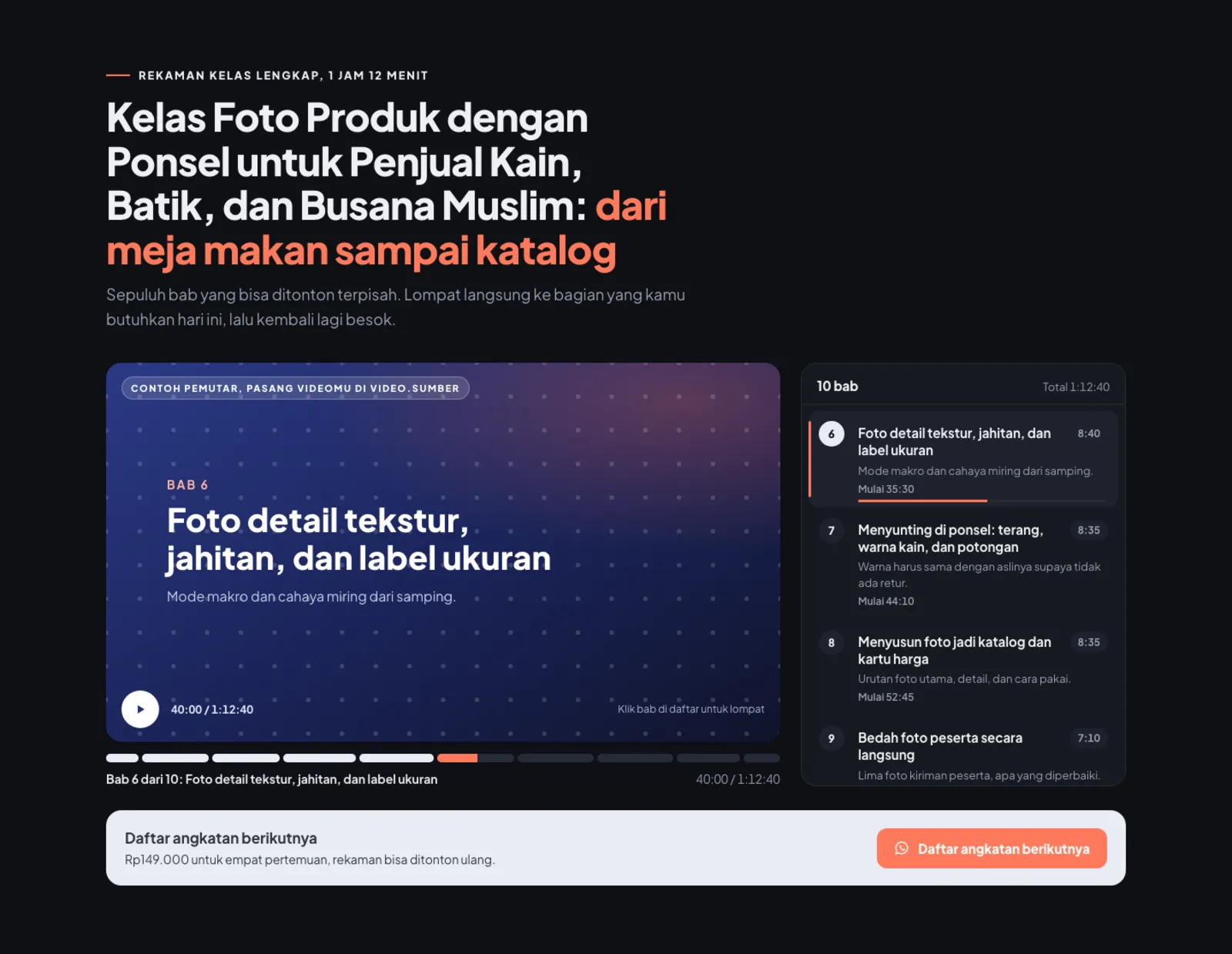
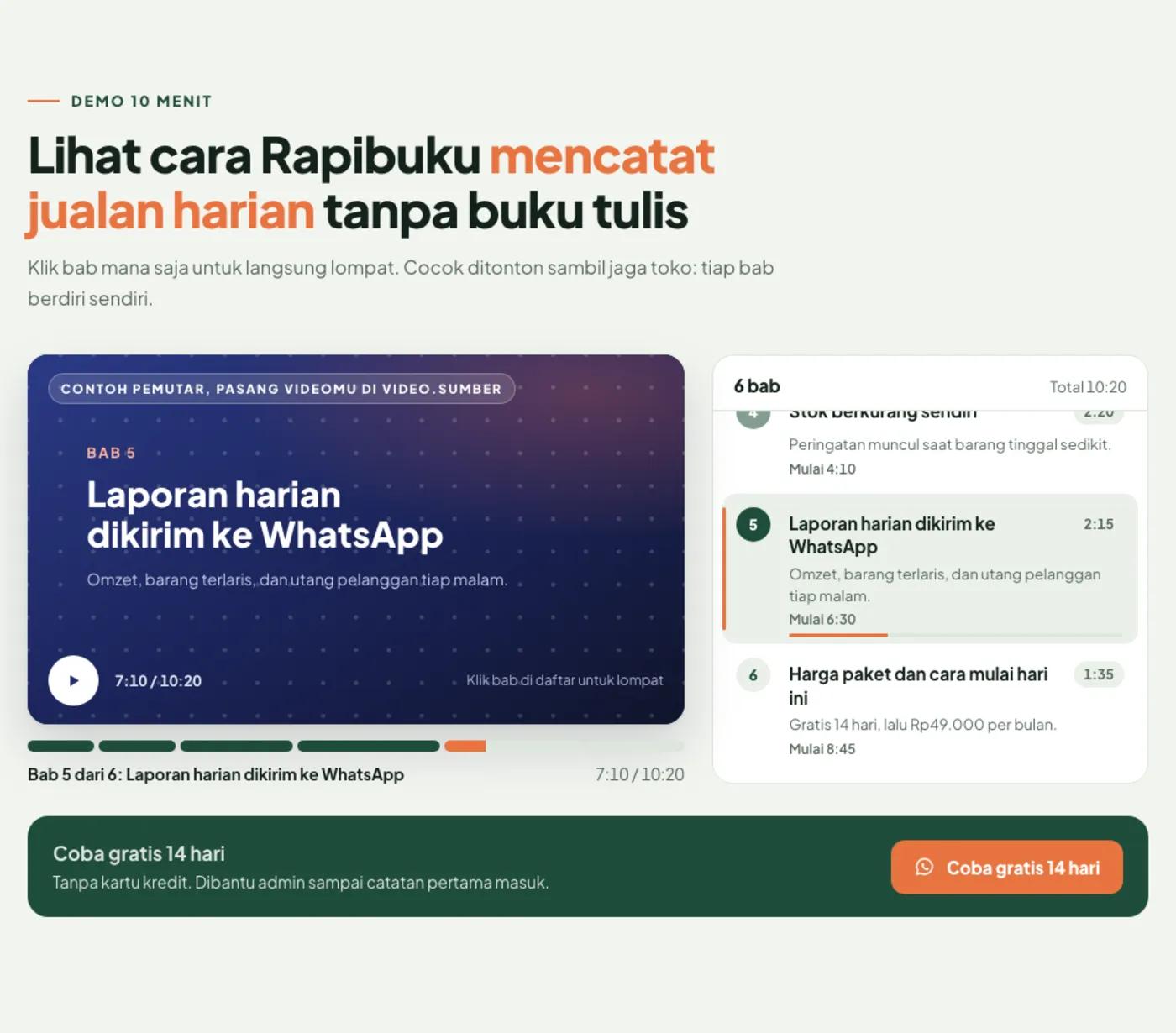
A video player section with a clickable chapter list that jumps straight to each chapter's second, for sales videos, product demos, and class recordings. The running chapter is highlighted, each chapter's length is worked out, and the chapter strip under the player is clickable. Video from your own MP4 file or a YouTube link without outside libraries, plus a sample player to try the chapters before the video is ready. Direct chapter links, a chat button, responsive from 320 to 1440 px.
Verified by SkillFlow
We checked every file in this skill automatically: no command that downloads and runs a program, no hidden code, no instruction telling your AI to ignore you.
- Loads from outside
- Fonts: Google Fonts
See the 6 files inside
skill.json10 KBSKILL.md5 KBprompt.md5 KBprompt.en.md5 KBfiles/contoh/kelas-10-bab-gelap.html24 KBfiles/video-berbab.html24 KB
Checked 14 Nov 2026
Part of SkillFlow Pro
Pro opens every skill in every category: copy, ZIP, Send to AI, install, save, and request new skills.
Get Pro Already subscribed? Sign inWhat you get
- One responsive HTML section, all content from one VIDEO object, no libraries and no build
- A clickable chapter list with each chapter's length, the active chapter highlighted and scrolled into view
- A chapter strip under the player with widths that follow length, the active segment filled in the accent
- Your own MP4 or YouTube through postMessage, plus a sample player without a video
- Direct chapter links (#bab-N) and a copy link button per chapter
- A chat button with a prefilled message, 3 palettes, the chapter list moves below on phones
Good fit
- Sales pages with a sales video or product demo longer than five minutes
- Member or thank-you pages holding class and webinar recordings
- Tutorials and onboarding that people rewatch section by section
Not for
- It does not edit, trim, or host videos; the video must already exist
- It does not make chapters or transcripts from the video automatically; you enter the times
- Not a silent background video behind text, and not a gallery of many short clips
- The YouTube connection is best tested on a real host, not from a local file
About this skill
/video-penjelasan-berbab Make a section for a 10 minute app demo video with 6 clickable chapters, the video is my own MP4 file, with a try-for-free chat button
Show more
A video player section with a clickable chapter list that jumps straight to each chapter's second, for sales videos, product demos, and class recordings. The running chapter is highlighted, each chapter's length is worked out, and the chapter strip under the player is clickable. Video from your own MP4 file or a YouTube link without outside libraries, plus a sample player to try the chapters before the video is ready. Direct chapter links, a chat button, responsive from 320 to 1440 px.
User reviews
FAQ
Can I use a YouTube video?
Yes. Enter your YouTube link or video ID. The template uses the YouTube player iframe and sends jump commands through postMessage without loading any other library. If the player does not answer, the iframe reloads straight at the clicked chapter's second.
My video is not ready yet, can I try it first?
Yes. The sample source shows a clearly labelled stand-in player with a running clock, so you can set up the chapters, titles, and lengths first. When the video is ready, switch the type to mp4 or youtube.
Can I share a link to one chapter?
Yes. Each chapter has a copy link button that adds #bab-N to the page address. Anyone opening that link lands right on that chapter.
Which AI can I use it with?
Copy the prompt into a chat AI (ChatGPT, Claude, Gemini, DeepSeek); or download the ZIP and install it in an AI agent (Claude Code, Codex, Antigravity, Hermes Agent, Cursor, GitHub Copilot, Gemini CLI, OpenCode, Kimi Code, Trae), which then builds the files for you.
What is in the ZIP?
One folder named video-penjelasan-berbab with SKILL.md (the instructions an AI agent reads) and the prompt, 6 files in all. Extract it into your agent's skills folder, or install it with npx skillflow-ai add video-penjelasan-berbab. Pro only.
Is there a per-use fee or credits?
Not from SkillFlow. The skill runs on the AI you already use, so any cost follows that plan.
Which plan includes it?
SkillFlow Pro. It opens every skill in every category.
Can I use my own colours and brand?
Yes. Pick a colour theme on this page, or fill in your brand profile once; both go into the prompt you copy and into the ZIP.
Can I share what I made?
Pro members can upload the result and get a page at share.skillflow.ai.id to send to anyone. The page carries a small "Made with SkillFlow AI" mark.
Is there a download limit?
Yes, per day: 50 skills on Pro, 10 on other plans. Downloading a skill again on the same day does not count.



