

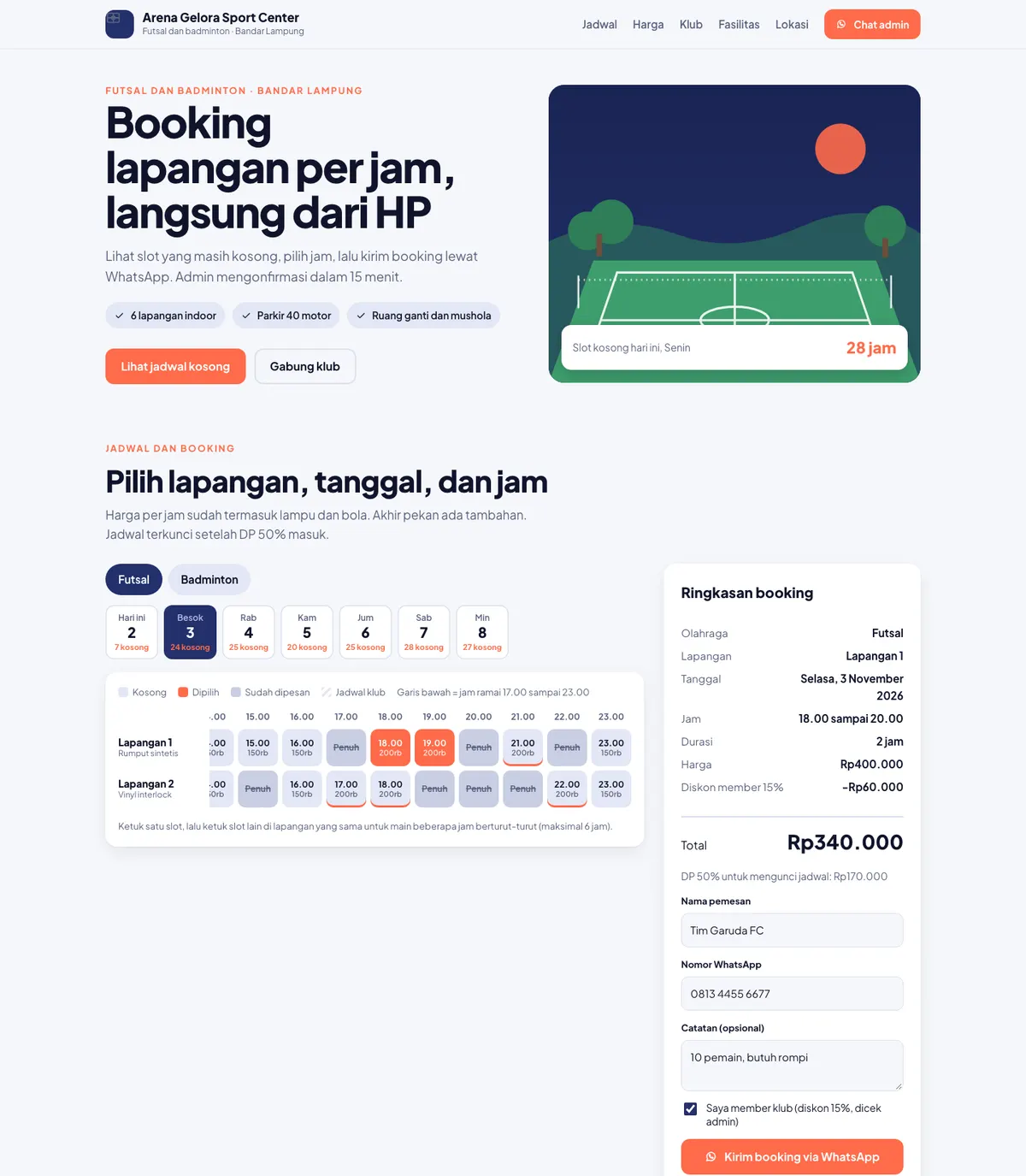
Desktop: court hero, the hourly schedule, and a booking summary with member discount
SKILL.md contents
Premium subscribers can read, copy, and install this skill.
Unlock with Premium Sign inCourt Booking and Club
Description
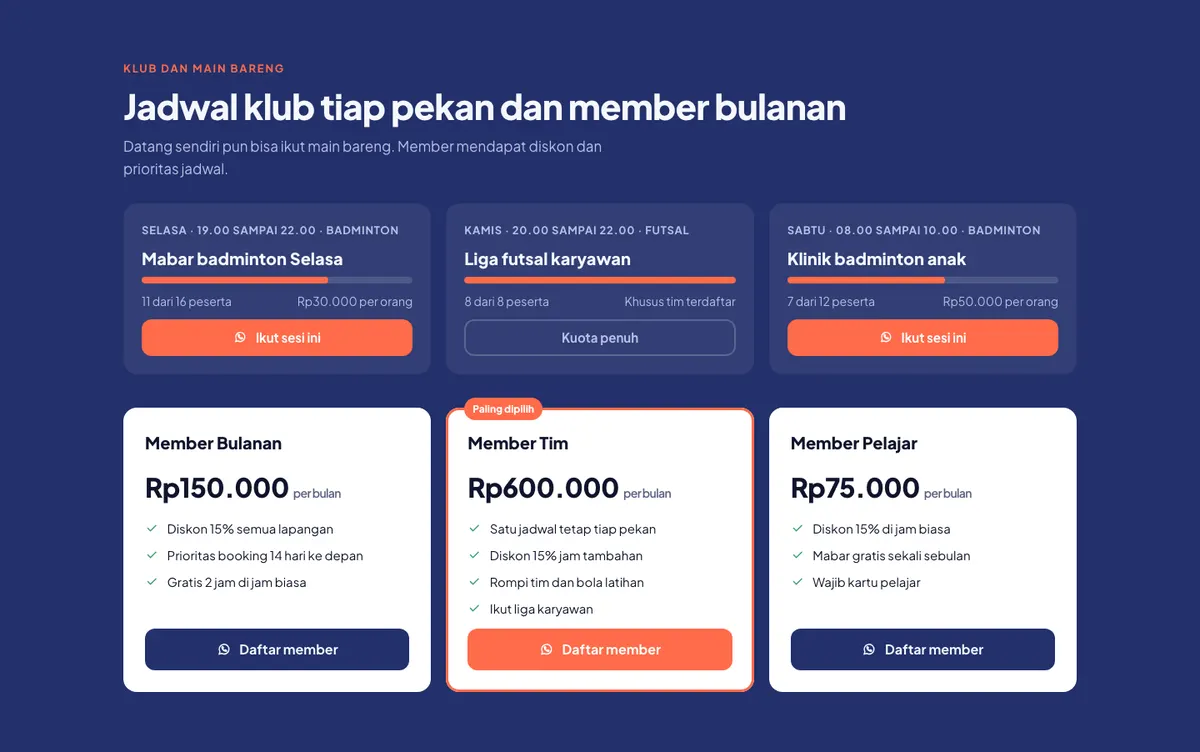
A booking page for futsal, badminton, padel, or mini soccer courts: a tappable hour-by-court schedule (open, booked, past, and club sessions told apart), hourly prices that change at peak hours and weekends, several consecutive hours in one pick, a member discount, a summary with the deposit, then the booking is sent as a prefilled WhatsApp message. It also has a price table, drop-in sessions with a quota, club membership plans, facilities, rules, and location. One responsive HTML file from one configuration object.
Verified by SkillFlow
We checked every file in this skill automatically: no command that downloads and runs a program, no hidden code, no instruction telling your AI to ignore you.
- Loads from outside
- Fonts: Google Fonts
See the 5 files inside
skill.json10 KBSKILL.md6 KBprompt.md4 KBprompt.en.md4 KBfiles/booking-lapangan.html41 KB
Checked 14 Nov 2026
Part of SkillFlow Pro
Pro opens every skill in every category: copy, ZIP, Send to AI, install, save, and request new skills.
Get Pro Already subscribed? Sign inWhat you get
- A 7-day hour-by-court schedule with open, booked, past, and club slots told apart
- Hourly prices worked out: off-peak, peak, and a weekend surcharge
- Several consecutive hours in one pick, a member discount, the total, and the deposit
- The booking sent as a prefilled WhatsApp message with name and number checks
- A price table, drop-in sessions with a quota, and 3 club membership plans
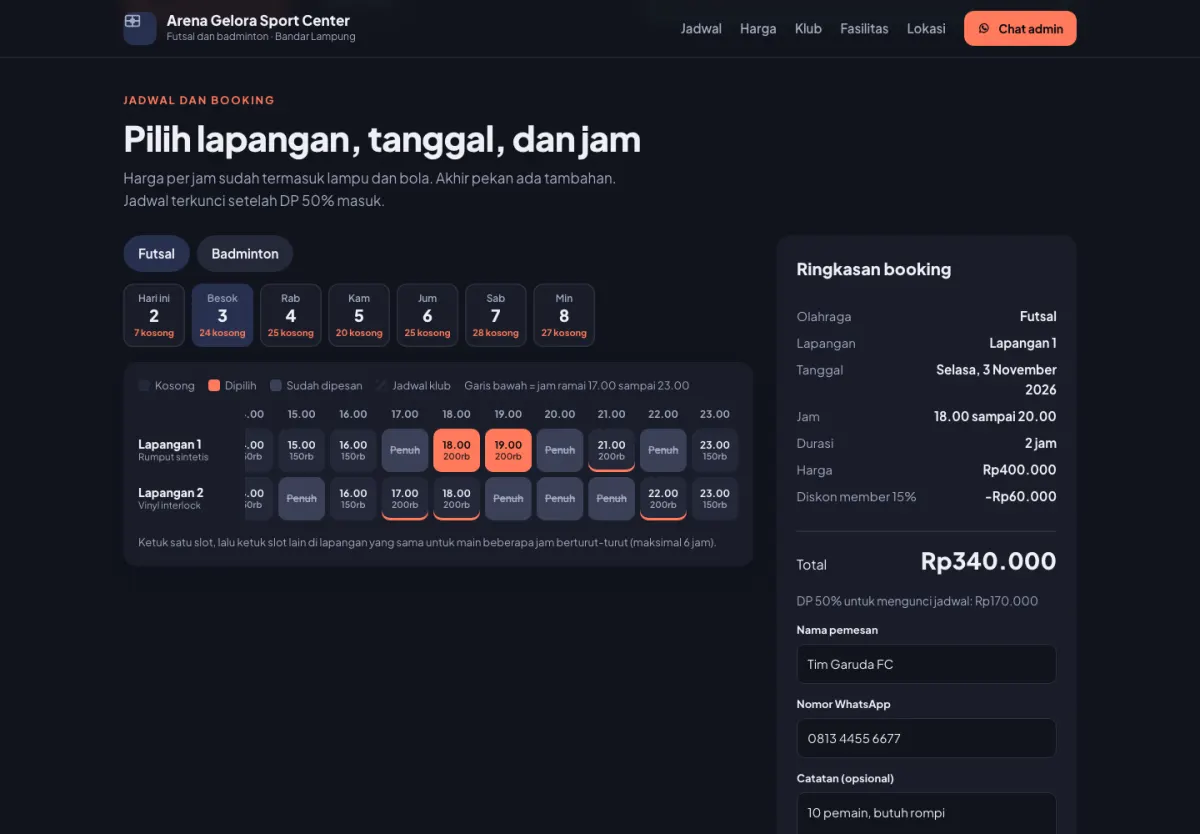
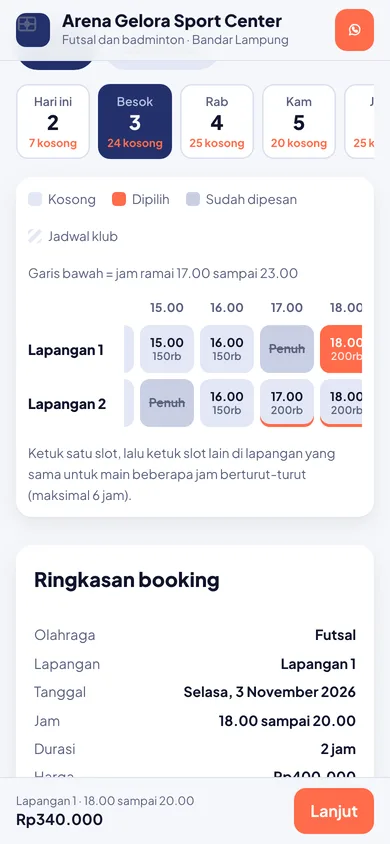
- Facilities, rules, location, a booking bar on phones, and 3 palettes
Good fit
- Owners of futsal, badminton, padel, or mini soccer courts who take bookings by chat
- Sports clubs with regular sessions, drop-in games, and monthly members
- Sports hall managers who want hourly prices visible before people ask
Not for
- Not a live reservation system; booked slots are entered by hand and do not sync
- It takes no online payment; the booking and deposit are settled on WhatsApp
- One booking covers one court on one date, at most 6 consecutive hours
About this skill
/booking-lapangan-dan-klub Make a booking page for Arena Gelora Sport Center: 2 futsal courts at 150,000 an hour (200,000 from 5 pm to 11 pm) and 4 badminton courts at 45,000, plus 25,000 at weekends. There is a badminton drop-in every Tuesday night and a monthly membership with a 15% discount. WhatsApp 0812...
Show more
A booking page for futsal, badminton, padel, or mini soccer courts: a tappable hour-by-court schedule (open, booked, past, and club sessions told apart), hourly prices that change at peak hours and weekends, several consecutive hours in one pick, a member discount, a summary with the deposit, then the booking is sent as a prefilled WhatsApp message. It also has a price table, drop-in sessions with a quota, club membership plans, facilities, rules, and location. One responsive HTML file from one configuration object.
User reviews
FAQ
How do I update booked slots?
Add a line to the booked list (court, day, and hours), then save and upload the file again. Weekly club sessions are written once and close their slots automatically.
Does it work for other sports?
Yes. Each sport has its own name, opening hours, peak hours, prices, and court list, so padel, tennis, mini soccer, or basketball can simply be added.
Is the member discount checked automatically?
No. The customer ticks that they are a member, the summary applies the discount, and the WhatsApp message says so for the admin to check before confirming.
Which AI can I use it with?
Copy the prompt into a chat AI (ChatGPT, Claude, Gemini, DeepSeek); or download the ZIP and install it in an AI agent (Claude Code, Codex, Antigravity, Hermes Agent, Cursor, GitHub Copilot, Gemini CLI, OpenCode, Kimi Code, Trae), which then builds the files for you.
What is in the ZIP?
One folder named booking-lapangan-dan-klub with SKILL.md (the instructions an AI agent reads) and the prompt, 5 files in all. Extract it into your agent's skills folder, or install it with npx skillflow-ai add booking-lapangan-dan-klub. Pro only.
Is there a per-use fee or credits?
Not from SkillFlow. The skill runs on the AI you already use, so any cost follows that plan.
Which plan includes it?
SkillFlow Pro. It opens every skill in every category.
Can I use my own colours and brand?
Yes. Pick a colour theme on this page, or fill in your brand profile once; both go into the prompt you copy and into the ZIP.
Can I share what I made?
Pro members can upload the result and get a page at share.skillflow.ai.id to send to anyone. The page carries a small "Made with SkillFlow AI" mark.
Is there a download limit?
Yes, per day: 50 skills on Pro, 10 on other plans. Downloading a skill again on the same day does not count.



