

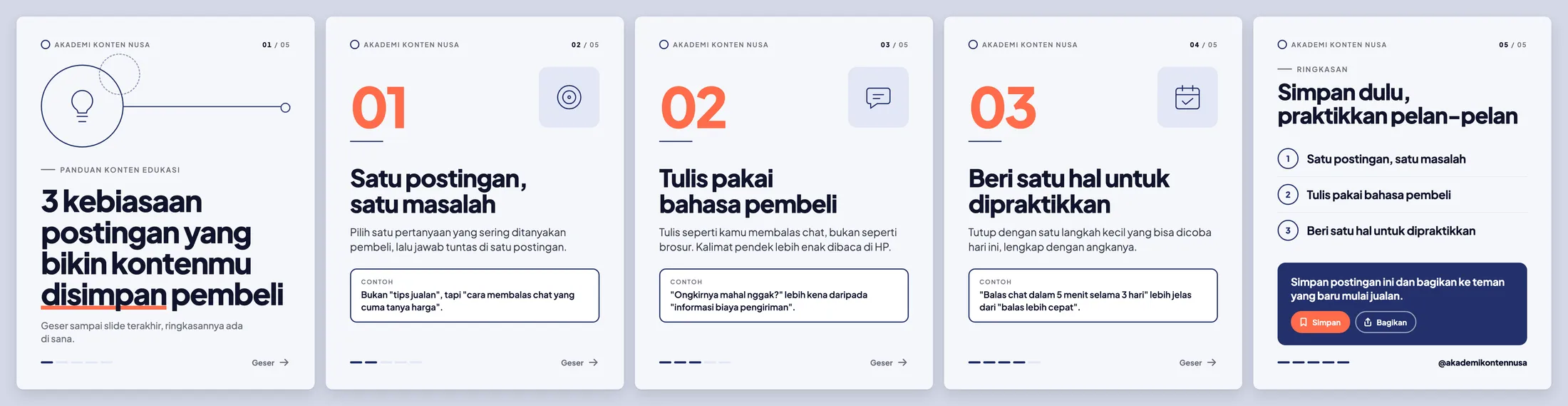
All five slides side by side, indigo palette: hook, 3 ideas, recap + CTA
SKILL.md contents
Premium subscribers can read, copy, and install this skill.
Unlock with Premium Sign in5-Slide Educational Carousel
Description
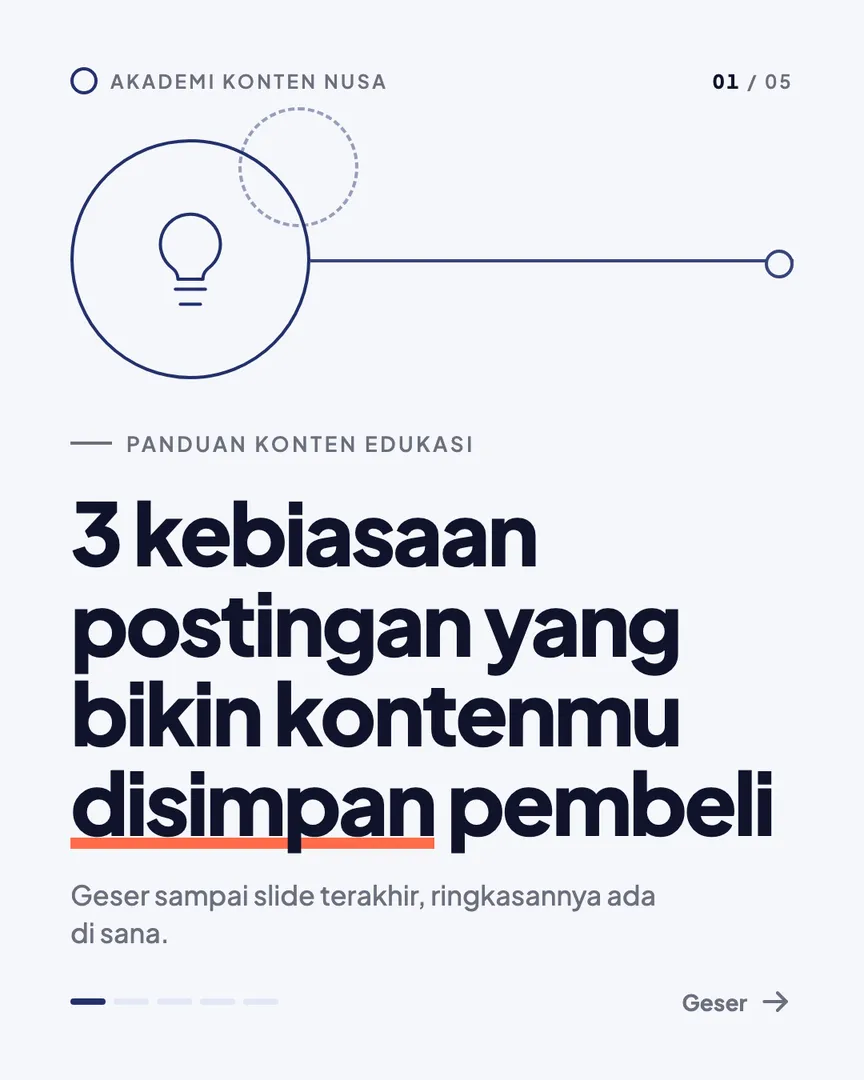
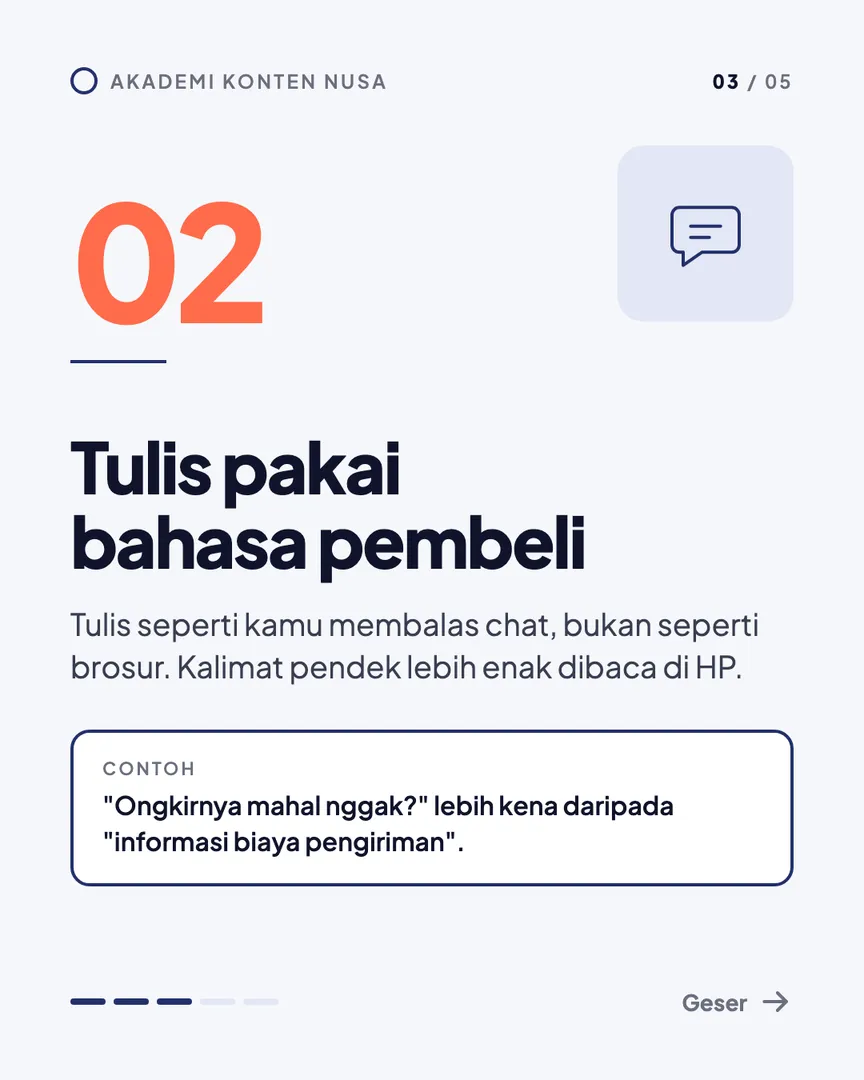
A 5-slide Instagram/LinkedIn carousel at 1080x1350 in a calm style: single-weight line icons, plenty of white space, one accent colour per slide. Slide 1 is a big hook, slides 2 to 4 hold one idea each with a large number, an icon, and an example box, and slide 5 is a recap with a save-and-share call to action and your handle. Built for educational posts people want to save. Exported as 5 PNGs from one HTML template.
Verified by SkillFlow
We checked every file in this skill automatically: no command that downloads and runs a program, no hidden code, no instruction telling your AI to ignore you.
- Loads from outside
- Fonts: Google Fonts
See the 5 files inside
skill.json6 KBSKILL.md7 KBprompt.md5 KBprompt.en.md5 KBfiles/carousel.html18 KB
Checked 14 Nov 2026
Part of SkillFlow Pro
Pro opens every skill in every category: copy, ZIP, Send to AI, install, save, and request new skills.
Get Pro Already subscribed? Sign inWhat you get
- A 5-slide script: hook, 3 ideas (title, explanation, example), recap + CTA
- An HTML template driven by one config object
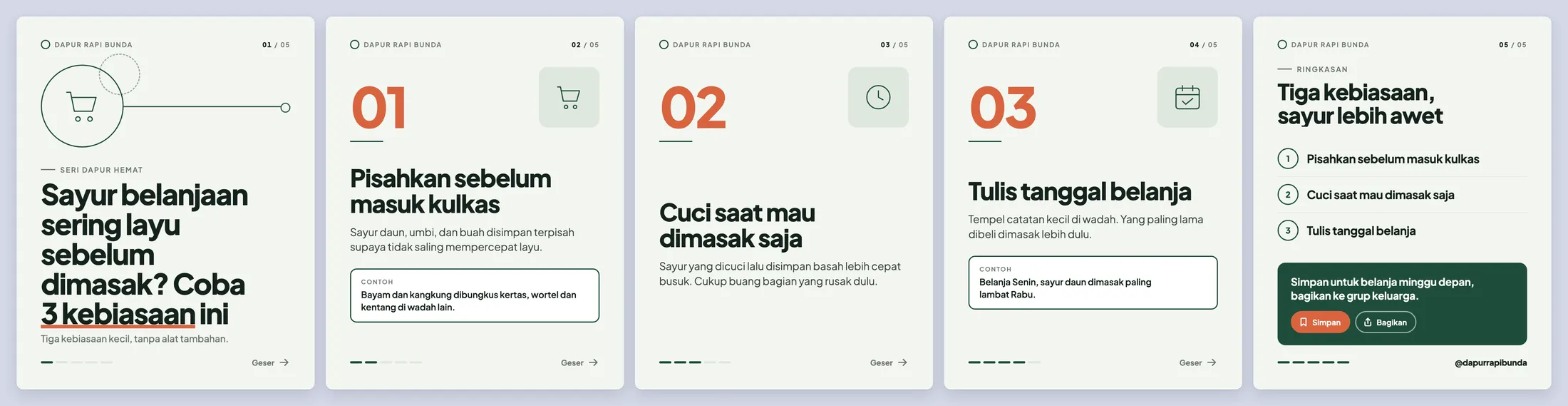
- 5 PNGs at 1080x1350 (4:5), plus a combined sheet of all 5 slides to check at once
- 3 ready palettes and 15 line icons, easy to extend
- A short caption for the post
Good fit
- Consultants, coaches, and teachers building a personal brand on Instagram or LinkedIn
- Creators who want "3 ways" or "3 mistakes" posts people save
- Course hosts summarising one lesson for participants
Not for
- Always exactly 5 slides with 3 ideas; longer topics need to be split into a series
- Not for discount promos or product catalogues with photos
- It does not use photos; the style is line icons and white space
About this skill
/carousel-edukasi-5-slide Make a 5-slide educational carousel about 3 saving habits for new employees, from the Rumah Cuan Sederhana account, handle @rumahcuan.id
Show more
A 5-slide Instagram/LinkedIn carousel at 1080x1350 in a calm style: single-weight line icons, plenty of white space, one accent colour per slide. Slide 1 is a big hook, slides 2 to 4 hold one idea each with a large number, an icon, and an example box, and slide 5 is a recap with a save-and-share call to action and your handle. Built for educational posts people want to save. Exported as 5 PNGs from one HTML template.
User reviews
FAQ
Which icons can I use?
The template ships with 15 single-weight line icons. You can add your own in the same line style so the look stays consistent.
Is the example box required on each idea?
No, it is optional. A concrete example does make the idea easier to remember and the carousel more likely to be saved.
Which AI can I use it with?
Copy the prompt into a chat AI (ChatGPT, Claude, Gemini, DeepSeek); or download the ZIP and install it in an AI agent (Claude Code, Codex, Antigravity, Hermes Agent, Cursor, GitHub Copilot, Gemini CLI, OpenCode, Kimi Code, Trae), which then builds the files for you.
What is in the ZIP?
One folder named carousel-edukasi-5-slide with SKILL.md (the instructions an AI agent reads) and the prompt, 5 files in all. Extract it into your agent's skills folder, or install it with npx skillflow-ai add carousel-edukasi-5-slide. Pro only.
Is there a per-use fee or credits?
Not from SkillFlow. The skill runs on the AI you already use, so any cost follows that plan.
Which plan includes it?
SkillFlow Pro. It opens every skill in every category.
Can I use my own colours and brand?
Yes. Pick a colour theme on this page, or fill in your brand profile once; both go into the prompt you copy and into the ZIP.
Can I share what I made?
Pro members can upload the result and get a page at share.skillflow.ai.id to send to anyone. The page carries a small "Made with SkillFlow AI" mark.
Is there a download limit?
Yes, per day: 50 skills on Pro, 10 on other plans. Downloading a skill again on the same day does not count.



