

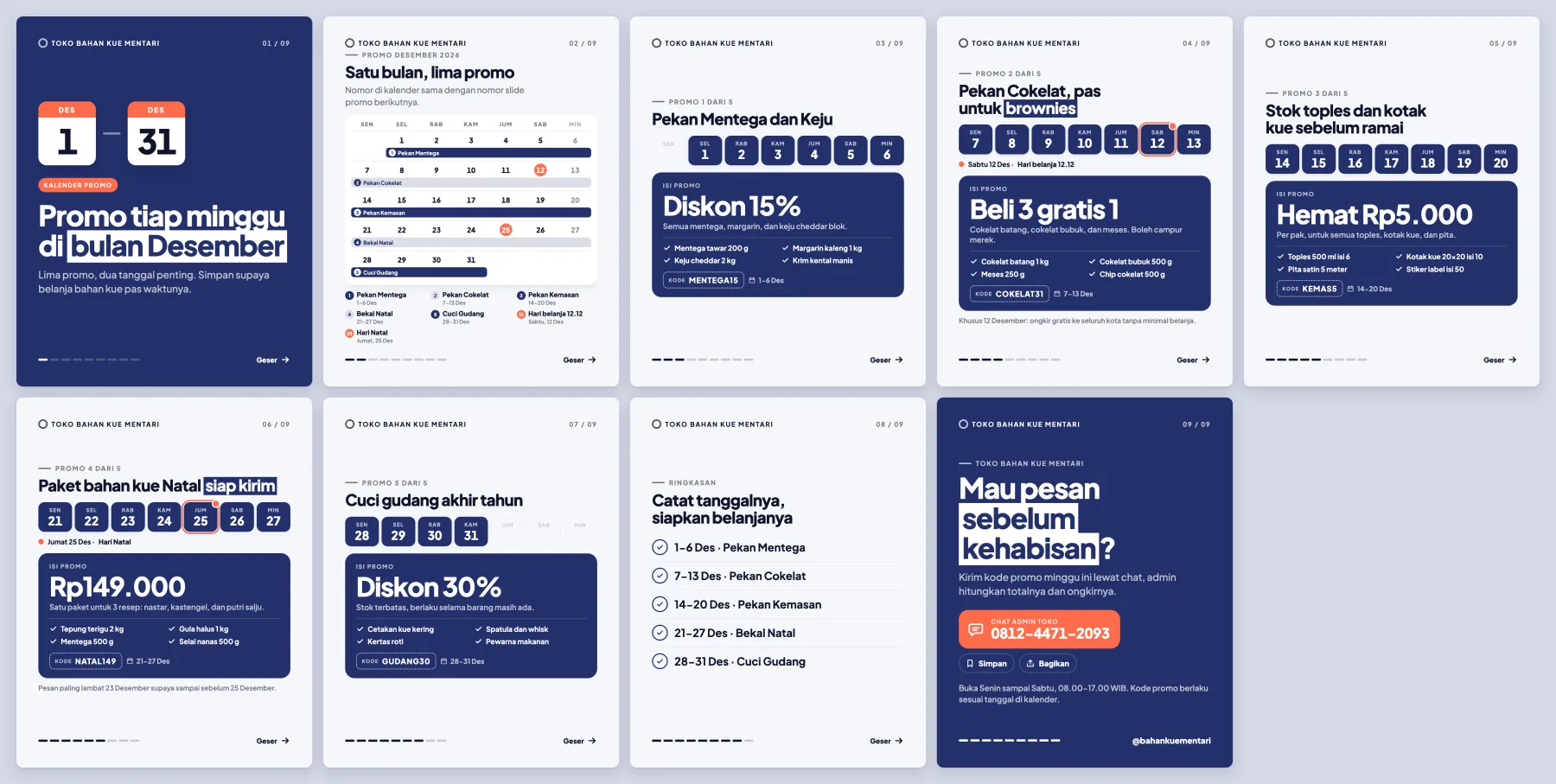
Nine slides: cover, full-month calendar, five weekly promos, a date summary, and closing
SKILL.md contents
Premium subscribers can read, copy, and install this skill.
Unlock with Premium Sign inMonthly Promo Calendar
Description
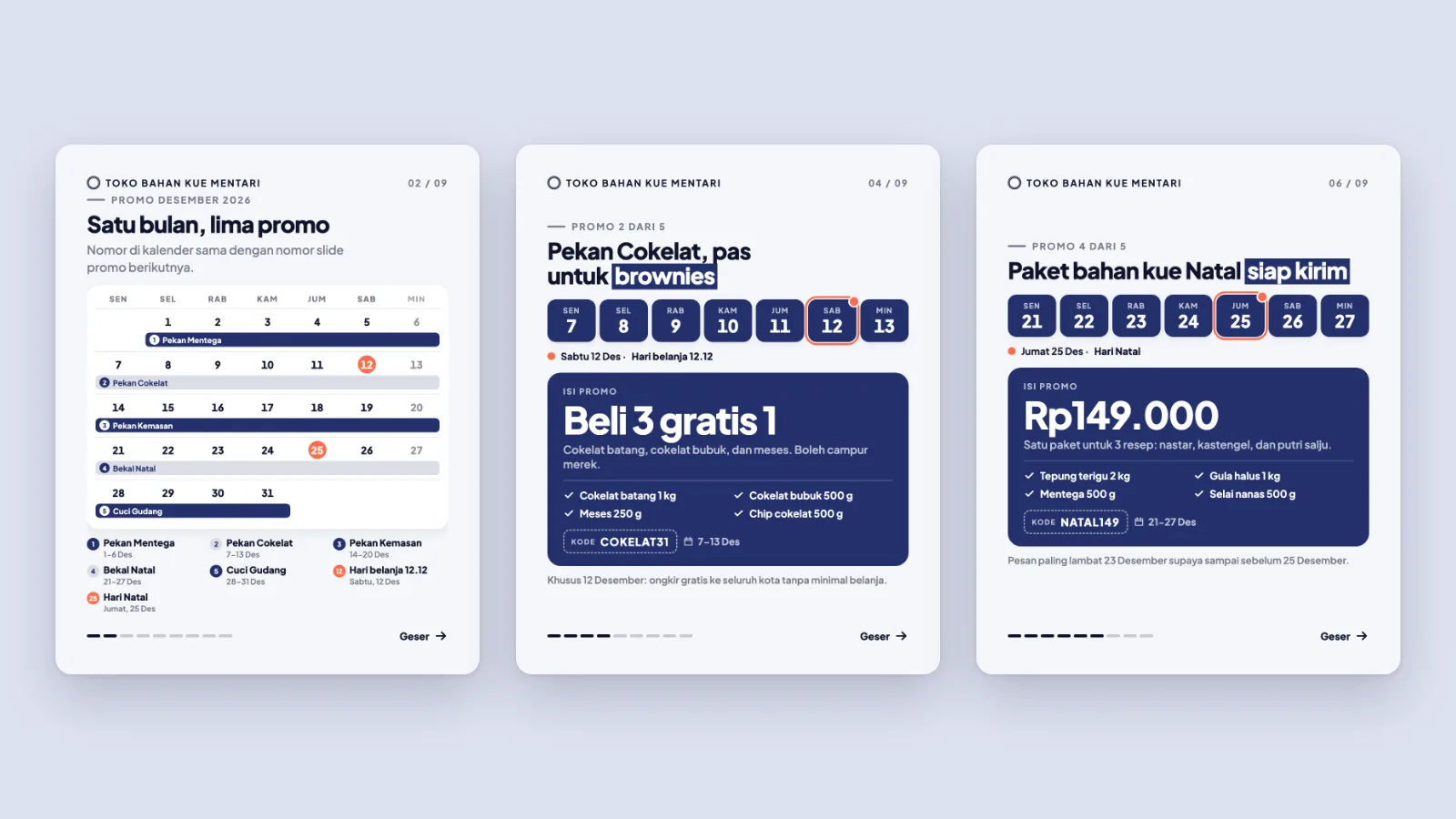
A one-month promo agenda carousel for shops that run regular promotions: a calendar-page cover, a full-month calendar with numbered promo bands in each week and key dates (shopping days, payday, holidays) circled, then one slide per promo with that week's days, the promo days filled in, the offer, what is included, a promo code, and the date range. The date summary is built automatically, and it closes with a chat number. Weekdays and the calendar layout are worked out from the year and month, so a date never lands on the wrong day. 1080x1350 or 1080x1080, exported as PNG.
Verified by SkillFlow
We checked every file in this skill automatically: no command that downloads and runs a program, no hidden code, no instruction telling your AI to ignore you.
- Loads from outside
- Fonts: Google Fonts
See the 5 files inside
skill.json9 KBSKILL.md7 KBprompt.md5 KBprompt.en.md5 KBfiles/carousel.html383 KB
Checked 14 Nov 2026
Part of SkillFlow Pro
Pro opens every skill in every category: copy, ZIP, Send to AI, install, save, and request new skills.
Get Pro Already subscribed? Sign inWhat you get
- A script: cover, full-month calendar, one slide per promo (2-6 promos), date summary, closing
- A one-config HTML template: promo dates and key dates written once, used by every slide
- A full-month calendar with numbered promo bands and circled key dates, weekdays worked out automatically
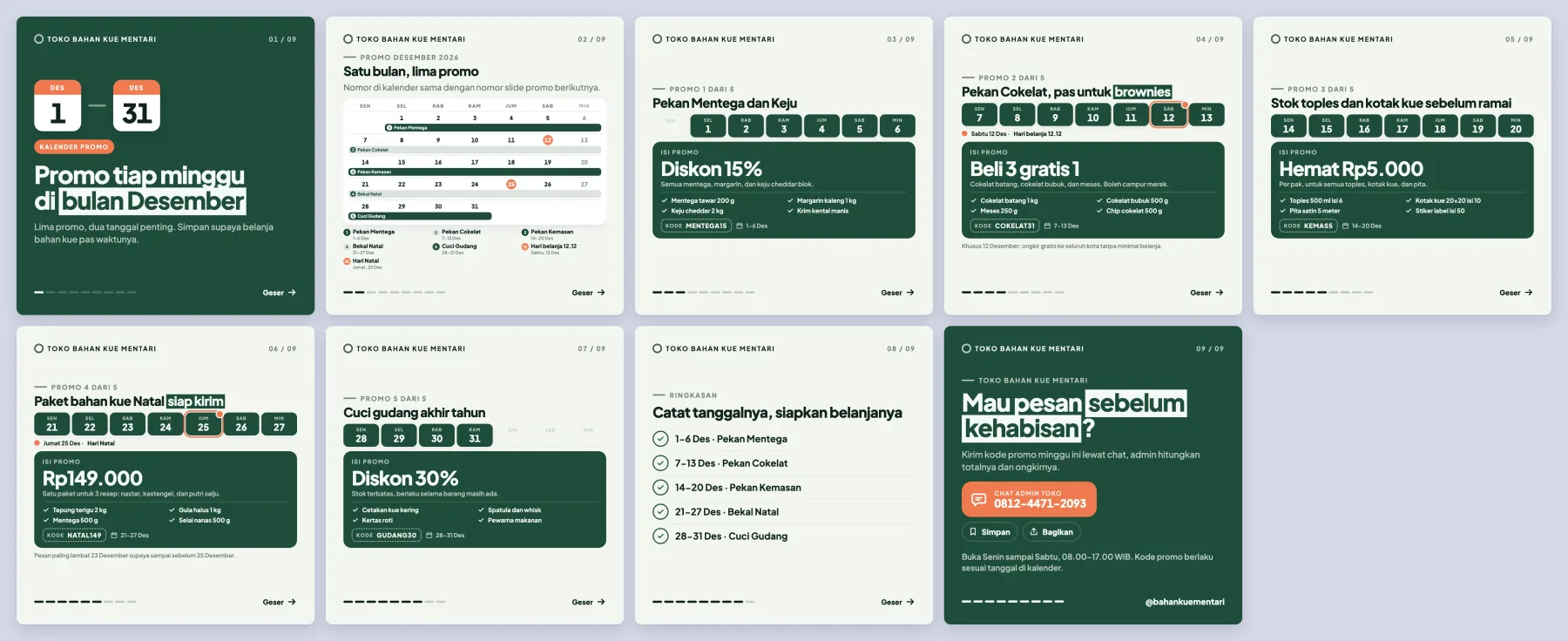
- One PNG per slide at 1080x1350 (4:5) or 1080x1080 (1:1), plus a combined sheet and 4 palettes
- A caption, a chat group message, and a repost schedule for the start of each promo week
Good fit
- Online and physical shops with a promo that changes every week
- Sellers who want customers to save a month of promos and come back in the right week
- Social media admins preparing agenda content at the start of the month
- Businesses that join national shopping days or payday promotions
Not for
- It does not calculate discounted prices or stock; you write each offer yourself
- One month per carousel; a three-month agenda needs three carousels
- Not a content calendar or team posting schedule; use a content plan deck for that
- At most 6 promos and 4 key dates a month so the calendar stays readable
About this skill
/carousel-kalender-promo Make a December promo calendar carousel for my baking supply shop, 5 weekly promos, the 12th and 25th highlighted, chat number +62 812-4471-2093
Show more
A one-month promo agenda carousel for shops that run regular promotions: a calendar-page cover, a full-month calendar with numbered promo bands in each week and key dates (shopping days, payday, holidays) circled, then one slide per promo with that week's days, the promo days filled in, the offer, what is included, a promo code, and the date range. The date summary is built automatically, and it closes with a chat number. Weekdays and the calendar layout are worked out from the year and month, so a date never lands on the wrong day. 1080x1350 or 1080x1080, exported as PNG.
User reviews
FAQ
What if my promo runs across two weeks?
Just write its start and end dates. The band on the calendar splits across the two week rows by itself, and the promo slide shows two rows of days. One promo can cover at most two calendar weeks.
Does the week start on Monday or Sunday?
Monday by default. Set weekStart to 'minggu' if your customers are used to Sunday-first calendars. The weekday of every date is still worked out from the year and month.
Can a week have no promo?
Yes. That week shows empty on the calendar and you simply skip its promo slide. An honest empty week is better than filling it with a promo that is not really running.
Which AI can I use it with?
Copy the prompt into a chat AI (ChatGPT, Claude, Gemini, DeepSeek); or download the ZIP and install it in an AI agent (Claude Code, Codex, Antigravity, Hermes Agent, Cursor, GitHub Copilot, Gemini CLI, OpenCode, Kimi Code, Trae), which then builds the files for you.
What is in the ZIP?
One folder named carousel-kalender-promo with SKILL.md (the instructions an AI agent reads) and the prompt, 5 files in all. Extract it into your agent's skills folder, or install it with npx skillflow-ai add carousel-kalender-promo. Pro only.
Is there a per-use fee or credits?
Not from SkillFlow. The skill runs on the AI you already use, so any cost follows that plan.
Which plan includes it?
SkillFlow Pro. It opens every skill in every category.
Can I use my own colours and brand?
Yes. Pick a colour theme on this page, or fill in your brand profile once; both go into the prompt you copy and into the ZIP.
Can I share what I made?
Pro members can upload the result and get a page at share.skillflow.ai.id to send to anyone. The page carries a small "Made with SkillFlow AI" mark.
Is there a download limit?
Yes, per day: 50 skills on Pro, 10 on other plans. Downloading a skill again on the same day does not count.



