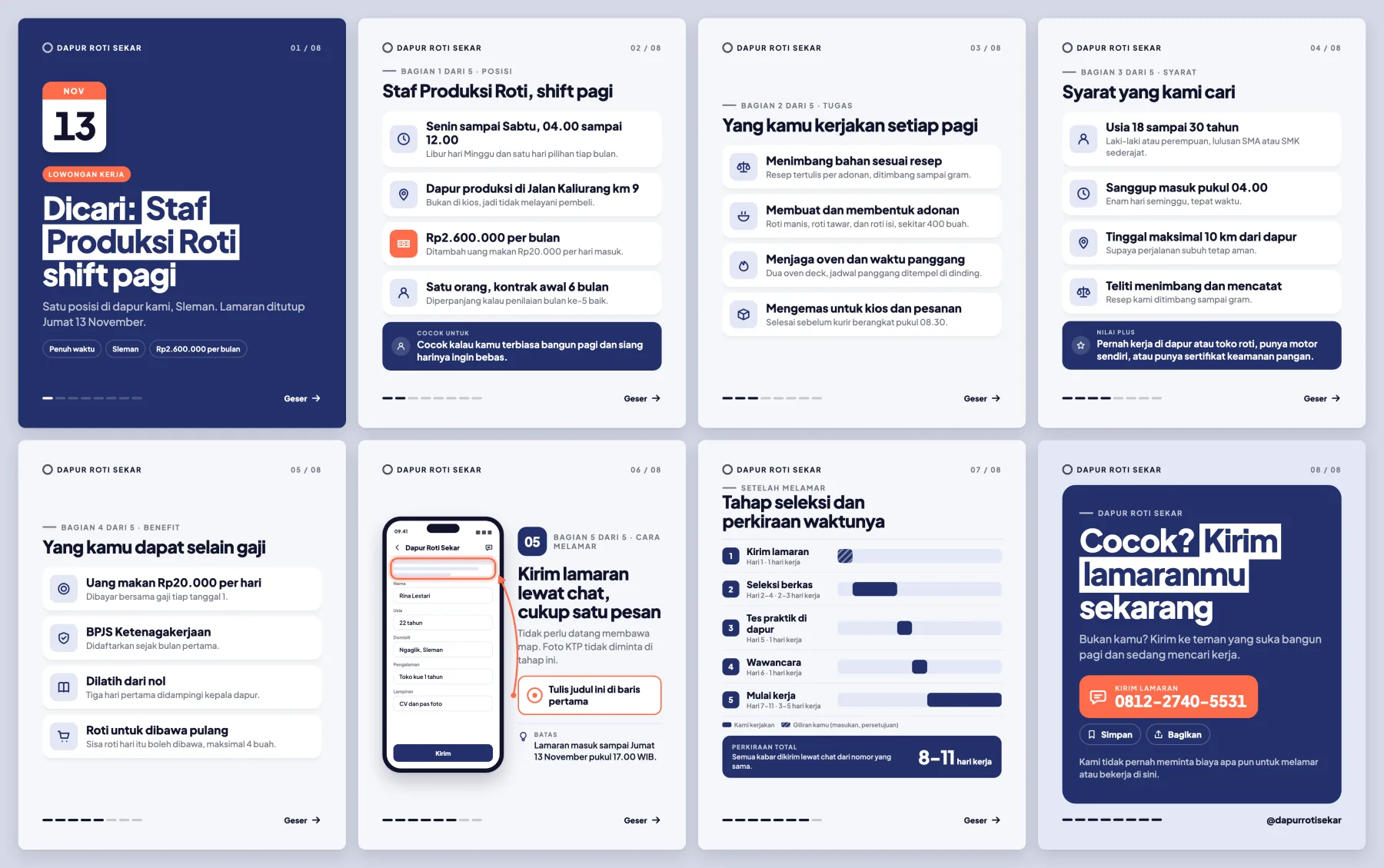
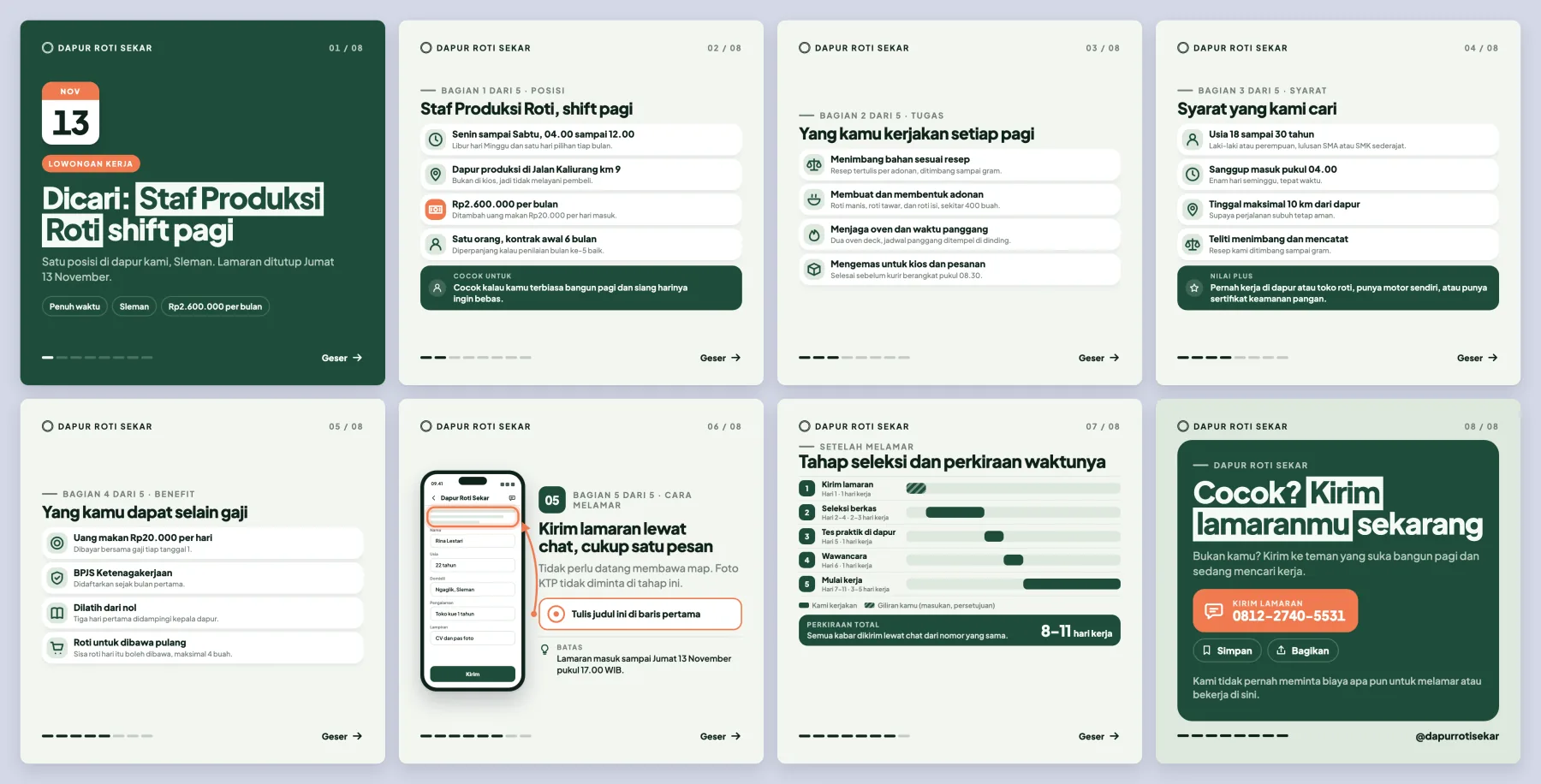
Eight slides: cover with closing date, position, tasks, requirements, benefits, how to apply, stages, closing
SKILL.md contents
Premium subscribers can read, copy, and install this skill.
Unlock with Premium Sign inJob Opening Carousel
Description
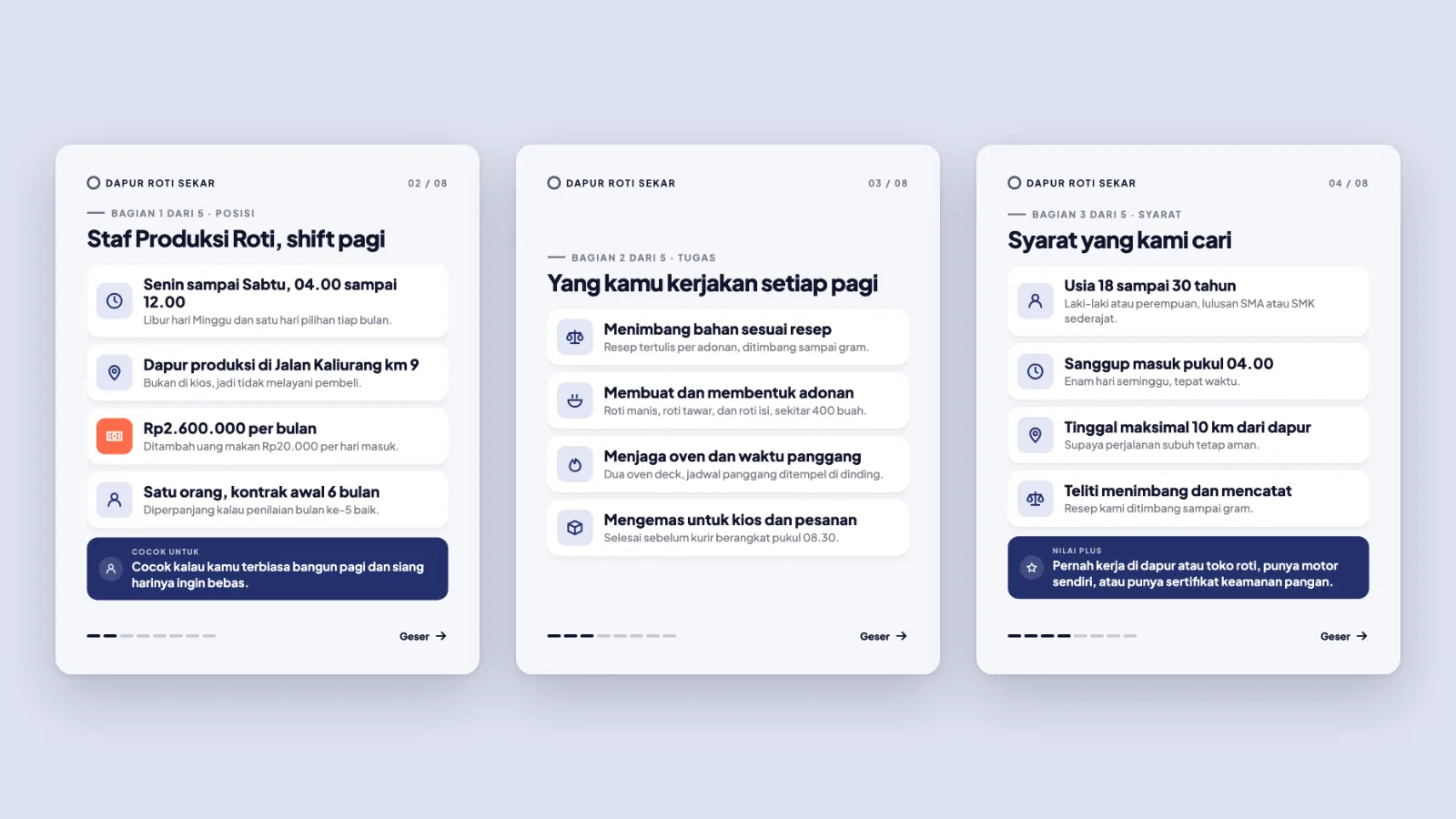
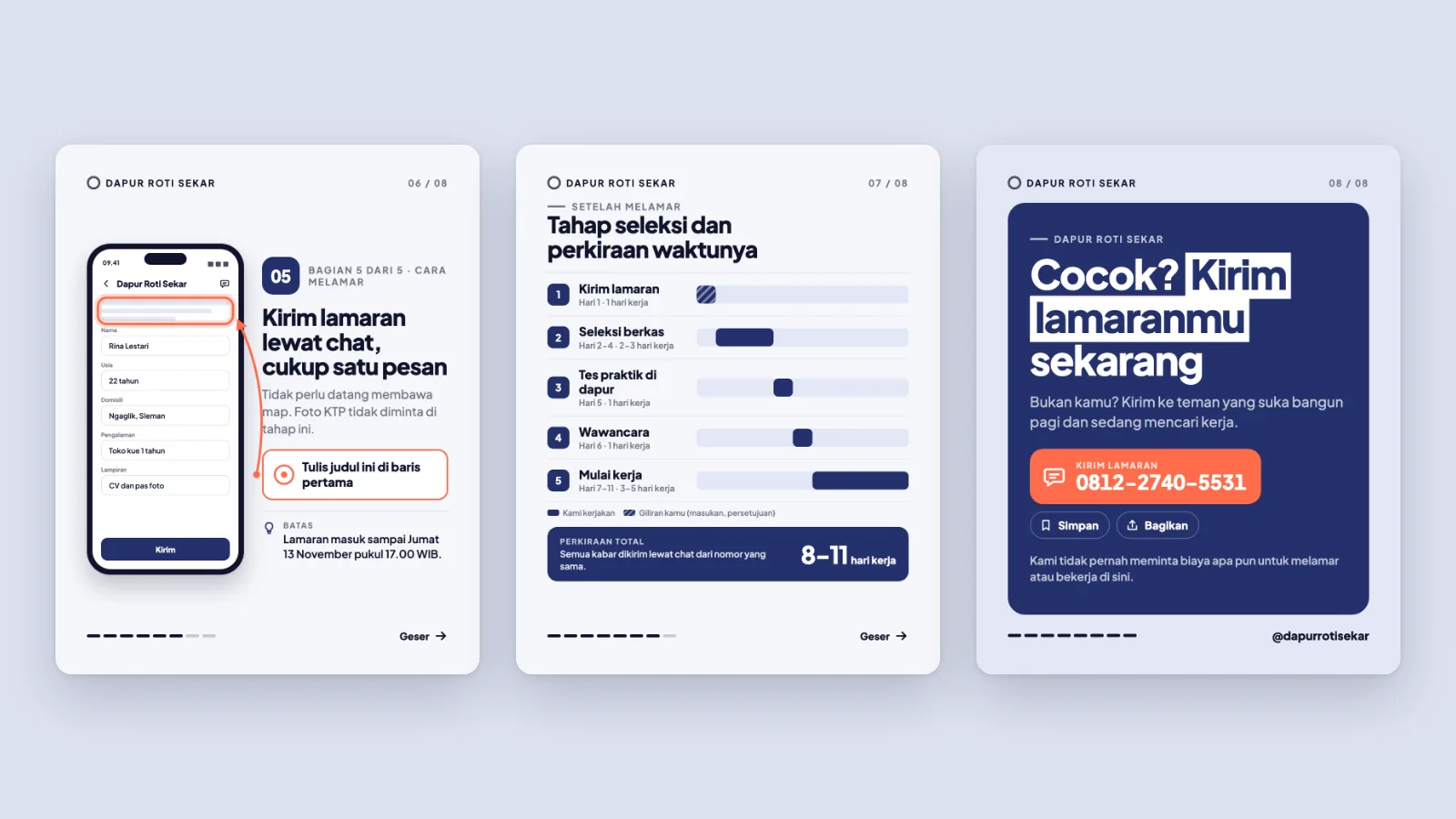
A job opening carousel for small businesses, shops, kitchens, clinics, and small offices hiring through Instagram and group chats, one part per slide. A cover with a closing-date calendar and fact chips, position with hours and pay highlighted, daily tasks, required items with a nice-to-have box, benefits besides pay, a sample application message on a phone, selection stages with days worked out automatically, and a closing slide with an apply button, a share ask, and an anti-scam line. 1080x1350 or 1080x1080.
Verified by SkillFlow
We checked every file in this skill automatically: no command that downloads and runs a program, no hidden code, no instruction telling your AI to ignore you.
- Loads from outside
- Fonts: Google Fonts
See the 5 files inside
skill.json10 KBSKILL.md7 KBprompt.md4 KBprompt.en.md4 KBfiles/carousel.html385 KB
Checked 14 Nov 2026
Part of SkillFlow Pro
Pro opens every skill in every category: copy, ZIP, Send to AI, install, save, and request new skills.
Get Pro Already subscribed? Sign inWhat you get
- A script: cover, position, tasks, requirements, benefits, how to apply, selection stages, closing
- A one-config HTML template, one part of the job opening per slide
- A sample application message in a phone mockup, pointing at the line applicants must write
- Timed selection stages with estimated days worked out automatically
- One PNG per slide at 1080x1350 (4:5) or 1080x1080 (1:1), plus a combined sheet
- 4 ready palettes and a caption that asks people to share it with a friend
Good fit
- Small businesses, shops, and kitchens hiring through Instagram and group chats
- Clinics and small offices that want the full opening read, not squeezed into one image
- Owners who want applicants to send applications in a tidy format
Not for
- Not a single-image poster for Status; use Job Opening Poster for that
- It does not screen applicants or reply to chats; you get images and a script
- It does not invent pay, benefits, or openings you did not give
About this skill
/carousel-lowongan-kerja Make a job opening carousel for a morning-shift bakery production assistant at our kitchen, monthly pay included, applications close Friday 13 November, apply by chat
Show more
A job opening carousel for small businesses, shops, kitchens, clinics, and small offices hiring through Instagram and group chats, one part per slide. A cover with a closing-date calendar and fact chips, position with hours and pay highlighted, daily tasks, required items with a nice-to-have box, benefits besides pay, a sample application message on a phone, selection stages with days worked out automatically, and a closing slide with an apply button, a share ask, and an anti-scam line. 1080x1350 or 1080x1080.
User reviews
FAQ
Do I have to show the pay?
No, but it is strongly recommended. If you would rather not give a number, write a range or Discussed at interview, and move the highlight on the position slide to the working hours.
Can it cover more than one position?
One carousel works best for one position. For two positions, make two carousels with matching covers, since each has its own tasks and requirements.
Why the anti-scam line?
Fake job ads that ask for fees often borrow real business names. One line saying you never charge applicants helps people recognise the real opening.
Which AI can I use it with?
Copy the prompt into a chat AI (ChatGPT, Claude, Gemini, DeepSeek); or download the ZIP and install it in an AI agent (Claude Code, Codex, Antigravity, Hermes Agent, Cursor, GitHub Copilot, Gemini CLI, OpenCode, Kimi Code, Trae), which then builds the files for you.
What is in the ZIP?
One folder named carousel-lowongan-kerja with SKILL.md (the instructions an AI agent reads) and the prompt, 5 files in all. Extract it into your agent's skills folder, or install it with npx skillflow-ai add carousel-lowongan-kerja. Pro only.
Is there a per-use fee or credits?
Not from SkillFlow. The skill runs on the AI you already use, so any cost follows that plan.
Which plan includes it?
SkillFlow Pro. It opens every skill in every category.
Can I use my own colours and brand?
Yes. Pick a colour theme on this page, or fill in your brand profile once; both go into the prompt you copy and into the ZIP.
Can I share what I made?
Pro members can upload the result and get a page at share.skillflow.ai.id to send to anyone. The page carries a small "Made with SkillFlow AI" mark.
Is there a download limit?
Yes, per day: 50 skills on Pro, 10 on other plans. Downloading a skill again on the same day does not count.