

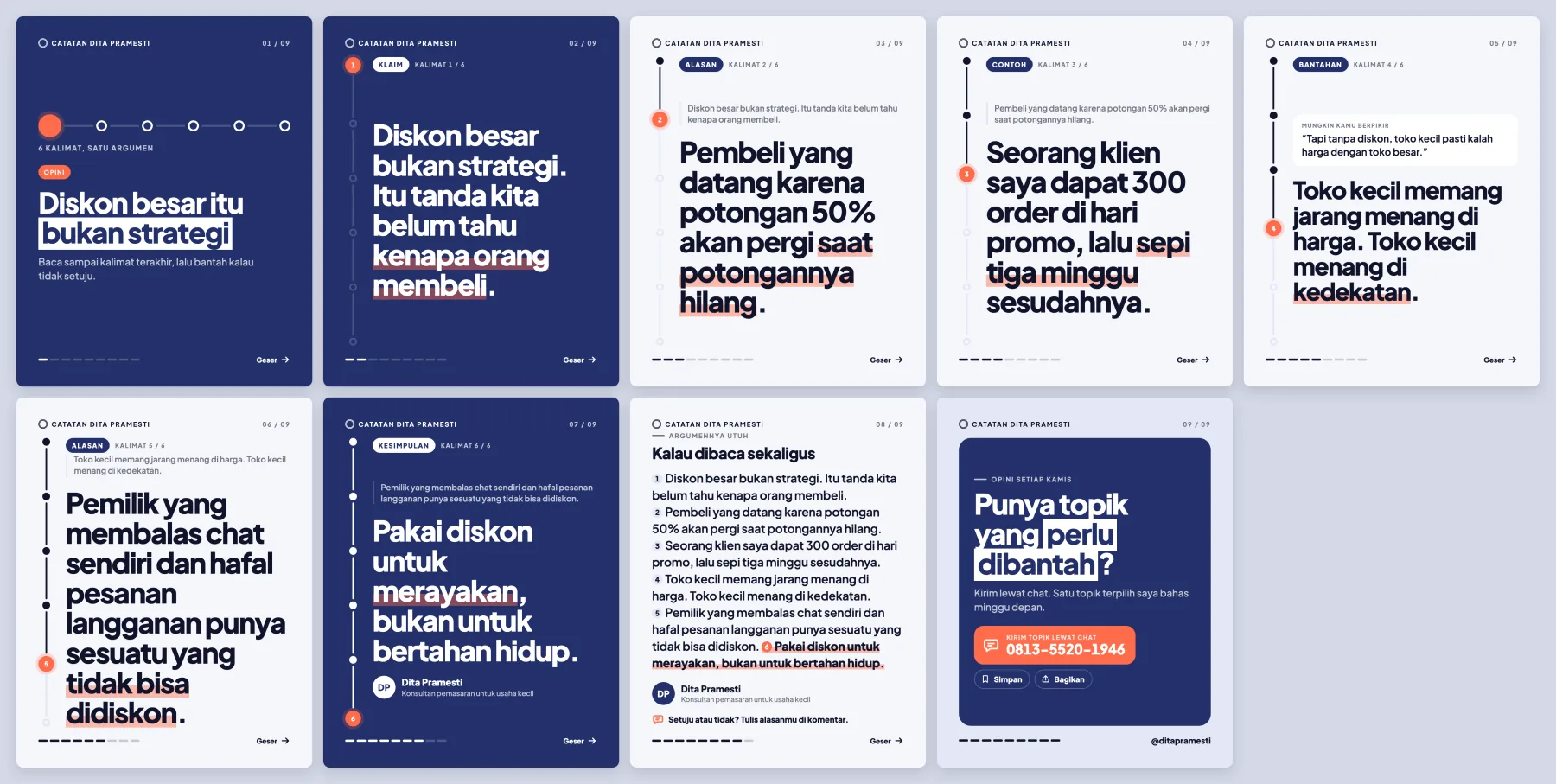
Nine slides: a thread cover, six argument sentences, the full paragraph, and the closing slide
SKILL.md contents
Premium subscribers can read, copy, and install this skill.
Unlock with Premium Sign inOpinion Thread
Description
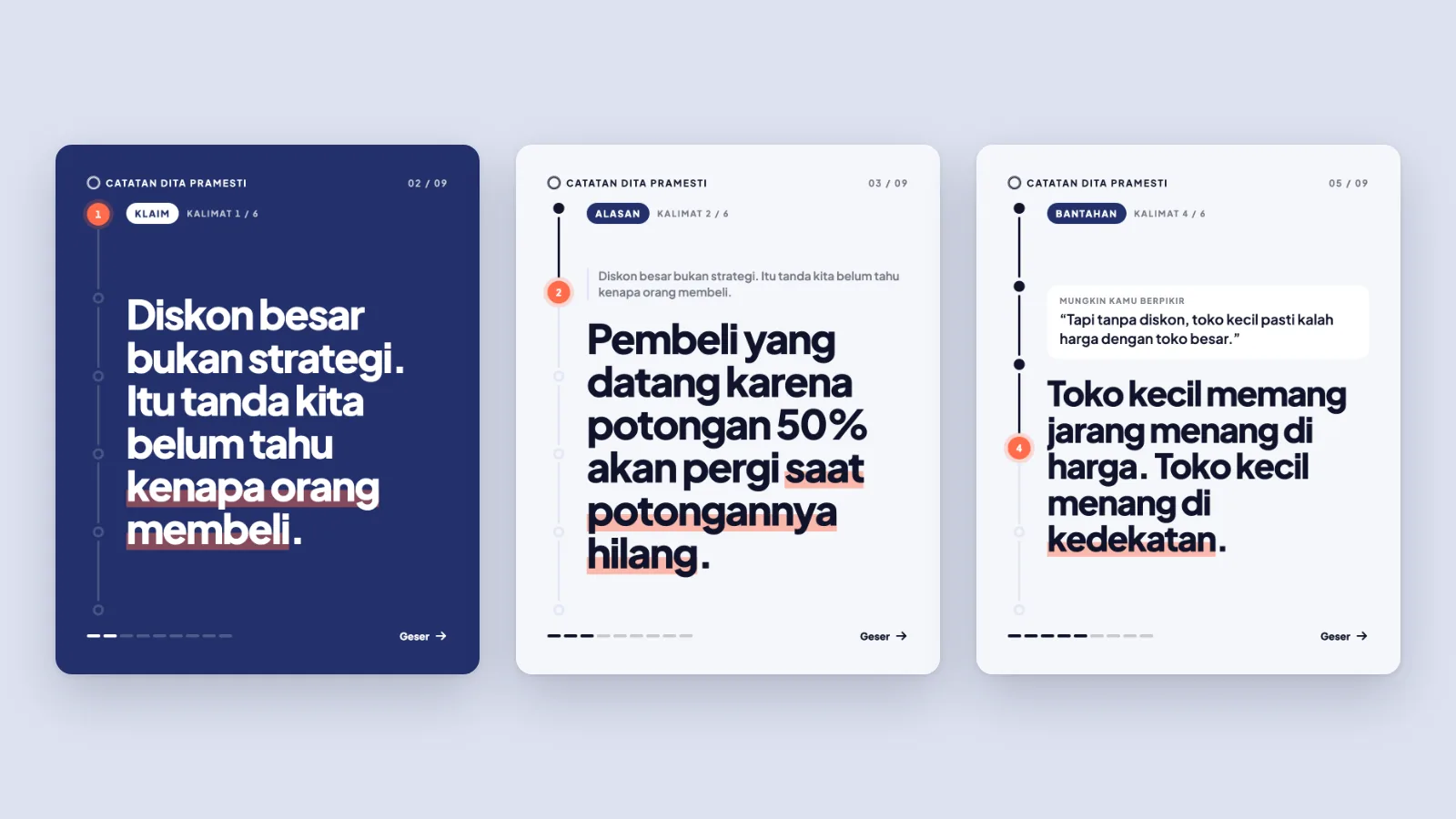
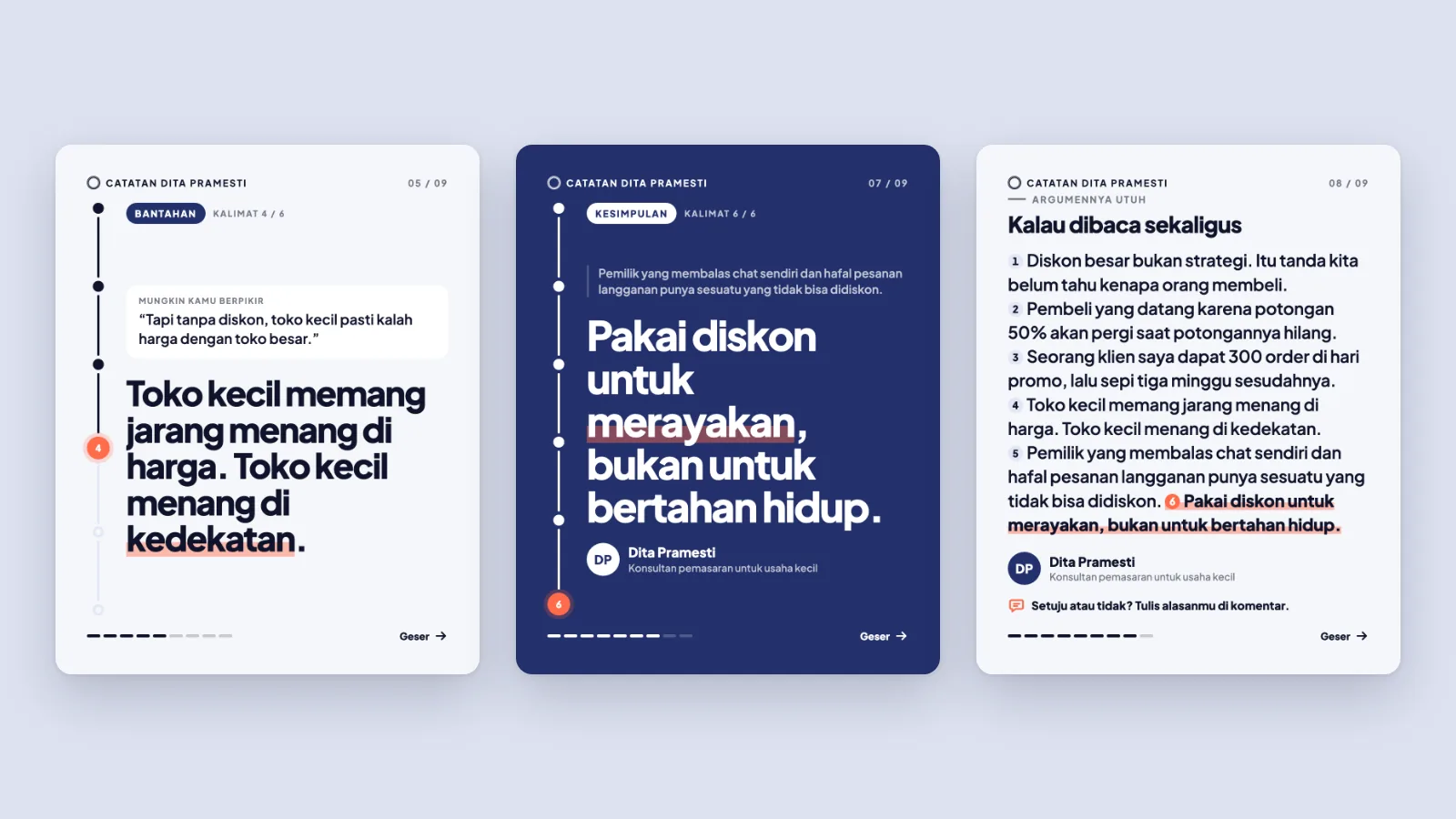
A big-type carousel for thought leadership: one argument built sentence by sentence, one sentence per slide in very large type. Each sentence has a role (claim, reason, example, objection, conclusion) on a chip, the previous sentence appears small above it, and a dot rail marks where the reader is. An objection slide states the reader's pushback fairly and answers it, and a final slide assembles every sentence into one numbered paragraph. 1080x1350 or 1080x1080.
Verified by SkillFlow
We checked every file in this skill automatically: no command that downloads and runs a program, no hidden code, no instruction telling your AI to ignore you.
- Loads from outside
- Fonts: Google Fonts
See the 5 files inside
skill.json8 KBSKILL.md6 KBprompt.md4 KBprompt.en.md4 KBfiles/carousel.html382 KB
Checked 14 Nov 2026
Part of SkillFlow Pro
Pro opens every skill in every category: copy, ZIP, Send to AI, install, save, and request new skills.
Get Pro Already subscribed? Sign inWhat you get
- An argument outline: claim, 2-3 reasons or examples, one fair objection, and a conclusion
- A 5-8 sentence script with each sentence's role and one highlighted phrase per sentence
- An HTML template: one sentence per slide, a position dot rail, the previous sentence above
- An objection slide, a numbered full-paragraph slide, and a closing that invites comments
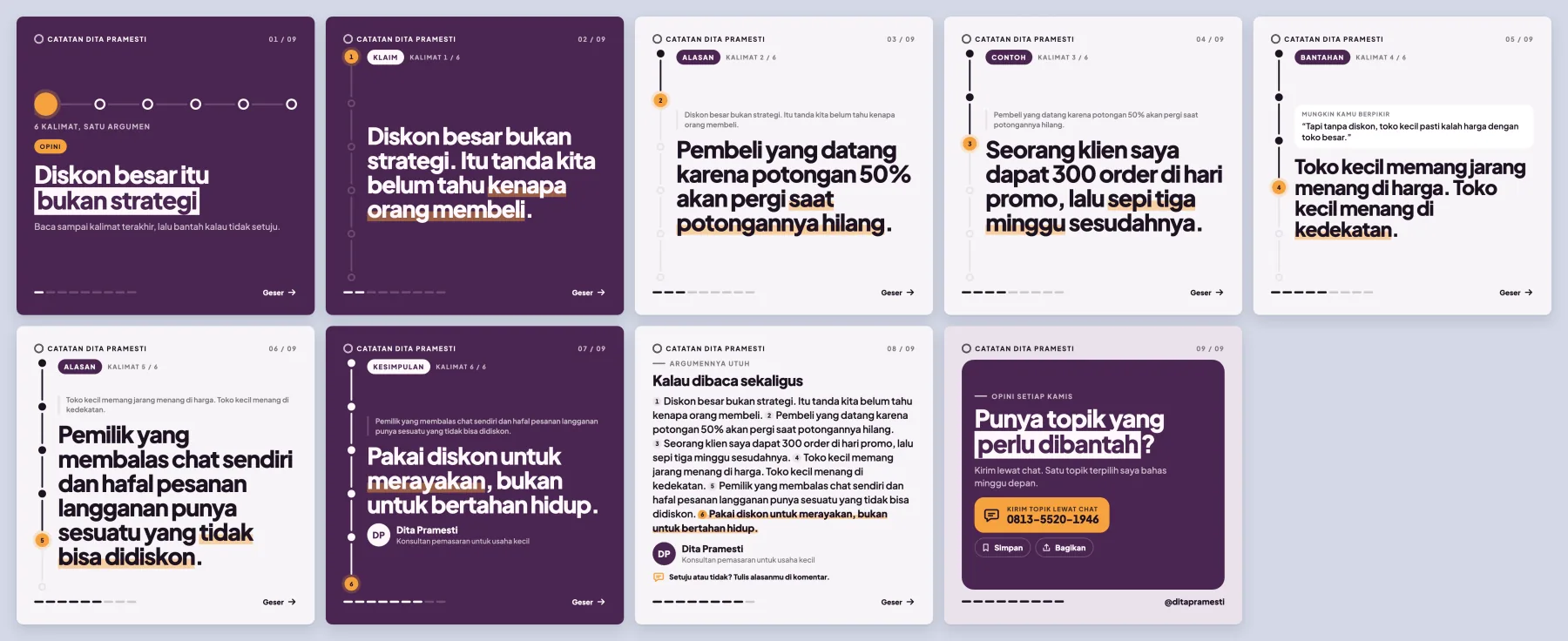
- One PNG per slide at 1080x1350 or 1080x1080, 4 palettes
- A caption with a question that welcomes disagreement
Good fit
- Consultants, founders, and teachers who want to be known for a point of view
- One opinion that can be defended in 5 to 8 sentences
- Accounts that want to spark discussion in the comments, not just likes
Not for
- It does not verify the data or examples you provide
- One argument per carousel; use a tips carousel for a list of tips
- Not someone else's quote; use the quote thread carousel to split one long quote
About this skill
/carousel-opini-bersambung Make an opinion carousel arguing that small business owners should answer customer chats themselves in their first year, with one example from my experience and one objection, for the Rangga Wiratama Notes account
Show more
A big-type carousel for thought leadership: one argument built sentence by sentence, one sentence per slide in very large type. Each sentence has a role (claim, reason, example, objection, conclusion) on a chip, the previous sentence appears small above it, and a dot rail marks where the reader is. An objection slide states the reader's pushback fairly and answers it, and a final slide assembles every sentence into one numbered paragraph. 1080x1350 or 1080x1080.
User reviews
FAQ
Why is there an objection slide?
An opinion that states the reader's pushback fairly and answers it reads as more considered, and gets shared more than one that only repeats its claim.
How many sentences work best?
5 to 7. Beyond that one sentence usually just repeats another; merge or cut it.
Which AI can I use it with?
Copy the prompt into a chat AI (ChatGPT, Claude, Gemini, DeepSeek); or download the ZIP and install it in an AI agent (Claude Code, Codex, Antigravity, Hermes Agent, Cursor, GitHub Copilot, Gemini CLI, OpenCode, Kimi Code, Trae), which then builds the files for you.
What is in the ZIP?
One folder named carousel-opini-bersambung with SKILL.md (the instructions an AI agent reads) and the prompt, 5 files in all. Extract it into your agent's skills folder, or install it with npx skillflow-ai add carousel-opini-bersambung. Pro only.
Is there a per-use fee or credits?
Not from SkillFlow. The skill runs on the AI you already use, so any cost follows that plan.
Which plan includes it?
SkillFlow Pro. It opens every skill in every category.
Can I use my own colours and brand?
Yes. Pick a colour theme on this page, or fill in your brand profile once; both go into the prompt you copy and into the ZIP.
Can I share what I made?
Pro members can upload the result and get a page at share.skillflow.ai.id to send to anyone. The page carries a small "Made with SkillFlow AI" mark.
Is there a download limit?
Yes, per day: 50 skills on Pro, 10 on other plans. Downloading a skill again on the same day does not count.



