

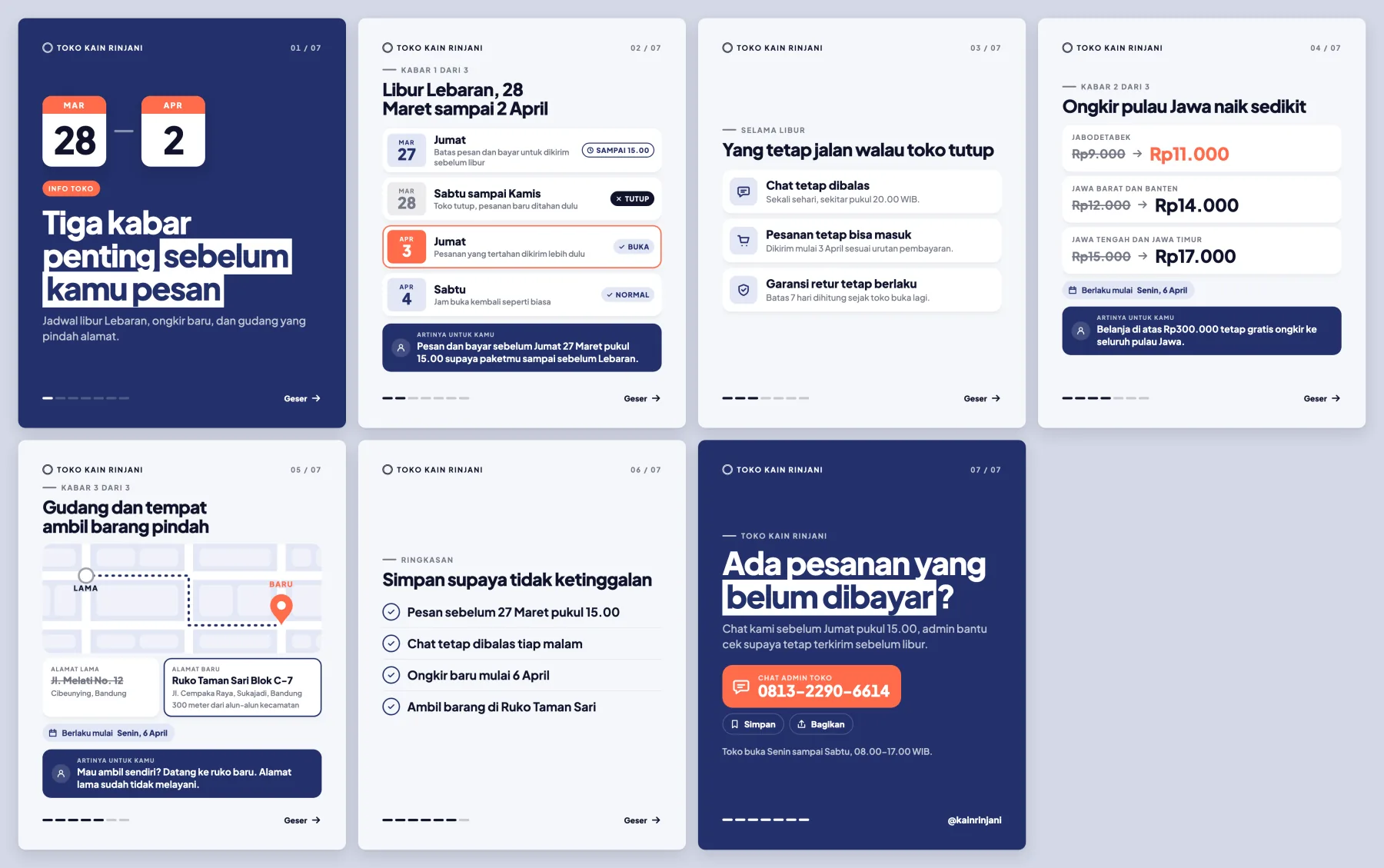
Seven slides: calendar cover, holiday schedule, what still works, new shipping rates, new address, summary, and closing
SKILL.md contents
Premium subscribers can read, copy, and install this skill.
Unlock with Premium Sign inStore Announcement
Description
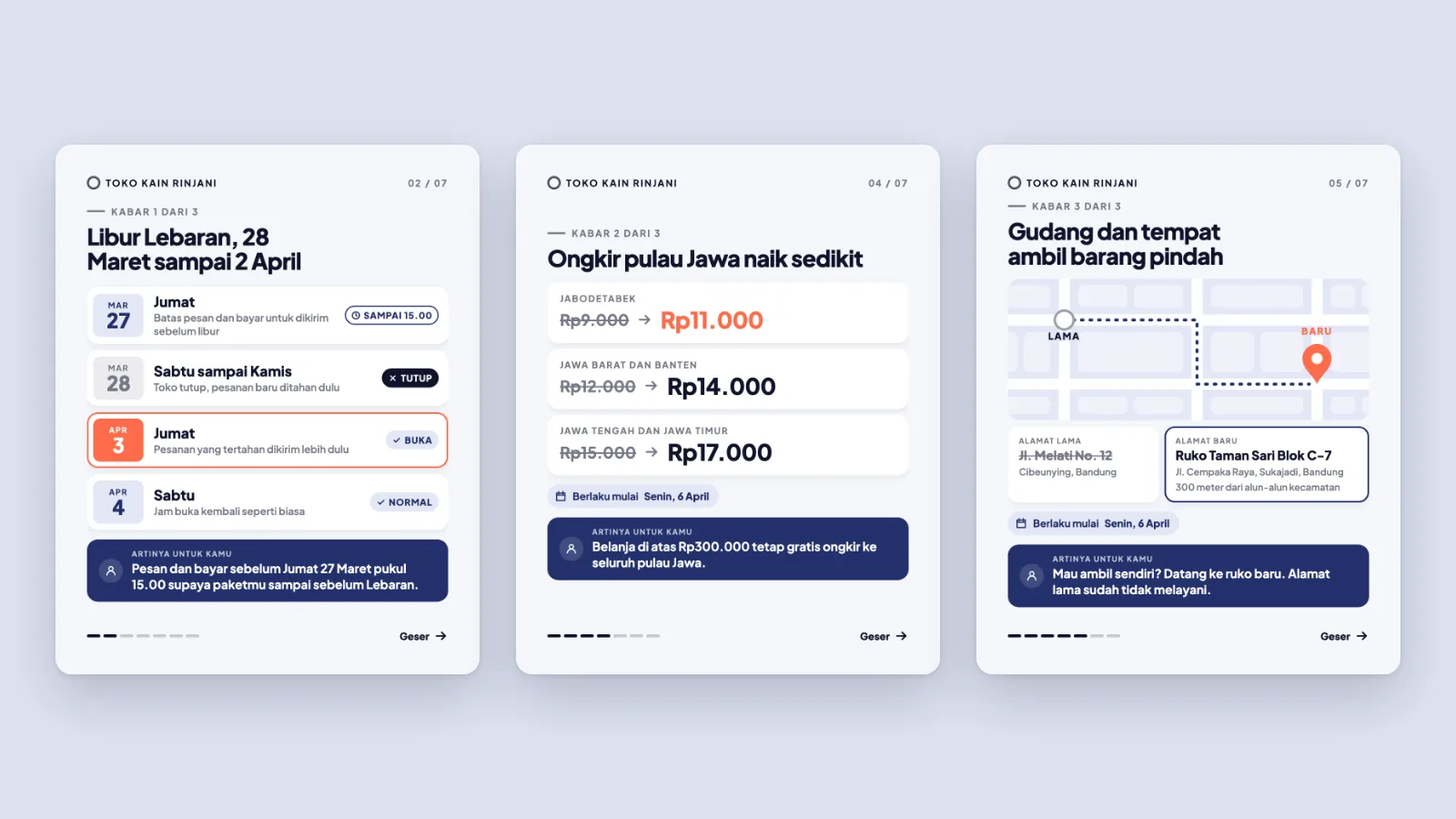
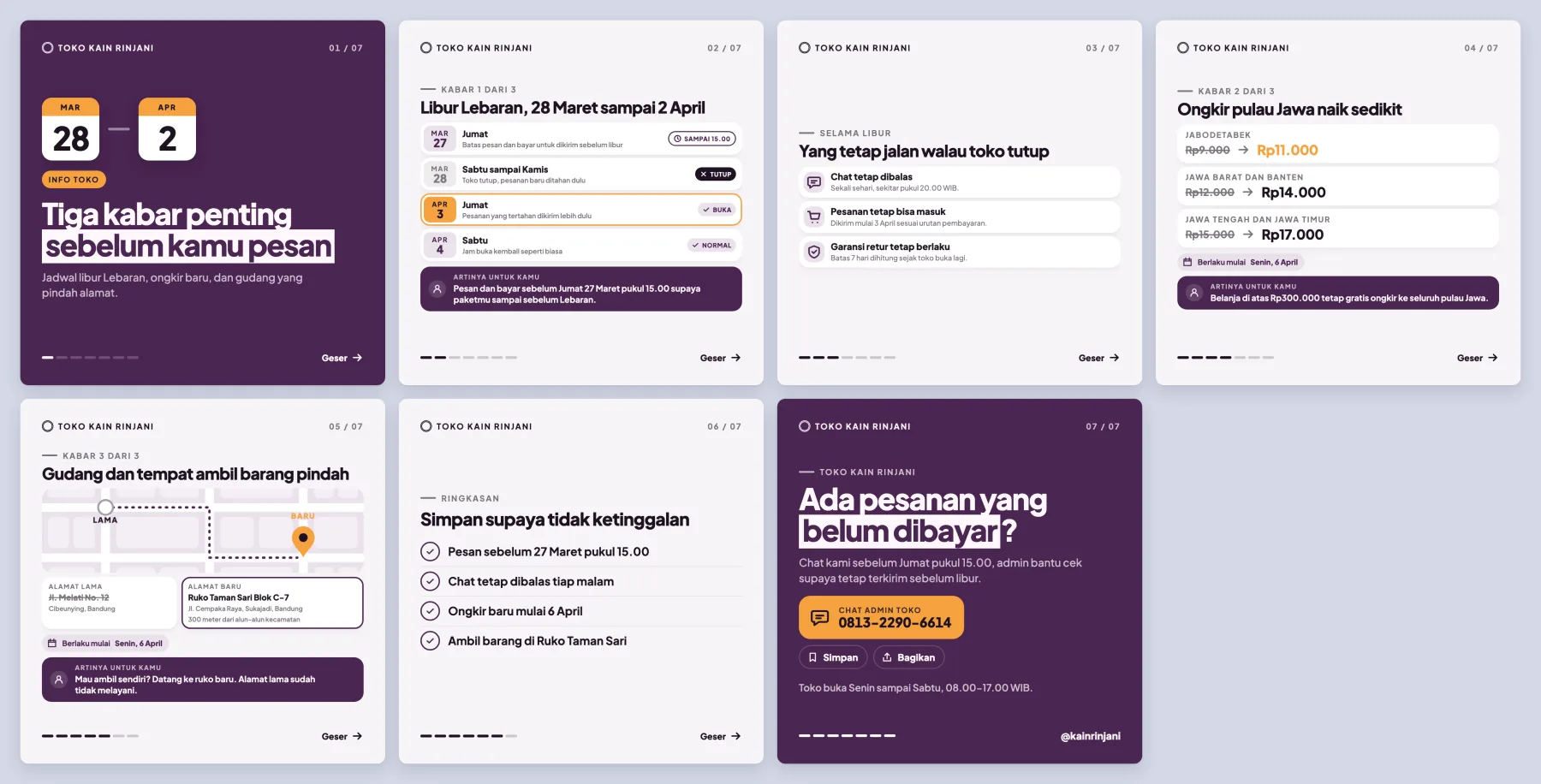
A short announcement carousel for online shops and service businesses: holiday hours, shipping or price changes, and a new location, in slides that are easy to share to chat groups. A calendar-page cover, a day-by-day schedule with Closed, Limited hours, and Open stamps, old-to-new value cards with an effective date, a small moving map, a list of what still works while closed, and a "What this means for you" box on every update. An automatic summary and a closing slide with a chat number. 1080x1350 or 1080x1080.
Verified by SkillFlow
We checked every file in this skill automatically: no command that downloads and runs a program, no hidden code, no instruction telling your AI to ignore you.
- Loads from outside
- Fonts: Google Fonts
See the 5 files inside
skill.json8 KBSKILL.md7 KBprompt.md5 KBprompt.en.md5 KBfiles/carousel.html383 KB
Checked 14 Nov 2026
Part of SkillFlow Pro
Pro opens every skill in every category: copy, ZIP, Send to AI, install, save, and request new skills.
Get Pro Already subscribed? Sign inWhat you get
- A script: cover, 1-3 updates (schedule, change, new location), what still works, summary, closing
- A one-config HTML template with a calendar cover and four update layouts
- A "What this means for you" box on each update: one action line for buyers
- One PNG per slide at 1080x1350 (4:5) or 1080x1080 (1:1), plus a combined sheet and 4 palettes
- A short message for chat groups and a caption with the key dates
Good fit
- Online shops and services announcing holiday or reduced hours
- Businesses changing shipping, prices, or minimum spend that want customers to know the start date
- Shops moving location that need a new address notice for group chats
Not for
- Not a sales or promo carousel; it carries news and what customers should do
- The moving map is a simple drawing, not a real navigation map
- It does not send the announcement to customers; you share it
About this skill
/carousel-pengumuman-toko Make a holiday announcement carousel for Melati Cake Shop: closed 28 March to 2 April, last orders Friday 3 pm, new shipping rates from 5 April
Show more
A short announcement carousel for online shops and service businesses: holiday hours, shipping or price changes, and a new location, in slides that are easy to share to chat groups. A calendar-page cover, a day-by-day schedule with Closed, Limited hours, and Open stamps, old-to-new value cards with an effective date, a small moving map, a list of what still works while closed, and a "What this means for you" box on every update. An automatic summary and a closing slide with a chat number. 1080x1350 or 1080x1080.
User reviews
FAQ
What is the "What this means for you" box?
One action sentence per announcement, for example "Order before Friday 3 pm so it arrives before the holiday". Without it, readers have to work out what to do themselves.
Can one carousel hold several announcements?
Yes, 1 to 3, for example holiday hours, a shipping change, and a new address. The closing summary is built automatically from all of them.
Which AI can I use it with?
Copy the prompt into a chat AI (ChatGPT, Claude, Gemini, DeepSeek); or download the ZIP and install it in an AI agent (Claude Code, Codex, Antigravity, Hermes Agent, Cursor, GitHub Copilot, Gemini CLI, OpenCode, Kimi Code, Trae), which then builds the files for you.
What is in the ZIP?
One folder named carousel-pengumuman-toko with SKILL.md (the instructions an AI agent reads) and the prompt, 5 files in all. Extract it into your agent's skills folder, or install it with npx skillflow-ai add carousel-pengumuman-toko. Pro only.
Is there a per-use fee or credits?
Not from SkillFlow. The skill runs on the AI you already use, so any cost follows that plan.
Which plan includes it?
SkillFlow Pro. It opens every skill in every category.
Can I use my own colours and brand?
Yes. Pick a colour theme on this page, or fill in your brand profile once; both go into the prompt you copy and into the ZIP.
Can I share what I made?
Pro members can upload the result and get a page at share.skillflow.ai.id to send to anyone. The page carries a small "Made with SkillFlow AI" mark.
Is there a download limit?
Yes, per day: 50 skills on Pro, 10 on other plans. Downloading a skill again on the same day does not count.



