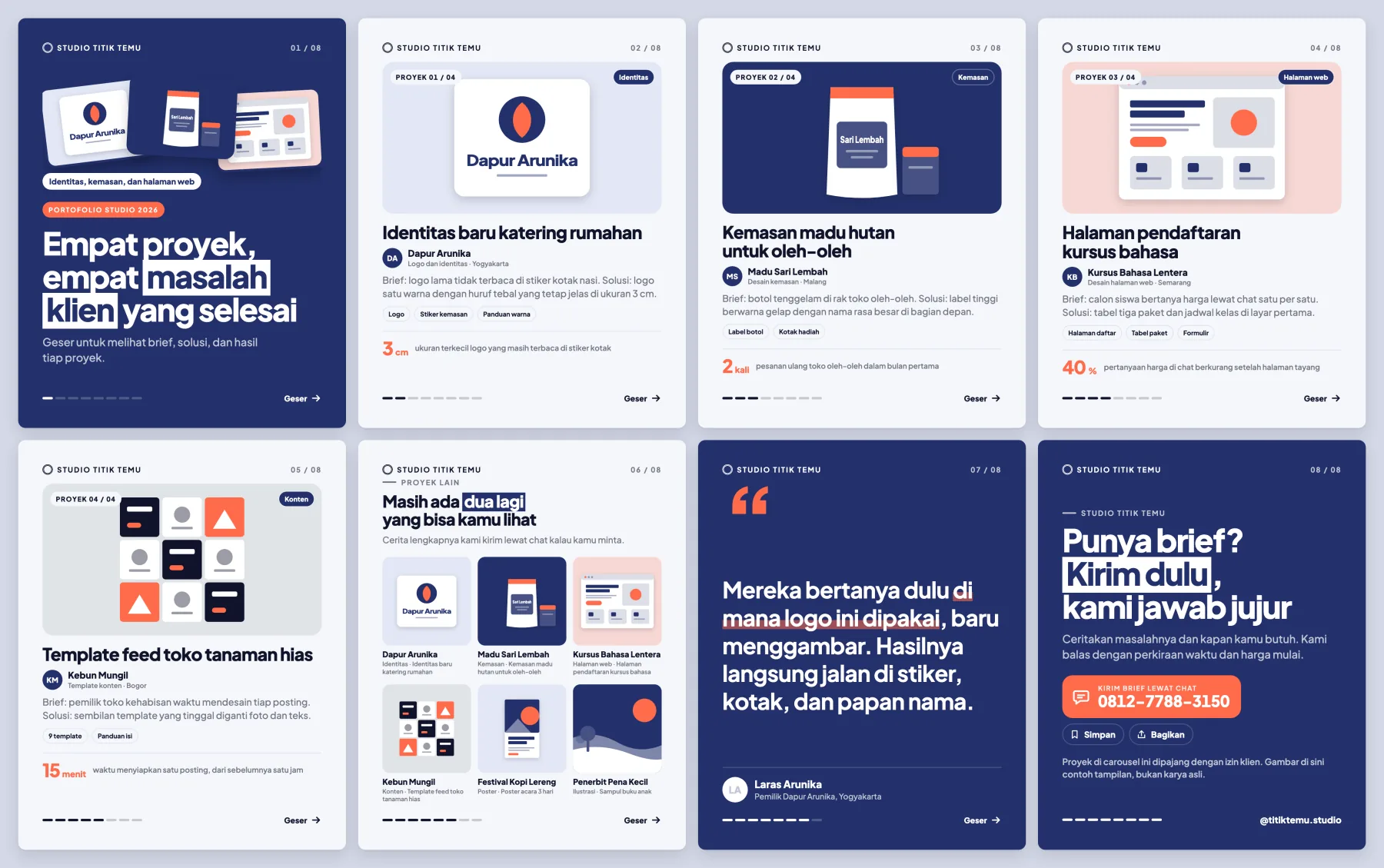
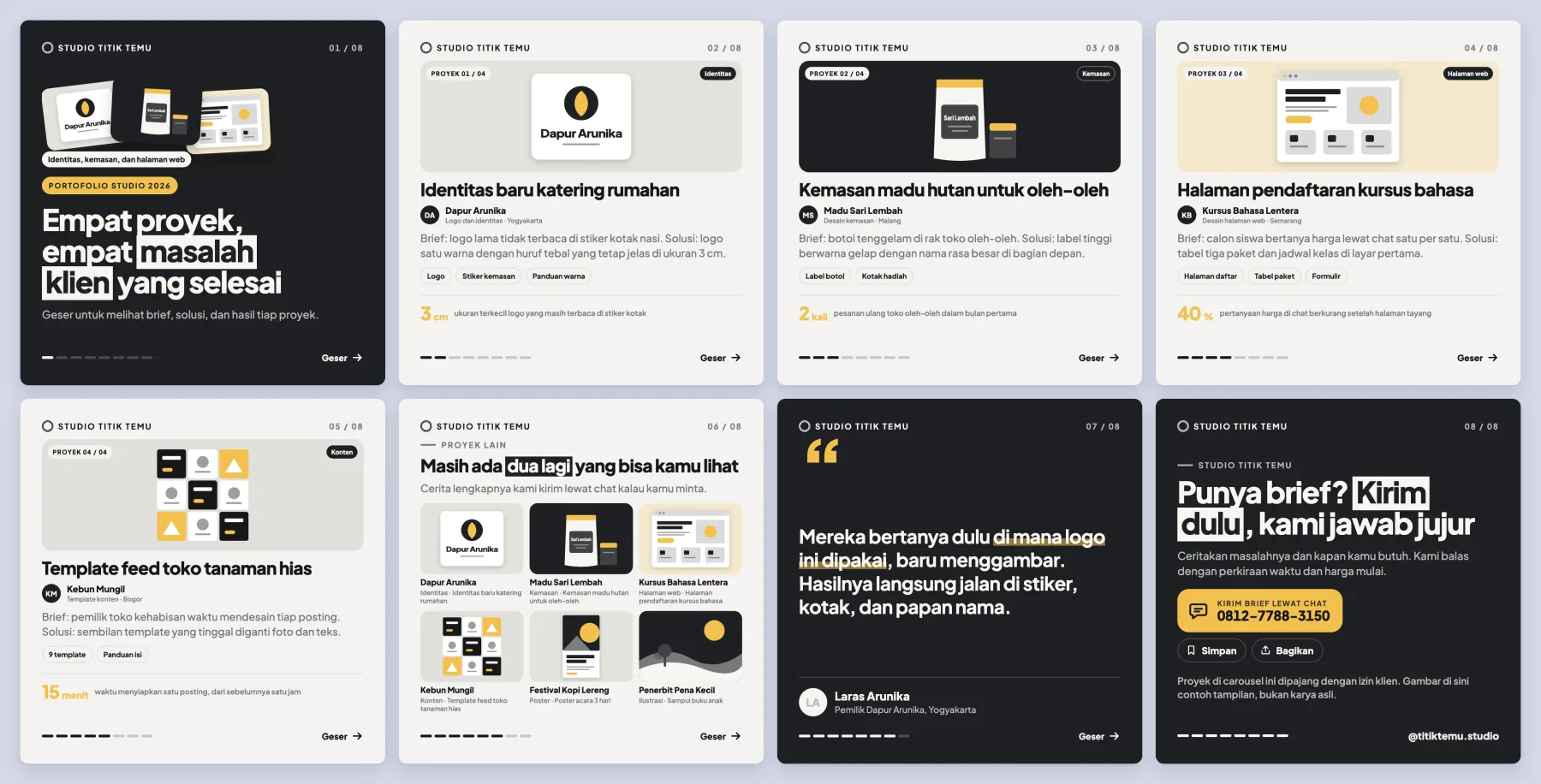
Eight slides: stacked-projects cover, four projects, a gallery, a client quote, and a send-your-brief close
SKILL.md contents
Premium subscribers can read, copy, and install this skill.
Unlock with Premium Sign inClient Project Portfolio Carousel
Description
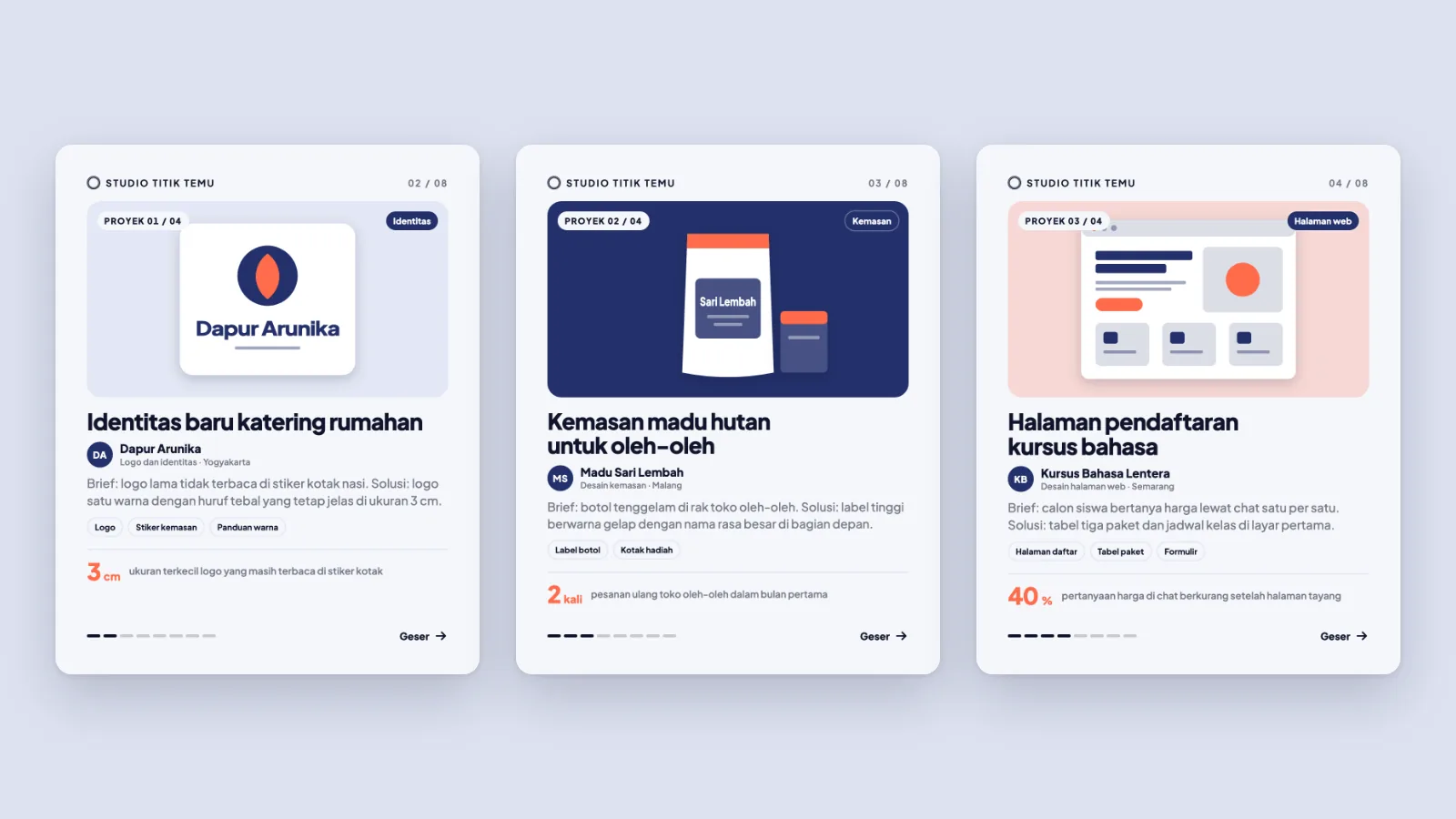
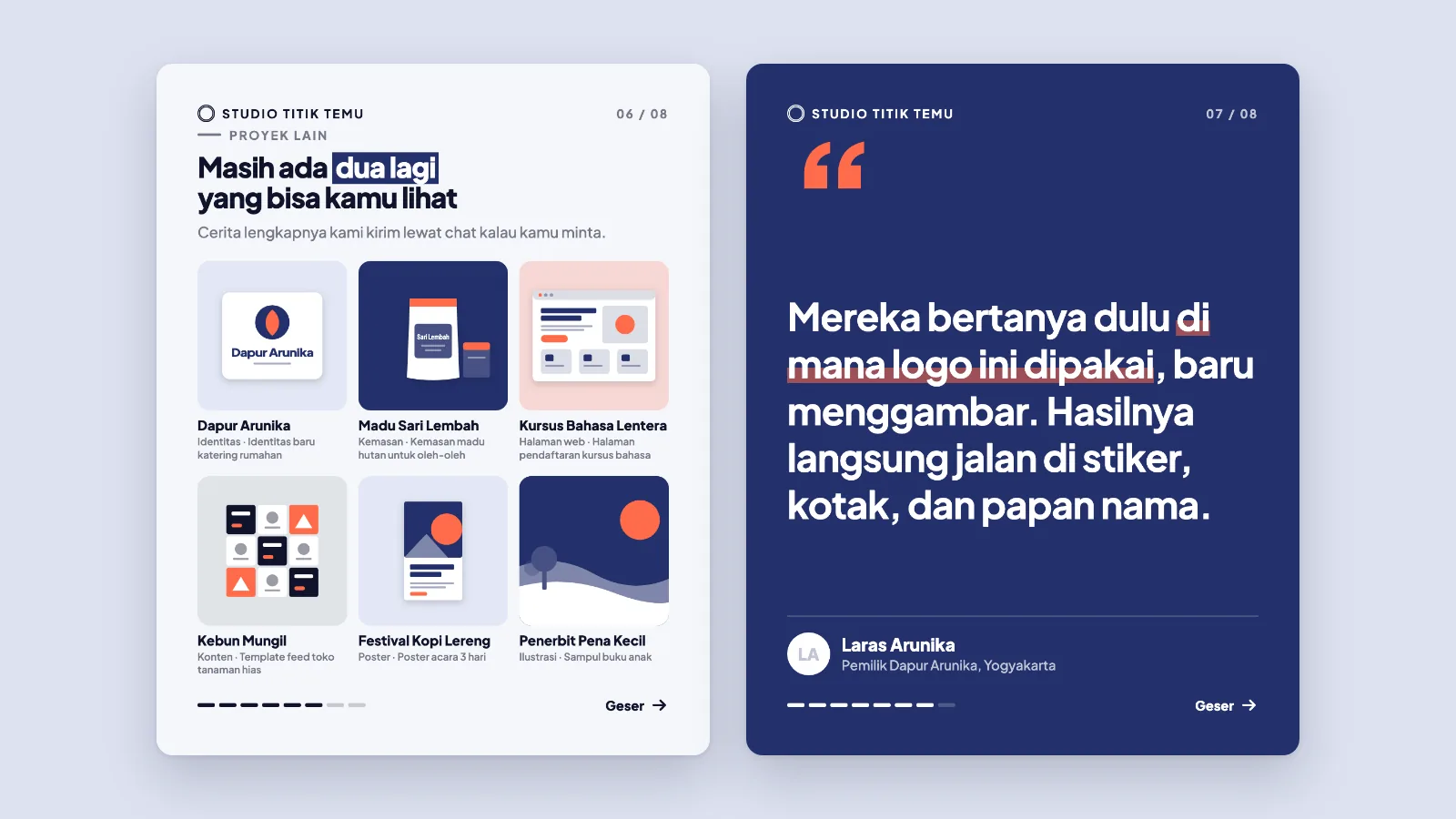
A carousel for freelance designers and creative studios selling their services through finished client work: one project per slide in a large frame with a project number and category tag, title, client with service and city, the brief then the solution in two sentences, deliverable chips, and one checkable result. A stacked-projects cover, a gallery, a client quote, and a send-your-brief close. Sample images are drawn by the template until real ones go in. 1080x1350 or 1080x1080.
Verified by SkillFlow
We checked every file in this skill automatically: no command that downloads and runs a program, no hidden code, no instruction telling your AI to ignore you.
- Loads from outside
- Fonts: Google Fonts
See the 5 files inside
skill.json10 KBSKILL.md8 KBprompt.md5 KBprompt.en.md5 KBfiles/carousel.html384 KB
Checked 14 Nov 2026
Part of SkillFlow Pro
Pro opens every skill in every category: copy, ZIP, Send to AI, install, save, and request new skills.
Get Pro Already subscribed? Sign inWhat you get
- A carousel script: cover, 3-5 projects with brief, solution, and result, gallery, client quote, closing
- An HTML carousel template driven by one config object
- One PNG per slide at 1080x1350 (4:5) or 1080x1080 (1:1) plus a combined sheet
- Template-drawn sample project images, replaced by real images through one src field
- 4 ready palettes and a caption that asks for a brief
Good fit
- Freelance graphic designers offering their services on Instagram or LinkedIn
- Identity, packaging, or web studios that want a regular project-of-the-month post
- Content template makers showing how clients use their work
- Designers who send proof of work to prospects by chat
Not for
- It does not make mockups of your designs; you add the real project images, the built-in ones are samples
- Not a long case study of one client; each project gets one slide
- Not a full photo gallery for photographers
- It does not invent results or client quotes you did not provide
About this skill
/carousel-portofolio-proyek Make a portfolio carousel of 4 projects from our design studio: a caterer's logo, honey packaging, a course sign-up page, and feed templates for a plant shop, each with its brief, solution, and result
Show more
A carousel for freelance designers and creative studios selling their services through finished client work: one project per slide in a large frame with a project number and category tag, title, client with service and city, the brief then the solution in two sentences, deliverable chips, and one checkable result. A stacked-projects cover, a gallery, a client quote, and a send-your-brief close. Sample images are drawn by the template until real ones go in. 1080x1350 or 1080x1080.
User reviews
FAQ
What is the difference between brief and solution on a project slide?
The brief is the client's problem in their words, for example an old logo that cannot be read on a food box sticker. The solution is the design decision visible in the image, for example a one-colour logo with heavy letters. That pair is what lets a prospect see themselves in your project.
My project has no numeric result. What now?
Use something checkable without making a claim: the turnaround time, the number of files delivered, or where the design is used now. Sales figures only go in if the client gave them to you.
How do I replace the sample images with my real work?
Put the mockup or photo of the printed piece next to the carousel file and fill in src on that project slide. The built-in sample images are only for drafts and should not be posted.
Which AI can I use it with?
Copy the prompt into a chat AI (ChatGPT, Claude, Gemini, DeepSeek); or download the ZIP and install it in an AI agent (Claude Code, Codex, Antigravity, Hermes Agent, Cursor, GitHub Copilot, Gemini CLI, OpenCode, Kimi Code, Trae), which then builds the files for you.
What is in the ZIP?
One folder named carousel-portofolio-proyek with SKILL.md (the instructions an AI agent reads) and the prompt, 5 files in all. Extract it into your agent's skills folder, or install it with npx skillflow-ai add carousel-portofolio-proyek. Pro only.
Is there a per-use fee or credits?
Not from SkillFlow. The skill runs on the AI you already use, so any cost follows that plan.
Which plan includes it?
SkillFlow Pro. It opens every skill in every category.
Can I use my own colours and brand?
Yes. Pick a colour theme on this page, or fill in your brand profile once; both go into the prompt you copy and into the ZIP.
Can I share what I made?
Pro members can upload the result and get a page at share.skillflow.ai.id to send to anyone. The page carries a small "Made with SkillFlow AI" mark.
Is there a download limit?
Yes, per day: 50 skills on Pro, 10 on other plans. Downloading a skill again on the same day does not count.