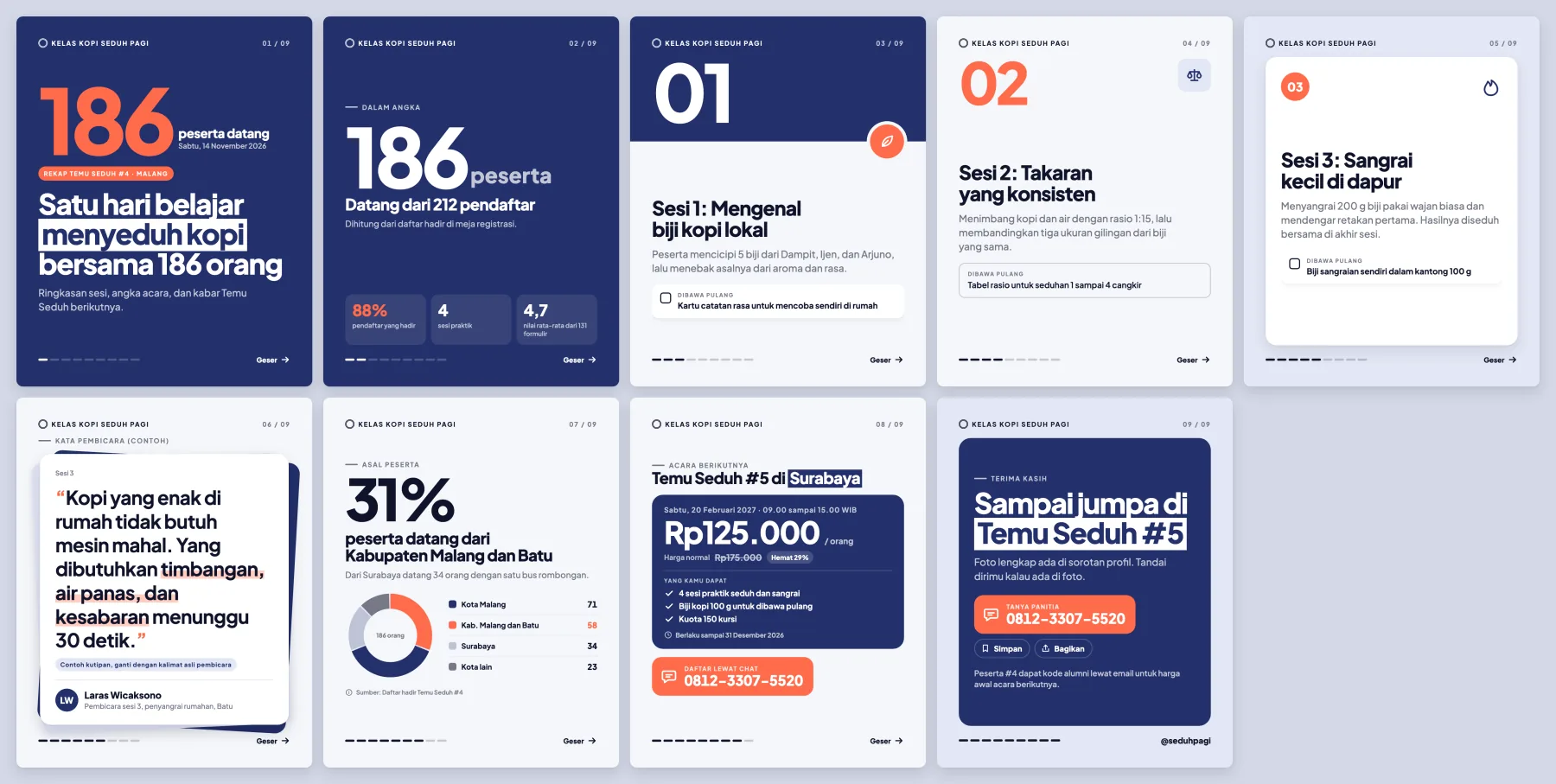
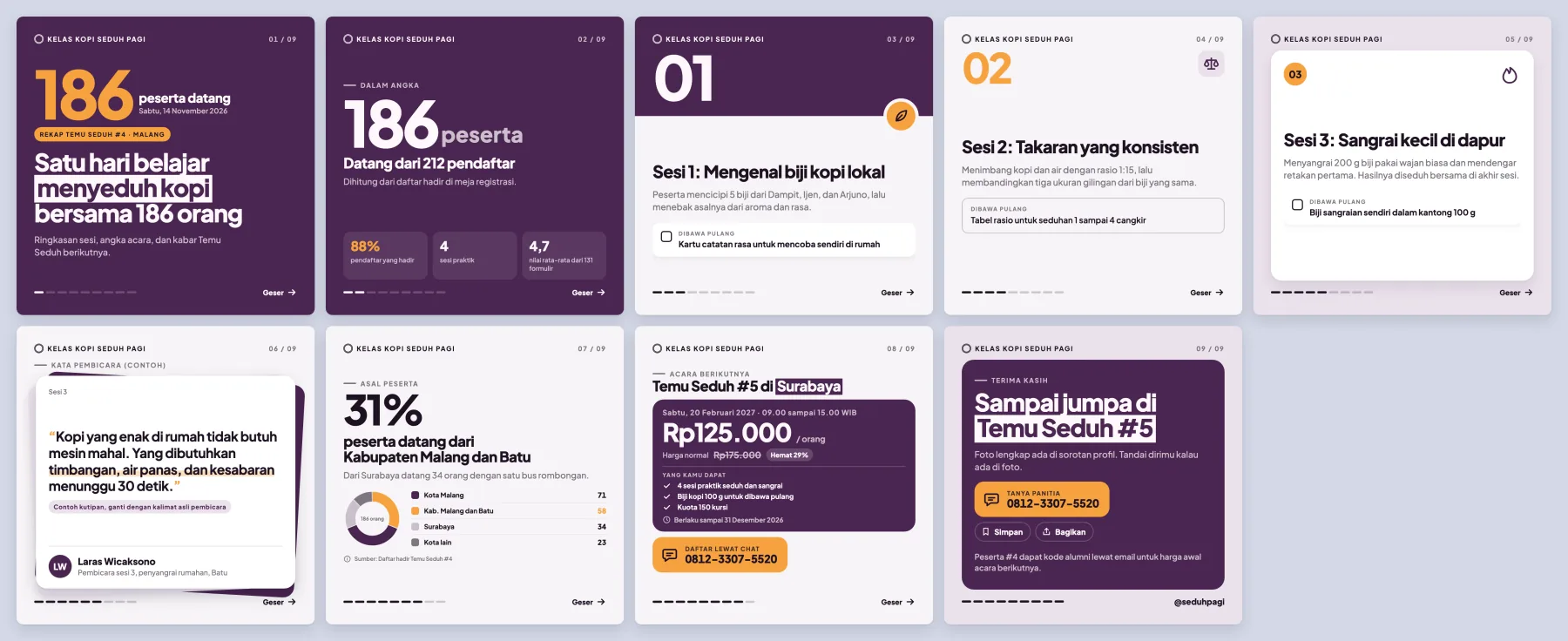
Nine slides: attendee cover, event numbers, three sessions, speaker quote, attendee origins, next event, closing
SKILL.md contents
Premium subscribers can read, copy, and install this skill.
Unlock with Premium Sign inEvent Recap
Description
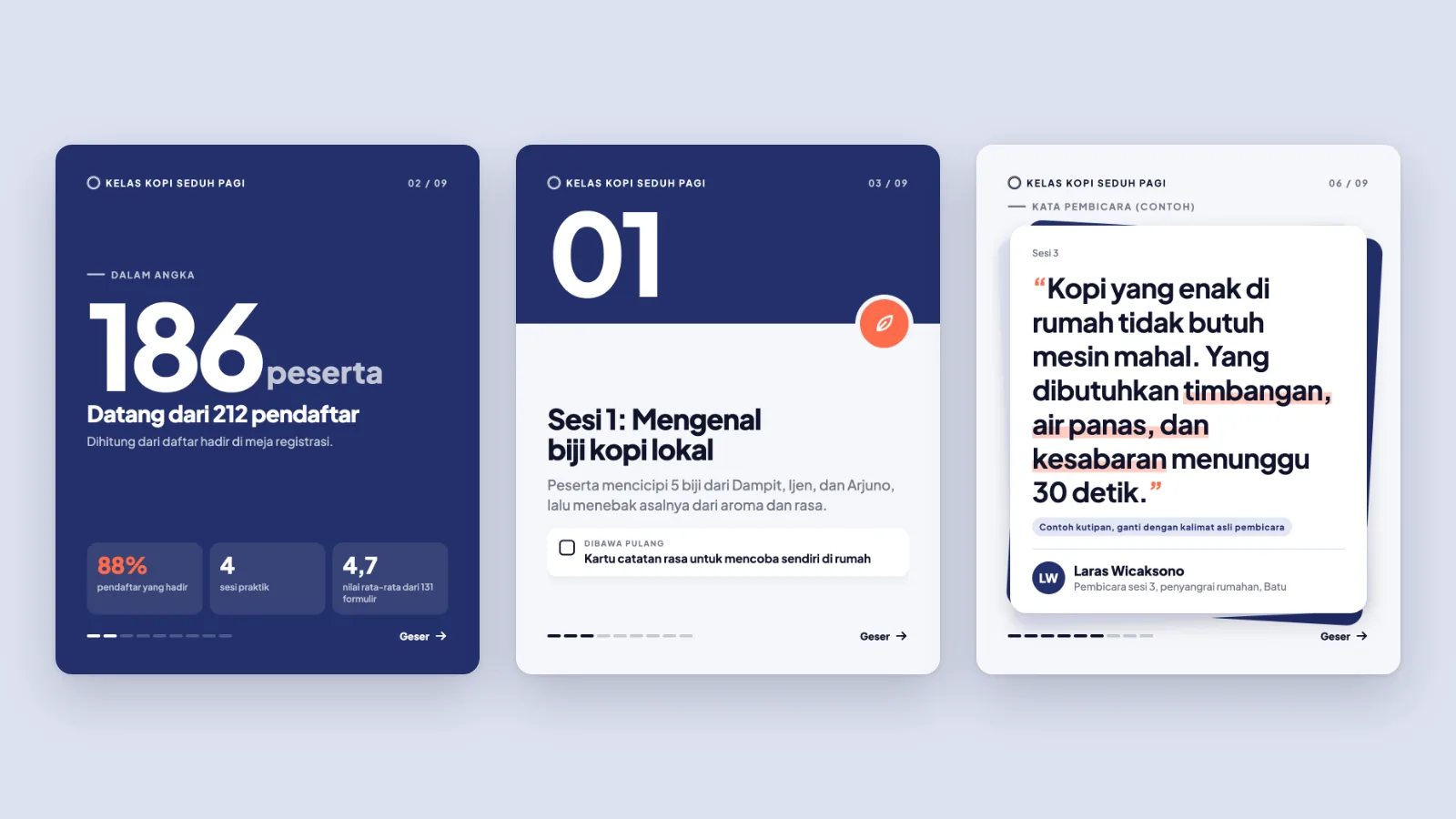
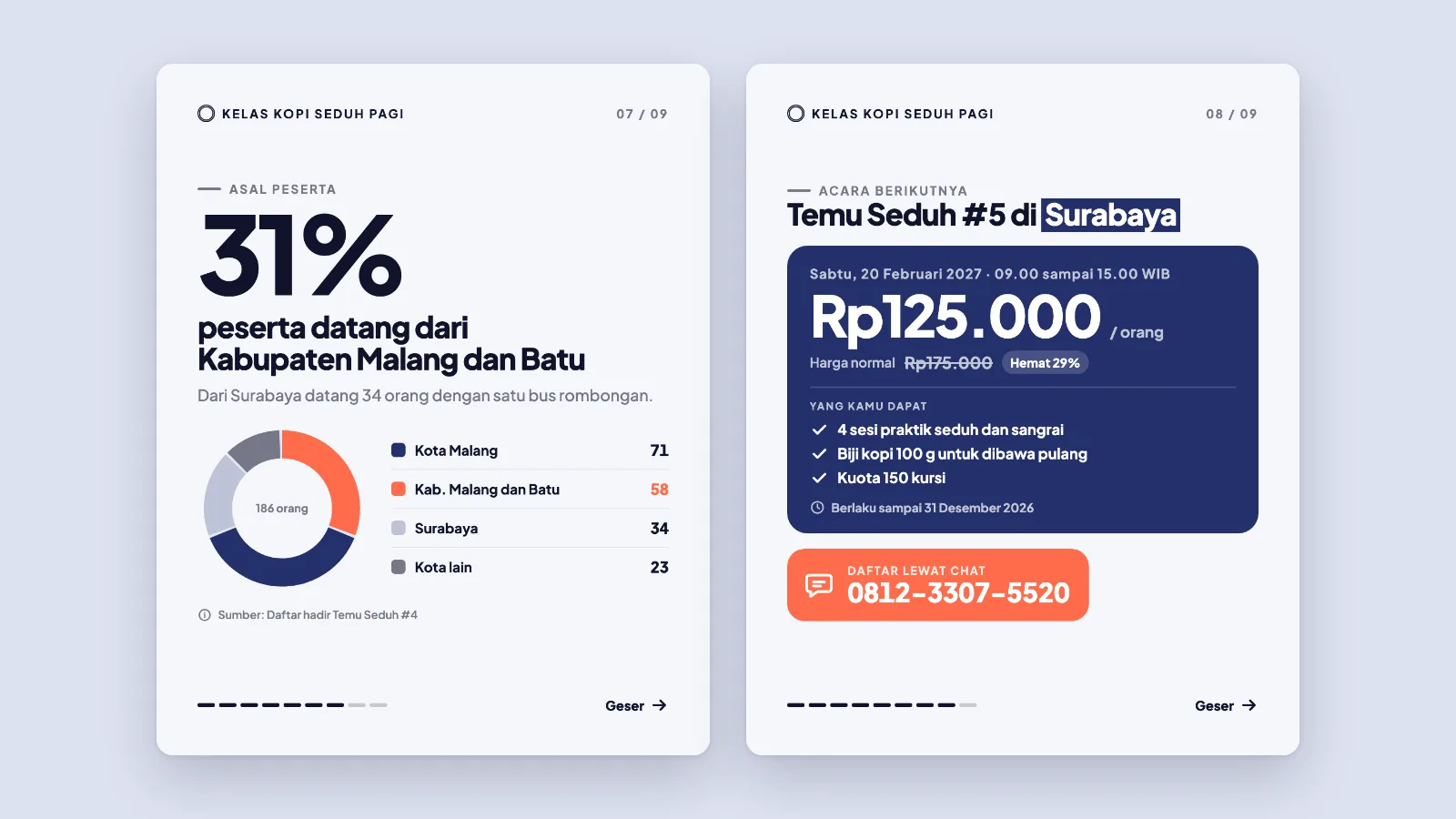
A post-event recap carousel for workshops, in-person classes, seminars, or community meetups: a cover with the attendee count from the attendance list, an event numbers slide (sign-ups, attendance rate, sessions, rating), one highlight per session with what people took home, a speaker quote marked as a sample that must be replaced with the real words, where attendees came from as a donut chart with its source, a next-event card with date, price, early price, and seats, then a closing slide with a chat button. 3 to 5 sessions, 1080x1350 or 1080x1080.
Verified by SkillFlow
We checked every file in this skill automatically: no command that downloads and runs a program, no hidden code, no instruction telling your AI to ignore you.
- Loads from outside
- Fonts: Google Fonts
See the 5 files inside
skill.json10 KBSKILL.md8 KBprompt.md5 KBprompt.en.md5 KBfiles/carousel.html383 KB
Checked 14 Nov 2026
Part of SkillFlow Pro
Pro opens every skill in every category: copy, ZIP, Send to AI, install, save, and request new skills.
Get Pro Already subscribed? Sign inWhat you get
- A script: cover, event numbers, 3-5 session highlights, speaker quote, attendee origins, next event, closing
- A one-config HTML template with session highlights in three alternating layouts
- An attendee origin donut chart and the early-price saving computed automatically
- One PNG per slide at 1080x1350 (4:5) or 1080x1080 (1:1), plus a combined sheet of all slides
- 4 ready palettes (indigo, charcoal, forest, plum)
- A recap caption inviting people to tag themselves and sign up for the next event
Good fit
- Workshop, in-person class, or seminar organisers selling the next event
- Communities running regular meetups who want attendees to tag themselves
- Speakers or mentors summarising their event for a portfolio
Not for
- Not an accountability report with budgets and receipts
- It does not invent attendee numbers or ratings; every number comes from your data
- The built-in quote is only a sample and must be replaced with the speaker's real words, with permission
- No built-in event photos; post photos separately or add your own
About this skill
/carousel-rekap-acara Make a recap carousel for our 4th coffee brewing meetup in Malang: 186 attendees out of 212 sign-ups, 3 sessions, a quote from the session 3 speaker, where people came from, and the next meetup in Surabaya on 20 February
Show more
A post-event recap carousel for workshops, in-person classes, seminars, or community meetups: a cover with the attendee count from the attendance list, an event numbers slide (sign-ups, attendance rate, sessions, rating), one highlight per session with what people took home, a speaker quote marked as a sample that must be replaced with the real words, where attendees came from as a donut chart with its source, a next-event card with date, price, early price, and seats, then a closing slide with a chat button. 3 to 5 sessions, 1080x1350 or 1080x1080.
User reviews
FAQ
Why is the speaker quote labelled as a sample?
So nobody accidentally posts made-up words in a real person's name. Replace it with what the speaker actually said, ask their permission, then remove the word sample from the label.
Where do the numbers and attendee origins come from?
From your attendance list and feedback form. Enter the count per city and the template works out the donut and total. The source is written small on the slide so readers know it is not an estimate.
Which AI can I use it with?
Copy the prompt into a chat AI (ChatGPT, Claude, Gemini, DeepSeek); or download the ZIP and install it in an AI agent (Claude Code, Codex, Antigravity, Hermes Agent, Cursor, GitHub Copilot, Gemini CLI, OpenCode, Kimi Code, Trae), which then builds the files for you.
What is in the ZIP?
One folder named carousel-rekap-acara with SKILL.md (the instructions an AI agent reads) and the prompt, 5 files in all. Extract it into your agent's skills folder, or install it with npx skillflow-ai add carousel-rekap-acara. Pro only.
Is there a per-use fee or credits?
Not from SkillFlow. The skill runs on the AI you already use, so any cost follows that plan.
Which plan includes it?
SkillFlow Pro. It opens every skill in every category.
Can I use my own colours and brand?
Yes. Pick a colour theme on this page, or fill in your brand profile once; both go into the prompt you copy and into the ZIP.
Can I share what I made?
Pro members can upload the result and get a page at share.skillflow.ai.id to send to anyone. The page carries a small "Made with SkillFlow AI" mark.
Is there a download limit?
Yes, per day: 50 skills on Pro, 10 on other plans. Downloading a skill again on the same day does not count.