

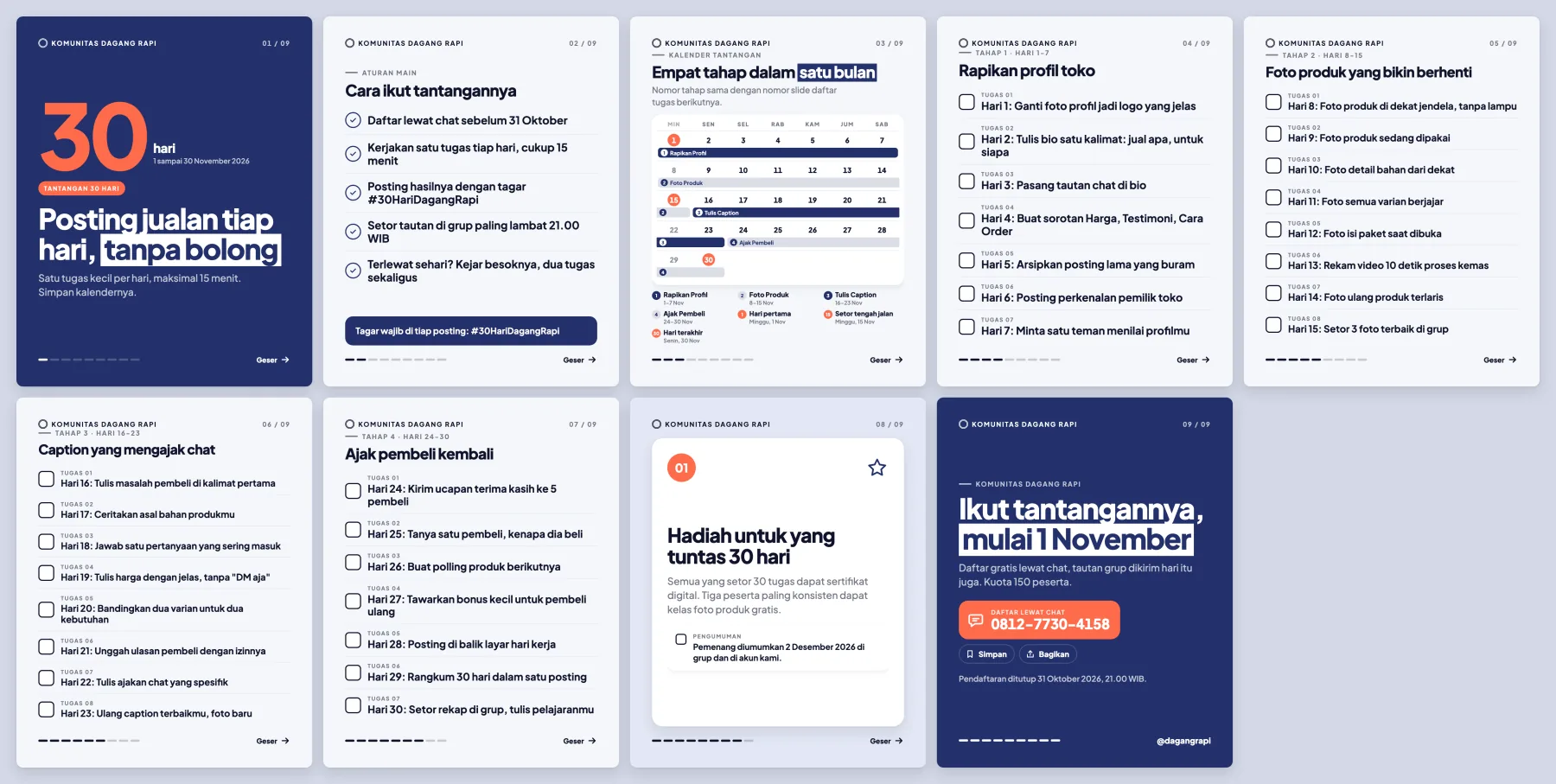
Nine slides: a 30-day cover, the rules, a four-stage calendar, four daily task lists, the reward, and the call to join
SKILL.md contents
Premium subscribers can read, copy, and install this skill.
Unlock with Premium Sign in30-Day Challenge
Description
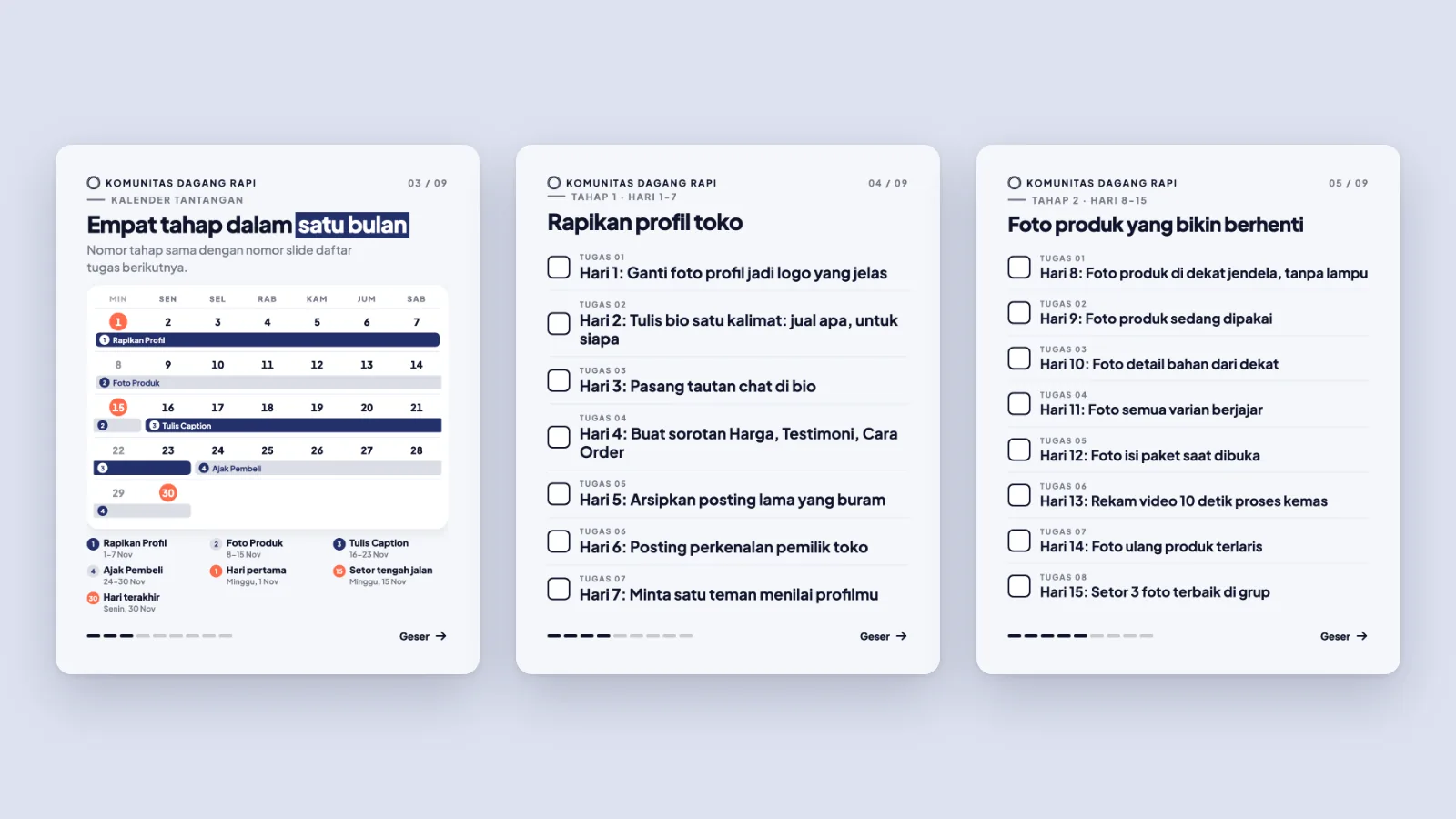
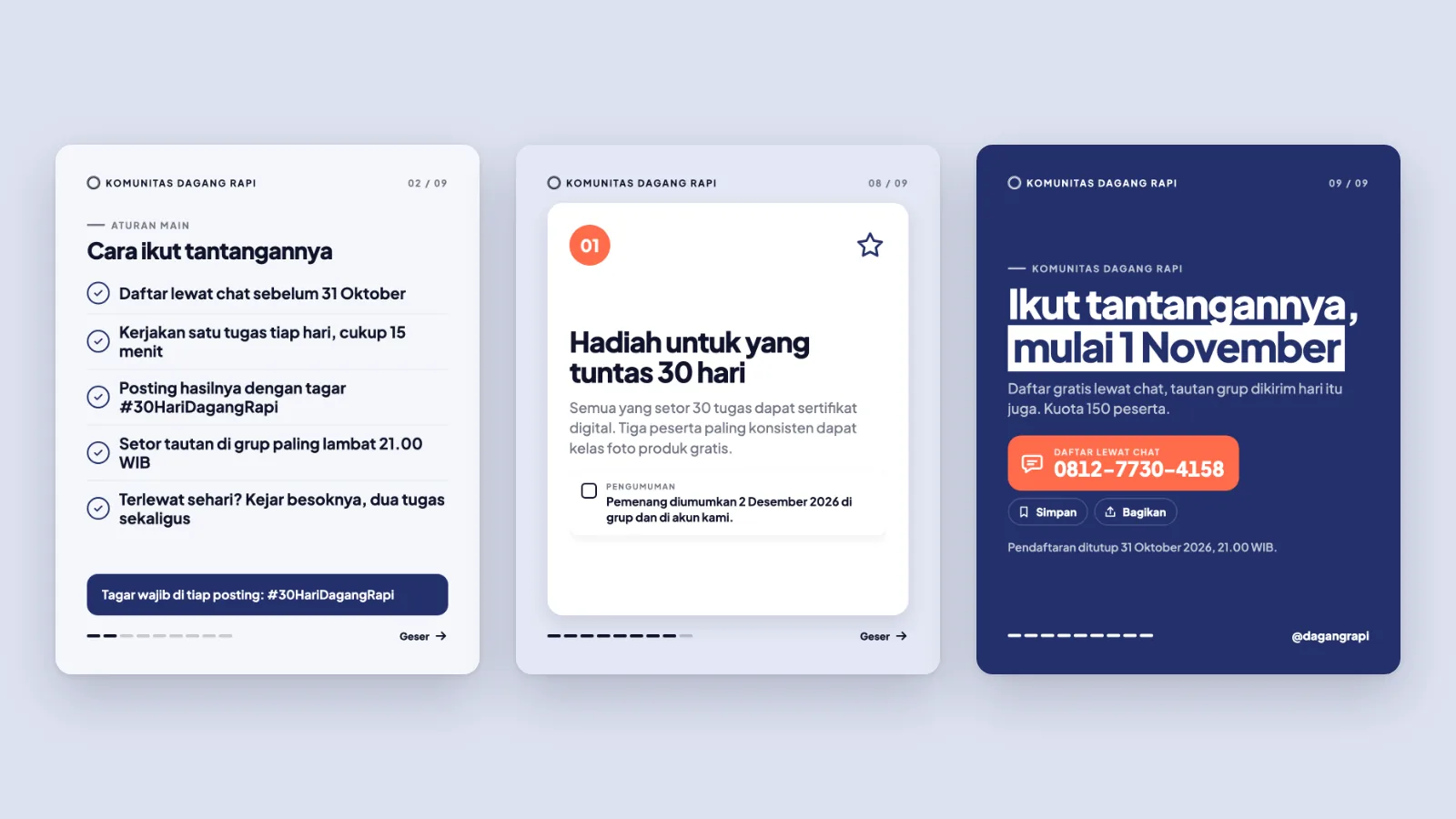
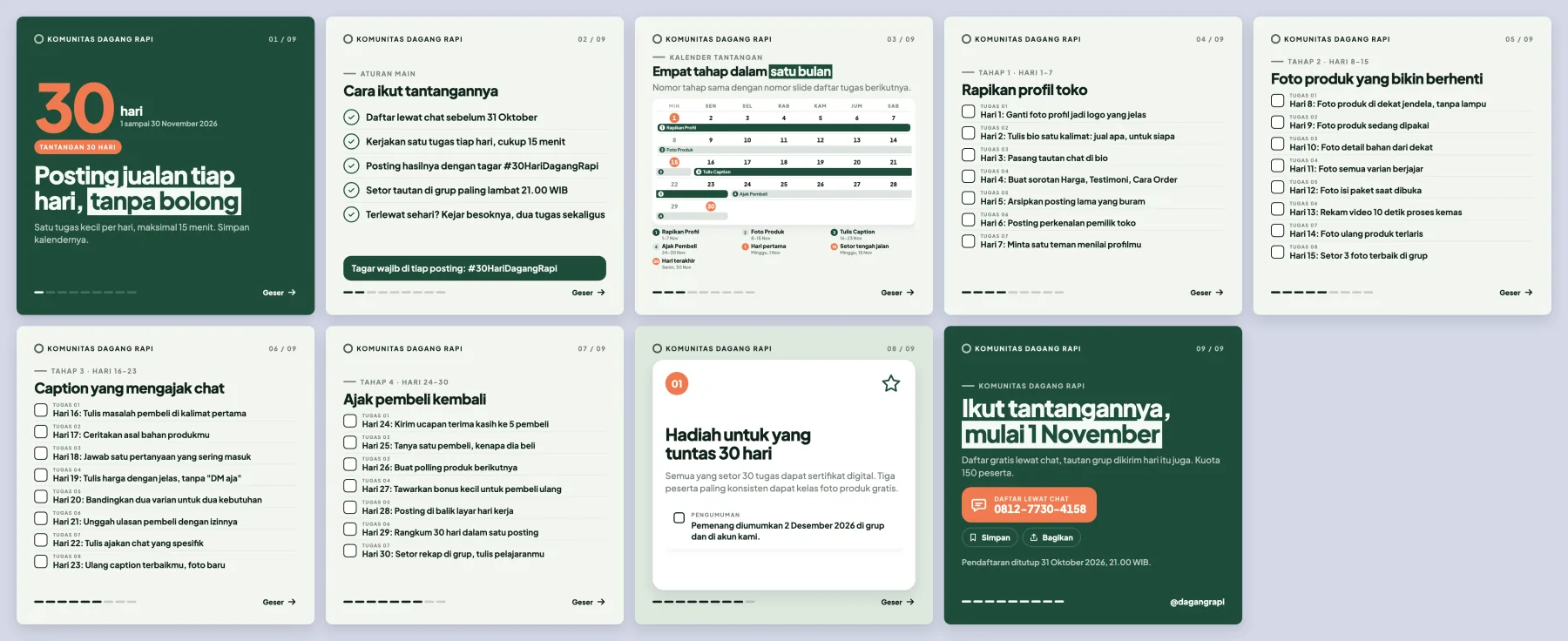
A 30-day challenge carousel for communities, online classes, and brands: a big 30 cover, the rules (how to join, the hashtag, how to submit, what to do after a missed day), a full-month calendar with numbered stage bands and circled key dates, one daily task list per stage with empty boxes to tick, a reward or certificate card, and a closing call to join with a chat sign-up button. 3 to 6 stages, up to 8 tasks per slide, 1080x1350 or 1080x1080.
Verified by SkillFlow
We checked every file in this skill automatically: no command that downloads and runs a program, no hidden code, no instruction telling your AI to ignore you.
- Loads from outside
- Fonts: Google Fonts
See the 5 files inside
skill.json10 KBSKILL.md8 KBprompt.md5 KBprompt.en.md5 KBfiles/carousel.html385 KB
Checked 14 Nov 2026
Part of SkillFlow Pro
Pro opens every skill in every category: copy, ZIP, Send to AI, install, save, and request new skills.
Get Pro Already subscribed? Sign inWhat you get
- A script: cover, rules, stage calendar, daily task list per stage, reward, closing
- A one-config HTML template; the calendar and weekday names are worked out from the year and month
- Task lists with tick boxes that participants can save and tick each day
- One PNG per slide at 1080x1350 (4:5) or 1080x1080 (1:1), plus a combined sheet of all slides
- 4 ready palettes (indigo, charcoal, forest, plum)
- A challenge announcement caption with the hashtag and start date
Good fit
- Communities and study groups that want members active every day for a month
- Online classes and coaches running a free challenge before selling a paid course
- Brands that want buyers to use the product daily and post results with a hashtag
Not for
- It does not track submissions or count who finished; the organiser still does that in the group or a form
- Rewards, quota, and participant numbers come only from your data; if blank, slides show a clear placeholder, not a made-up number
- The calendar draws one month; a challenge that spans two months uses the per-stage task lists only
- For a class timetable with hours and seats left, use a class schedule carousel
About this skill
/carousel-tantangan-30-hari Make a 30-day challenge carousel on posting every day for the Tidy Trade Community in November, four stages, hashtag #30DayTidyTrade, a certificate and a free class as rewards
Show more
A 30-day challenge carousel for communities, online classes, and brands: a big 30 cover, the rules (how to join, the hashtag, how to submit, what to do after a missed day), a full-month calendar with numbered stage bands and circled key dates, one daily task list per stage with empty boxes to tick, a reward or certificate card, and a closing call to join with a chat sign-up button. 3 to 6 stages, up to 8 tasks per slide, 1080x1350 or 1080x1080.
User reviews
FAQ
My challenge does not start on the 1st. Is that fine?
Yes, as long as the 30 days sit in one calendar month or you drop the calendar slide. Each stage start and end date goes in the calendar and weekday names are worked out for you. The task lists keep Day 1 to 30, with dates in the label at the top of each slide.
Why are the tick boxes empty?
So participants can save the slide, open it in a photo editor, tick the tasks they finished, and post it. That is what makes the carousel used every day instead of read once.
How many tasks fit on one slide?
Up to 8 tasks per slide, one short line per day. A 30-day challenge splits neatly into 4 stages of 7 or 8 days.
Which AI can I use it with?
Copy the prompt into a chat AI (ChatGPT, Claude, Gemini, DeepSeek); or download the ZIP and install it in an AI agent (Claude Code, Codex, Antigravity, Hermes Agent, Cursor, GitHub Copilot, Gemini CLI, OpenCode, Kimi Code, Trae), which then builds the files for you.
What is in the ZIP?
One folder named carousel-tantangan-30-hari with SKILL.md (the instructions an AI agent reads) and the prompt, 5 files in all. Extract it into your agent's skills folder, or install it with npx skillflow-ai add carousel-tantangan-30-hari. Pro only.
Is there a per-use fee or credits?
Not from SkillFlow. The skill runs on the AI you already use, so any cost follows that plan.
Which plan includes it?
SkillFlow Pro. It opens every skill in every category.
Can I use my own colours and brand?
Yes. Pick a colour theme on this page, or fill in your brand profile once; both go into the prompt you copy and into the ZIP.
Can I share what I made?
Pro members can upload the result and get a page at share.skillflow.ai.id to send to anyone. The page carries a small "Made with SkillFlow AI" mark.
Is there a download limit?
Yes, per day: 50 skills on Pro, 10 on other plans. Downloading a skill again on the same day does not count.



