

Rendered sample video
SKILL.md contents
Premium subscribers can read, copy, and install this skill.
Unlock with Premium Sign inStory Told in Chat
Description
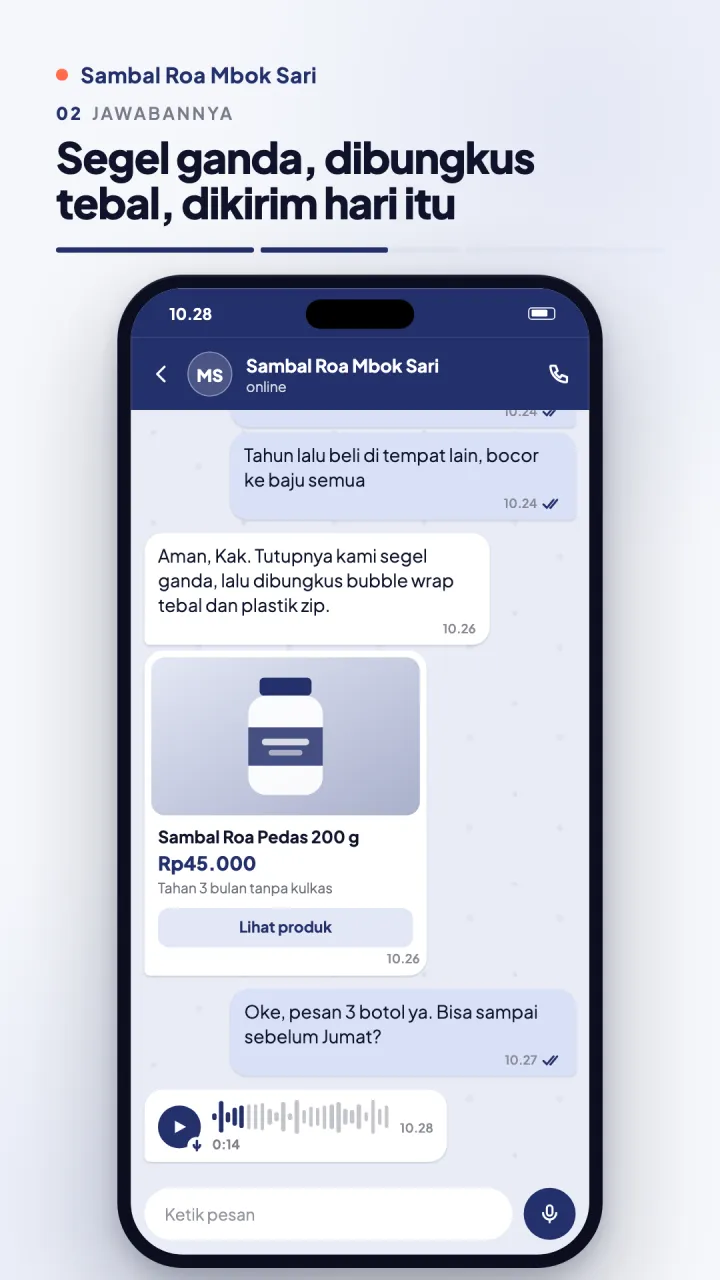
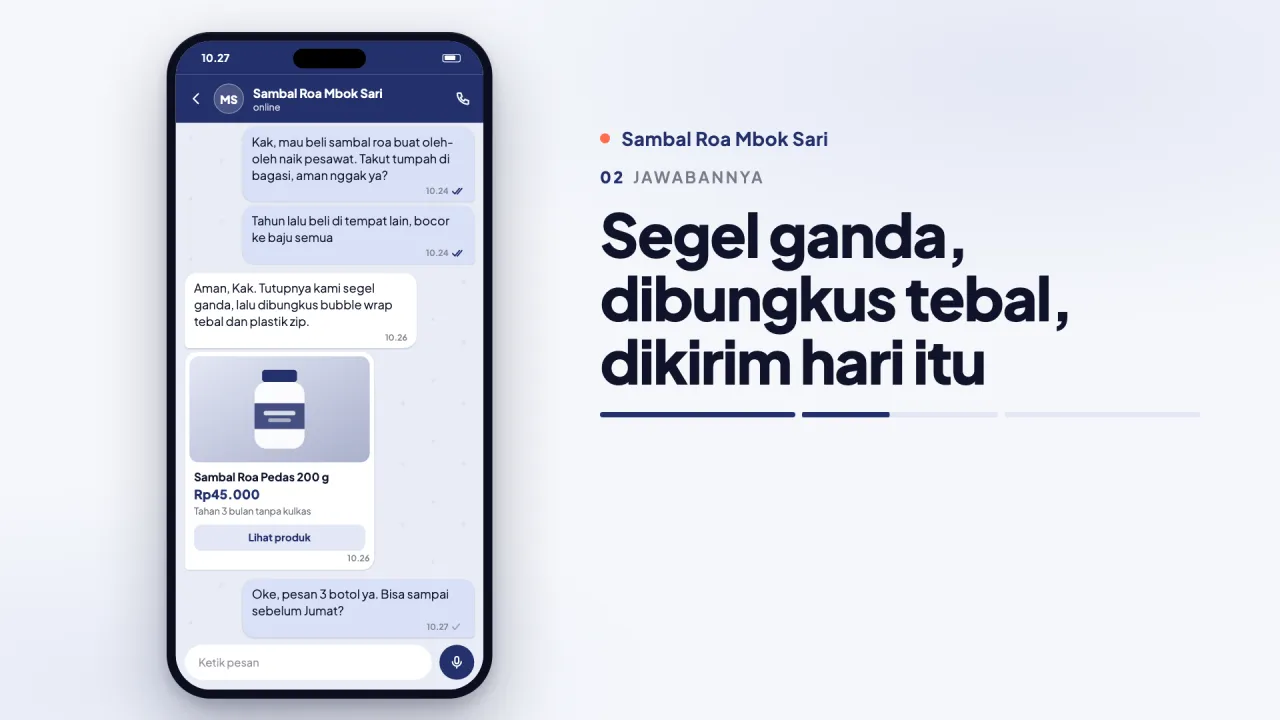
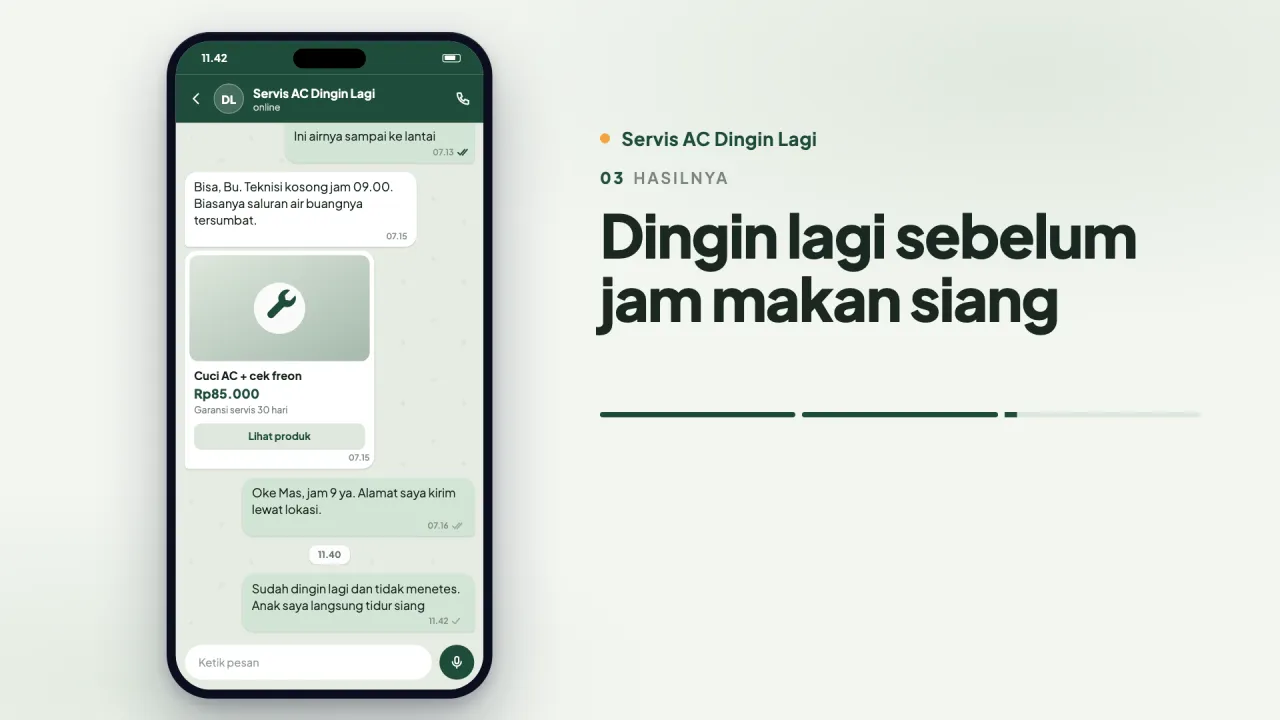
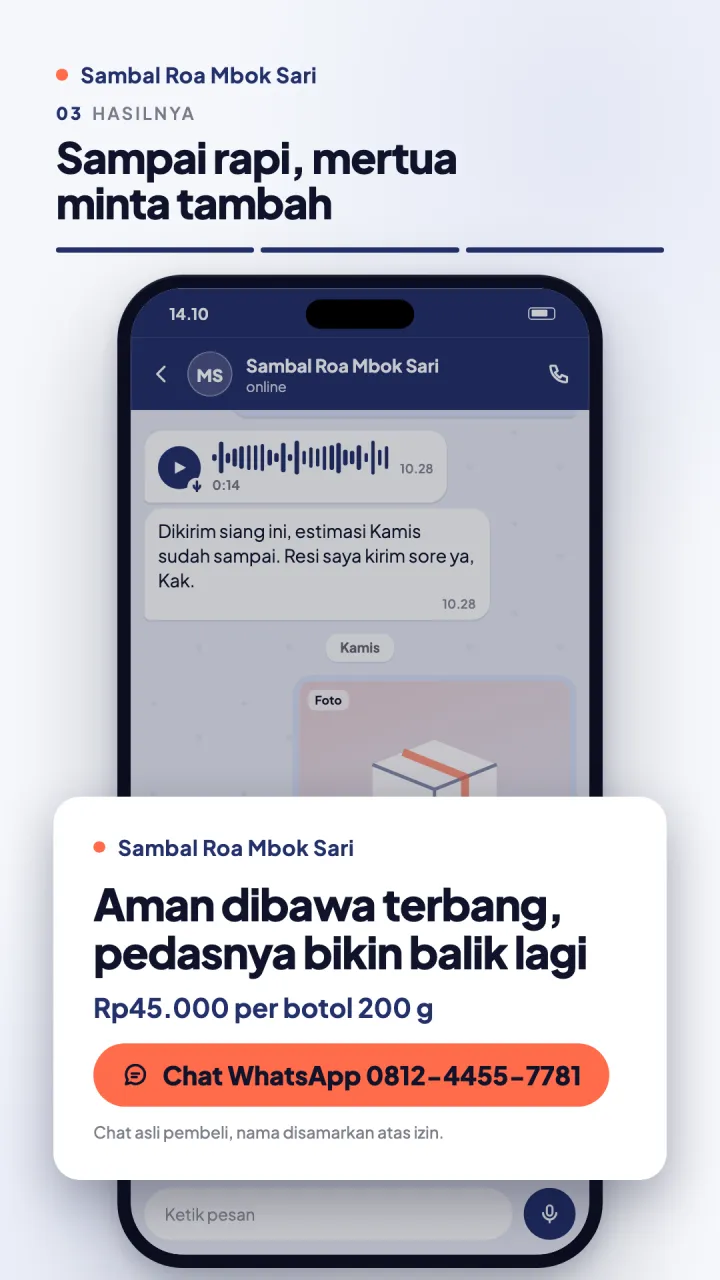
A chat-based ad: a buyer and a seller talk on a phone screen from problem to happy ending. Bubbles arrive one by one with a typing indicator, the header status changes, ticks turn read, the screen scrolls on its own, and there is a product card, a voice note that plays, a photo of the parcel arriving, and an end card with the price and a WhatsApp call to action. Chapter titles Problem, Answer, Result sit beside the phone. A neutral fictional chat app look, 9:16 and 16:9, 12 to 45 seconds, timed from the message lengths.
Verified by SkillFlow
We checked every file in this skill automatically: no command that downloads and runs a program, no hidden code, no instruction telling your AI to ignore you.
- Loads from outside
- Fonts: Google Fonts
See the 5 files inside
skill.json8 KBSKILL.md6 KBprompt.md5 KBprompt.en.md5 KBfiles/cerita-chat.html31 KB
Checked 14 Nov 2026
Part of SkillFlow Pro
Pro opens every skill in every category: copy, ZIP, Send to AI, install, save, and request new skills.
Get Pro Already subscribed? Sign inWhat you get
- A 5-14 message conversation script from problem to happy ending, split into 2-4 chapters
- An animated HTML scene from one config object, with a neutral fictional chat look
- A typing indicator, sent and read ticks, auto scroll, and a voice note that plays
- A priced product card, a buyer photo, a date divider, and an end card + WhatsApp CTA
- MP4 1080x1920 (9:16) and 1920x1080 (16:9), 30 fps, length set by the messages
- 3 ready palettes: indigo, night, leaf
Good fit
- Shops wanting to sell their service, not just the product
- Businesses with real buyer conversations from doubt to delight
- Sellers needing story-driven ads for Stories and Reels
Not for
- Needs an AI agent on your computer to render the MP4
- The chat look is fictional and neutral, not copying any chat app
- Conversations should come from real buyers with permission; don't invent praise
About this skill
/cerita-lewat-chat-pelanggan Make a chat story ad for Lelap Nyaman Mattress Shop: a buyer unsure about back pain, the admin explains, a product card, then the buyer sends a photo of the mattress arriving
Show more
A chat-based ad: a buyer and a seller talk on a phone screen from problem to happy ending. Bubbles arrive one by one with a typing indicator, the header status changes, ticks turn read, the screen scrolls on its own, and there is a product card, a voice note that plays, a photo of the parcel arriving, and an end card with the price and a WhatsApp call to action. Chapter titles Problem, Answer, Result sit beside the phone. A neutral fictional chat app look, 9:16 and 16:9, 12 to 45 seconds, timed from the message lengths.
User reviews
FAQ
How is the video length set?
It's calculated from message length, including typing time and read pauses, giving 12 to 45 seconds.
How many messages work best?
Five to fourteen messages across 2 to 4 acts such as Problem, Answer, and Result.
Which AI can I use it with?
Copy the prompt into a chat AI (ChatGPT, Claude, Gemini, DeepSeek): you get an HTML file; open it in Chrome and press Download MP4 (silent video, a minute or two to render); or download the ZIP and install it in an AI agent (Claude Code, Codex, Antigravity, Hermes Agent, Cursor, GitHub Copilot, Gemini CLI, OpenCode, Kimi Code, Trae), which then builds the files for you.
What is in the ZIP?
One folder named cerita-lewat-chat-pelanggan with SKILL.md (the instructions an AI agent reads) and the prompt, 5 files in all. Extract it into your agent's skills folder, or install it with npx skillflow-ai add cerita-lewat-chat-pelanggan. Pro only.
Is there a per-use fee or credits?
Not from SkillFlow. The skill runs on the AI you already use, so any cost follows that plan.
Which plan includes it?
SkillFlow Pro. It opens every skill in every category.
Can I use my own colours and brand?
Yes. Pick a colour theme on this page, or fill in your brand profile once; both go into the prompt you copy and into the ZIP.
Can I share what I made?
Pro members can upload the result and get a page at share.skillflow.ai.id to send to anyone. The page carries a small "Made with SkillFlow AI" mark.
Is there a download limit?
Yes, per day: 50 skills on Pro, 10 on other plans. Downloading a skill again on the same day does not count.



