

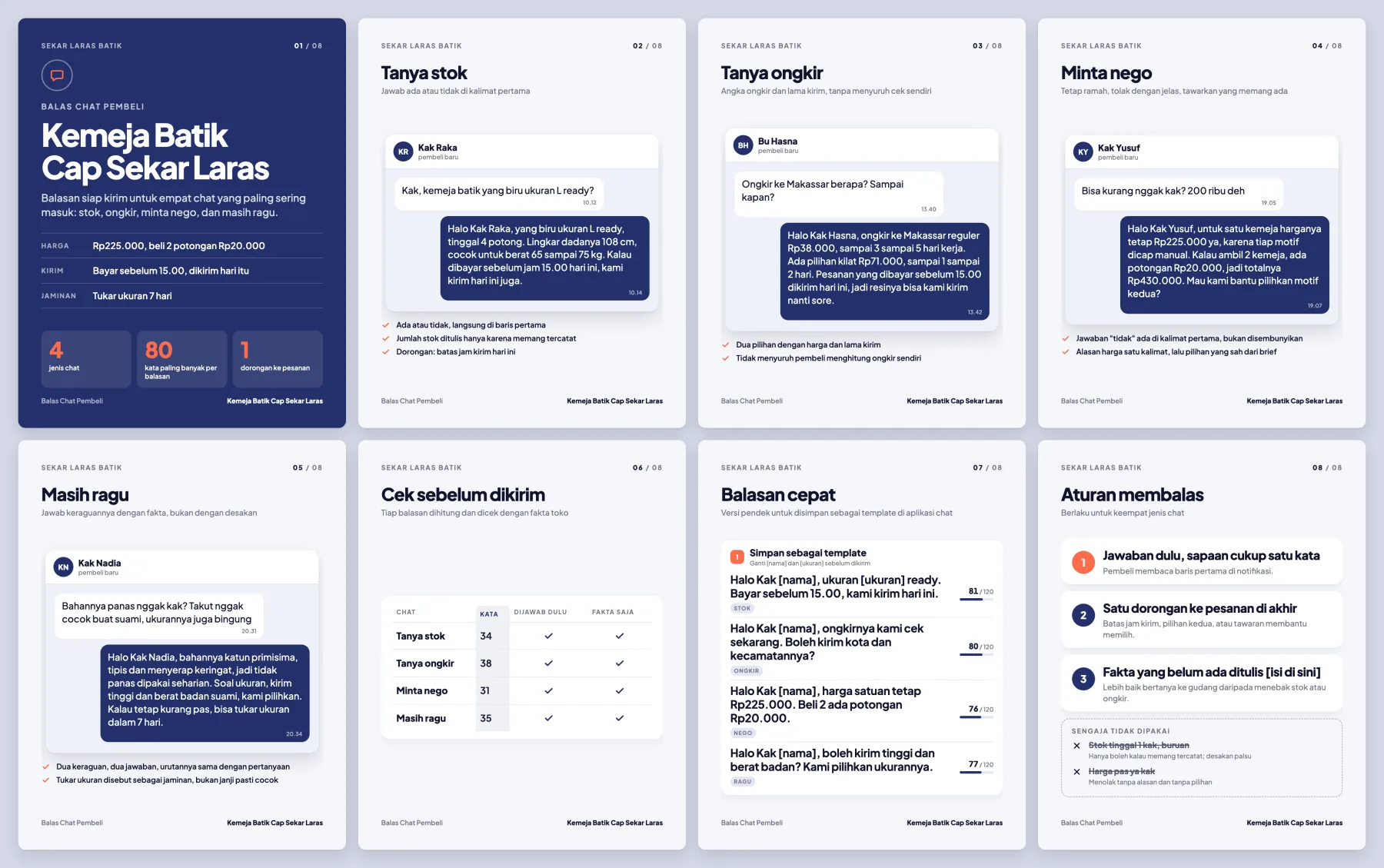
Eight cards: shop facts, stock, shipping, haggling, and hesitation replies, word check, quick replies, rules
SKILL.md contents
Premium subscribers can read, copy, and install this skill.
Unlock with Premium Sign inBuyer Chat Replies
Description
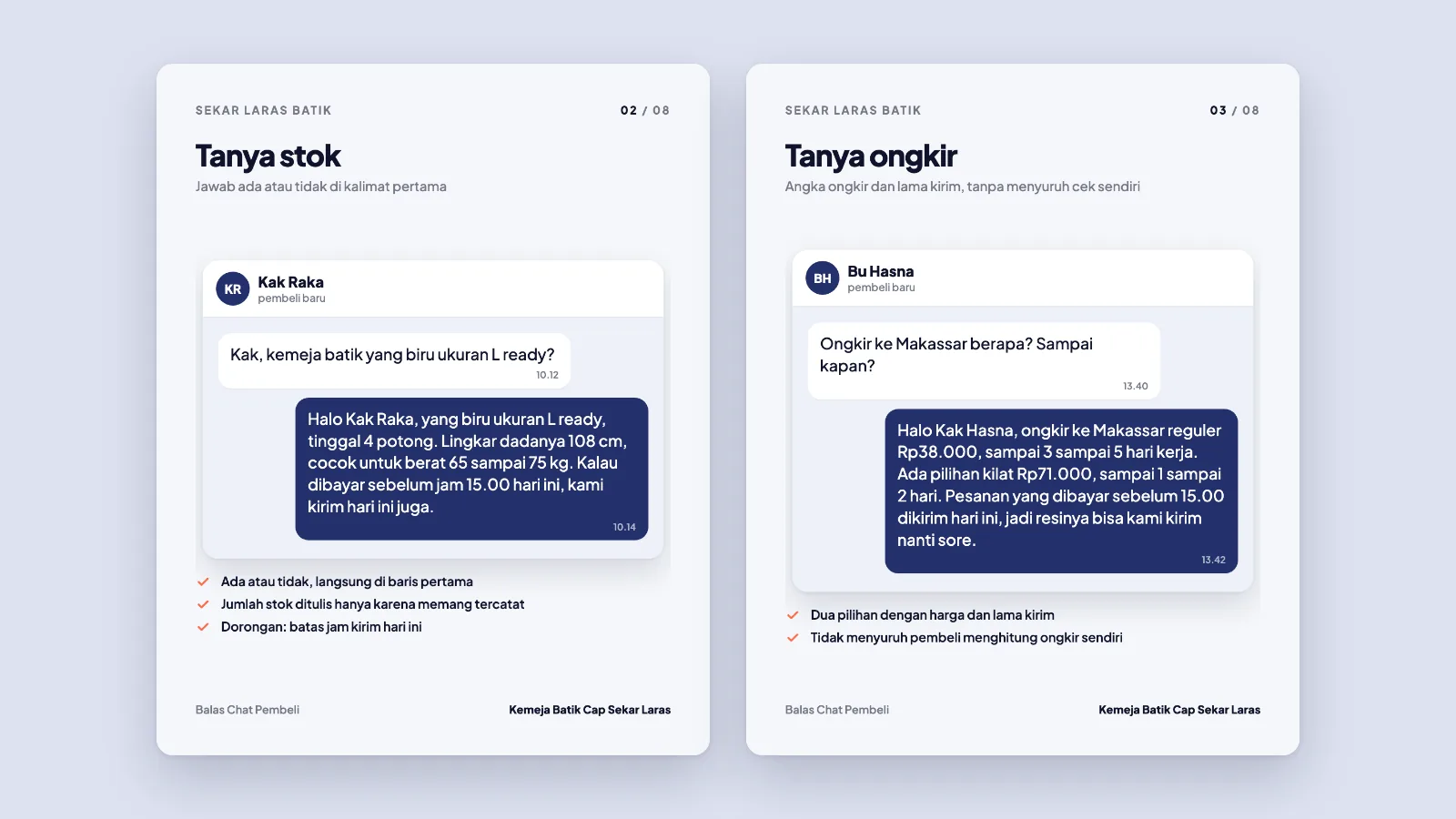
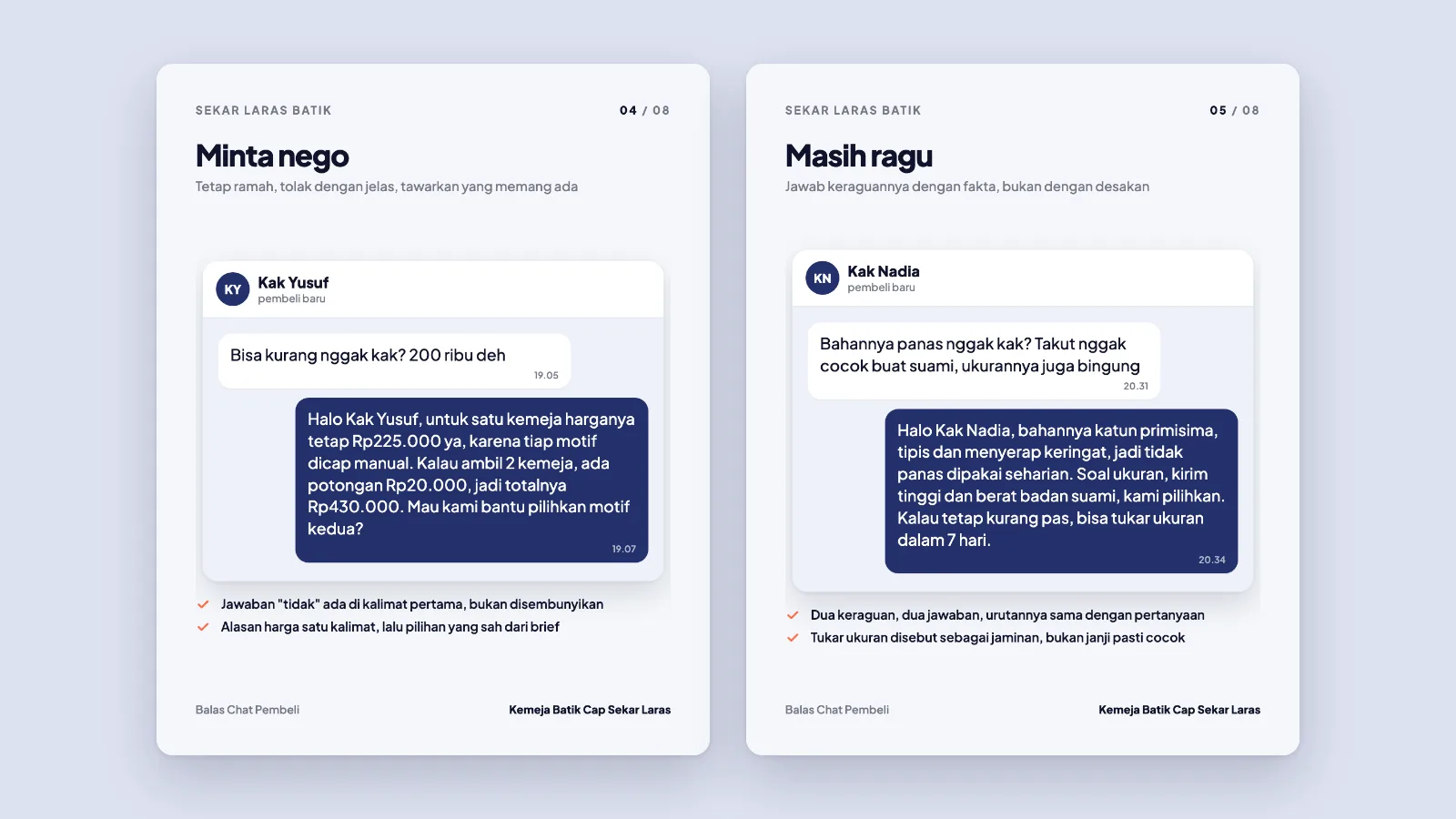
Ready-to-send chat replies for the four questions that most often come before a purchase: is it in stock, how much is shipping and how long, can I get a discount, and still unsure (material, size, will it suit). Each reply answers in the first sentence, uses only shop facts, stays under 80 words, and ends with one fair nudge toward ordering (a dispatch cut-off, a second option, or help choosing). Includes declining a haggle without sounding cold, quick replies for templates, a check table, and fake-pressure lines left out. Rendered as chat mockup cards.
Verified by SkillFlow
We checked every file in this skill automatically: no command that downloads and runs a program, no hidden code, no instruction telling your AI to ignore you.
- Loads from outside
- Fonts: Google Fonts
See the 7 files inside
skill.json9 KBSKILL.md7 KBprompt.md3 KBprompt.en.md3 KBfiles/brief.md1 KBfiles/contoh-hasil.md3 KBfiles/kartu.html64 KB
Checked 14 Nov 2026
Part of SkillFlow Pro
Pro opens every skill in every category: copy, ZIP, Send to AI, install, save, and request new skills.
Get Pro Already subscribed? Sign inWhat you get
- Ready-to-send replies for 4 kinds of chat: stock, shipping, haggling, and hesitation, 80 words max each
- The answer in the first sentence and one fair nudge toward ordering at the end of every reply
- How to decline a haggle with a one-sentence reason and an option the shop really has
- Quick replies of 120 characters max to save as templates in a chat app
- A check table: word count, answer first, and facts used; missing facts written as [fill in]
- 1080x1350 visual cards showing buyer and seller chat mockups
Good fit
- Online shop admins replying to dozens of buyer chats every day
- Owners who want consistent replies as the admin team grows
- Sellers who find it awkward to refuse haggling and want wording that doesn't sound cold
Not for
- It does not reply to chats automatically; you get text and templates to send yourself
- It only uses the shop facts you provide; blanks are marked [fill in here]
- It does not create fake urgency like only one left when that isn't true
About this skill
/copy-balas-chat-pembeli Write chat replies for Langkah Rinai Shoe Shop: a buyer asks about size 39 in black, shipping to Bandung, and asks for a discount
Show more
Ready-to-send chat replies for the four questions that most often come before a purchase: is it in stock, how much is shipping and how long, can I get a discount, and still unsure (material, size, will it suit). Each reply answers in the first sentence, uses only shop facts, stays under 80 words, and ends with one fair nudge toward ordering (a dispatch cut-off, a second option, or help choosing). Includes declining a haggle without sounding cold, quick replies for templates, a check table, and fake-pressure lines left out. Rendered as chat mockup cards.
User reviews
FAQ
Why is the answer always in the first sentence?
Buyers skim chats. If whether something is in stock only appears in the third sentence, many have already moved to another shop.
How do I refuse haggling without losing the buyer?
Say no clearly in the first sentence, give a one-line reason, then offer an option you actually have, such as another size on promo or free shipping above a minimum spend.
Which AI can I use it with?
Copy the prompt into a chat AI (ChatGPT, Claude, Gemini, DeepSeek); or download the ZIP and install it in an AI agent (Claude Code, Codex, Antigravity, Hermes Agent, Cursor, GitHub Copilot, Gemini CLI, OpenCode, Kimi Code, Trae), which then builds the files for you.
What is in the ZIP?
One folder named copy-balas-chat-pembeli with SKILL.md (the instructions an AI agent reads) and the prompt, 7 files in all. Extract it into your agent's skills folder, or install it with npx skillflow-ai add copy-balas-chat-pembeli. Pro only.
Is there a per-use fee or credits?
Not from SkillFlow. The skill runs on the AI you already use, so any cost follows that plan.
Which plan includes it?
SkillFlow Pro. It opens every skill in every category.
Can it use my brand details?
Yes. Fill in your brand profile once (name, product, price, contact) and it goes into every prompt you copy.
Can I share what I made?
Pro members can upload the result and get a page at share.skillflow.ai.id to send to anyone. The page carries a small "Made with SkillFlow AI" mark.
Is there a download limit?
Yes, per day: 50 skills on Pro, 10 on other plans. Downloading a skill again on the same day does not count.



