

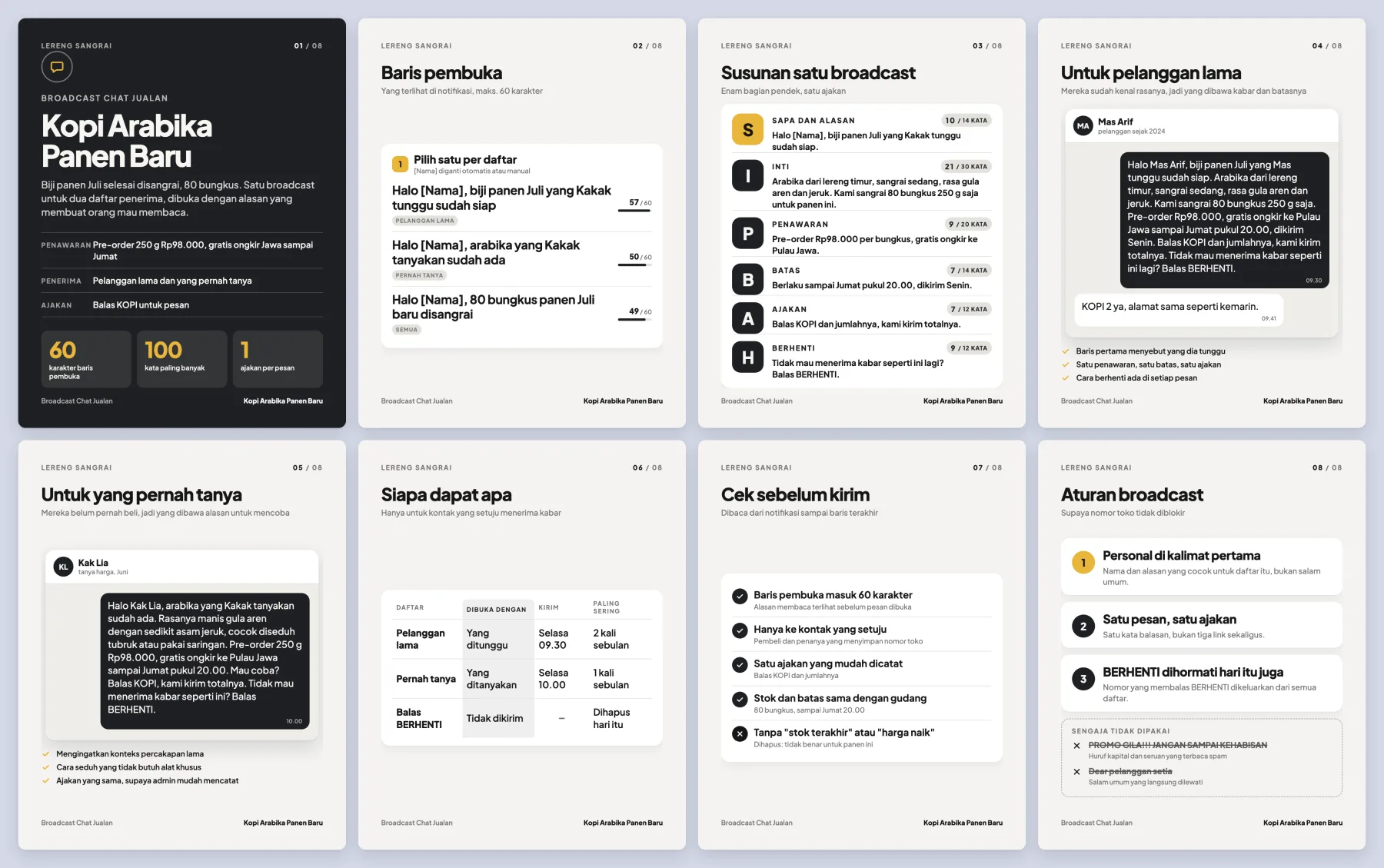
Eight cards: broadcast details, opening lines, message structure, two versions, recipient lists, checks, and rules
SKILL.md contents
Premium subscribers can read, copy, and install this skill.
Unlock with Premium Sign inSales Broadcast Message
Description
Broadcast chat messages that get opened, not skipped: an opening line of up to 60 characters that shows in the notification and gives a reason to read, a personal greeting per recipient list, the news and offer in a few short lines, a real deadline, one easy-to-log call to action, and an unsubscribe line in every message. One piece of news is written for two or three lists (regulars, past enquirers, new subscribers), with a send schedule, frequency, pre-send checks, rules, and chat mockup cards. Up to 100 words per message.
Verified by SkillFlow
We checked every file in this skill automatically: no command that downloads and runs a program, no hidden code, no instruction telling your AI to ignore you.
- Loads from outside
- Fonts: Google Fonts
See the 7 files inside
skill.json9 KBSKILL.md7 KBprompt.md3 KBprompt.en.md3 KBfiles/brief.md1 KBfiles/contoh-hasil.md3 KBfiles/kartu.html64 KB
Checked 14 Nov 2026
Part of SkillFlow Pro
Pro opens every skill in every category: copy, ZIP, Send to AI, install, save, and request new skills.
Get Pro Already subscribed? Sign inWhat you get
- Broadcast notes: the news, offer, deadline, real stock, and which opted-in lists receive it
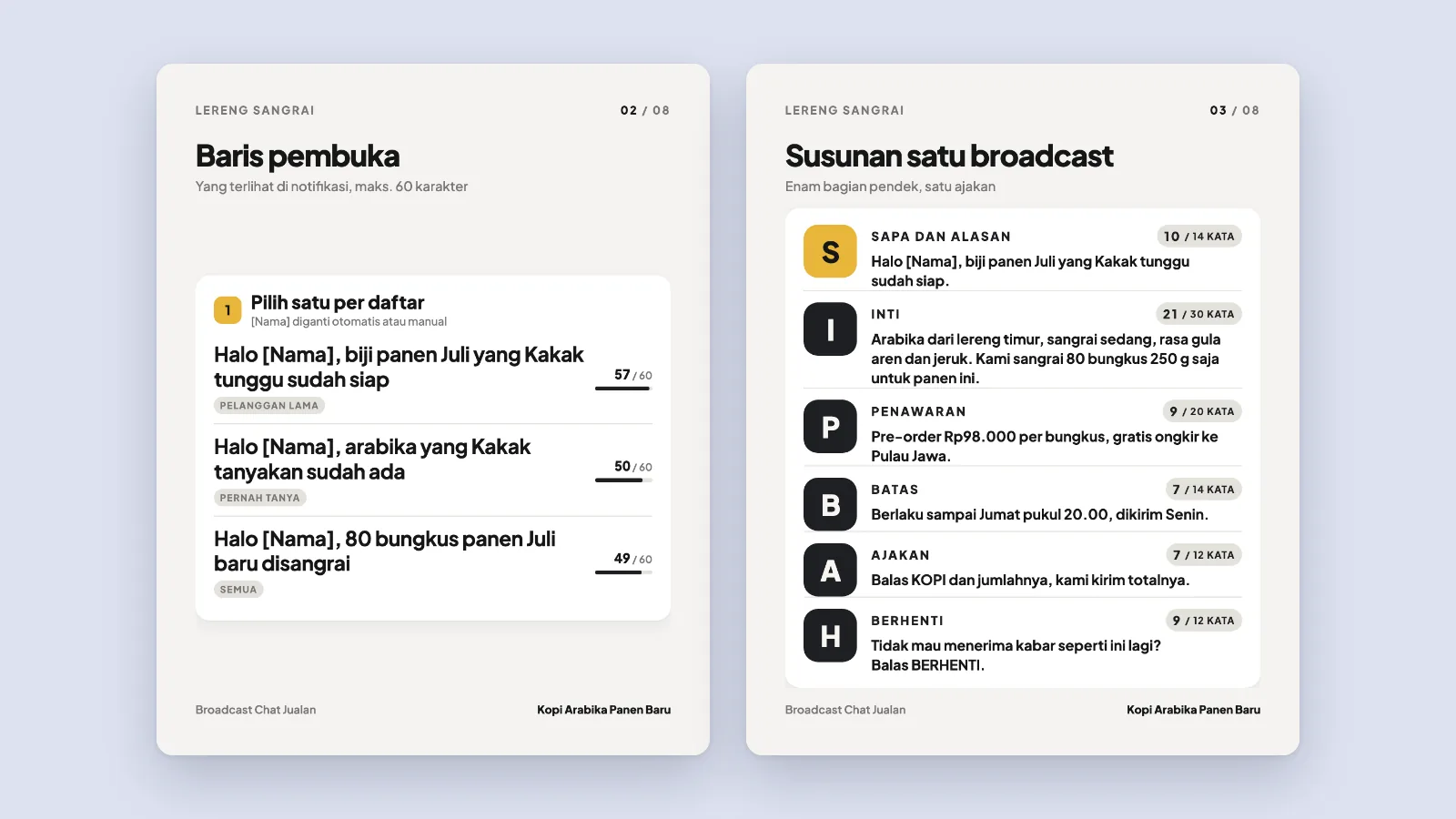
- Opening lines of up to 60 characters for each recipient list, length checked
- A six-part structure: greeting and reason, news, offer, deadline, call to action, unsubscribe, with word budgets
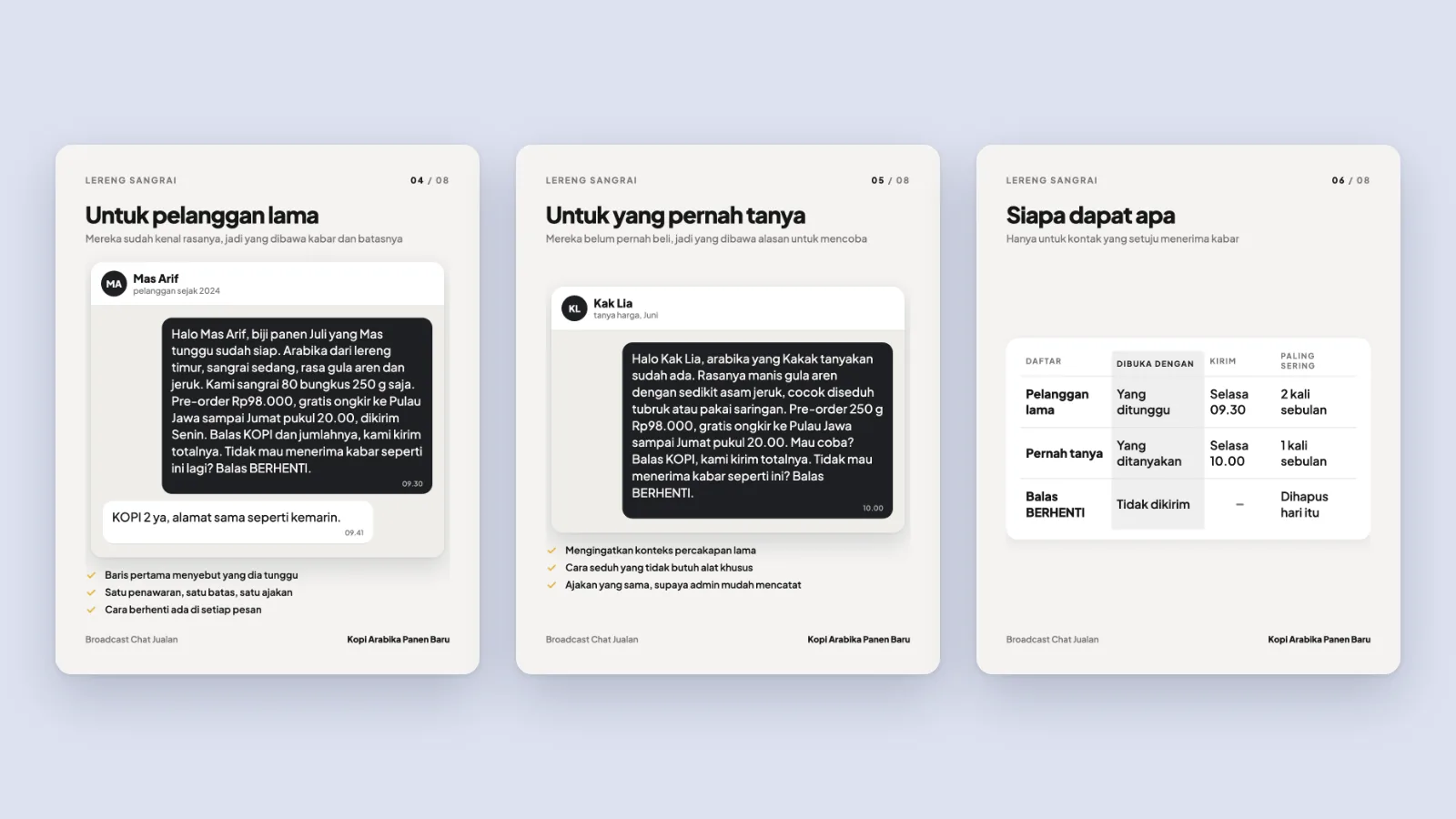
- A full message of up to 100 words per list, ending with one reply keyword and STOP
- A who-gets-what table with send times and frequency, plus pre-send checks and rules
- 1080x1350 visual cards: opening lines, structure, and a chat mockup for each version
Good fit
- Shops with a buyer contact list that broadcast often but get few replies
- Restock, pre-order, new product, or promo news with a clear deadline
- Admins who log orders from one-word replies
Not for
- It does not send or schedule broadcasts; you send them from your chat app
- Not for contacts who never agreed to receive news or bought number lists
- It does not produce a full campaign set (banners, captions, scheduled reminders)
- It never invents stock, prices, or deadlines
About this skill
/copy-broadcast-chat Write a WhatsApp broadcast about our new-harvest coffee, pre-order 250 g at 98,000 with free shipping in Java until Friday. Send it to regulars and to people who asked the price but never bought.
Show more
Broadcast chat messages that get opened, not skipped: an opening line of up to 60 characters that shows in the notification and gives a reason to read, a personal greeting per recipient list, the news and offer in a few short lines, a real deadline, one easy-to-log call to action, and an unsubscribe line in every message. One piece of news is written for two or three lists (regulars, past enquirers, new subscribers), with a send schedule, frequency, pre-send checks, rules, and chat mockup cards. Up to 100 words per message.
User reviews
FAQ
Why is the first line limited to 60 characters?
People decide whether to open a message from the notification and chat list preview, which usually shows one short line. If the reason to read is in the second line, many never get there.
Does every message need STOP?
Yes. A clear way out makes people who are not interested reply STOP instead of blocking or reporting the shop number, which keeps the number safe for the buyers who do want news.
How is it different from the Campaign Promo Copy?
Campaign Promo writes a set for one shopping moment (banners, captions, a message, reminders). This skill focuses on one text type: a chat broadcast that gets opened, written differently for each recipient list.
Which AI can I use it with?
Copy the prompt into a chat AI (ChatGPT, Claude, Gemini, DeepSeek); or download the ZIP and install it in an AI agent (Claude Code, Codex, Antigravity, Hermes Agent, Cursor, GitHub Copilot, Gemini CLI, OpenCode, Kimi Code, Trae), which then builds the files for you.
What is in the ZIP?
One folder named copy-broadcast-chat with SKILL.md (the instructions an AI agent reads) and the prompt, 7 files in all. Extract it into your agent's skills folder, or install it with npx skillflow-ai add copy-broadcast-chat. Pro only.
Is there a per-use fee or credits?
Not from SkillFlow. The skill runs on the AI you already use, so any cost follows that plan.
Which plan includes it?
SkillFlow Pro. It opens every skill in every category.
Can it use my brand details?
Yes. Fill in your brand profile once (name, product, price, contact) and it goes into every prompt you copy.
Can I share what I made?
Pro members can upload the result and get a page at share.skillflow.ai.id to send to anyone. The page carries a small "Made with SkillFlow AI" mark.
Is there a download limit?
Yes, per day: 50 skills on Pro, 10 on other plans. Downloading a skill again on the same day does not count.



