

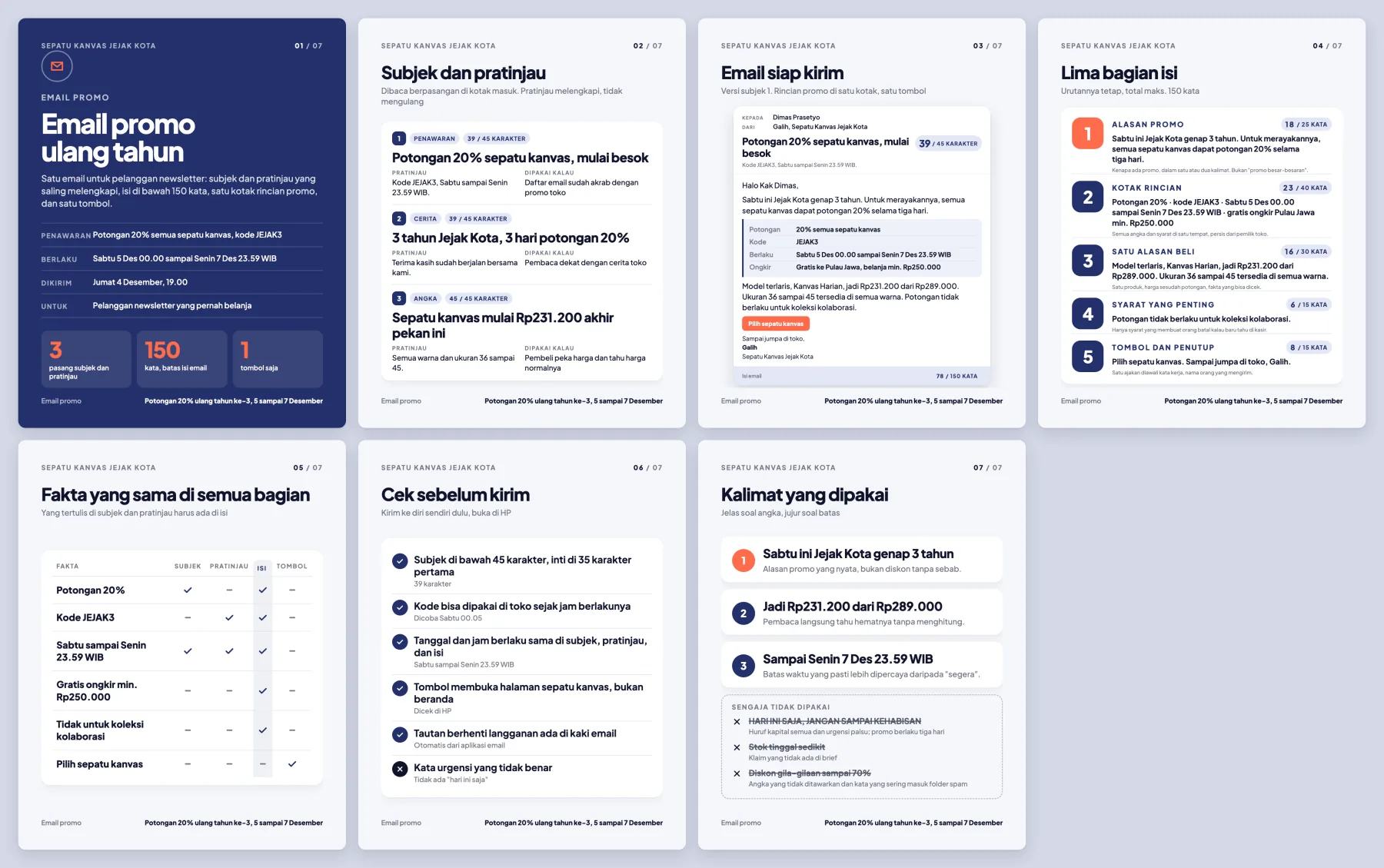
Seven cards: brief cover, three subject and preview pairs, the ready email, five parts, fact table, checks, and wording
SKILL.md contents
Premium subscribers can read, copy, and install this skill.
Unlock with Premium Sign inPromo Email
Description
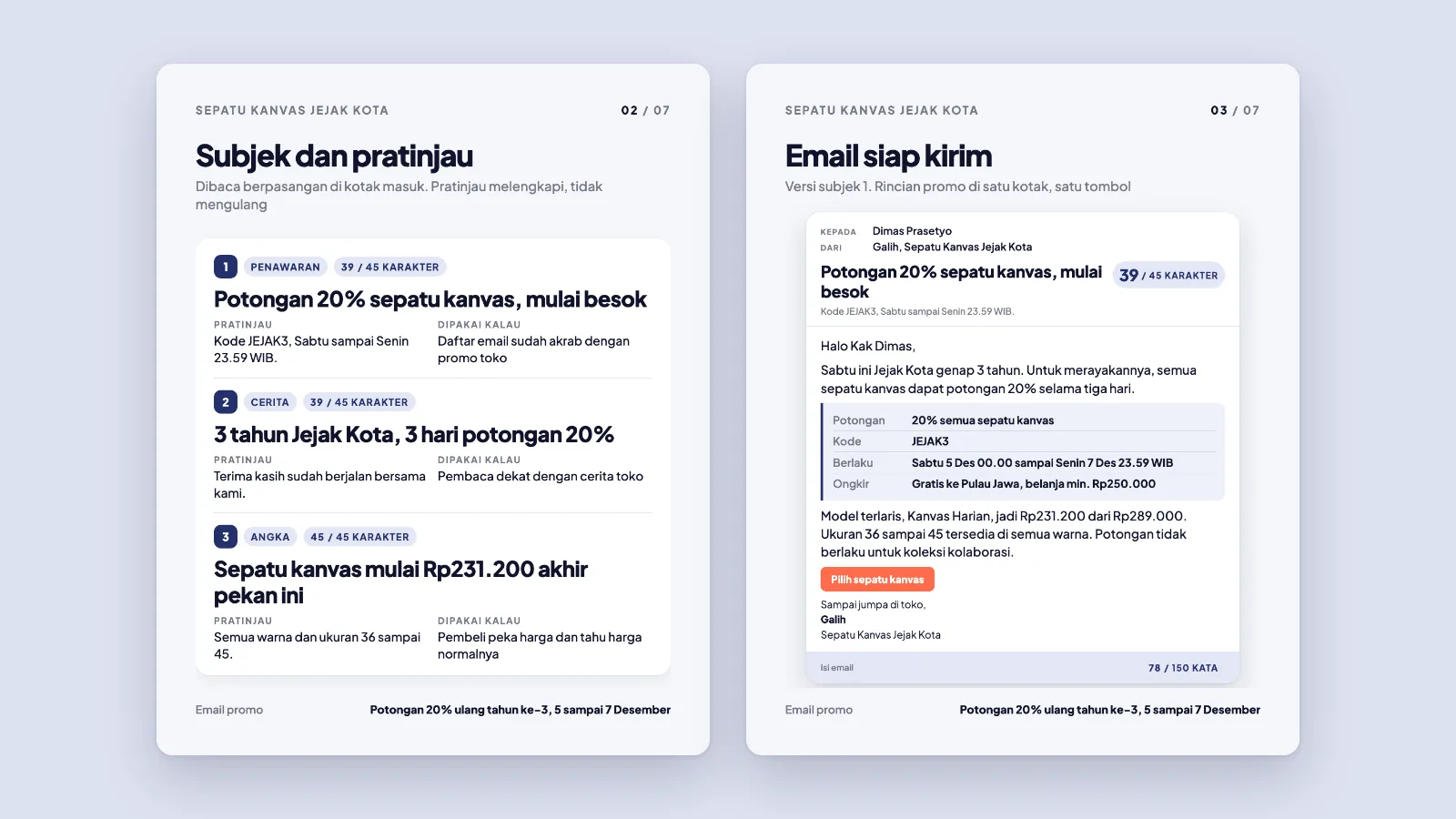
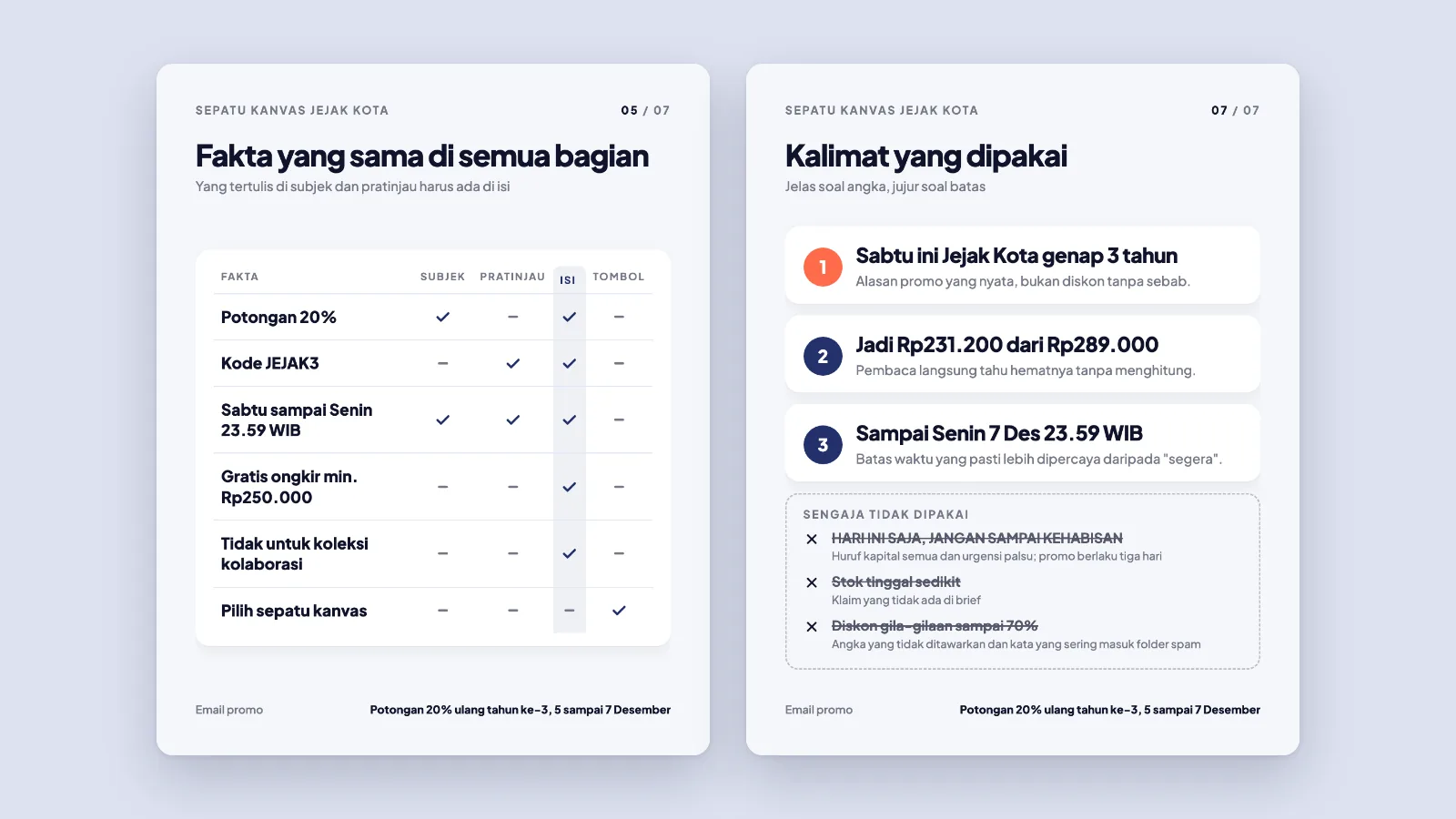
Write one promo email that gets opened and read down to the button: three subject and preview text pairs that complete each other (subject up to 45 characters with the point in the first 35), a five-part body under 150 words with a real reason for the promo, a details box with the discount, code, valid hours, and conditions exactly as the owner gave them, one reason to buy with a number, and one button. Includes a table of the same facts across subject, preview, body, and button, pre-send checks, and the fake-urgency lines deliberately left out. Rendered as cards with an email mockup.
Verified by SkillFlow
We checked every file in this skill automatically: no command that downloads and runs a program, no hidden code, no instruction telling your AI to ignore you.
- Loads from outside
- Fonts: Google Fonts
See the 7 files inside
skill.json9 KBSKILL.md8 KBprompt.md3 KBprompt.en.md3 KBfiles/brief.md1 KBfiles/contoh-hasil.md4 KBfiles/kartu.html65 KB
Checked 14 Nov 2026
Part of SkillFlow Pro
Pro opens every skill in every category: copy, ZIP, Send to AI, install, save, and request new skills.
Get Pro Already subscribed? Sign inWhat you get
- The promo facts used: offer, code, valid hours, conditions, sender
- 3 subject and preview text pairs from 3 angles, with character counts
- A ready-to-paste email: a five-part body up to 150 words, a details box, one button
- A table of the same facts across subject, preview, body, and button
- Pre-send checks and the lines deliberately left out
- Visual cards at 1080x1350 with an email mockup and automatic counts
Good fit
- Online shops and course creators with a customer email list
- Promos with clear dates and conditions: shop anniversaries, season ends, new variants
- Anyone whose emails get opened but rarely clicked through to the button
Not for
- One email, not a scheduled series or an email for customers who stopped buying
- It does not build an image-heavy HTML email design; you get text to paste into your email tool
- It does not invent discounts, codes, or deadlines you did not give
- Not the banners, captions, or chat messages for the same campaign
About this skill
/copy-email-promo Write a 3rd anniversary promo email for our canvas shoe shop's newsletter: 20% off all canvas shoes, code JEJAK3, valid 5 to 7 December, free shipping on orders over 250,000
Show more
Write one promo email that gets opened and read down to the button: three subject and preview text pairs that complete each other (subject up to 45 characters with the point in the first 35), a five-part body under 150 words with a real reason for the promo, a details box with the discount, code, valid hours, and conditions exactly as the owner gave them, one reason to buy with a number, and one button. Includes a table of the same facts across subject, preview, body, and button, pre-send checks, and the fake-urgency lines deliberately left out. Rendered as cards with an email mockup.
User reviews
FAQ
Why is the subject limited to 45 characters?
On a phone, the inbox usually shows only about the first 35 characters of a subject. The offer goes there, and the rest can be cut off without changing the meaning.
What is the preview text for?
Preview text appears under the subject in the inbox. Left empty, the inbox shows the first line of the email or technical text. It should complete the subject, for example the subject names the discount and the preview gives the code and deadline.
Can I say stock is running low?
Only if it is true and you give the number in the brief. Without that, the skill uses the real deadline as the only reason to act now.
Which AI can I use it with?
Copy the prompt into a chat AI (ChatGPT, Claude, Gemini, DeepSeek); or download the ZIP and install it in an AI agent (Claude Code, Codex, Antigravity, Hermes Agent, Cursor, GitHub Copilot, Gemini CLI, OpenCode, Kimi Code, Trae), which then builds the files for you.
What is in the ZIP?
One folder named copy-email-promo with SKILL.md (the instructions an AI agent reads) and the prompt, 7 files in all. Extract it into your agent's skills folder, or install it with npx skillflow-ai add copy-email-promo. Pro only.
Is there a per-use fee or credits?
Not from SkillFlow. The skill runs on the AI you already use, so any cost follows that plan.
Which plan includes it?
SkillFlow Pro. It opens every skill in every category.
Can it use my brand details?
Yes. Fill in your brand profile once (name, product, price, contact) and it goes into every prompt you copy.
Can I share what I made?
Pro members can upload the result and get a page at share.skillflow.ai.id to send to anyone. The page carries a small "Made with SkillFlow AI" mark.
Is there a download limit?
Yes, per day: 50 skills on Pro, 10 on other plans. Downloading a skill again on the same day does not count.



