

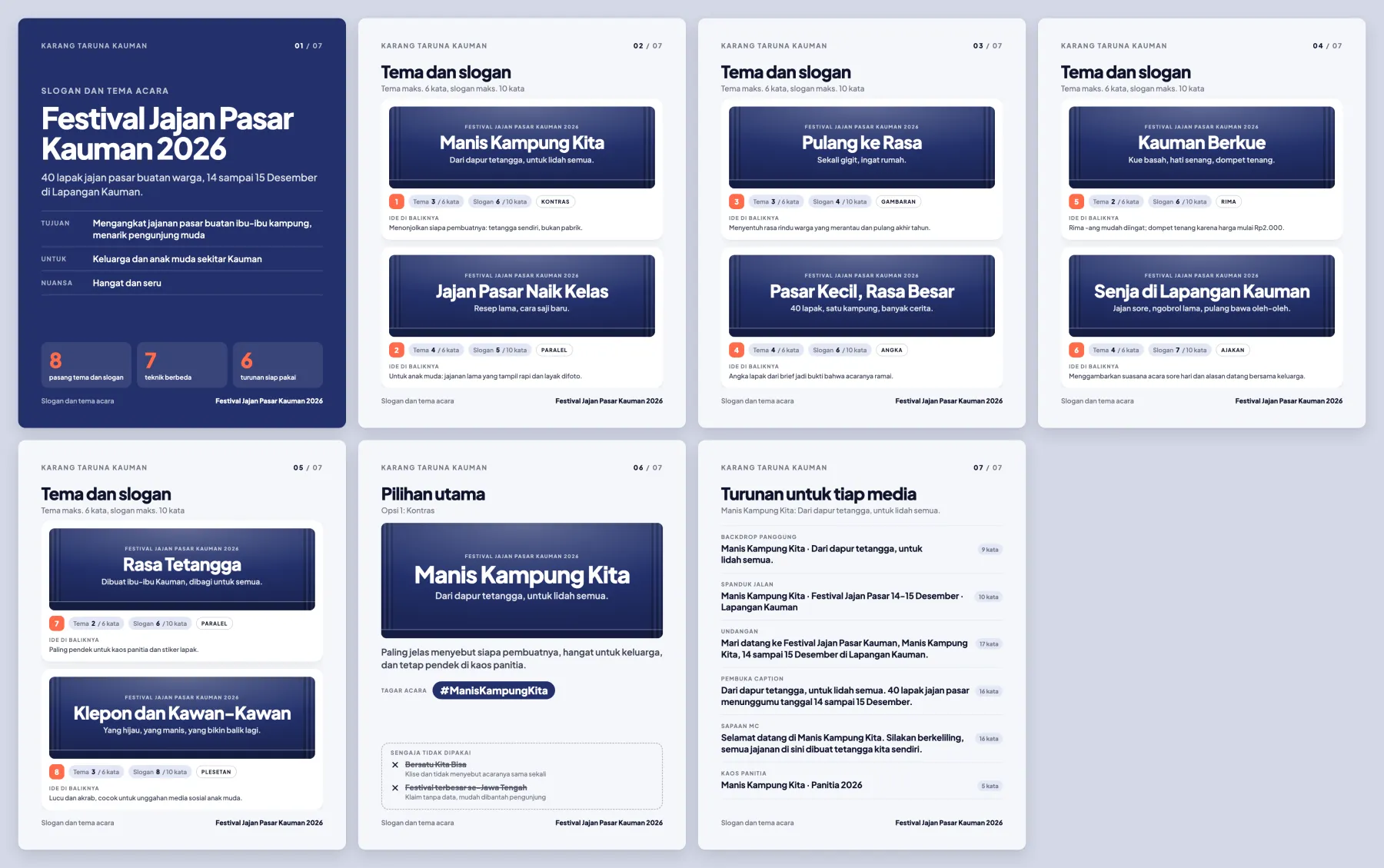
Seven result cards: brief cover, 8 theme and slogan pairs, the main pick, and its spin-offs
SKILL.md contents
Premium subscribers can read, copy, and install this skill.
Unlock with Premium Sign inEvent Slogan and Theme
Description
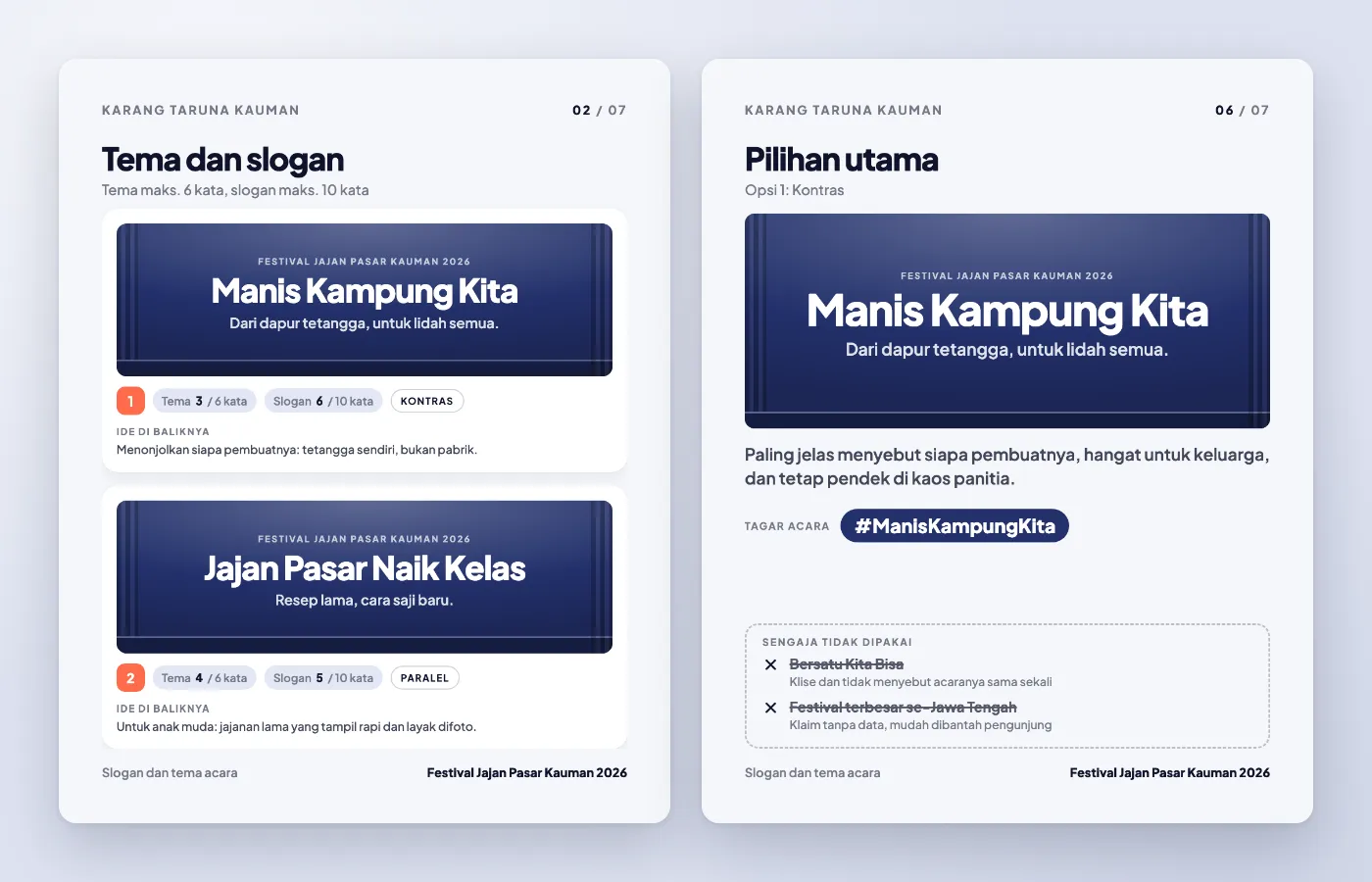
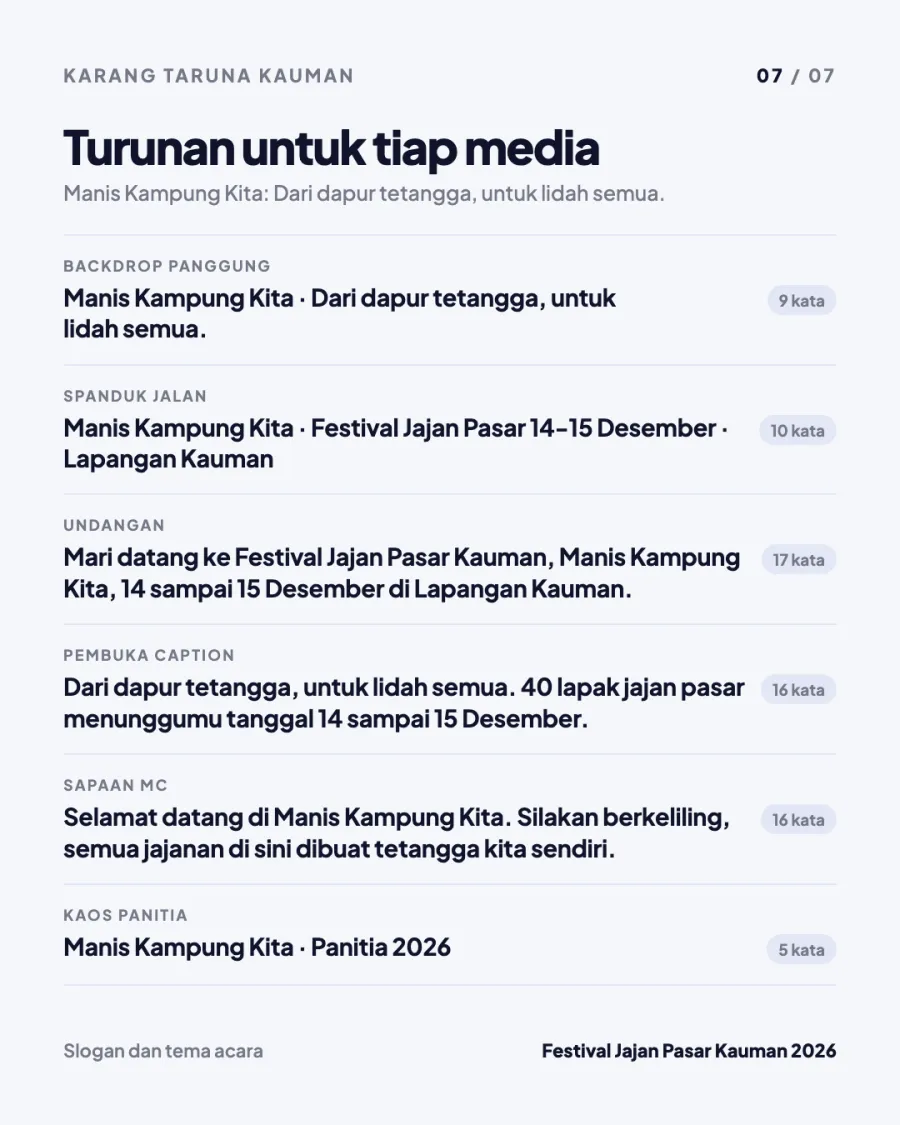
Theme and slogan pairs for events, competitions, seminars, bazaars, or celebrations: a short theme that fits a stage backdrop (6 words max) and a rhythmic slogan (10 words max), each built with a different technique (rhyme, parallel, contrast, imagery, number, wordplay, call to action) plus the idea behind it. One pair is picked and turned into banner copy, an invitation line, a caption opener, an MC welcome, a committee T-shirt line, and an event hashtag. The result can be rendered as cards with a backdrop mockup and an automatic word count.
Verified by SkillFlow
We checked every file in this skill automatically: no command that downloads and runs a program, no hidden code, no instruction telling your AI to ignore you.
- Loads from outside
- Fonts: Google Fonts
See the 7 files inside
skill.json7 KBSKILL.md8 KBprompt.md3 KBprompt.en.md3 KBfiles/brief.md1 KBfiles/contoh-hasil.md4 KBfiles/kartu.html21 KB
Checked 14 Nov 2026
Part of SkillFlow Pro
Pro opens every skill in every category: copy, ZIP, Send to AI, install, save, and request new skills.
Get Pro Already subscribed? Sign inWhat you get
- 8 theme and slogan pairs from different techniques, each with the idea behind it
- Word counts for the theme (6 max) and the slogan (10 max)
- One main pick with the reason, plus an event hashtag
- Ready-to-use spin-offs: backdrop, banner, invitation, caption, MC welcome, committee T-shirt
- A fill-in brief, a full worked example, and a scoring rubric
- An HTML card template with a stage backdrop mockup, exported to PNG
Good fit
- Committees for events, competitions, seminars, bazaars, or celebrations that need a theme and slogan
- Student groups and community youth groups wanting one voice from banner to MC greeting
- Organisers who also need an event hashtag
Not for
- For a single dated event, not a brand tagline used for years
- It does not design the backdrop or banner; the mockup is only for reviewing text
- It does not check whether the hashtag is already used by another event
About this skill
/copy-slogan-acara Create a theme and slogan for the Sukamaju Village youth group's small business bazaar in August, plus versions for the banner, invitation, MC greeting, and committee T-shirts
Show more
Theme and slogan pairs for events, competitions, seminars, bazaars, or celebrations: a short theme that fits a stage backdrop (6 words max) and a rhythmic slogan (10 words max), each built with a different technique (rhyme, parallel, contrast, imagery, number, wordplay, call to action) plus the idea behind it. One pair is picked and turned into banner copy, an invitation line, a caption opener, an MC welcome, a committee T-shirt line, and an event hashtag. The result can be rendered as cards with a backdrop mockup and an automatic word count.
User reviews
FAQ
What is the difference between theme and slogan?
The theme is the event's big name on the backdrop, up to 6 words. The slogan is a rhythmic line of up to 10 words that brings the theme to life.
How many options are written?
Eight theme and slogan pairs using different techniques such as rhyme, contrast, or wordplay. One is chosen and carried through all event materials.
Which AI can I use it with?
Copy the prompt into a chat AI (ChatGPT, Claude, Gemini, DeepSeek); or download the ZIP and install it in an AI agent (Claude Code, Codex, Antigravity, Hermes Agent, Cursor, GitHub Copilot, Gemini CLI, OpenCode, Kimi Code, Trae), which then builds the files for you.
What is in the ZIP?
One folder named copy-slogan-acara with SKILL.md (the instructions an AI agent reads) and the prompt, 7 files in all. Extract it into your agent's skills folder, or install it with npx skillflow-ai add copy-slogan-acara. Pro only.
Is there a per-use fee or credits?
Not from SkillFlow. The skill runs on the AI you already use, so any cost follows that plan.
Which plan includes it?
SkillFlow Pro. It opens every skill in every category.
Can it use my brand details?
Yes. Fill in your brand profile once (name, product, price, contact) and it goes into every prompt you copy.
Can I share what I made?
Pro members can upload the result and get a page at share.skillflow.ai.id to send to anyone. The page carries a small "Made with SkillFlow AI" mark.
Is there a download limit?
Yes, per day: 50 skills on Pro, 10 on other plans. Downloading a skill again on the same day does not count.



