

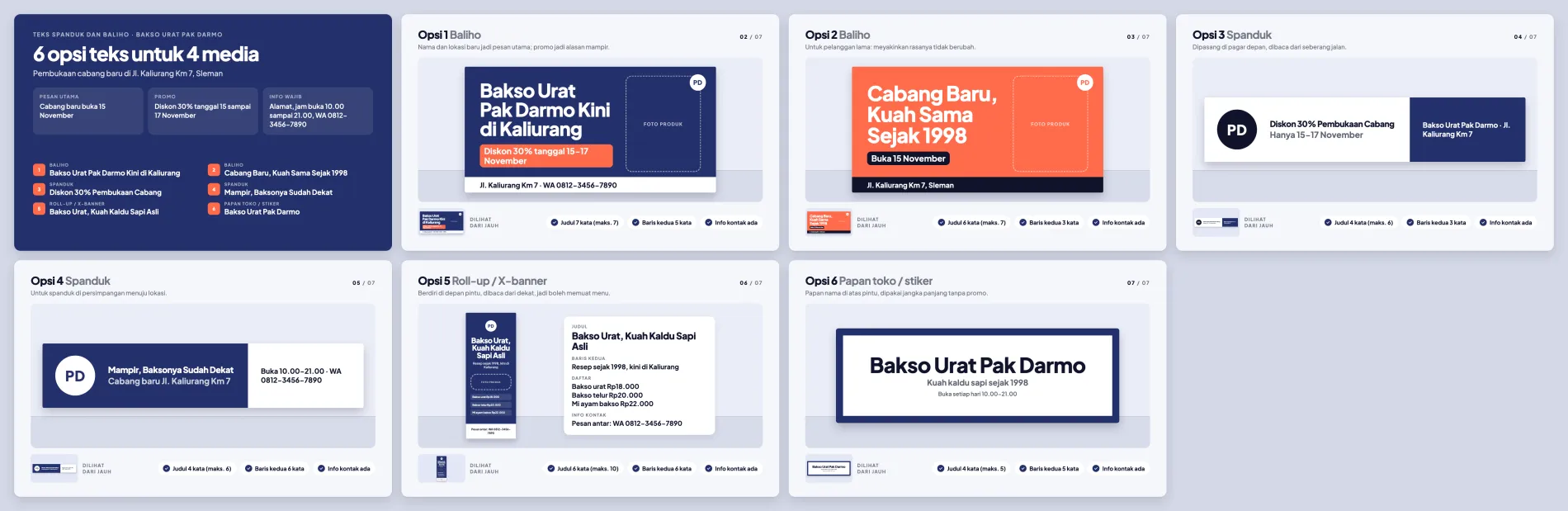
Six options for four media for a meatball shop's new branch, plus a summary cover
SKILL.md contents
Premium subscribers can read, copy, and install this skill.
Unlock with Premium Sign inBanner and Billboard Copy
Description
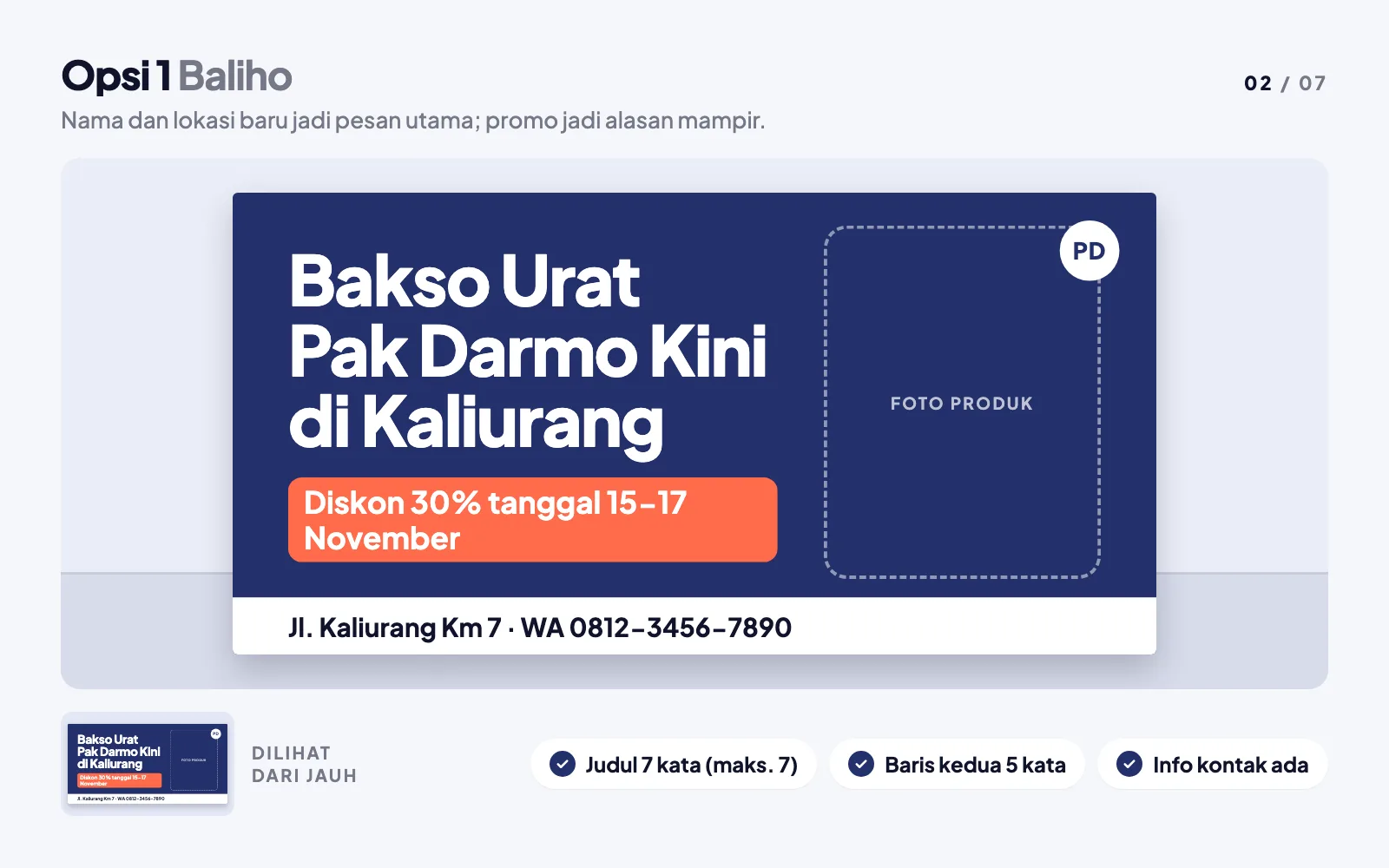
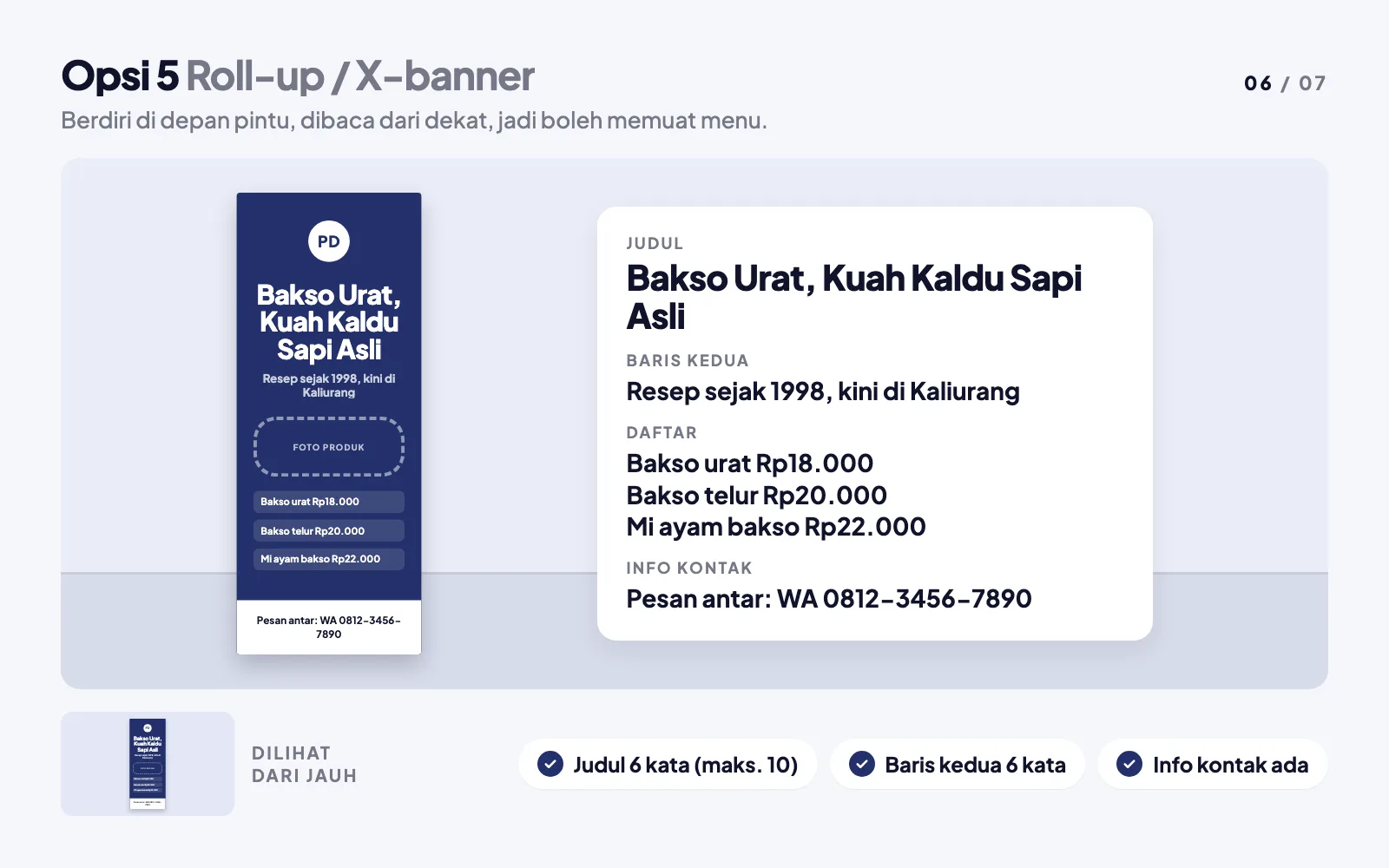
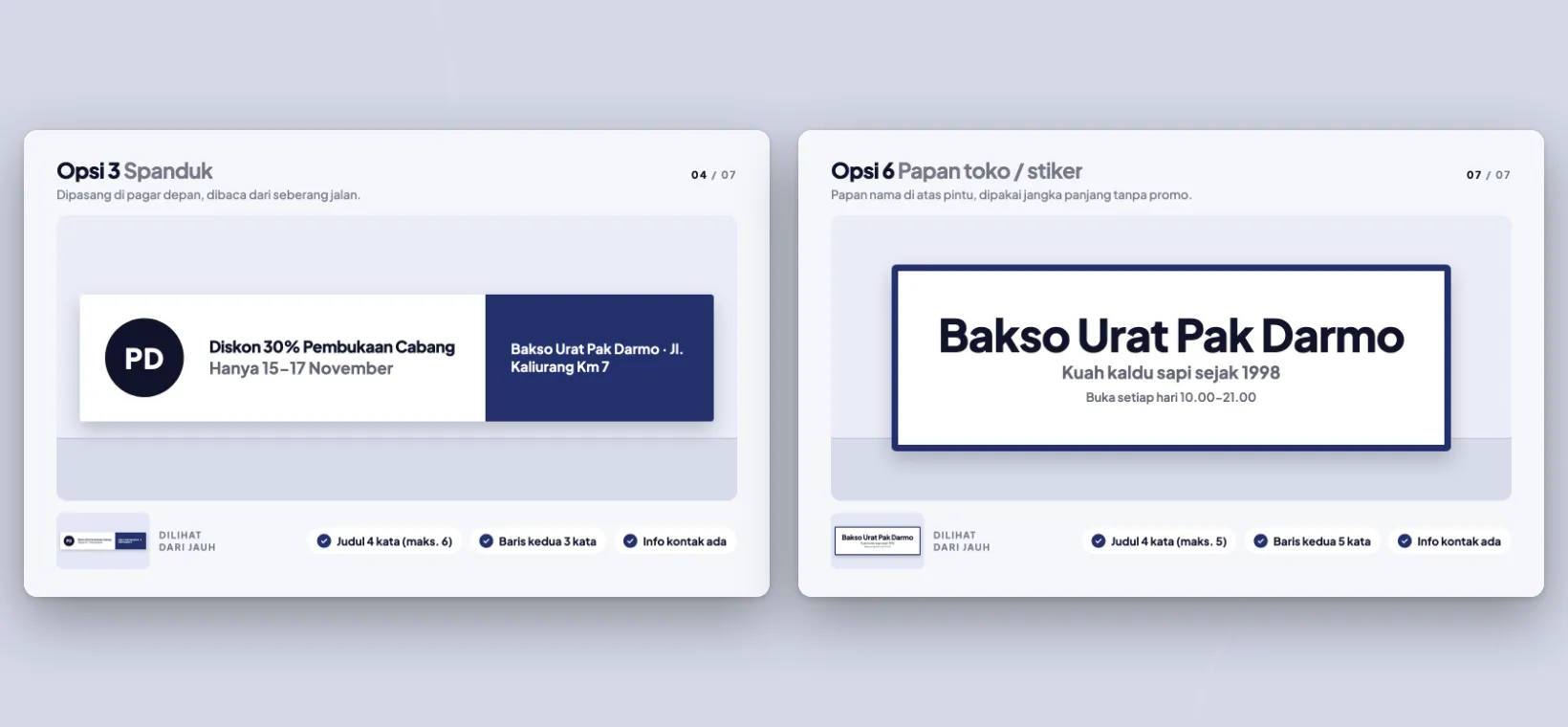
Ultra-short copy for outdoor media people read while passing by: billboards, street banners, roll-up or X-banners, and shop signs. Each option has one bold headline carrying the main message, one short supporting line, and a footer with the must-have details, with a word limit per medium. The result can be rendered as cards that draw each option in its medium's proportions, with a small seen-from-afar version and a word-count check.
Verified by SkillFlow
We checked every file in this skill automatically: no command that downloads and runs a program, no hidden code, no instruction telling your AI to ignore you.
- Loads from outside
- Fonts: Google Fonts
See the 7 files inside
skill.json7 KBSKILL.md7 KBprompt.md3 KBprompt.en.md3 KBfiles/brief.md1 KBfiles/contoh-hasil.md3 KBfiles/kartu.html21 KB
Checked 14 Nov 2026
Part of SkillFlow Pro
Pro opens every skill in every category: copy, ZIP, Send to AI, install, save, and request new skills.
Get Pro Already subscribed? Sign inWhat you get
- 4-10 copy options for billboards, street banners, roll-ups, and shop signs
- Each option: headline, second line, footer details, and why to pick it
- Word limits per medium and rules for choosing the must-have details
- Notes for the designer and printer: letter height, contrast, highlight colour
- An HTML card template: a mockup per medium in its proportions, a seen-from-afar view, a word-count check
Good fit
- Shops, garages, and food stalls putting up roadside banners or signboards
- Event organisers needing billboard and roll-up text
- Owners who tend to cram too much information onto one banner
Not for
- It does not design or print; the proportional mockups are only for reviewing text
- The footer is limited to two types of info; full details suit a flyer or chat
- Not copy for posters or posts that are read up close
About this skill
/copy-spanduk-baliho Write banner and roll-up text for the opening of Mandala Jaya Motorcycle Garage, Rp50,000 service promo in the first week, located near the petrol station on Jalan Merdeka
Show more
Ultra-short copy for outdoor media people read while passing by: billboards, street banners, roll-up or X-banners, and shop signs. Each option has one bold headline carrying the main message, one short supporting line, and a footer with the must-have details, with a word limit per medium. The result can be rendered as cards that draw each option in its medium's proportions, with a small seen-from-afar version and a word-count check.
User reviews
FAQ
How many words can a banner carry?
Each format has its own word limit, because a passing rider sees a billboard for under 3 seconds. The card counts words and flags options that run long.
What is the from-a-distance version?
A small view of each option to check the headline still reads from afar. If it's hard to read small, cut words or enlarge the type.
Which AI can I use it with?
Copy the prompt into a chat AI (ChatGPT, Claude, Gemini, DeepSeek); or download the ZIP and install it in an AI agent (Claude Code, Codex, Antigravity, Hermes Agent, Cursor, GitHub Copilot, Gemini CLI, OpenCode, Kimi Code, Trae), which then builds the files for you.
What is in the ZIP?
One folder named copy-spanduk-baliho with SKILL.md (the instructions an AI agent reads) and the prompt, 7 files in all. Extract it into your agent's skills folder, or install it with npx skillflow-ai add copy-spanduk-baliho. Pro only.
Is there a per-use fee or credits?
Not from SkillFlow. The skill runs on the AI you already use, so any cost follows that plan.
Which plan includes it?
SkillFlow Pro. It opens every skill in every category.
Can it use my brand details?
Yes. Fill in your brand profile once (name, product, price, contact) and it goes into every prompt you copy.
Can I share what I made?
Pro members can upload the result and get a page at share.skillflow.ai.id to send to anyone. The page carries a small "Made with SkillFlow AI" mark.
Is there a download limit?
Yes, per day: 50 skills on Pro, 10 on other plans. Downloading a skill again on the same day does not count.



