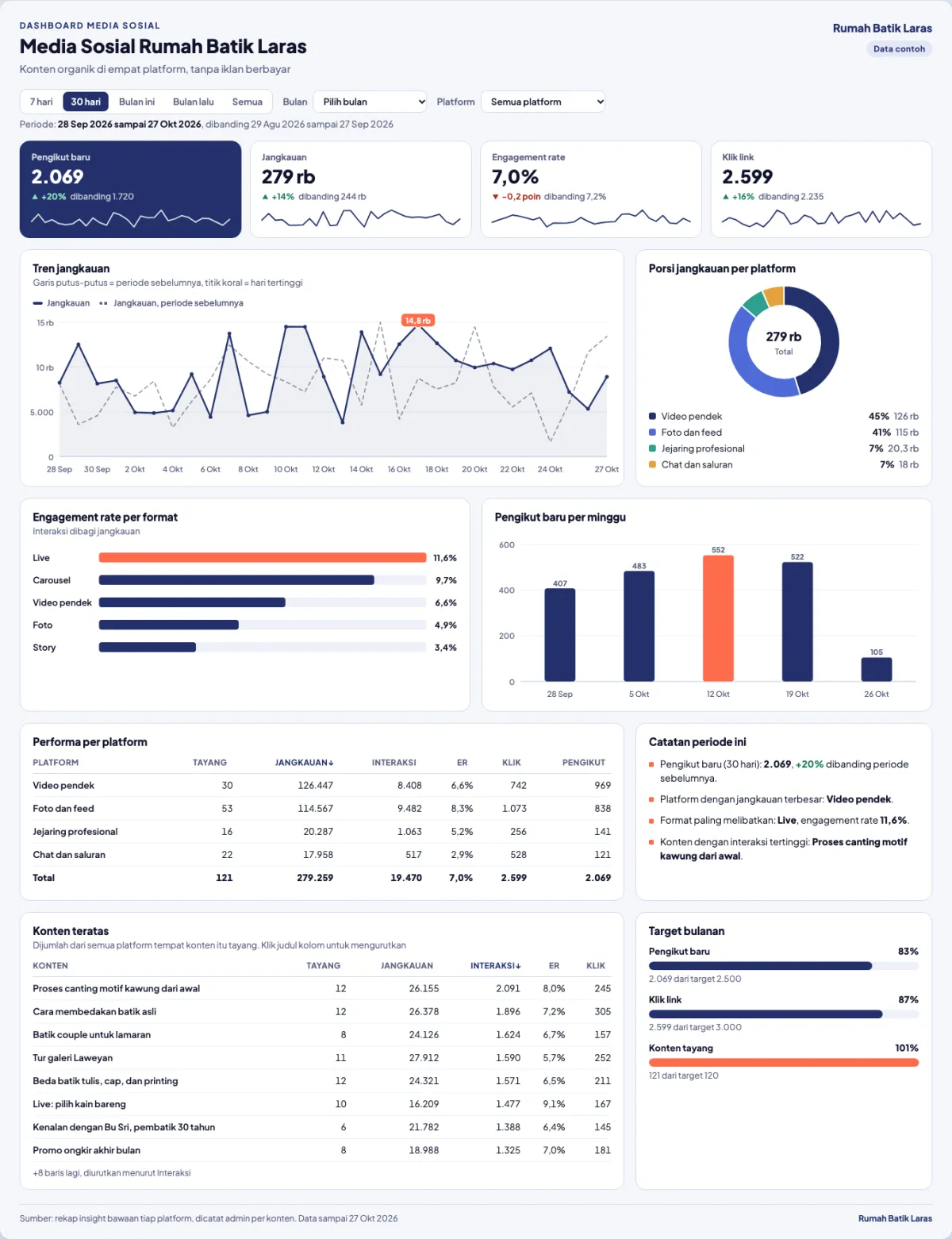
30 days: KPIs, reach trend, platforms, formats, per-platform table, top posts, targets
SKILL.md contents
Premium subscribers can read, copy, and install this skill.
Unlock with Premium Sign inSocial Media Dashboard
Description
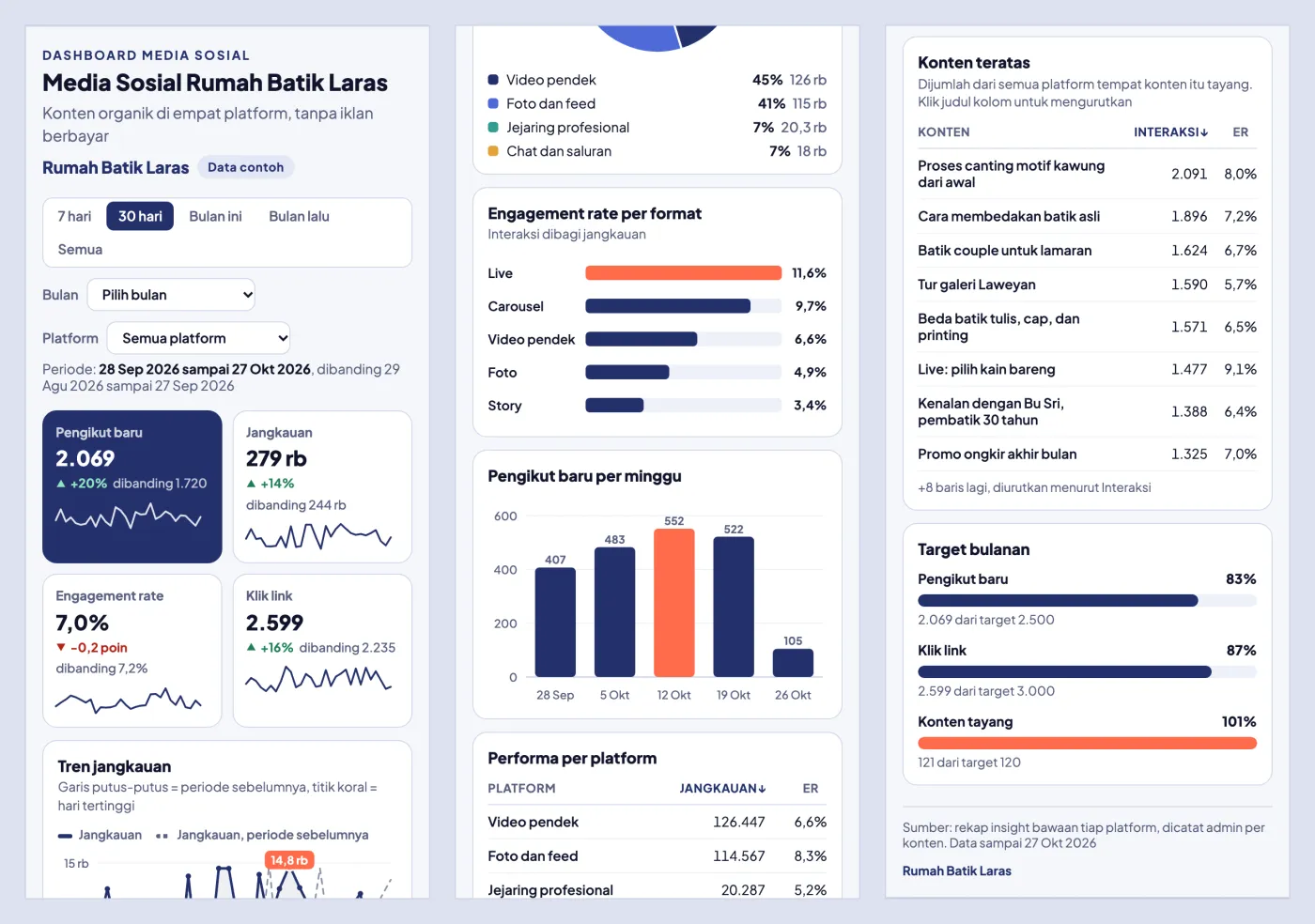
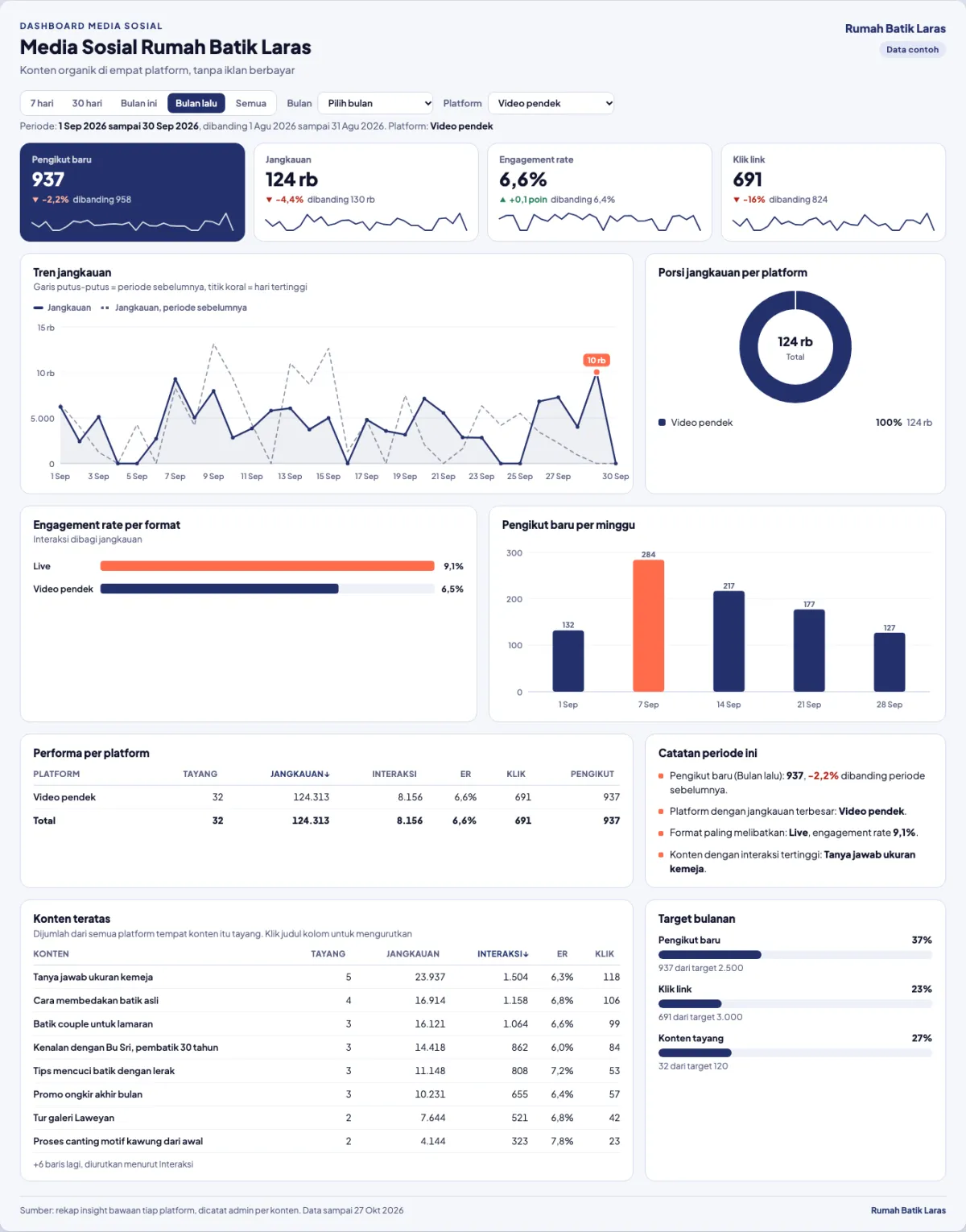
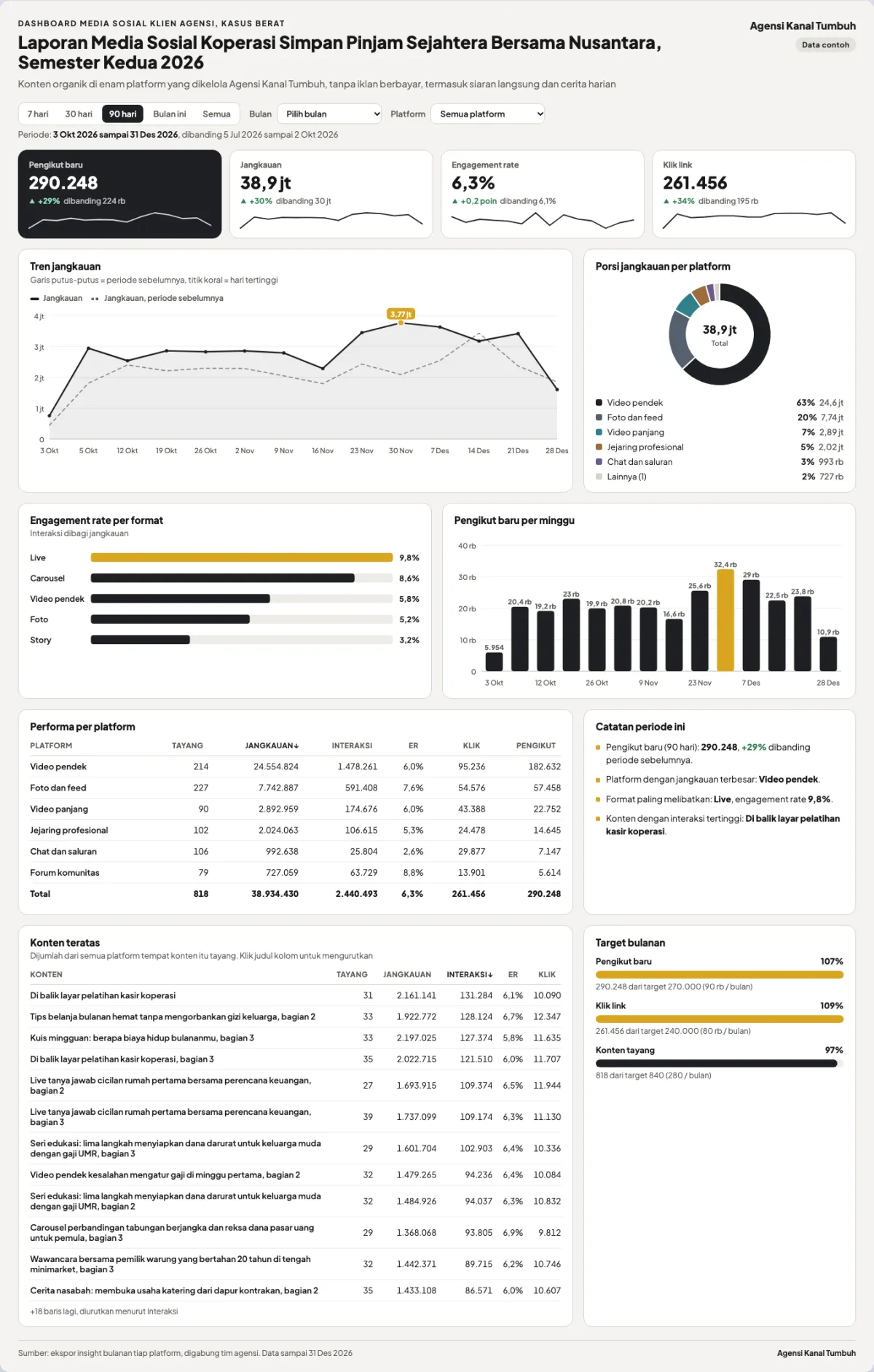
A one-screen organic social media dashboard for small businesses, creators, and small agencies, calculated from per-post insight records: KPIs for new followers, reach, engagement rate, and link clicks against the previous period, a daily reach trend, share per platform, engagement rate per content format (short video, carousel, photo, live, story), new followers per week, a per-platform table, top posts, monthly targets, and automatic notes. Filter by period and platform, then download the chosen view as PDF, PNG, or Excel.
Verified by SkillFlow
We checked every file in this skill automatically: no command that downloads and runs a program, no hidden code, no instruction telling your AI to ignore you.
- Loads from outside
- Fonts: Google Fonts SkillFlow: directory.skillflow.ai.id
See the 6 files inside
skill.json9 KBSKILL.md10 KBprompt.md6 KBprompt.en.md6 KBfiles/contoh/agensi-enam-platform.html294 KBfiles/dashboard.html96 KB
Checked 14 Nov 2026
Part of SkillFlow Pro
Pro opens every skill in every category: copy, ZIP, Send to AI, install, save, and request new skills.
Get Pro Already subscribed? Sign inWhat you get
- A one-screen HTML dashboard recalculated on every period and platform filter
- 4 KPIs with the previous-period comparison and a daily sparkline
- Reach trend, share per platform, engagement rate per format, new followers per week
- A per-platform table and a sortable top posts table
- Monthly targets and an automatic notes card
- PDF, PNG, and Excel downloads of the chosen view
Good fit
- Small business owners running their own accounts who want to know which posts bring followers
- Creators summing up monthly insights for review or for potential partners
- Small agencies producing monthly social media reports for clients
Not for
- Not for paid ads; cost, CPC, and ROAS live in the Ad Performance Dashboard
- It does not connect to social media accounts; data is pasted from insight records
- Reach is summed per post, so one person who saw two posts counts twice
About this skill
/dashboard-media-sosial Make a social media dashboard for Kayu Manis Bakery from these 3 months of insight records, filtered by platform, with a target of 2,000 new followers a month
Show more
A one-screen organic social media dashboard for small businesses, creators, and small agencies, calculated from per-post insight records: KPIs for new followers, reach, engagement rate, and link clicks against the previous period, a daily reach trend, share per platform, engagement rate per content format (short video, carousel, photo, live, story), new followers per week, a per-platform table, top posts, monthly targets, and automatic notes. Filter by period and platform, then download the chosen view as PDF, PNG, or Excel.
User reviews
FAQ
How is engagement rate calculated?
Interactions (likes, comments, saves, shares) divided by reach, for the chosen period and platform. It is not divided by followers, so small and large accounts compare fairly.
What if my new follower numbers are per day, not per post?
Add a daily summary row per platform holding new followers with reach and interactions at 0. SKILL.md explains how to filter it so those rows are not counted as posts.
Can I use it to report to a client?
Yes. Choose the period and platform to report, then download PDF or Excel. What is on screen goes into the file, with the period text and data source included.
Which AI can I use it with?
Copy the prompt into a chat AI (ChatGPT, Claude, Gemini, DeepSeek); or download the ZIP and install it in an AI agent (Claude Code, Codex, Antigravity, Hermes Agent, Cursor, GitHub Copilot, Gemini CLI, OpenCode, Kimi Code, Trae), which then builds the files for you.
What is in the ZIP?
One folder named dashboard-media-sosial with SKILL.md (the instructions an AI agent reads) and the prompt, 6 files in all. Extract it into your agent's skills folder, or install it with npx skillflow-ai add dashboard-media-sosial. Pro only.
Is there a per-use fee or credits?
Not from SkillFlow. The skill runs on the AI you already use, so any cost follows that plan.
Which plan includes it?
SkillFlow Pro. It opens every skill in every category.
Can I use my own colours and brand?
Yes. Pick a colour theme on this page, or fill in your brand profile once; both go into the prompt you copy and into the ZIP.
Can I share what I made?
Pro members can upload the result and get a page at share.skillflow.ai.id to send to anyone. The page carries a small "Made with SkillFlow AI" mark.
Is there a download limit?
Yes, per day: 50 skills on Pro, 10 on other plans. Downloading a skill again on the same day does not count.