

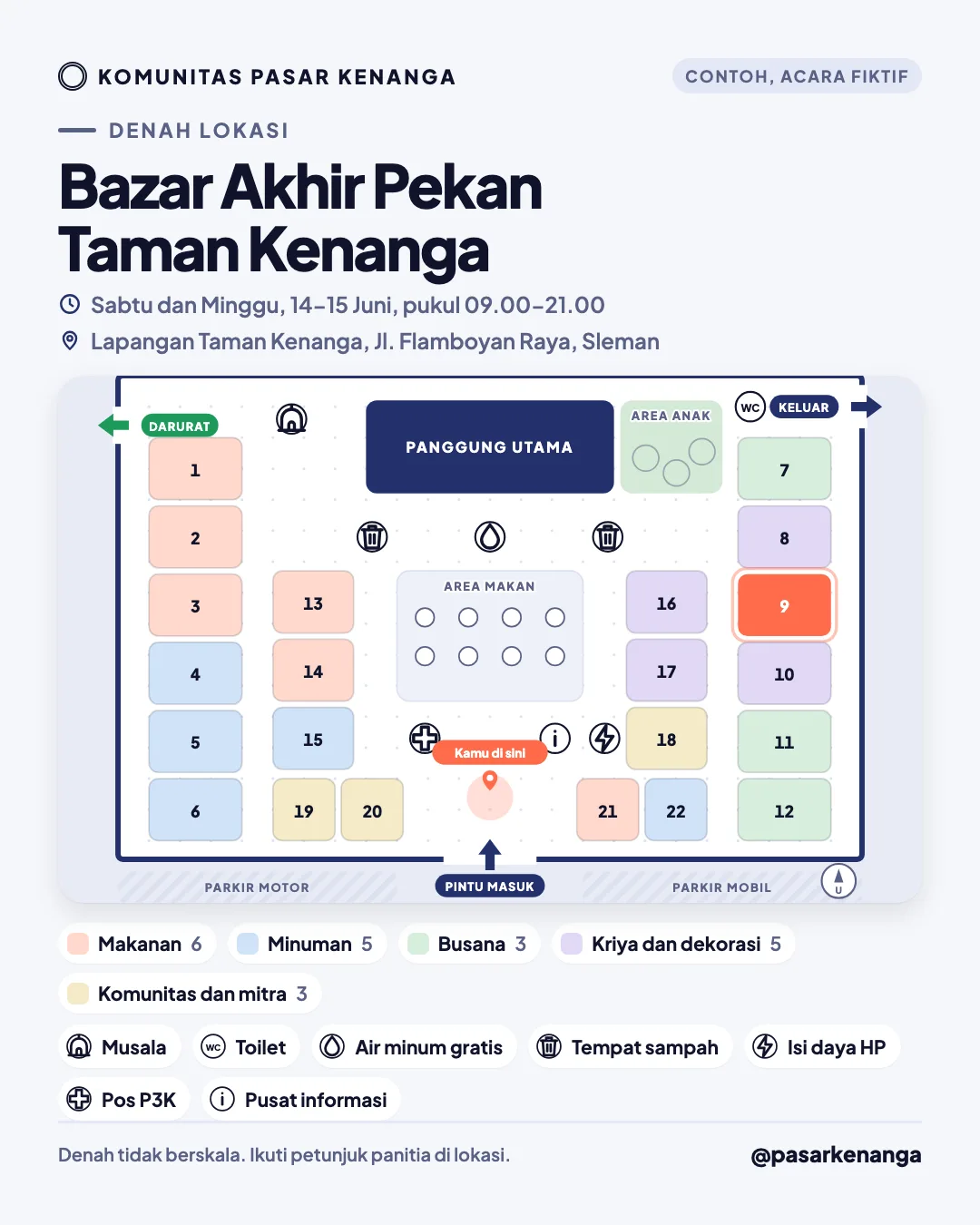
4:5 feed: a bazaar plan with 22 numbered booths, stage, dining area, doors, facilities, and a You are here marker
SKILL.md contents
Premium subscribers can read, copy, and install this skill.
Unlock with Premium Sign inEvent Venue Map
Description
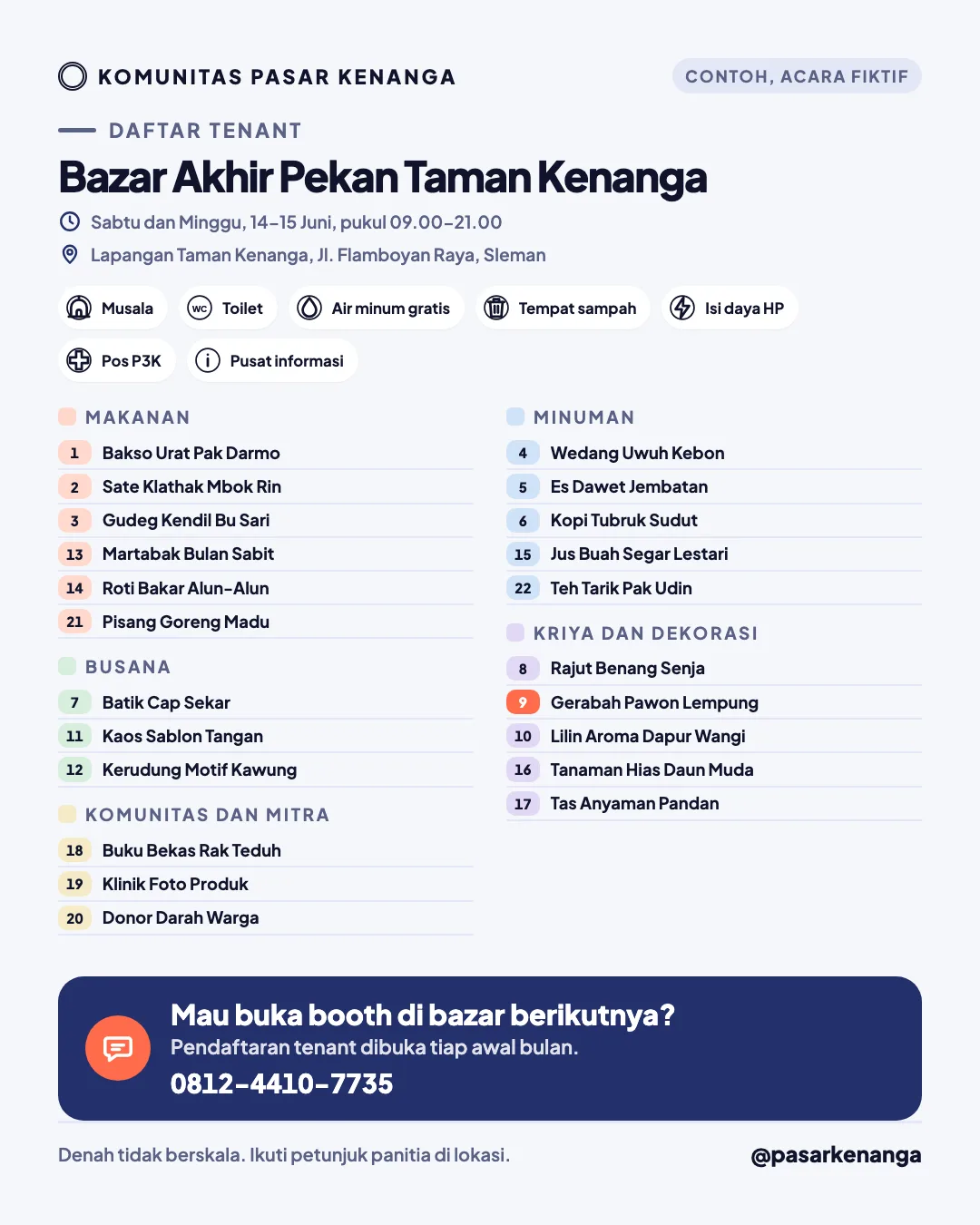
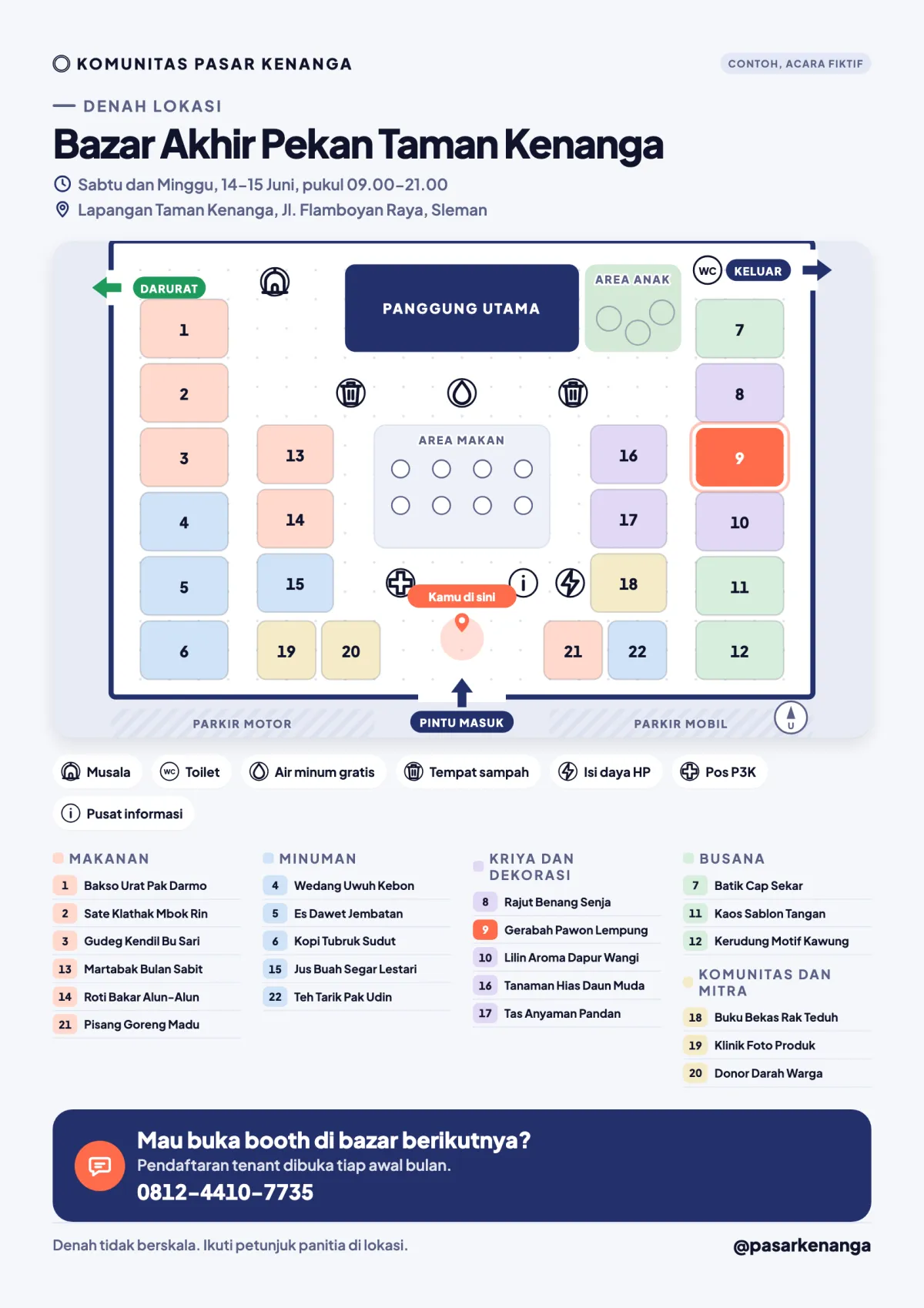
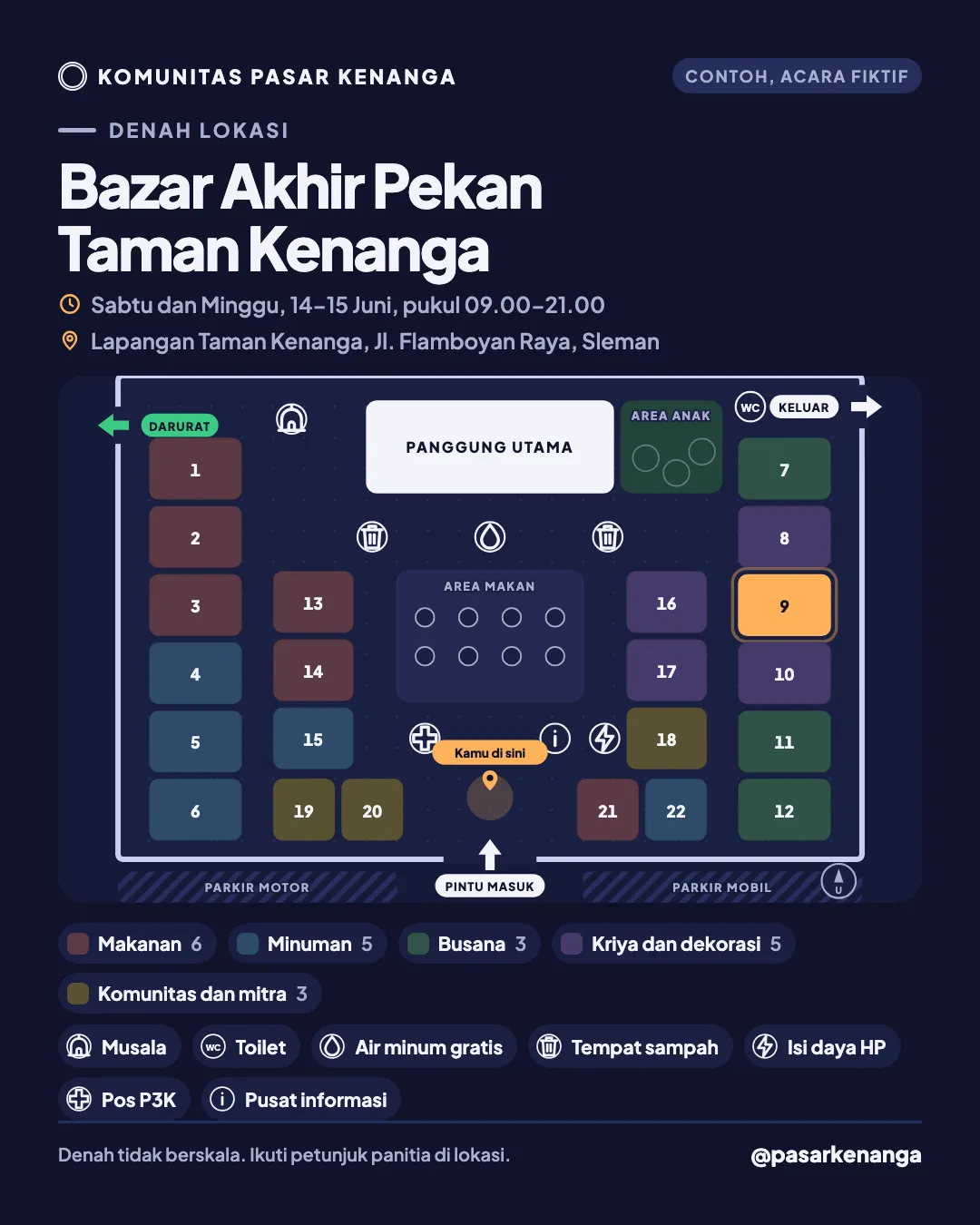
A top-down venue floor plan for bazaars, festivals, exhibitions, and community events: stage, dining area, kids' area, numbered booths colored by category, entrance, exit, and emergency doors with direction arrows, icons for toilets, prayer room, first aid, information, drinking water, bins, and charging, parking, a compass, and a "You are here" marker. Drawn by the template itself from one grid-based data object, with a tenant list by category. Three exports: a 4:5 feed image with the map, a 4:5 feed image with the tenant list, and an A3 poster to print at the entrance.
Verified by SkillFlow
We checked every file in this skill automatically: no command that downloads and runs a program, no hidden code, no instruction telling your AI to ignore you.
- Loads from outside
- Fonts: Google Fonts
See the 5 files inside
skill.json10 KBSKILL.md7 KBprompt.md3 KBprompt.en.md3 KBfiles/denah-acara.html30 KB
Checked 14 Nov 2026
Included in Basic and Pro
Basic copies the prompt. Pro also downloads the ZIP, sends to AI, installs into agents, and opens every category.
Get Pro Get Basic Already subscribed? Sign inWhat you get
- A top-down plan from one grid-based data object: zones, booths, facilities, doors, parking
- Numbered booths colored by category, one featured booth, and a You are here marker
- A tenant list by category with booth numbers that match the map
- PNG feed 1080x1350 (map), feed 1080x1350 (tenant list), and an A3 poster at 1684x2384
- Automatic checks: overlapping booths, booths outside the walls, booths on zones, duplicate numbers
- 3 palettes (city, market, night) and a caption inviting people to save it
Good fit
- Committees for bazaars, food festivals, night markets, exhibitions, and job fairs
- Organisers who want visitors to find booths and facilities without asking staff
- Events needing an entrance poster map plus a feed version to share
Not for
- A schematic box-based map, not a precisely scaled architectural drawing
- For one venue, not a city map with many points
- It does not check evacuation routes against safety rules; coordinate with the venue
About this skill
/denah-lokasi-acara Make a layout map for the Merdeka Field small business bazaar in Purbalingga: 24 booths in 3 categories, stage, food court, toilets, prayer room, first aid, entry and exit, plus a tenant list
Show more
A top-down venue floor plan for bazaars, festivals, exhibitions, and community events: stage, dining area, kids' area, numbered booths colored by category, entrance, exit, and emergency doors with direction arrows, icons for toilets, prayer room, first aid, information, drinking water, bins, and charging, parking, a compass, and a "You are here" marker. Drawn by the template itself from one grid-based data object, with a tenant list by category. Three exports: a 4:5 feed image with the map, a 4:5 feed image with the tenant list, and an A3 poster to print at the entrance.
User reviews
FAQ
What is checked automatically?
Overlapping booths, booths outside the walls, booths covering zones, and duplicate booth numbers. Fix them before printing so map numbers match the tenant list.
What is the "You are here" marker for?
For the poster at the entrance, so visitors instantly know where they are. It can be switched off for the feed version.
Which AI can I use it with?
Copy the prompt into a chat AI (ChatGPT, Claude, Gemini, DeepSeek); or download the ZIP and install it in an AI agent (Claude Code, Codex, Antigravity, Hermes Agent, Cursor, GitHub Copilot, Gemini CLI, OpenCode, Kimi Code, Trae), which then builds the files for you.
What is in the ZIP?
One folder named denah-lokasi-acara with SKILL.md (the instructions an AI agent reads) and the prompt, 5 files in all. Extract it into your agent's skills folder, or install it with npx skillflow-ai add denah-lokasi-acara. Pro only.
Is there a per-use fee or credits?
Not from SkillFlow. The skill runs on the AI you already use (and, for image prompts, the image AI you pick), so any cost follows that plan.
Which plan includes it?
Basic and Pro. Basic copies the prompt; Pro also downloads the ZIP, sends to AI, installs into agents and shares results by link.
Can I use my own colours and brand?
Yes. Pick a colour theme on this page, or fill in your brand profile once; both go into the prompt you copy and into the ZIP.
Can I share what I made?
Pro members can upload the result and get a page at share.skillflow.ai.id to send to anyone. The page carries a small "Made with SkillFlow AI" mark.
Is there a download limit?
Yes, per day: 50 skills on Pro, 10 on other plans. Downloading a skill again on the same day does not count.



