

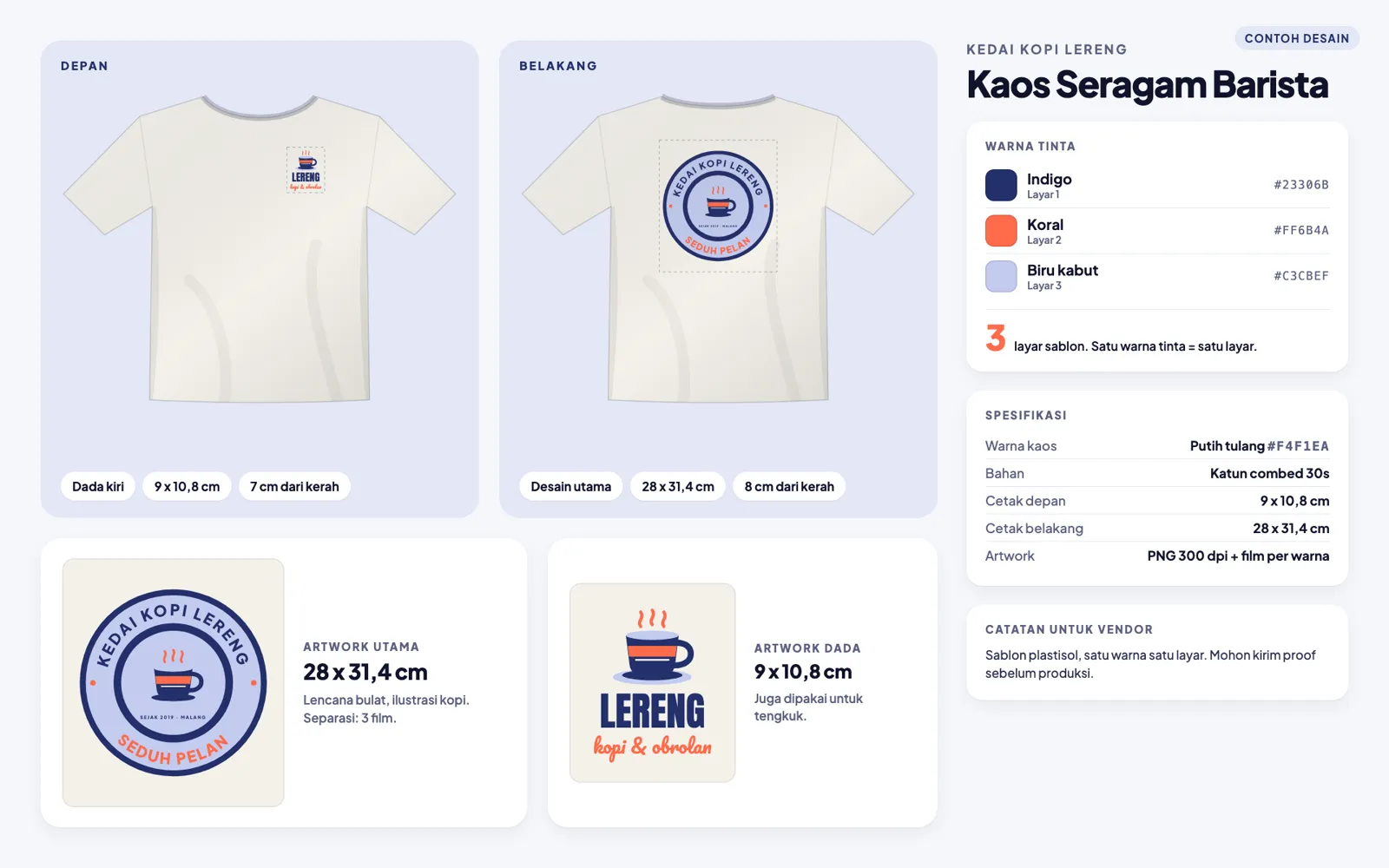
Presentation sheet: badge on the back, left chest logo, 3 inks, print sizes in cm
SKILL.md contents
Premium subscribers can read, copy, and install this skill.
Unlock with Premium Sign inScreen-Print Tee Design
Description
Text and flat-illustration tee designs that can actually be screen printed: every part uses only the 1 to 4 ink colours you choose, the shirt colour works as an extra colour, and the screen count is worked out automatically (including a white underbase on dark shirts). Three design shapes (a round badge with circular text, big stacked type, an arched headline) with 5 built-in illustrations, plus a small chest logo. You get a front and back mockup sheet with print sizes, a transparent 300 dpi artwork, one separation film per colour for the print shop, and variants on 3 shirt colours.
Verified by SkillFlow
We checked every file in this skill automatically: no command that downloads and runs a program, no hidden code, no instruction telling your AI to ignore you.
- Loads from outside
- Fonts: Google Fonts
See the 6 files inside
skill.json8 KBSKILL.md7 KBprompt.md4 KBprompt.en.md4 KBfiles/ekspor-kaos.mjs4 KBfiles/kaos.html33 KB
Checked 14 Nov 2026
Included in Basic and Pro
Basic copies the prompt. Pro also downloads the ZIP, sends to AI, installs into agents, and opens every category.
Get Pro Get Basic Already subscribed? Sign inWhat you get
- A main design in 3 shapes: round badge, stacked type, arched headline, with 5 built-in flat illustrations
- A small logo for the chest or the back of the neck, placed left chest, centre chest, or large on the front
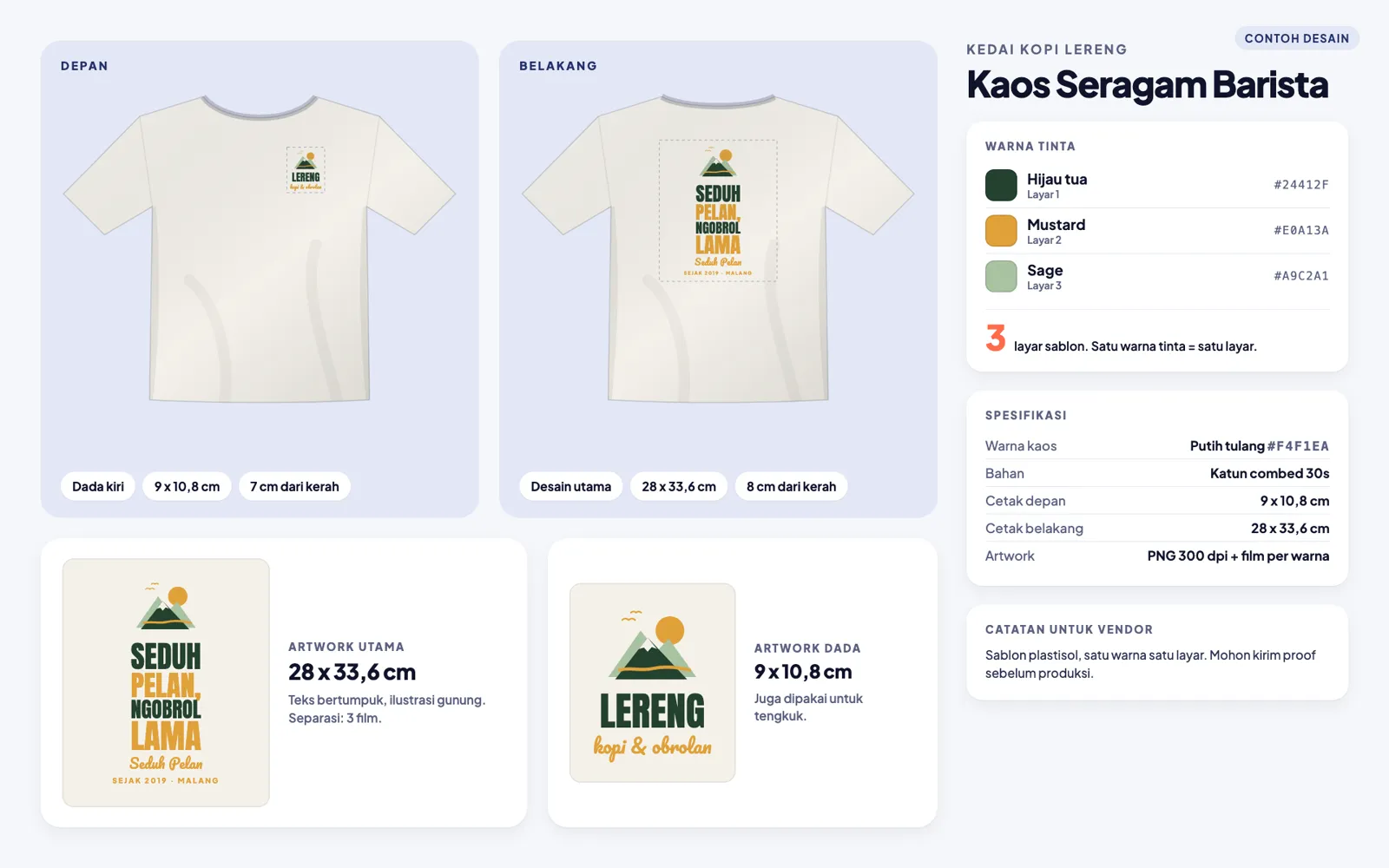
- A presentation sheet: front and back tee mockups, ink colours, screen count, print sizes in cm
- A transparent 300 dpi PNG artwork at print size, for the screen printer or DTF
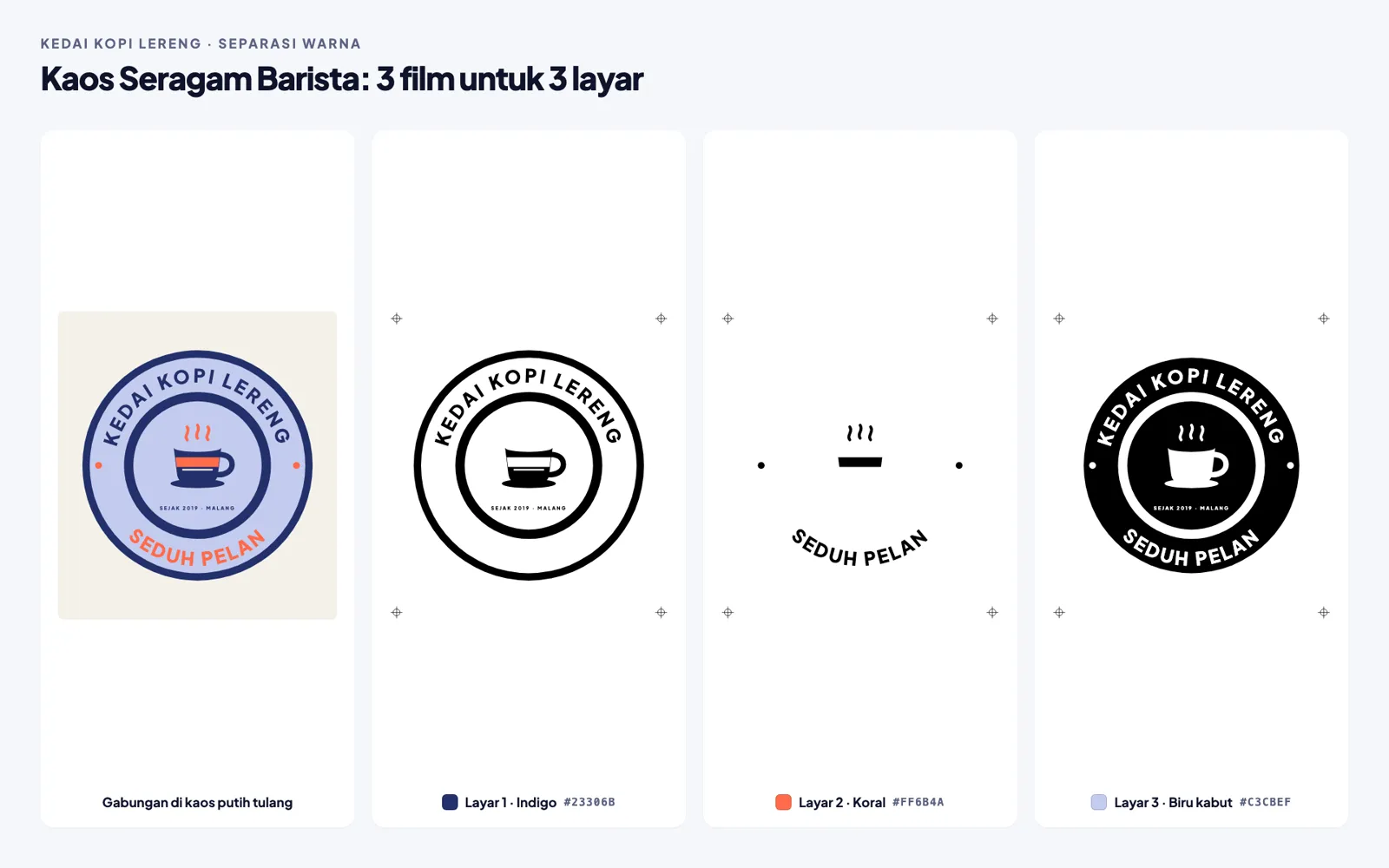
- One separation film per ink colour (black on white) and a separation check sheet with registration marks
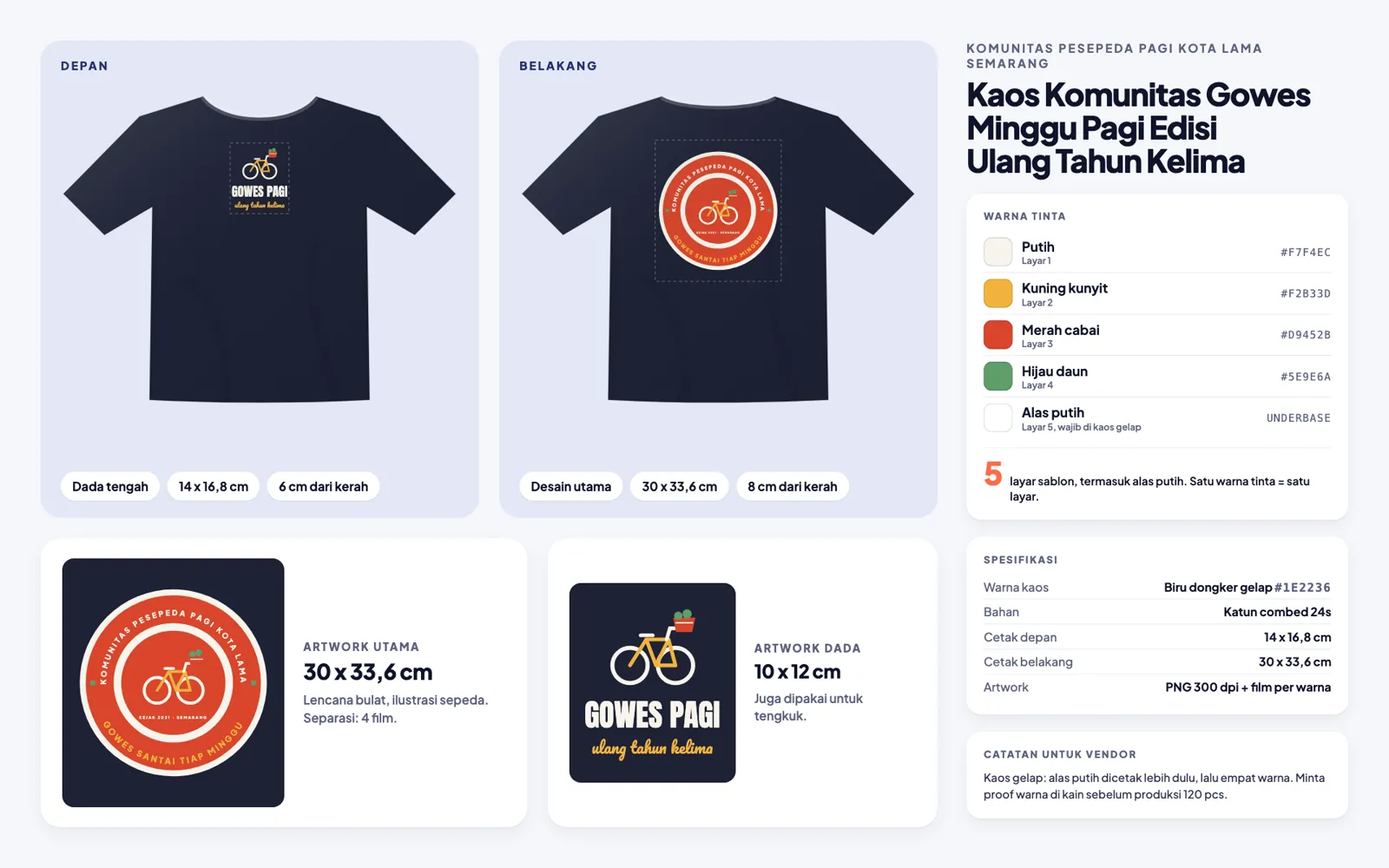
- Variants on 3 shirt colours, with warnings for inks that sink into the shirt and an underbase for dark shirts
- 4 ready ink palettes or 1-4 inks of your own, export every file with one command
Good fit
- Communities, event committees, and classes ordering matching T-shirts
- Small businesses selling merch who want screen printing costs under control
- Designers needing per-colour separation films for the print shop
Not for
- No gradients, shadows, or photos; designs are limited to 1 to 4 ink colours
- It does not order or print shirts; you get files for the print shop
- Illustrations are limited to 5 built-in flat shapes; your own logo must be prepared in the same ink colours
About this skill
/desain-kaos-sablon Make a 2-colour screen print T-shirt design for Gowes Ceria Cycling Community, a round badge with circular text, on a black shirt, with a small logo on the left chest
Show more
Text and flat-illustration tee designs that can actually be screen printed: every part uses only the 1 to 4 ink colours you choose, the shirt colour works as an extra colour, and the screen count is worked out automatically (including a white underbase on dark shirts). Three design shapes (a round badge with circular text, big stacked type, an arched headline) with 5 built-in illustrations, plus a small chest logo. You get a front and back mockup sheet with print sizes, a transparent 300 dpi artwork, one separation film per colour for the print shop, and variants on 3 shirt colours.
User reviews
FAQ
Why can there be more screens than inks?
Light inks on dark shirts need a white underbase to show up, and that counts as an extra screen. The template calculates it automatically.
What does the sinking ink warning mean?
The ink colour is too close to the shirt colour and will barely show after printing. Change the ink or shirt colour before production.
Which files go to the print shop?
A print-size transparent 300 dpi PNG, a separation film per ink colour, and a check sheet with registration marks. Print sizes are given in cm.
Which AI can I use it with?
Copy the prompt into a chat AI (ChatGPT, Claude, Gemini, DeepSeek); or download the ZIP and install it in an AI agent (Claude Code, Codex, Antigravity, Hermes Agent, Cursor, GitHub Copilot, Gemini CLI, OpenCode, Kimi Code, Trae), which then builds the files for you.
What is in the ZIP?
One folder named desain-kaos-sablon with SKILL.md (the instructions an AI agent reads) and the prompt, 6 files in all. Extract it into your agent's skills folder, or install it with npx skillflow-ai add desain-kaos-sablon. Pro only.
Is there a per-use fee or credits?
Not from SkillFlow. The skill runs on the AI you already use (and, for image prompts, the image AI you pick), so any cost follows that plan.
Which plan includes it?
Basic and Pro. Basic copies the prompt; Pro also downloads the ZIP, sends to AI, installs into agents and shares results by link.
Can I use my own colours and brand?
Yes. Pick a colour theme on this page, or fill in your brand profile once; both go into the prompt you copy and into the ZIP.
Can I share what I made?
Pro members can upload the result and get a page at share.skillflow.ai.id to send to anyone. The page carries a small "Made with SkillFlow AI" mark.
Is there a download limit?
Yes, per day: 50 skills on Pro, 10 on other plans. Downloading a skill again on the same day does not count.



