

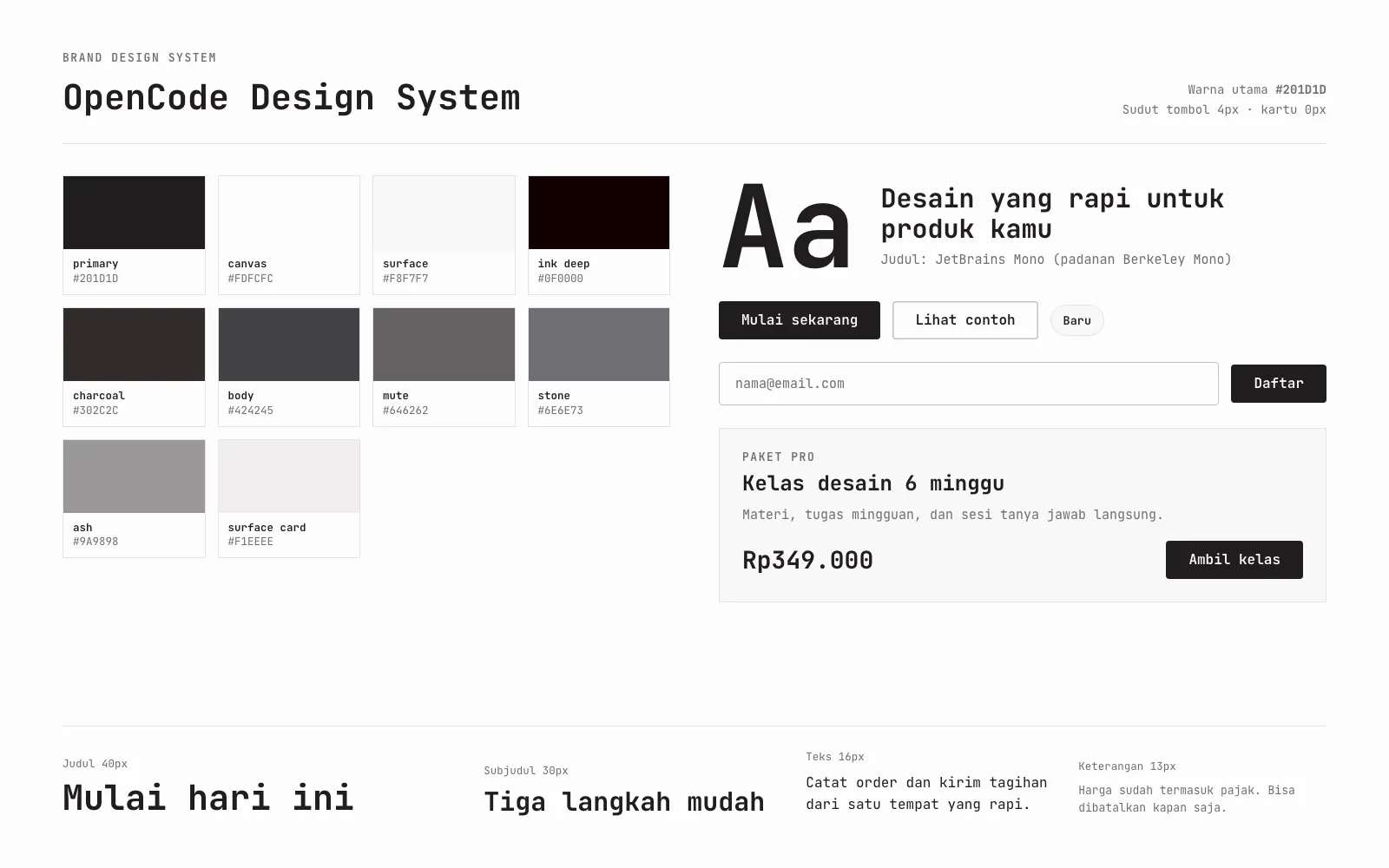
Style tile: palette, type and components
SKILL.md contents
Premium subscribers can read, copy, and install this skill.
Unlock with Premium Sign inOpenCode Design System
Description
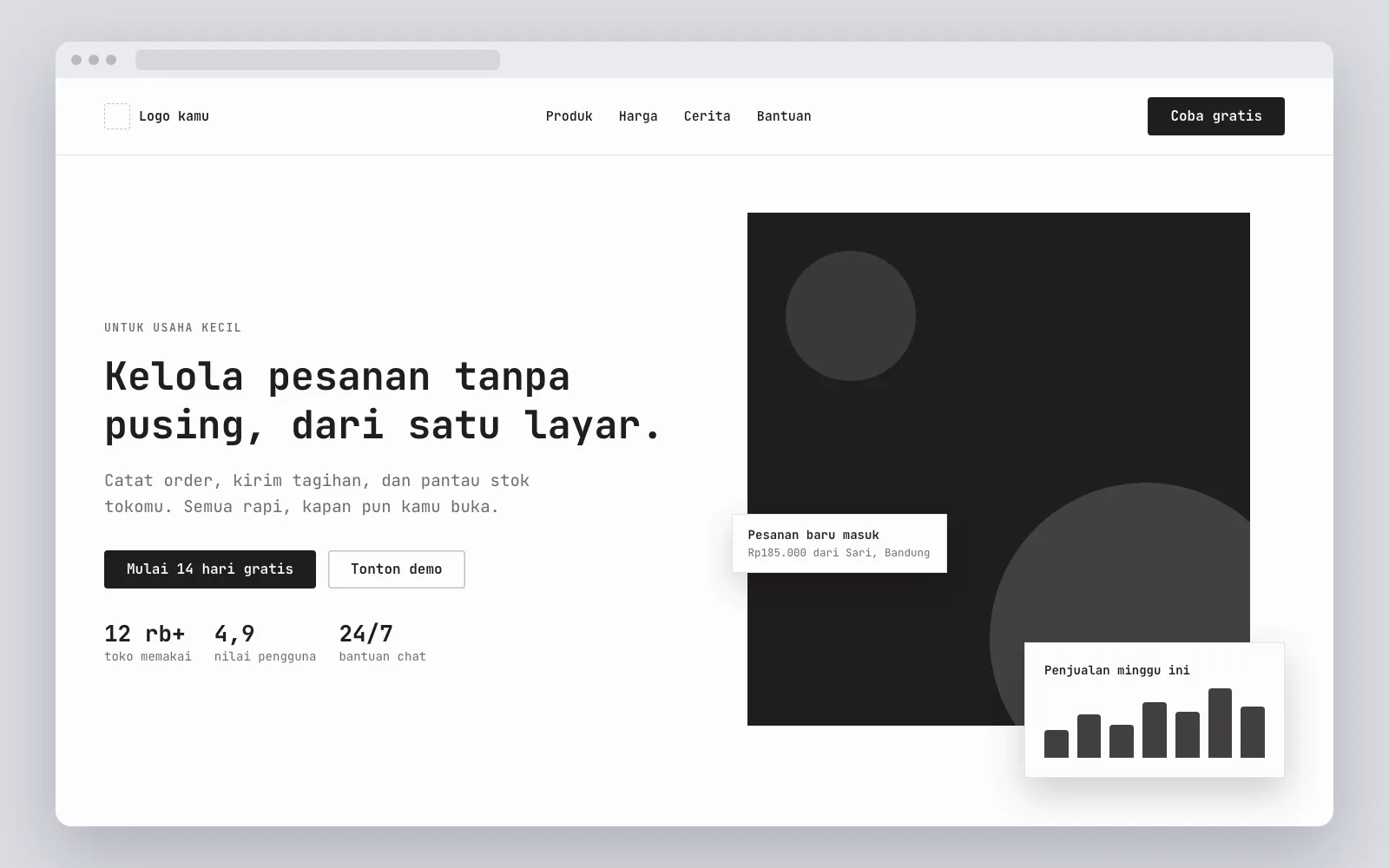
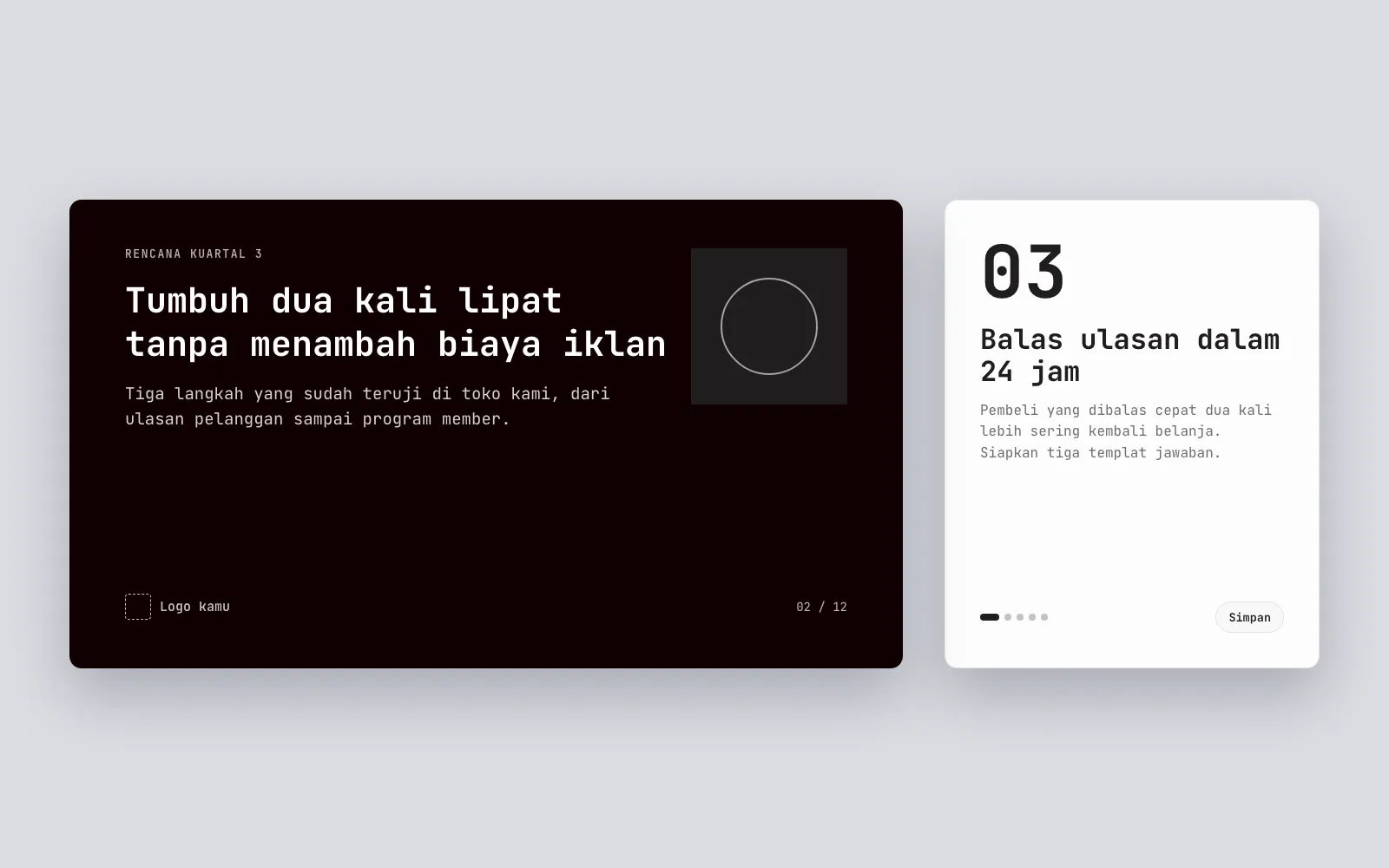
A OpenCode-style design system in one DESIGN.md: colour palette, type, spacing, corners, shadows and component patterns. Primary colour #201D1D, type JetBrains Mono (stand-in for Berkeley Mono). Use it in an AI agent or chat AI to build landing pages, slides, carousels, posters or UI in the OpenCode style, filled with your own brand and product.
Source and licence: VoltAgent · MIT
Security check
The automatic check found something our team has to read by hand. Until then this skill has no badge.
- Downloads and runs a script
prompt.md - Downloads and runs a script
prompt.en.md - Downloads and runs a script
files/DESIGN.md
- Loads from outside
- Nothing. Everything it needs is inside the ZIP.
See the 6 files inside
skill.json6 KBSKILL.md3 KBprompt.md34 KBprompt.en.md34 KBfiles/DESIGN.md32 KBfiles/LICENSE.txt1 KB
Checked 14 Nov 2026
Part of SkillFlow Pro
Pro opens every skill in every category: copy, ZIP, Send to AI, install, save, and request new skills.
Get Pro Already subscribed? Sign inWhat you get
- Landing pages or web sections in the OpenCode style
- Slide decks and carousels on the same tokens
- UI components (buttons, cards, forms, navigation) by the design system rules
- Colour and type tokens as CSS variables
Good fit
- Designers who want AI output that looks like a mature product
- Founders without a design system of their own
- Teams that need web, slides and carousels in one consistent style
Not for
- Copying the OpenCode logo or official identity
- Making material that claims to be OpenCode
About this skill
/design-opencode Build a landing page for my online class with this design system. Class name Quick Brew, price 49 in my currency, contact +62 812 0000 0000.
Show more
A OpenCode-style design system in one DESIGN.md: colour palette, type, spacing, corners, shadows and component patterns. Primary colour #201D1D, type JetBrains Mono (stand-in for Berkeley Mono). Use it in an AI agent or chat AI to build landing pages, slides, carousels, posters or UI in the OpenCode style, filled with your own brand and product.
User reviews
FAQ
Is this the official OpenCode design?
No. It is an analysis of the visual style seen in OpenCode products (colour, type, spacing, components), written as a DESIGN.md. No logo or brand photography is included, and neither should be copied. Names and trademarks belong to their owners.
What about the original font?
Berkeley Mono is a brand-owned or licensed font, so results use JetBrains Mono from Google Fonts as a stand-in. If you hold a licence for the original, say so in your request.
Can I combine it with other skills?
Yes. Use any landing page, slide or carousel skill for the structure and copy, then ask the AI to use design-opencode for the colours, type and components.
Which AI can I use it with?
Copy the prompt into a chat AI (ChatGPT, Claude, Gemini, DeepSeek); or download the ZIP and install it in an AI agent (Claude Code, Codex, Antigravity, Hermes Agent, Cursor, GitHub Copilot, Gemini CLI, OpenCode, Kimi Code, Trae), which then builds the files for you.
What is in the ZIP?
One folder named design-opencode with SKILL.md (the instructions an AI agent reads) and the prompt, 6 files in all. Extract it into your agent's skills folder, or install it with npx skillflow-ai add design-opencode. Pro only.
Is there a per-use fee or credits?
Not from SkillFlow. The skill runs on the AI you already use, so any cost follows that plan.
Which plan includes it?
SkillFlow Pro. It opens every skill in every category.
Can I use my own brand?
The colours, type and spacing come from this design system, so there is no colour theme to pick. Your brand profile still fills in the content: name, product, price and contact.
Can I share what I made?
Pro members can upload the result and get a page at share.skillflow.ai.id to send to anyone. The page carries a small "Made with SkillFlow AI" mark.
Is there a download limit?
Yes, per day: 50 skills on Pro, 10 on other plans. Downloading a skill again on the same day does not count.



