

Rendered sample video
SKILL.md contents
Premium subscribers can read, copy, and install this skill.
Unlock with Premium Sign inThen vs Now
Description
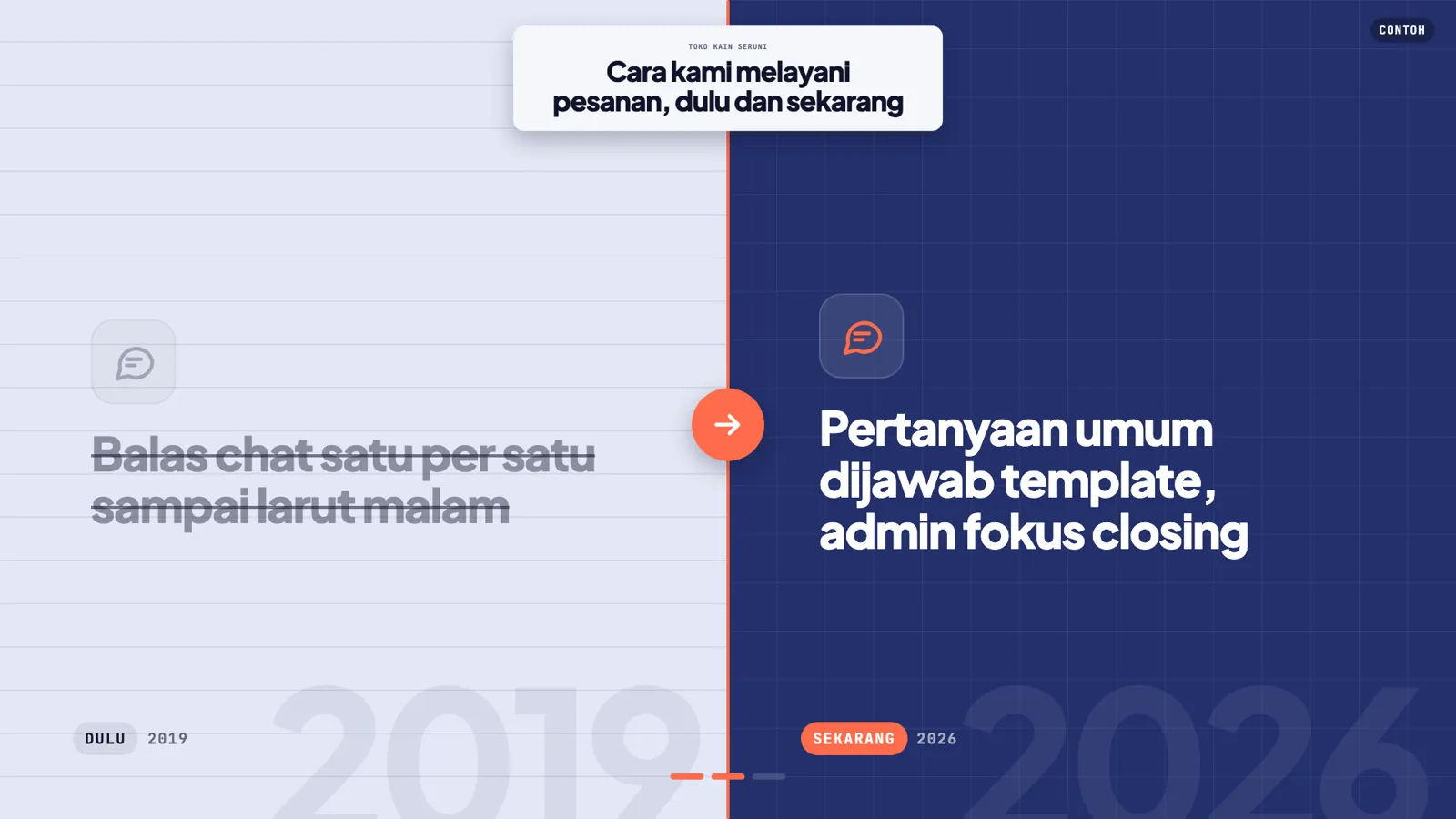
A change story video on a screen split between two eras: the Then side ruled like a school notebook, the Now side in brand colour, a big faint year on each side. For each pair the old habit appears, then the new way slides out of the centre line while the old one dims and gets struck through. At the end the Now panel takes over the whole screen with the result of the change and a WhatsApp call to action. 2 to 5 pairs from one config object, 16:9 and 9:16, 22 seconds max.
Verified by SkillFlow
We checked every file in this skill automatically: no command that downloads and runs a program, no hidden code, no instruction telling your AI to ignore you.
- Loads from outside
- Fonts: Google Fonts
See the 5 files inside
skill.json9 KBSKILL.md7 KBprompt.md5 KBprompt.en.md6 KBfiles/scene.html22 KB
Checked 14 Nov 2026
Part of SkillFlow Pro
Pro opens every skill in every category: copy, ZIP, Send to AI, install, save, and request new skills.
Get Pro Already subscribed? Sign inWhat you get
- Script: title, label and year for both eras, 2 to 5 pairs of old habit and new way, result, call to action
- A split-screen HTML scene driven by one config object, with the duration worked out automatically
- 12 built-in line icons (book, phone, clock, money, truck, chat, chart, house, paper, cart, person, camera)
- Closing: the Now panel takes over the screen, a big result number, and a WhatsApp button
- MP4 1920x1080 (16:9) split left and right and 1080x1920 (9:16) split top and bottom, 30 fps
- 3 palettes: city indigo, night, deep green
Good fit
- Owners telling the story of how their way of working changed since a given year
- Consultants, agencies, or service admins making client case studies of before and after working together
- Shops celebrating an anniversary or announcing an updated service
- Creators who need change stories without needing photos
Not for
- Not a before and after comparison of work photos
- Not a comparison with competitors
- It does not invent habits or result numbers; everything must have really happened
- At most 5 pairs and about 22 seconds per video
About this skill
/dulu-vs-sekarang Make a then vs now video for our catering business, Then 2019 Now 2026, 4 habits that changed, the result is orders done 3 hours faster, closing with a WhatsApp call to action
Show more
A change story video on a screen split between two eras: the Then side ruled like a school notebook, the Now side in brand colour, a big faint year on each side. For each pair the old habit appears, then the new way slides out of the centre line while the old one dims and gets struck through. At the end the Now panel takes over the whole screen with the result of the change and a WhatsApp call to action. 2 to 5 pairs from one config object, 16:9 and 9:16, 22 seconds max.

User reviews
FAQ
How do I write strong then and now pairs?
Write concrete habits people can picture, such as "Orders written in a notebook", not adjectives like "it used to be messy". The now side must answer the same then side, one sentence of 4 to 14 words per side.
My result cannot be put into numbers, what then?
Leave the result number empty and keep only the result sentence. If the story is not final yet, keep sample mode on so a Sample label shows in the corner until you replace it.
What does the 9:16 format look like?
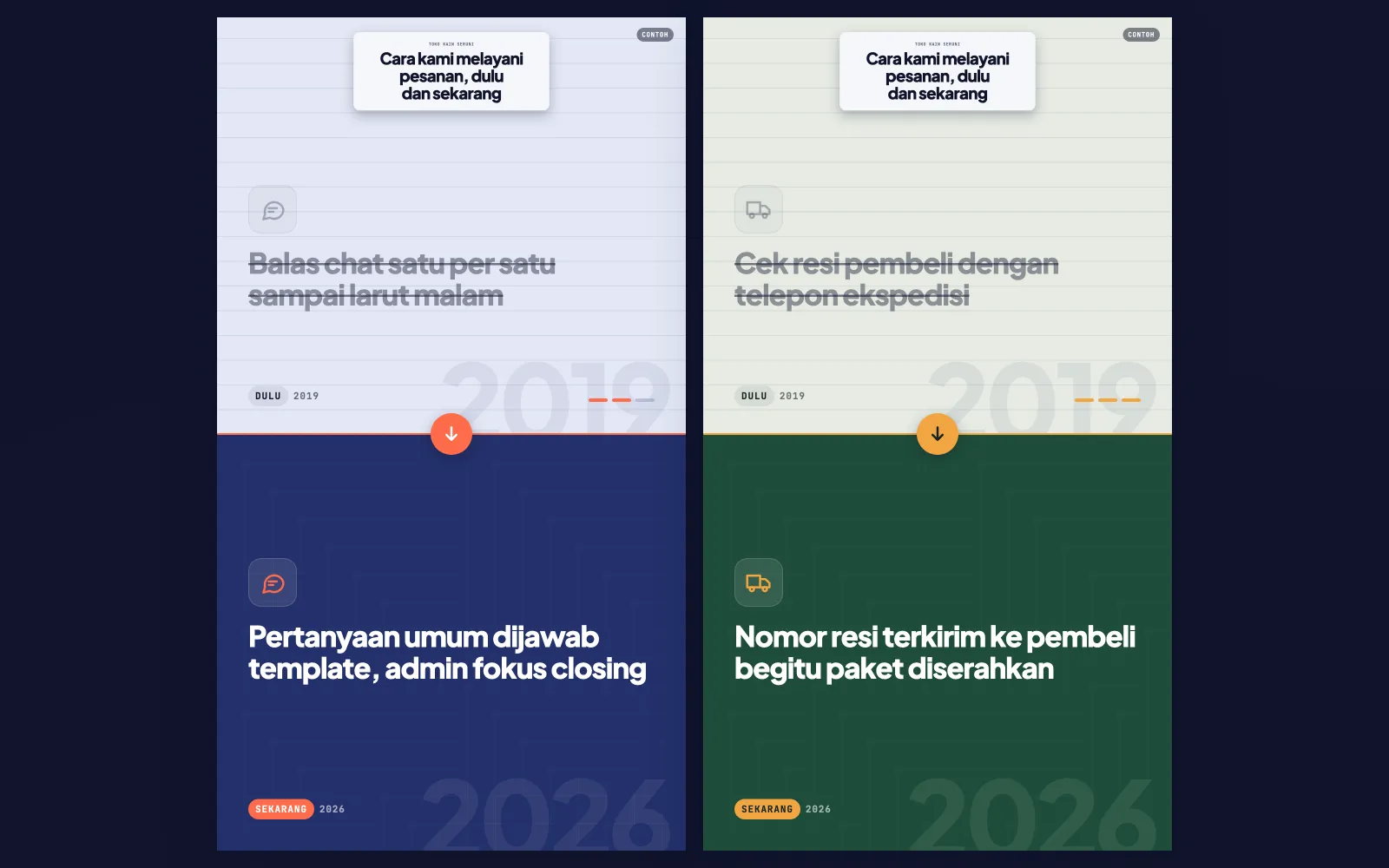
The screen is split top and bottom instead of left and right. The script stays the same, so you can render a 16:9 version for YouTube and a 9:16 version for Reels from one file.
Which AI can I use it with?
Copy the prompt into a chat AI (ChatGPT, Claude, Gemini, DeepSeek): you get an HTML file; open it in Chrome and press Download MP4 (silent video, a minute or two to render); or download the ZIP and install it in an AI agent (Claude Code, Codex, Antigravity, Hermes Agent, Cursor, GitHub Copilot, Gemini CLI, OpenCode, Kimi Code, Trae), which then builds the files for you.
What is in the ZIP?
One folder named dulu-vs-sekarang with SKILL.md (the instructions an AI agent reads) and the prompt, 5 files in all. Extract it into your agent's skills folder, or install it with npx skillflow-ai add dulu-vs-sekarang. Pro only.
Is there a per-use fee or credits?
Not from SkillFlow. The skill runs on the AI you already use, so any cost follows that plan.
Which plan includes it?
SkillFlow Pro. It opens every skill in every category.
Can I use my own colours and brand?
Yes. Pick a colour theme on this page, or fill in your brand profile once; both go into the prompt you copy and into the ZIP.
Can I share what I made?
Pro members can upload the result and get a page at share.skillflow.ai.id to send to anyone. The page carries a small "Made with SkillFlow AI" mark.
Is there a download limit?
Yes, per day: 50 skills on Pro, 10 on other plans. Downloading a skill again on the same day does not count.



