

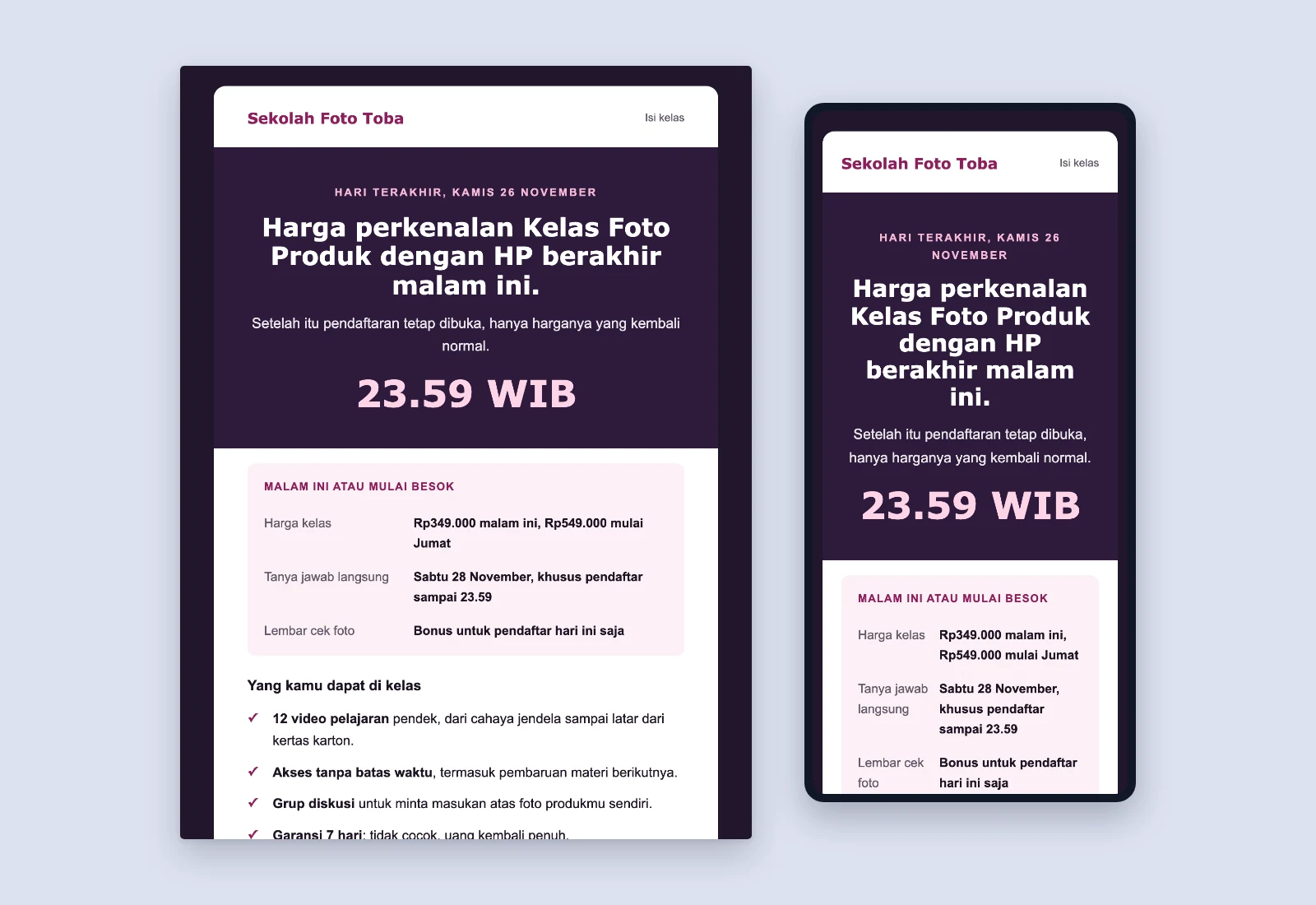
A last chance email on desktop and phone: the real deadline day and time, big and centred
SKILL.md contents
Premium subscribers can read, copy, and install this skill.
Unlock with Premium Sign inLast Chance Email
Description
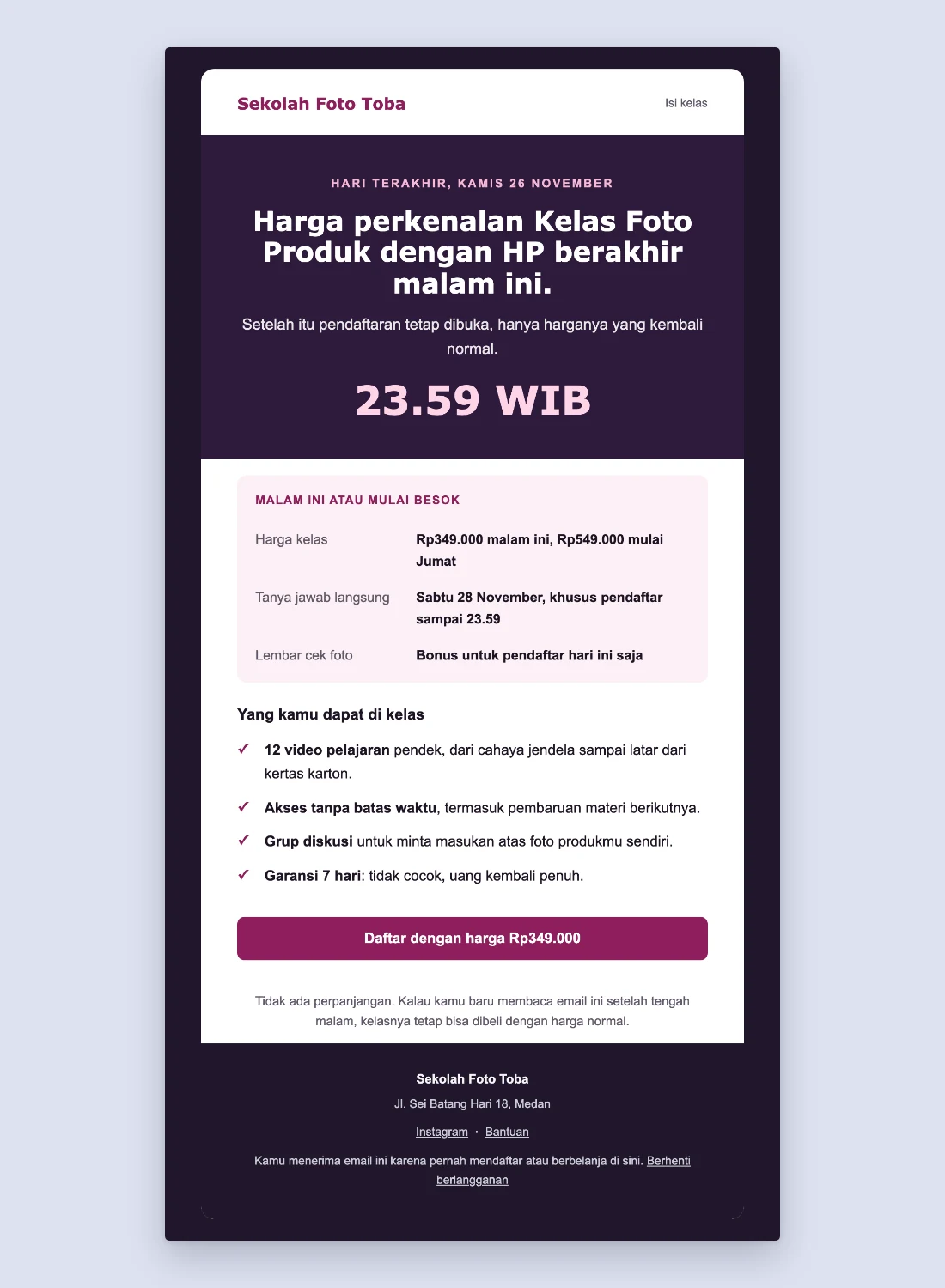
A paste-ready HTML last chance email: the real deadline day and time in big type, a box of what changes after it, an offer recap with the guarantee, one big full-width button and an honest no-extension note, in 600 px inline tables that render cleanly in Gmail, Outlook and on phones.
Verified by SkillFlow
We checked every file in this skill automatically: no command that downloads and runs a program, no hidden code, no instruction telling your AI to ignore you.
- Loads from outside
- SkillFlow: directory.skillflow.ai.id
See the 5 files inside
skill.json4 KBSKILL.md5 KBprompt.md5 KBprompt.en.md5 KBfiles/email.html9 KB
Checked 17 Nov 2026
Included in Basic and Pro
Basic copies the prompt. Pro also downloads the ZIP, sends to AI, installs into agents, and opens every category.
Get Pro Get Basic Already subscribed? Sign inWhat you get
- A 600 px last-day HTML email
- The real deadline time in big type
- A box of what changes after the deadline
- One big full-width button
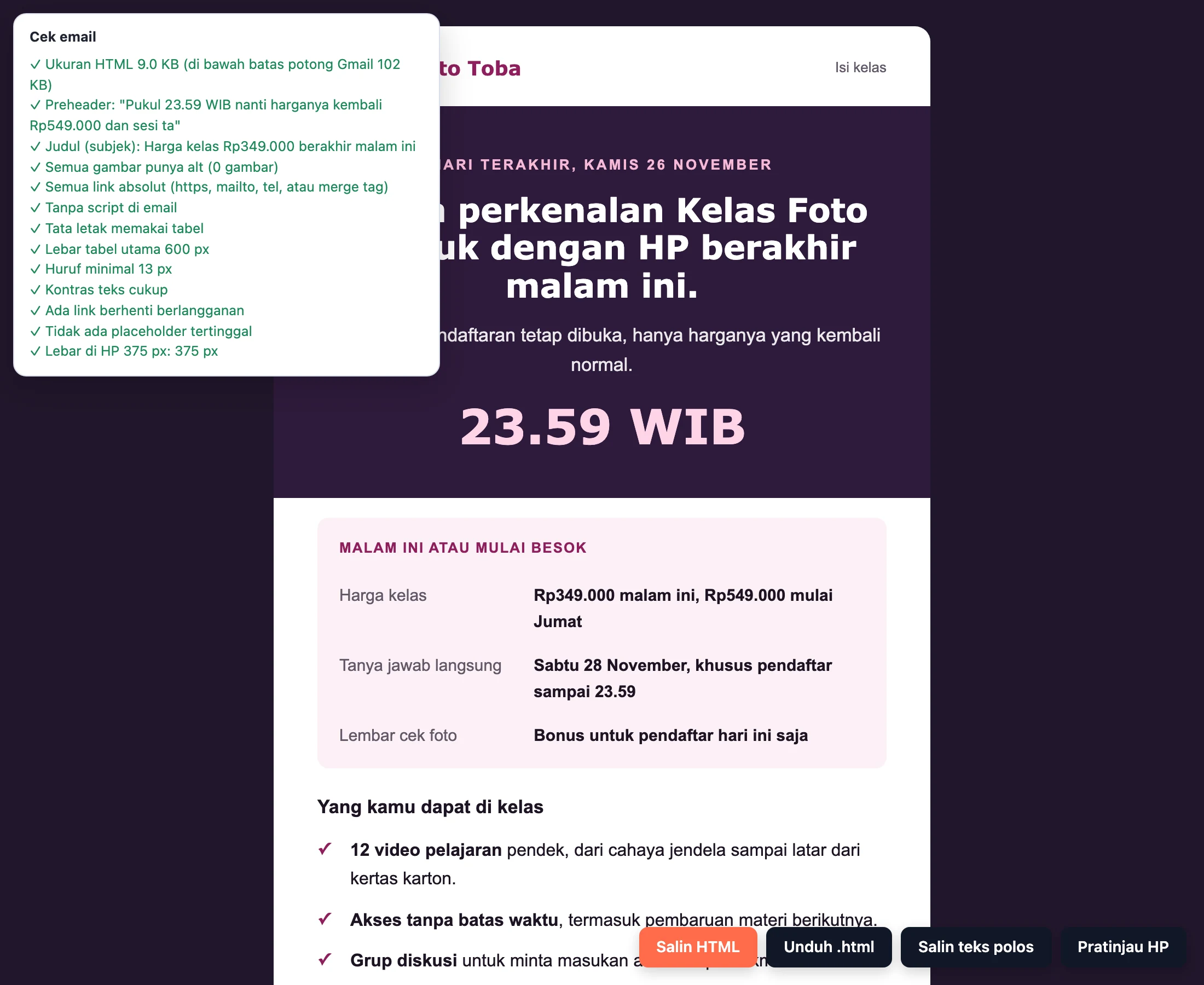
- Copy HTML and phone preview buttons
Good fit
- The last day of an early bird price
- Closing sign-ups for a class or event
- The last email of a promo series
Not for
- It does not make fake deadlines or countdowns
- It does not schedule sending in your email tool
About this skill
/email-penawaran-terakhir Make a last-day email for an online product photo class: the 349,000 price ends Thursday 23:59 WIB, 549,000 from tomorrow, a Saturday Q&A only for today's sign-ups
Show more
A paste-ready HTML last chance email: the real deadline day and time in big type, a box of what changes after it, an offer recap with the guarantee, one big full-width button and an honest no-extension note, in 600 px inline tables that render cleanly in Gmail, Outlook and on phones.
User reviews
FAQ
Can I use it in my email tool?
Yes, as long as the tool accepts HTML (a code editor or HTML import). Press Copy HTML and paste; the SkillFlow script line is never copied. Switch merge tags such as {{name}} and {{unsubscribe}} to your tool's format, then send yourself a test first.
Which AI can I use it with?
Copy the prompt into a chat AI (ChatGPT, Claude, Gemini, DeepSeek); or download the ZIP and install it in an AI agent (Claude Code, Codex, Antigravity, Hermes Agent, Cursor, GitHub Copilot, Gemini CLI, OpenCode, Kimi Code, Trae), which then builds the files for you.
What is in the ZIP?
One folder named email-penawaran-terakhir with SKILL.md (the instructions an AI agent reads) and the prompt, 5 files in all. Extract it into your agent's skills folder, or install it with npx skillflow-ai add email-penawaran-terakhir. Pro only.
Is there a per-use fee or credits?
Not from SkillFlow. The skill runs on the AI you already use, so any cost follows that plan.
Which plan includes it?
Basic and Pro. Basic copies the prompt; Pro also downloads the ZIP, sends to AI, installs into agents and shares results by link.
Can I use my own colours and brand?
Yes. Pick a colour theme on this page, or fill in your brand profile once; both go into the prompt you copy and into the ZIP.
Can I share what I made?
Pro members can upload the result and get a page at share.skillflow.ai.id to send to anyone. The page carries a small "Made with SkillFlow AI" mark.
Is there a download limit?
Yes, per day: 50 skills on Pro, 10 on other plans. Downloading a skill again on the same day does not count.



