

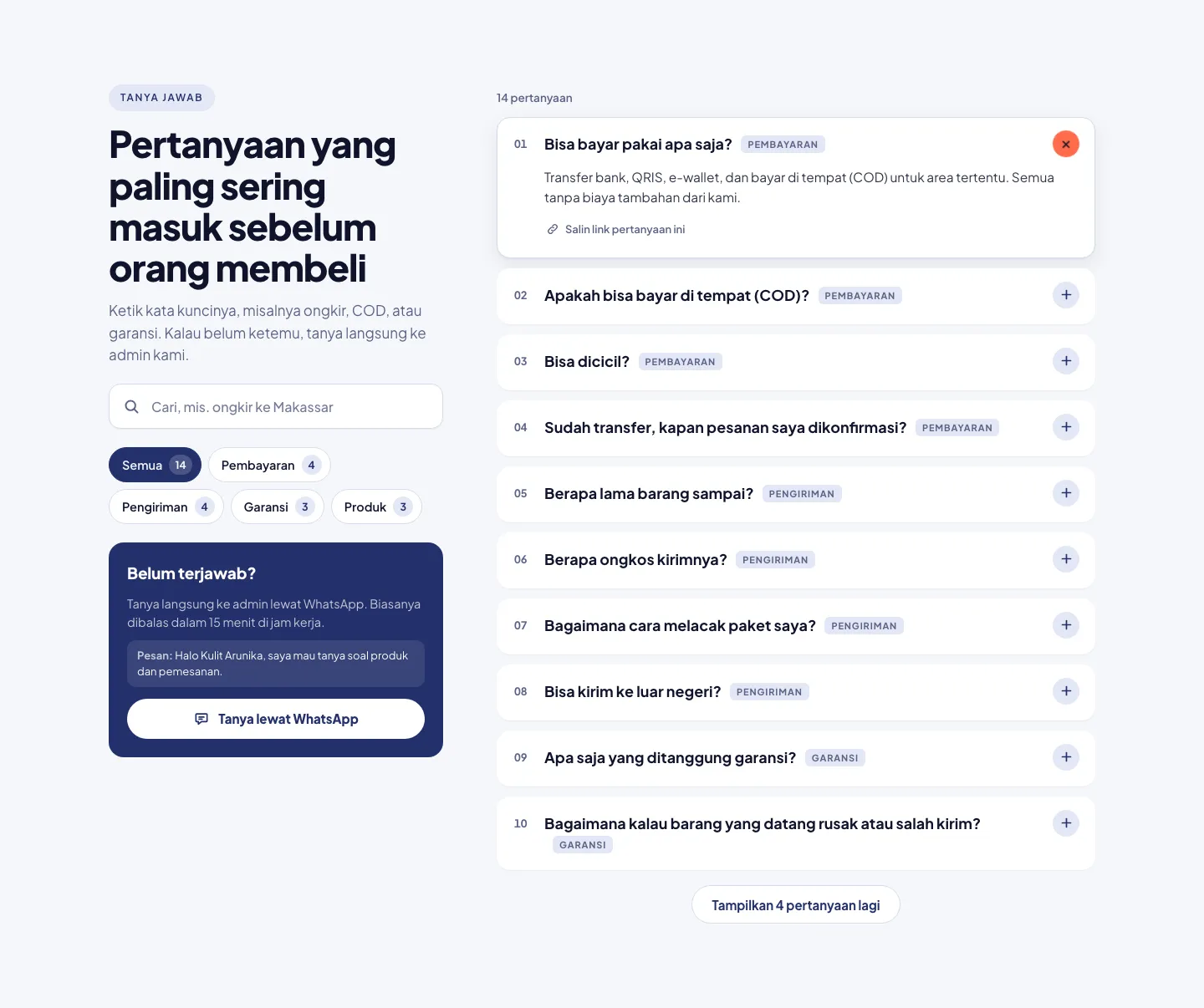
Card layout: a side panel with search, category chips, and the WhatsApp box
SKILL.md contents
Premium subscribers can read, copy, and install this skill.
Unlock with Premium Sign inBuyer FAQ (Section)
Description
A landing page FAQ section built for how buyers actually look for answers: category chips (Payment, Shipping, Warranty, Product) with answer counts, a search box that understands synonyms, a keyboard-friendly accordion, direct links to a single question through a #hash, FAQPage JSON-LD generated from the same content, and an Ask on WhatsApp box whose message already contains what the buyer searched for. Two layouts, three palettes, one HTML file that is safe to paste.
Verified by SkillFlow
We checked every file in this skill automatically: no command that downloads and runs a program, no hidden code, no instruction telling your AI to ignore you.
- Loads from outside
- Fonts: Google Fonts
See the 5 files inside
skill.json10 KBSKILL.md7 KBprompt.md6 KBprompt.en.md6 KBfiles/faq.html39 KB
Checked 14 Nov 2026
Part of SkillFlow Pro
Pro opens every skill in every category: copy, ZIP, Send to AI, install, save, and request new skills.
Get Pro Already subscribed? Sign inWhat you get
- A one-file HTML FAQ section, scoped CSS so it is safe to paste into other pages
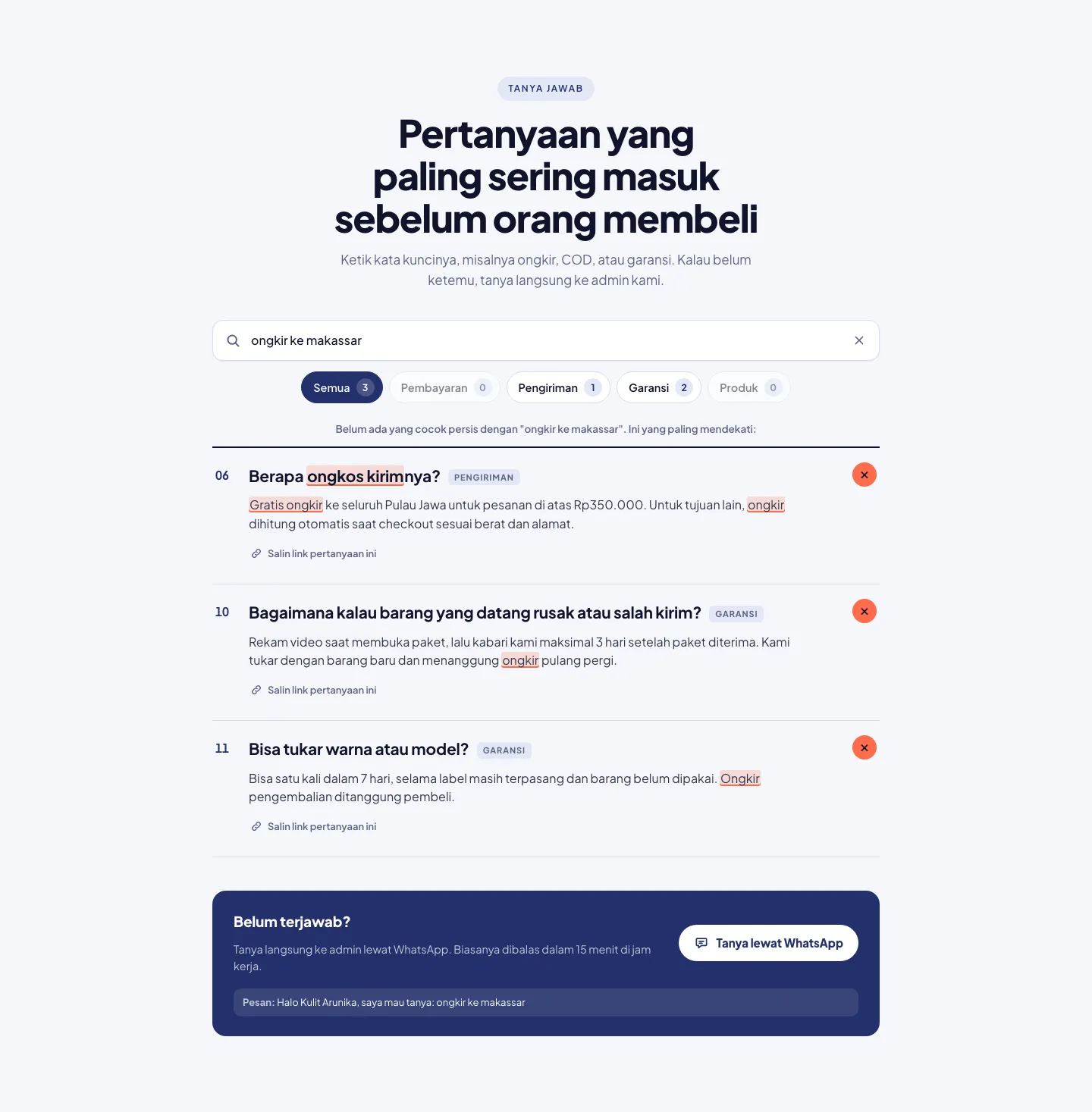
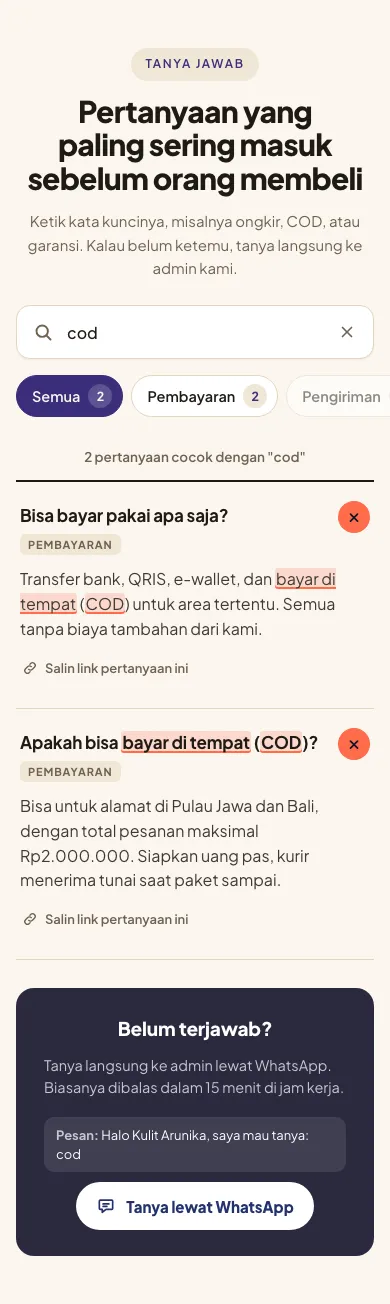
- Counted category chips + a search box with synonyms, highlighted matches, and closest results
- An accessible accordion: keyboard buttons, up/down arrows, Home/End, opens from a #id
- FAQPage JSON-LD generated from the same content, plus a static copy to paste into the head
- An Ask on WhatsApp box with the message prefilled with what the buyer is searching for
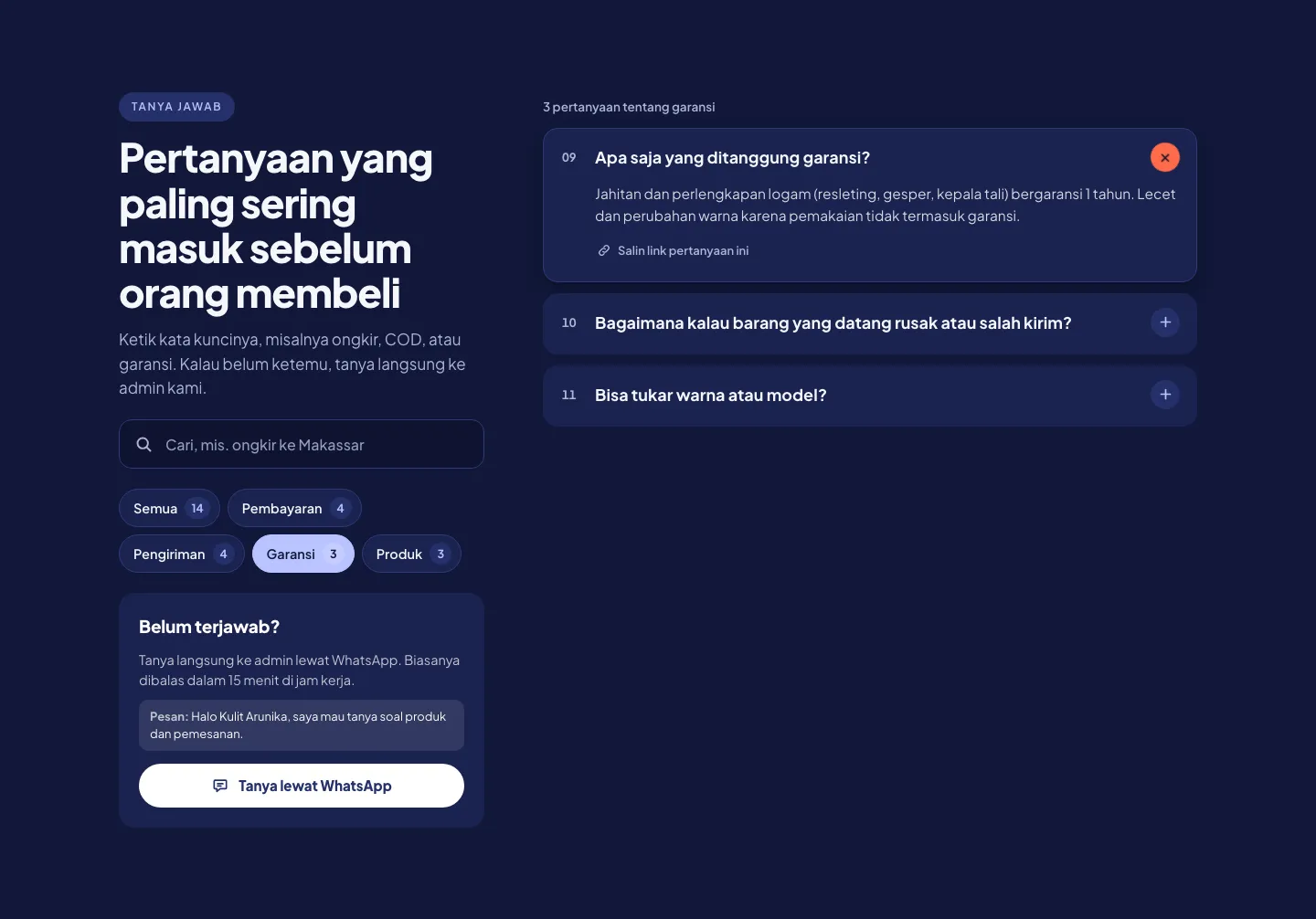
- 2 layouts (cards with a side panel, numbered lines) and 3 palettes (indigo, night, sand)
- A guide to building 8 to 30 questions from the chats buyers send most often
Good fit
- Online shops, digital products, courses, or services whose admins answer the same questions repeatedly
- Landing pages needing a full FAQ or a small help page
- Admins who want to send a link to one answer instead of retyping it
- Sellers who want the FAQ structured for search engines
Not for
- It does not invent policy numbers like shipping costs, COD limits, or warranty periods
- Not a chatbot; search only matches words and synonyms in the FAQ
- Static HTML section only, no backend
- Unanswered questions go to WhatsApp, they are not answered automatically
About this skill
/faq-pembeli-section Build a buyer FAQ section for our t-shirt shop, 20 questions from admin chats on shipping, cash on delivery, sizing, and stitching warranty, card style, with an ask on WhatsApp box
Show more
A landing page FAQ section built for how buyers actually look for answers: category chips (Payment, Shipping, Warranty, Product) with answer counts, a search box that understands synonyms, a keyboard-friendly accordion, direct links to a single question through a #hash, FAQPage JSON-LD generated from the same content, and an Ask on WhatsApp box whose message already contains what the buyer searched for. Two layouts, three palettes, one HTML file that is safe to paste.
User reviews
FAQ
Why should question ids never change?
Because admins and buyers save links to specific answers, like page#faq-shipping. Use short ids such as shipping or cod from the start and keep them after launch.
Buyers search with different words, what then?
Add synonym groups, such as shipping, delivery fee, and postage, including local terms and common typos. Test with 5 sentences from real buyer chats, and if one fails, add a synonym or keyword.
What about structured data for search engines?
FAQPage JSON-LD is inserted automatically from the same content, and a static version is provided to paste into the page head for the safest result.
Which AI can I use it with?
Copy the prompt into a chat AI (ChatGPT, Claude, Gemini, DeepSeek); or download the ZIP and install it in an AI agent (Claude Code, Codex, Antigravity, Hermes Agent, Cursor, GitHub Copilot, Gemini CLI, OpenCode, Kimi Code, Trae), which then builds the files for you.
What is in the ZIP?
One folder named faq-pembeli-section with SKILL.md (the instructions an AI agent reads) and the prompt, 5 files in all. Extract it into your agent's skills folder, or install it with npx skillflow-ai add faq-pembeli-section. Pro only.
Is there a per-use fee or credits?
Not from SkillFlow. The skill runs on the AI you already use, so any cost follows that plan.
Which plan includes it?
SkillFlow Pro. It opens every skill in every category.
Can I use my own colours and brand?
Yes. Pick a colour theme on this page, or fill in your brand profile once; both go into the prompt you copy and into the ZIP.
Can I share what I made?
Pro members can upload the result and get a page at share.skillflow.ai.id to send to anyone. The page carries a small "Made with SkillFlow AI" mark.
Is there a download limit?
Yes, per day: 50 skills on Pro, 10 on other plans. Downloading a skill again on the same day does not count.



