

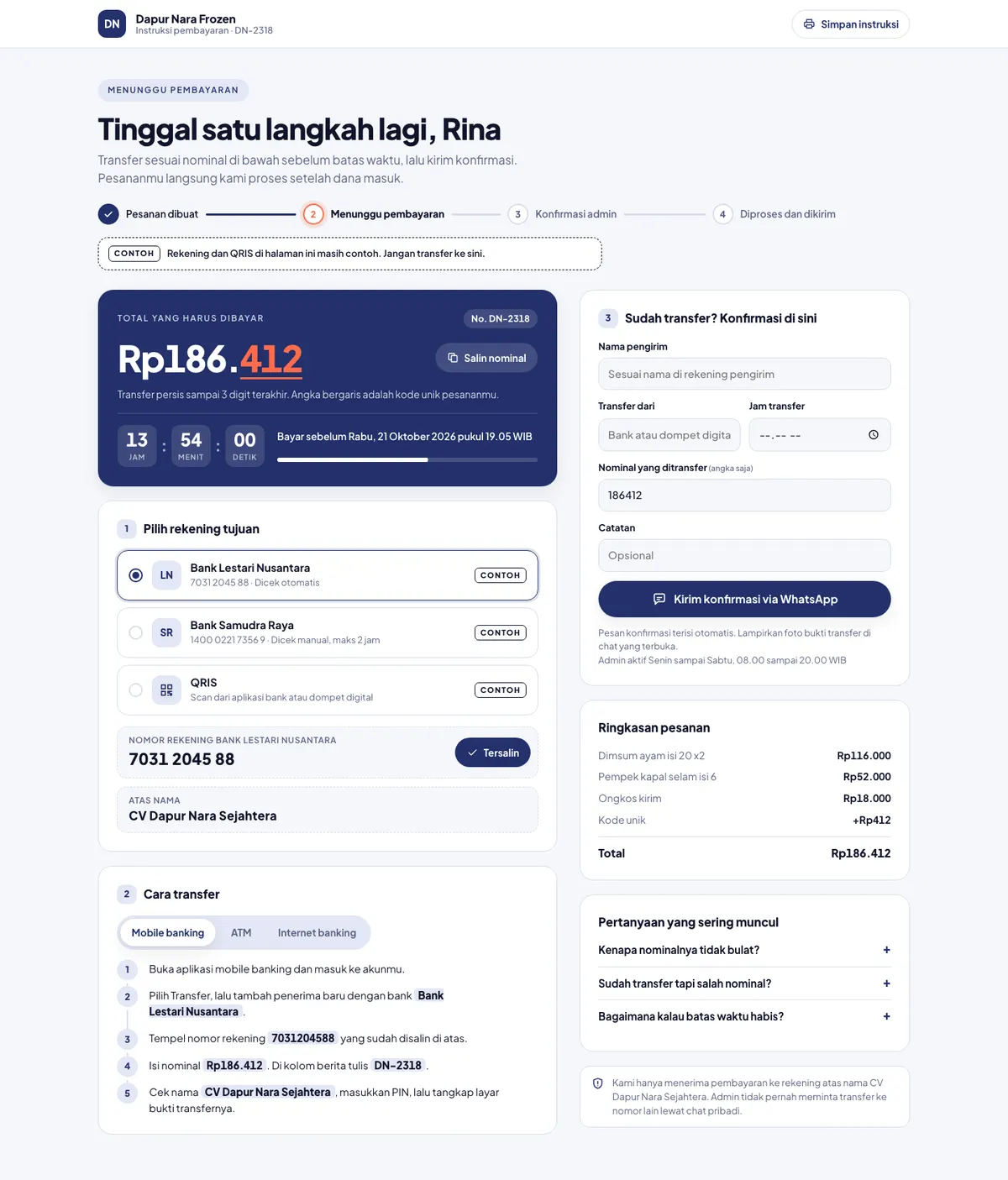
Desktop: bill with unique code and countdown, chosen account, mobile banking steps, confirmation form
SKILL.md contents
Premium subscribers can read, copy, and install this skill.
Unlock with Premium Sign inPayment Instructions Page
Description
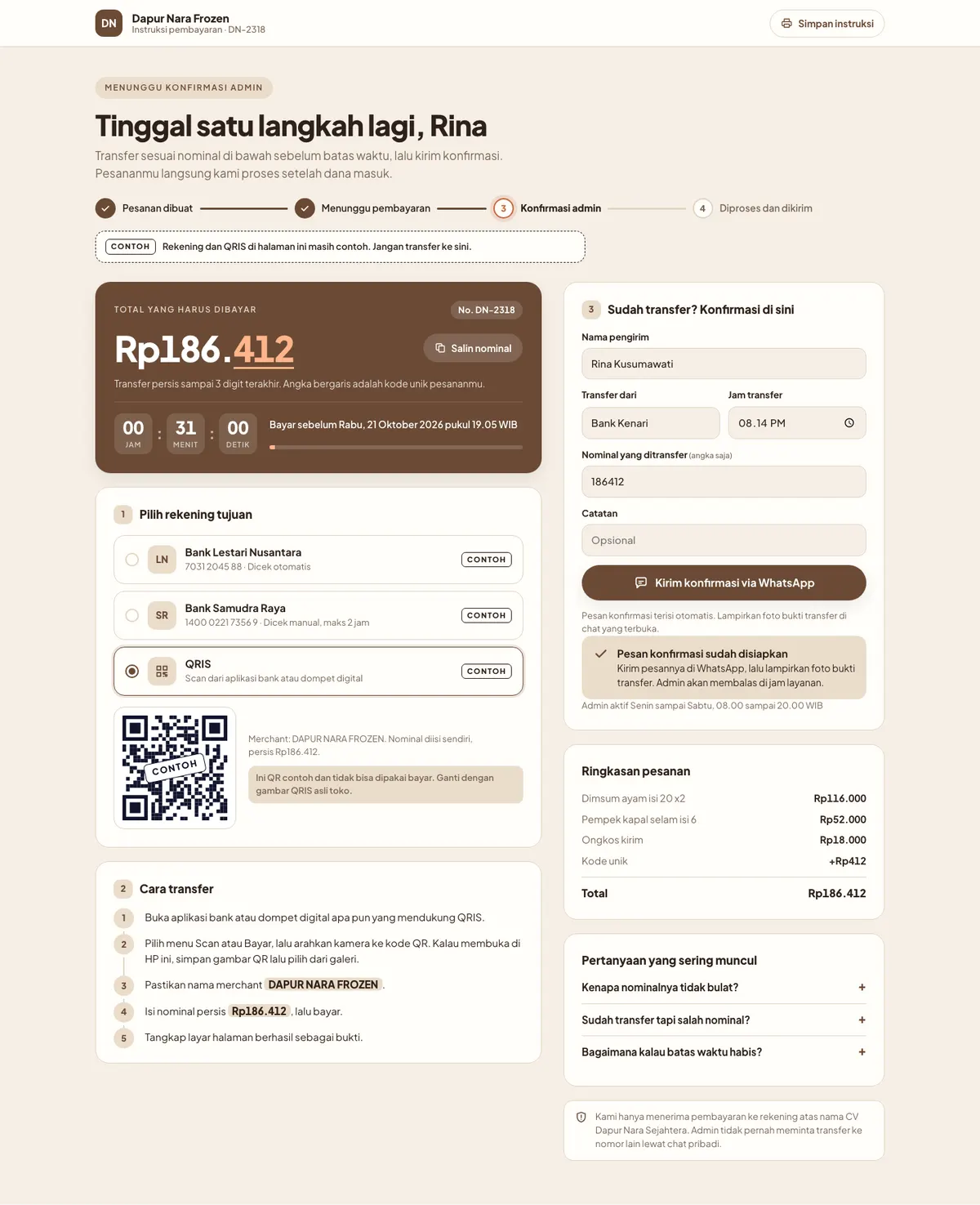
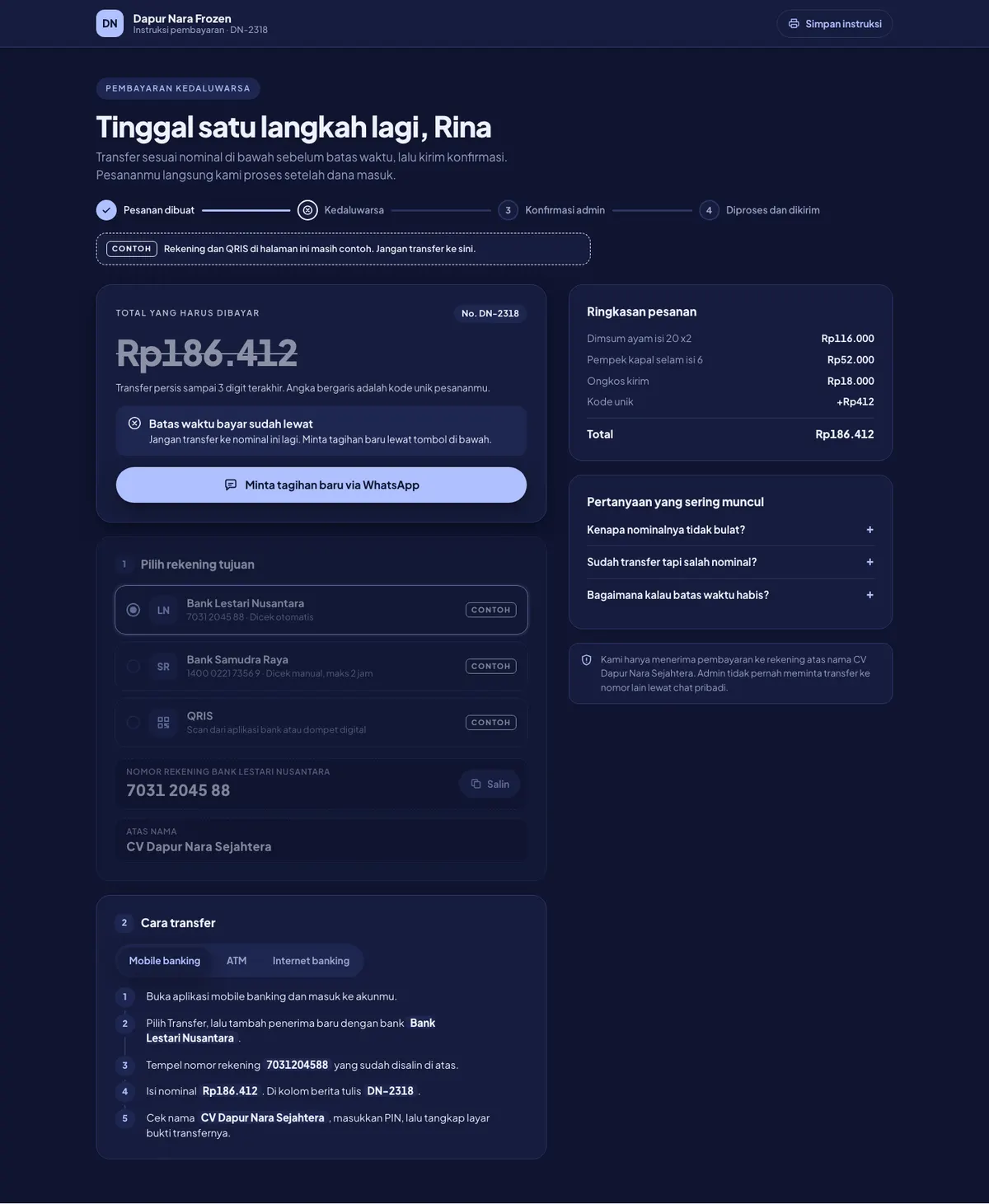
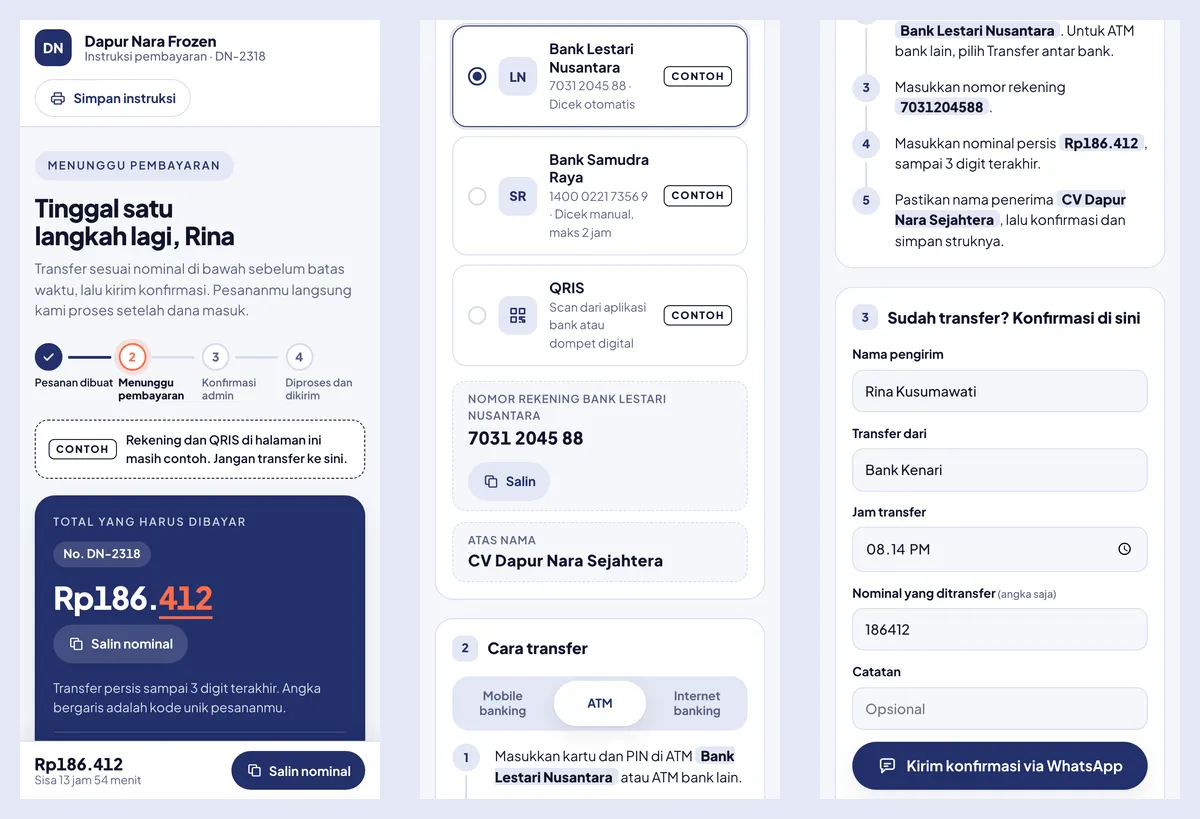
The page a buyer opens after a manual checkout: a 4-step order status, the bill total with its unique code, a payment deadline countdown that really ticks (it becomes a request-a-new-bill button once it passes), a choice of accounts and QRIS with copy buttons, transfer steps per method that fill in the number and amount, an order summary, and a confirmation form that builds a complete WhatsApp message. Save as PDF and a phone total bar included. Order number, amount, and deadline can come from the page address.
Verified by SkillFlow
We checked every file in this skill automatically: no command that downloads and runs a program, no hidden code, no instruction telling your AI to ignore you.
- Loads from outside
- Fonts: Google Fonts
See the 5 files inside
skill.json10 KBSKILL.md6 KBprompt.md5 KBprompt.en.md5 KBfiles/instruksi-pembayaran.html47 KB
Checked 14 Nov 2026
Part of SkillFlow Pro
Pro opens every skill in every category: copy, ZIP, Send to AI, install, save, and request new skills.
Get Pro Already subscribed? Sign inWhat you get
- A one-file HTML page, all content from one config object, tidy on desktop and phone
- A 4-step order status that changes when the confirmation is sent or the deadline passes
- The bill total with its unique code highlighted, a copy-amount button, an hours:minutes:seconds countdown
- A choice of accounts and QRIS (marked SAMPLE until real details are filled in) with copy-number buttons
- Transfer steps per payment method that fill in the bank, account number, amount, and order number
- A validated confirmation form that opens the admin's WhatsApp with a complete message
- Address parameters (?order=&nominal=&batas=&nama=), 3 palettes, save the instructions as PDF
Good fit
- Shops taking bank transfers and QRIS with manual confirmation
- Sellers who want buyers to know how much, where, and by when right after checkout
- Admins tired of chasing missing transfer details
- Shops wanting one general page filled per order through a link
Not for
- It does not process or verify payments; the admin still matches against real bank records
- It does not create or guess QRIS codes; only your shop's QRIS image is used
- Values in the URL can be changed by anyone holding the link
- Not a thank you page after successful payment
About this skill
/halaman-instruksi-pembayaran Build a payment instructions page for our shop, 2 bank accounts and our real QRIS, a unique code, a 24 hour payment deadline, a confirmation form to the admin's WhatsApp, one page for all orders via URL parameters
Show more
The page a buyer opens after a manual checkout: a 4-step order status, the bill total with its unique code, a payment deadline countdown that really ticks (it becomes a request-a-new-bill button once it passes), a choice of accounts and QRIS with copy buttons, transfer steps per method that fill in the number and amount, an order summary, and a confirmation form that builds a complete WhatsApp message. Save as PDF and a phone total bar included. Order number, amount, and deadline can come from the page address.
User reviews
FAQ
Why do the accounts show a SAMPLE label?
While sample mode is on, every account and QR shows SAMPLE with a do not transfer here notice. Turn it off after real details are entered and checked digit by digit.
How does one page serve every order?
Send a link with parameters, such as ?order=DN-2318&nominal=186412&deadline=...&name=Rina. All values are cleaned and shown as text, and when the amount comes from the URL, the item breakdown becomes a single bill line.
What happens when the deadline passes?
The order status switches to expired and a request a new bill WhatsApp button appears. The deadline is written in the shop's time zone, not the buyer's phone zone.
Which AI can I use it with?
Copy the prompt into a chat AI (ChatGPT, Claude, Gemini, DeepSeek); or download the ZIP and install it in an AI agent (Claude Code, Codex, Antigravity, Hermes Agent, Cursor, GitHub Copilot, Gemini CLI, OpenCode, Kimi Code, Trae), which then builds the files for you.
What is in the ZIP?
One folder named halaman-instruksi-pembayaran with SKILL.md (the instructions an AI agent reads) and the prompt, 5 files in all. Extract it into your agent's skills folder, or install it with npx skillflow-ai add halaman-instruksi-pembayaran. Pro only.
Is there a per-use fee or credits?
Not from SkillFlow. The skill runs on the AI you already use, so any cost follows that plan.
Which plan includes it?
SkillFlow Pro. It opens every skill in every category.
Can I use my own colours and brand?
Yes. Pick a colour theme on this page, or fill in your brand profile once; both go into the prompt you copy and into the ZIP.
Can I share what I made?
Pro members can upload the result and get a page at share.skillflow.ai.id to send to anyone. The page carries a small "Made with SkillFlow AI" mark.
Is there a download limit?
Yes, per day: 50 skills on Pro, 10 on other plans. Downloading a skill again on the same day does not count.



