

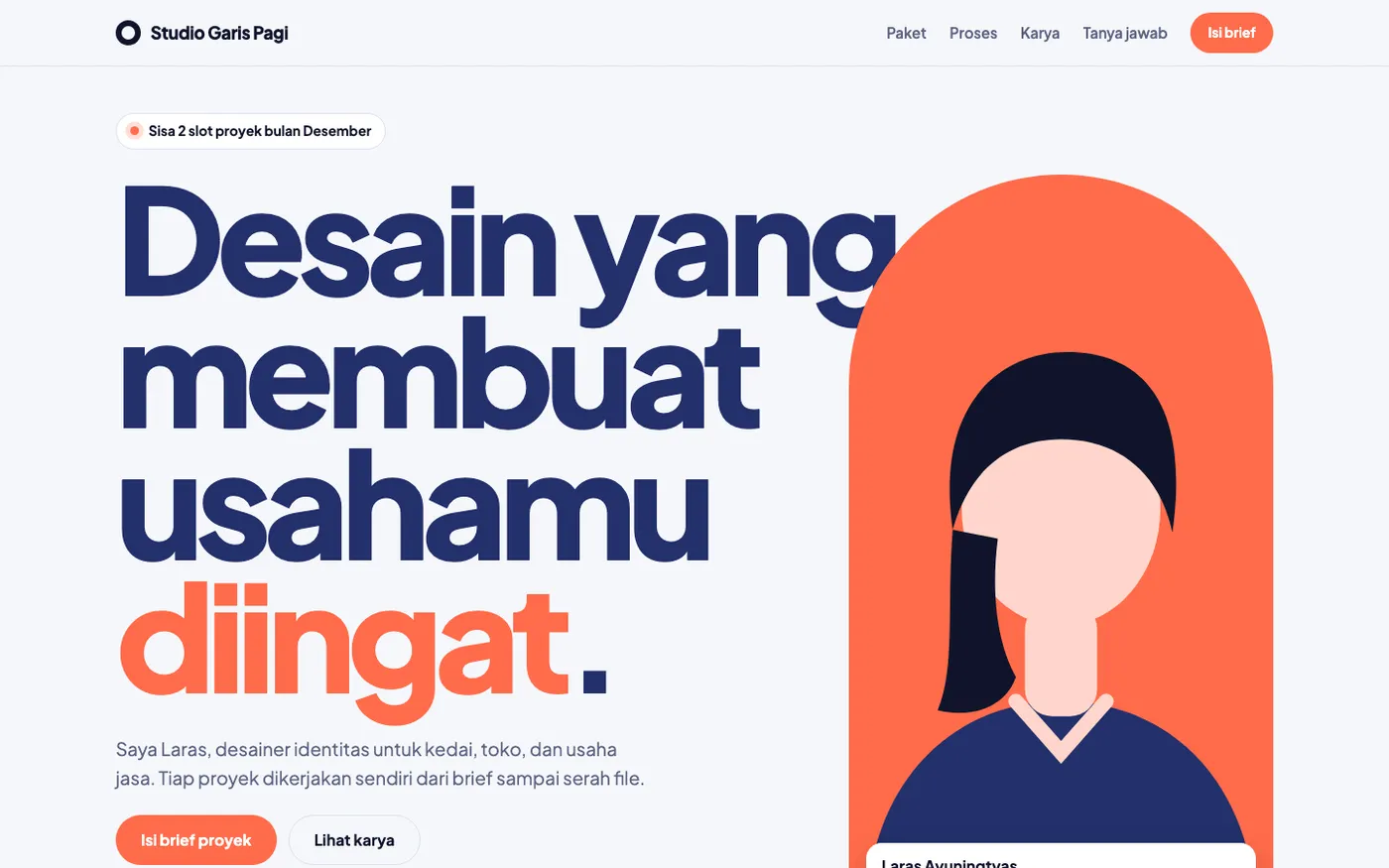
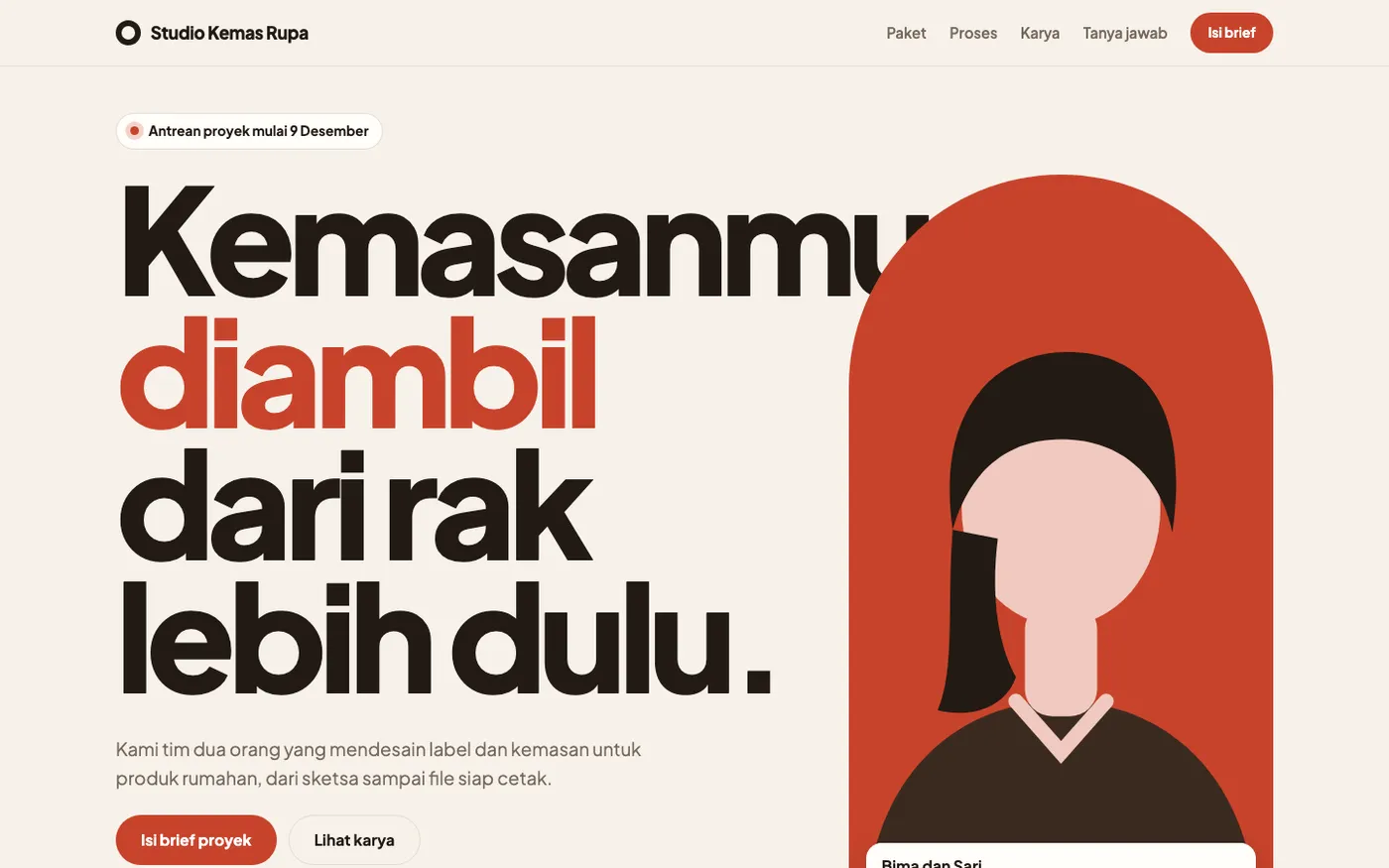
Hero: a giant statement cut by a portrait, project slots left, and the brief button
SKILL.md contents
Premium subscribers can read, copy, and install this skill.
Unlock with Premium Sign inDesign Service Page
Description
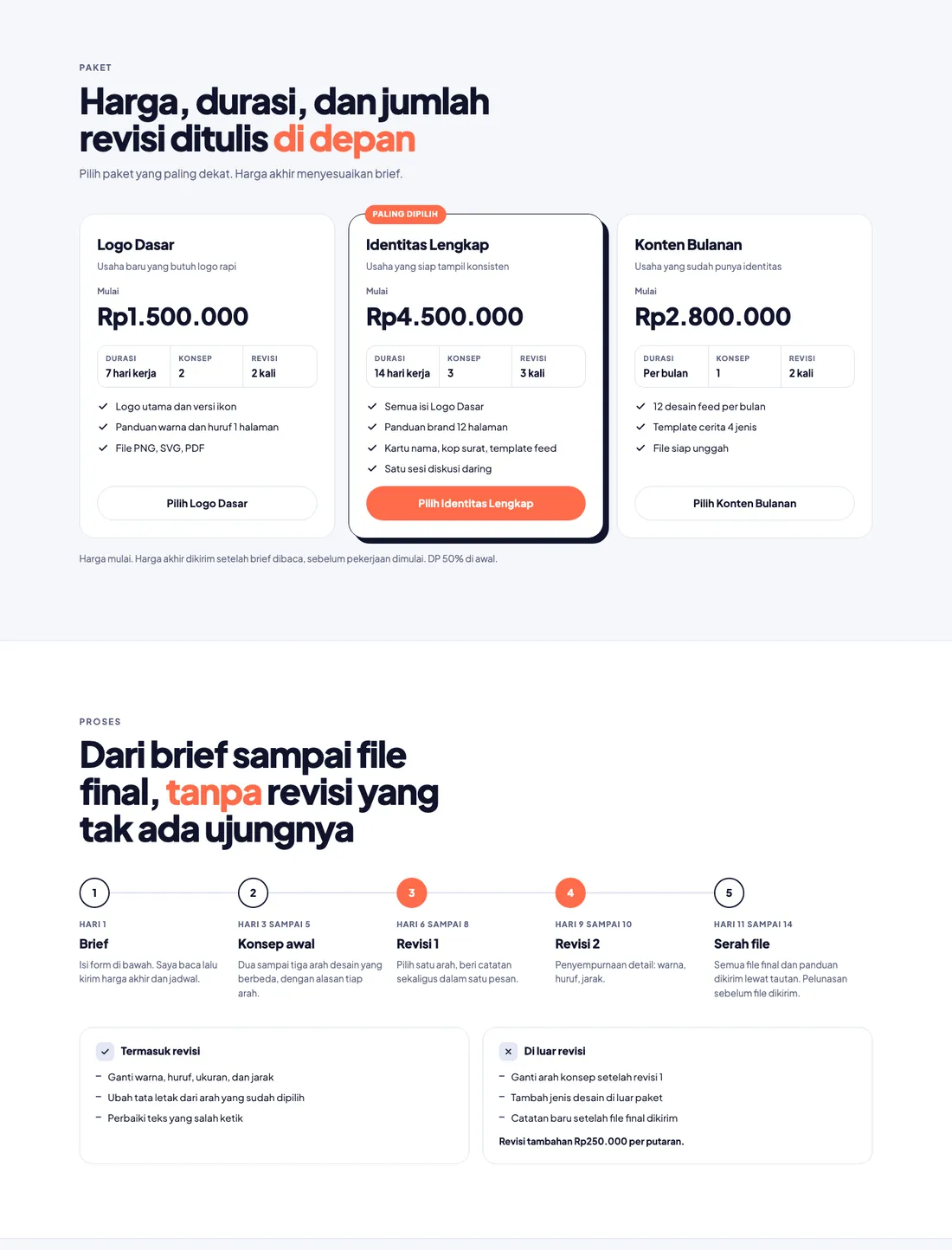
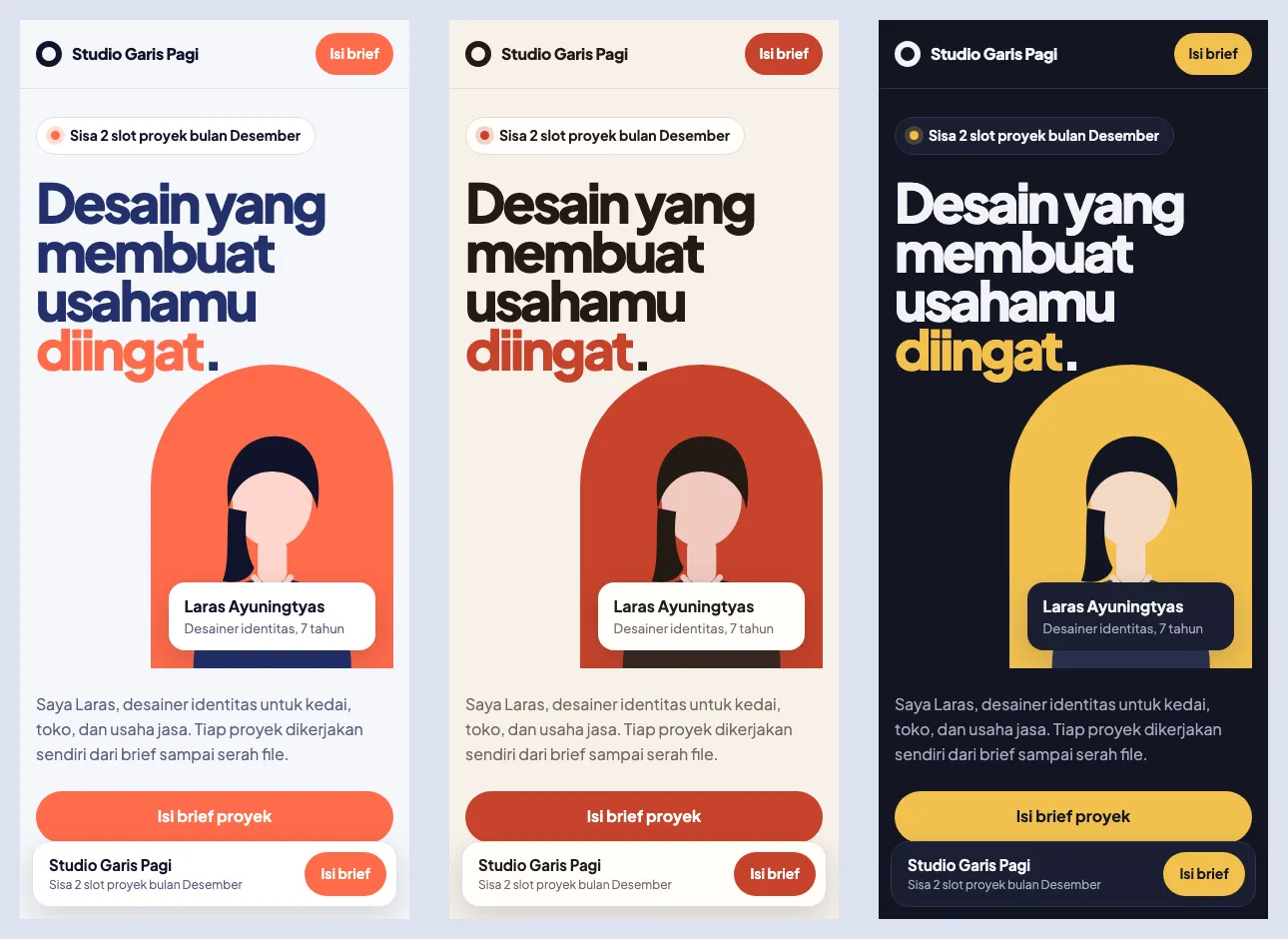
A sales page for freelance designers and design studios: a giant statement cut by a portrait (a built-in silhouette or your own photo), a project-slots notice, a services strip, packages with starting price, duration, number of concepts, and number of revisions in writing, a workflow from brief to file handover with revision rounds marked, what counts as a revision and what does not, work samples with type filters, a three-step brief form sent to WhatsApp, and FAQs. One responsive HTML file, 3 palettes including a dark one.
Verified by SkillFlow
We checked every file in this skill automatically: no command that downloads and runs a program, no hidden code, no instruction telling your AI to ignore you.
- Loads from outside
- Fonts: Google Fonts
See the 5 files inside
skill.json12 KBSKILL.md7 KBprompt.md4 KBprompt.en.md5 KBfiles/jasa-desain.html41 KB
Checked 14 Nov 2026
Part of SkillFlow Pro
Pro opens every skill in every category: copy, ZIP, Send to AI, install, save, and request new skills.
Get Pro Already subscribed? Sign inWhat you get
- A one-file HTML design service page driven by one content object (statement, packages, process, work, brief options)
- A hero with a giant statement cut by a portrait, a slots-left label, and a services strip
- Package cards with starting price, duration, number of concepts, number of revisions, what is included, and a highlighted package
- A numbered workflow with revision rounds marked, plus what counts as a revision, what does not, and the extra-revision fee
- A work gallery with type filters, built-in sample images or real work, client, and one result
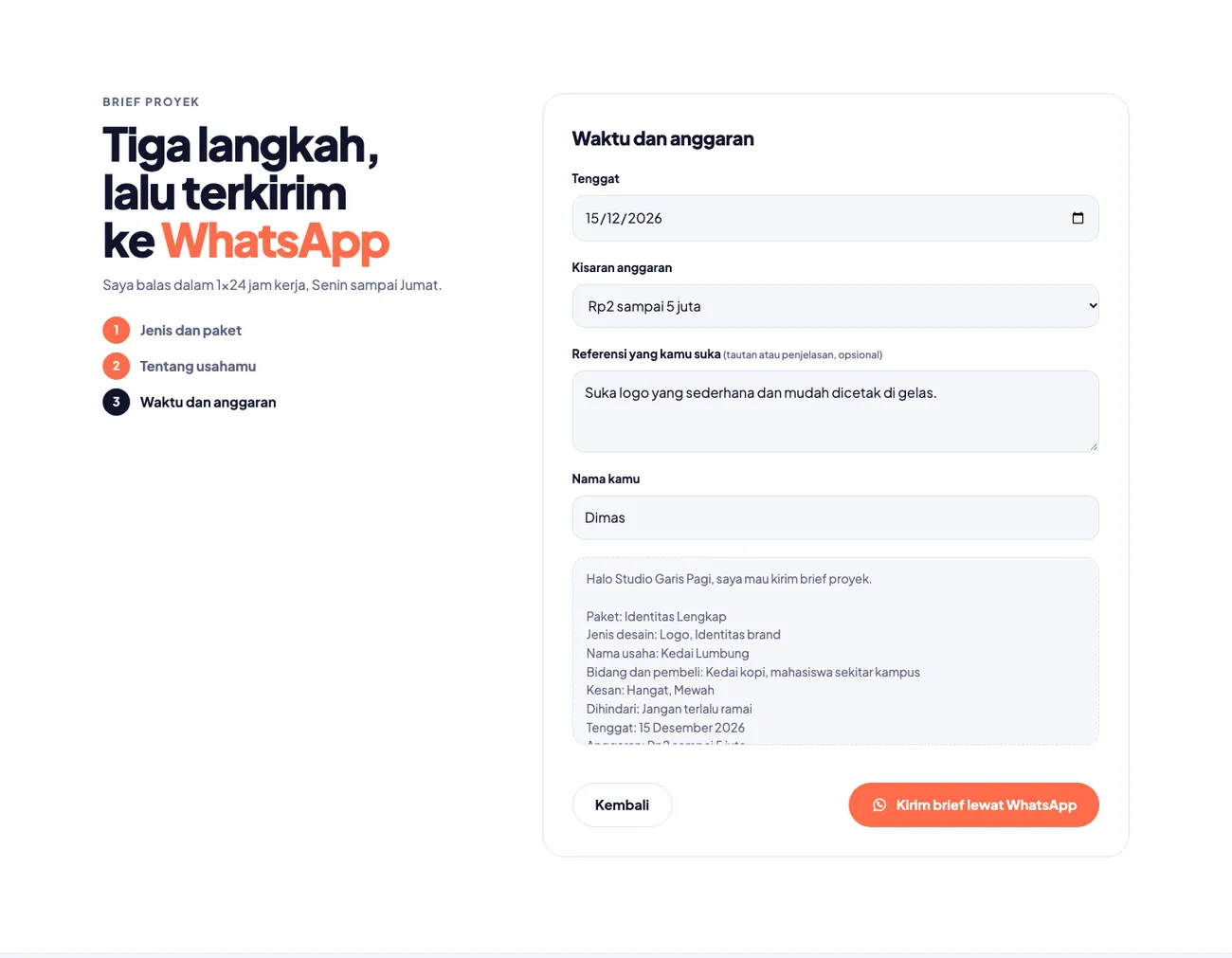
- A three-step brief form with field checks and a summary, sent as one WhatsApp message; 3 palettes
Good fit
- Freelance designers working on logos, identities, packaging, illustration, or content
- Small design studios that want client briefs to arrive complete instead of in scattered chats
- Designers stuck in endless revisions who want the rules written up front
- Design teachers who also take client projects
Not for
- It does not take payments or store briefs on a server: the brief is sent as a WhatsApp message
- It does not create a contract; the revision and usage rules here should also go into a written agreement
- The built-in work images are only sample shapes and must be replaced with real work before going live
- Not a company profile for a large agency with many teams and services
About this skill
/halaman-jasa-desain Build a page for my logo design service with three packages and clear revision limits, work samples, and a brief form that goes to WhatsApp
Show more
A sales page for freelance designers and design studios: a giant statement cut by a portrait (a built-in silhouette or your own photo), a project-slots notice, a services strip, packages with starting price, duration, number of concepts, and number of revisions in writing, a workflow from brief to file handover with revision rounds marked, what counts as a revision and what does not, work samples with type filters, a three-step brief form sent to WhatsApp, and FAQs. One responsive HTML file, 3 palettes including a dark one.
User reviews
FAQ
How do I replace the silhouette with my photo?
Set hero.foto to a half-body photo on a plain background, for example foto: 'laras.jpg'. It is cropped to the arched portrait automatically. If you prefer not to show your face, leave it empty and the built-in silhouette is used.
What does the brief form send?
The package, design types, business name, field and customers, the feel they want, what to avoid, deadline, budget range, references, and name, as one WhatsApp message to your number. The feel and budget options can be changed in the brief object.
Why is the number of revisions shown on every package?
Unlimited revisions are the most common source of disputes between designers and clients. Stating the number of rounds, what counts, and the extra-revision fee before the project starts means the client knows the rules from day one.
Which AI can I use it with?
Copy the prompt into a chat AI (ChatGPT, Claude, Gemini, DeepSeek); or download the ZIP and install it in an AI agent (Claude Code, Codex, Antigravity, Hermes Agent, Cursor, GitHub Copilot, Gemini CLI, OpenCode, Kimi Code, Trae), which then builds the files for you.
What is in the ZIP?
One folder named halaman-jasa-desain with SKILL.md (the instructions an AI agent reads) and the prompt, 5 files in all. Extract it into your agent's skills folder, or install it with npx skillflow-ai add halaman-jasa-desain. Pro only.
Is there a per-use fee or credits?
Not from SkillFlow. The skill runs on the AI you already use, so any cost follows that plan.
Which plan includes it?
SkillFlow Pro. It opens every skill in every category.
Can I use my own colours and brand?
Yes. Pick a colour theme on this page, or fill in your brand profile once; both go into the prompt you copy and into the ZIP.
Can I share what I made?
Pro members can upload the result and get a page at share.skillflow.ai.id to send to anyone. The page carries a small "Made with SkillFlow AI" mark.
Is there a download limit?
Yes, per day: 50 skills on Pro, 10 on other plans. Downloading a skill again on the same day does not count.



