

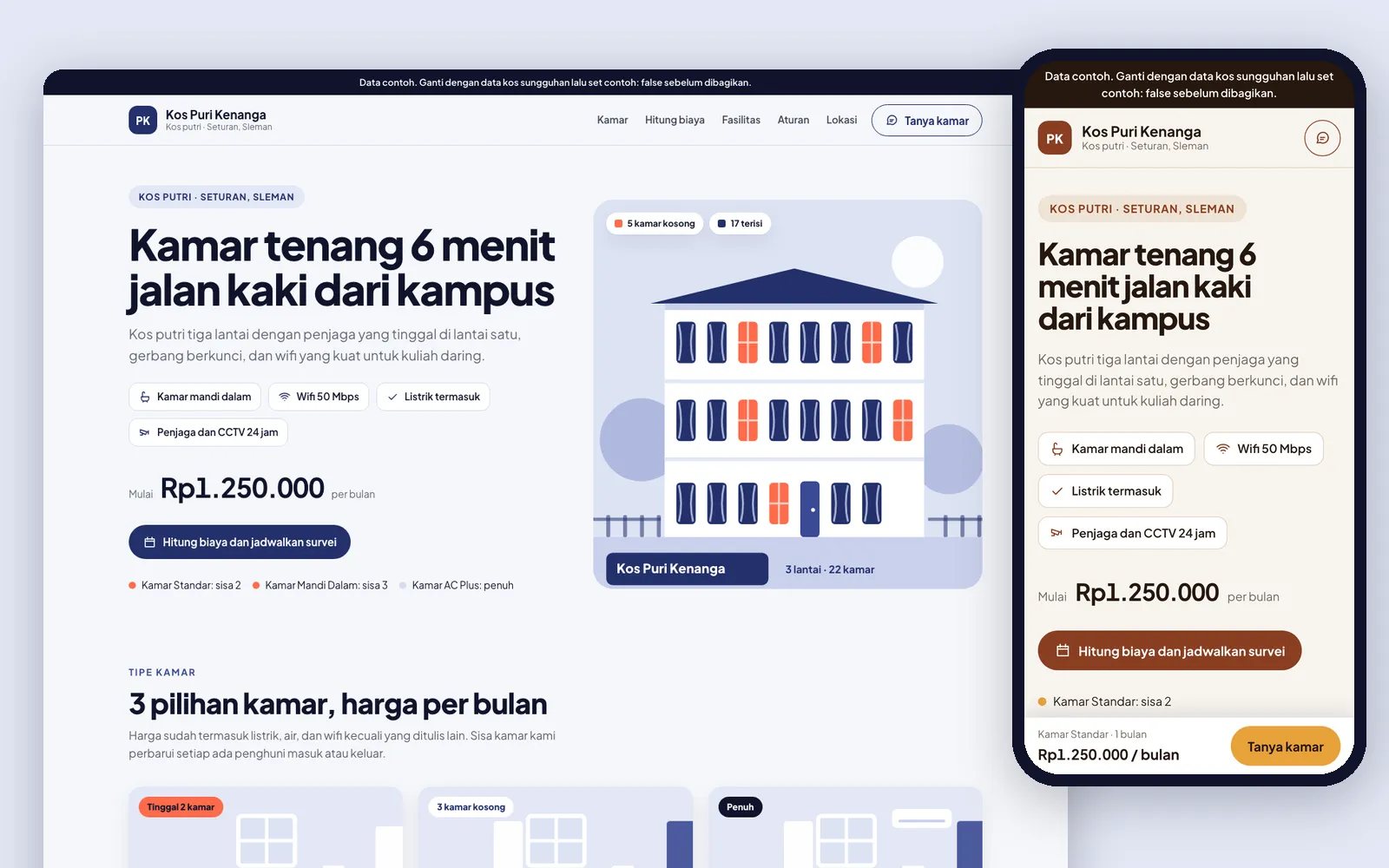
Hero with a building whose windows come from the rooms, empty ones in the accent colour; terracotta palette on a phone
SKILL.md contents
Premium subscribers can read, copy, and install this skill.
Unlock with Premium Sign inBoarding House Page
Description
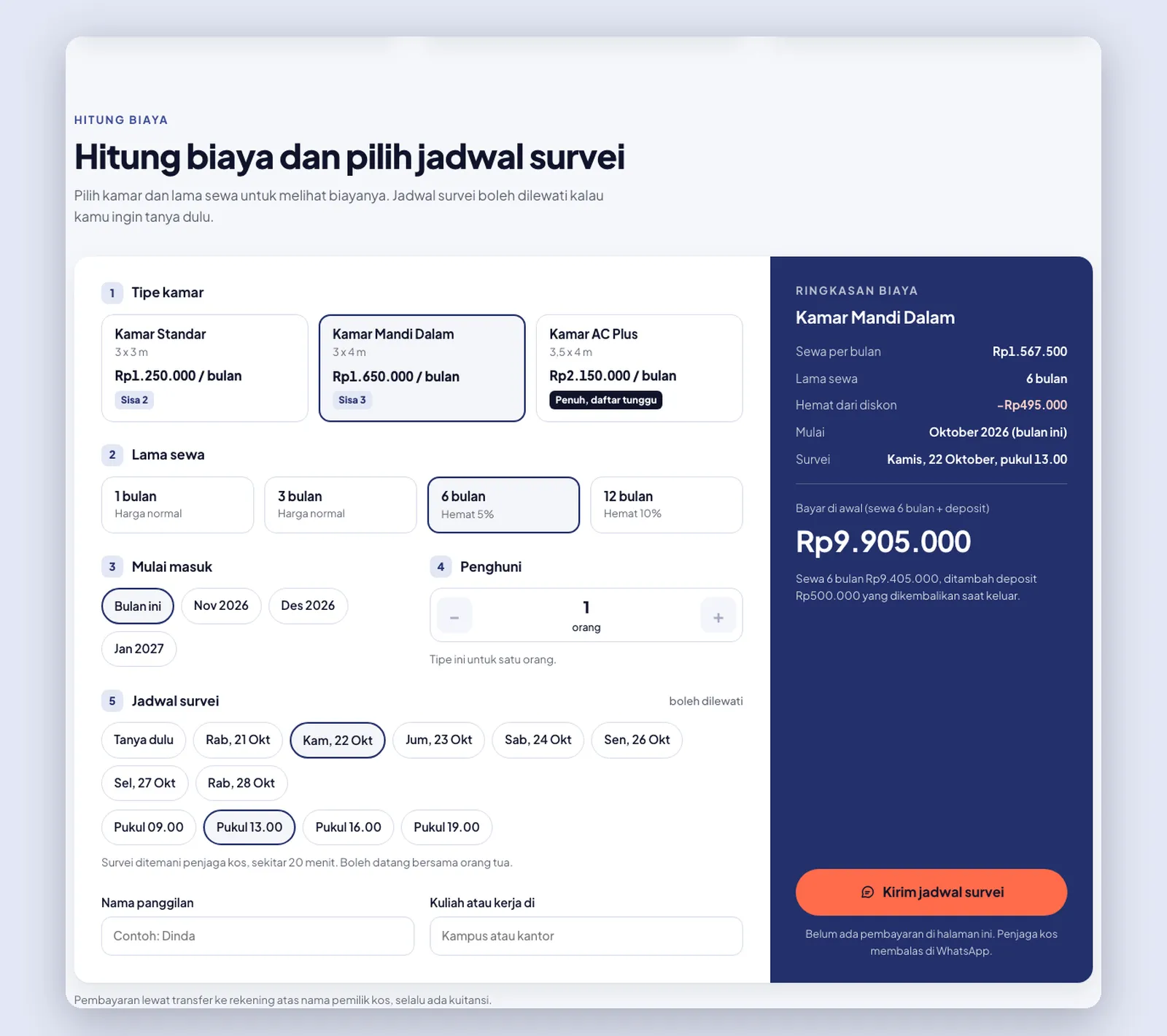
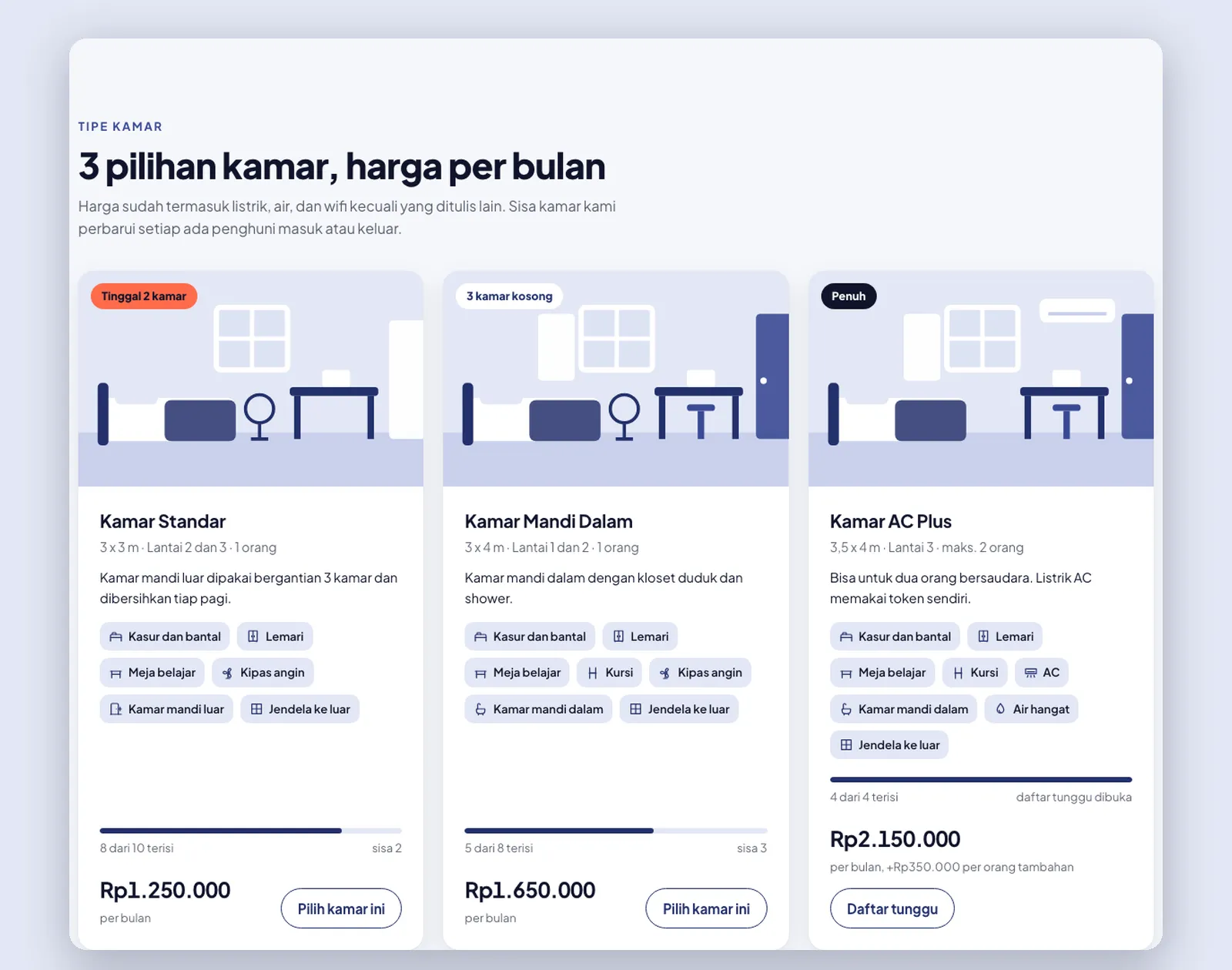
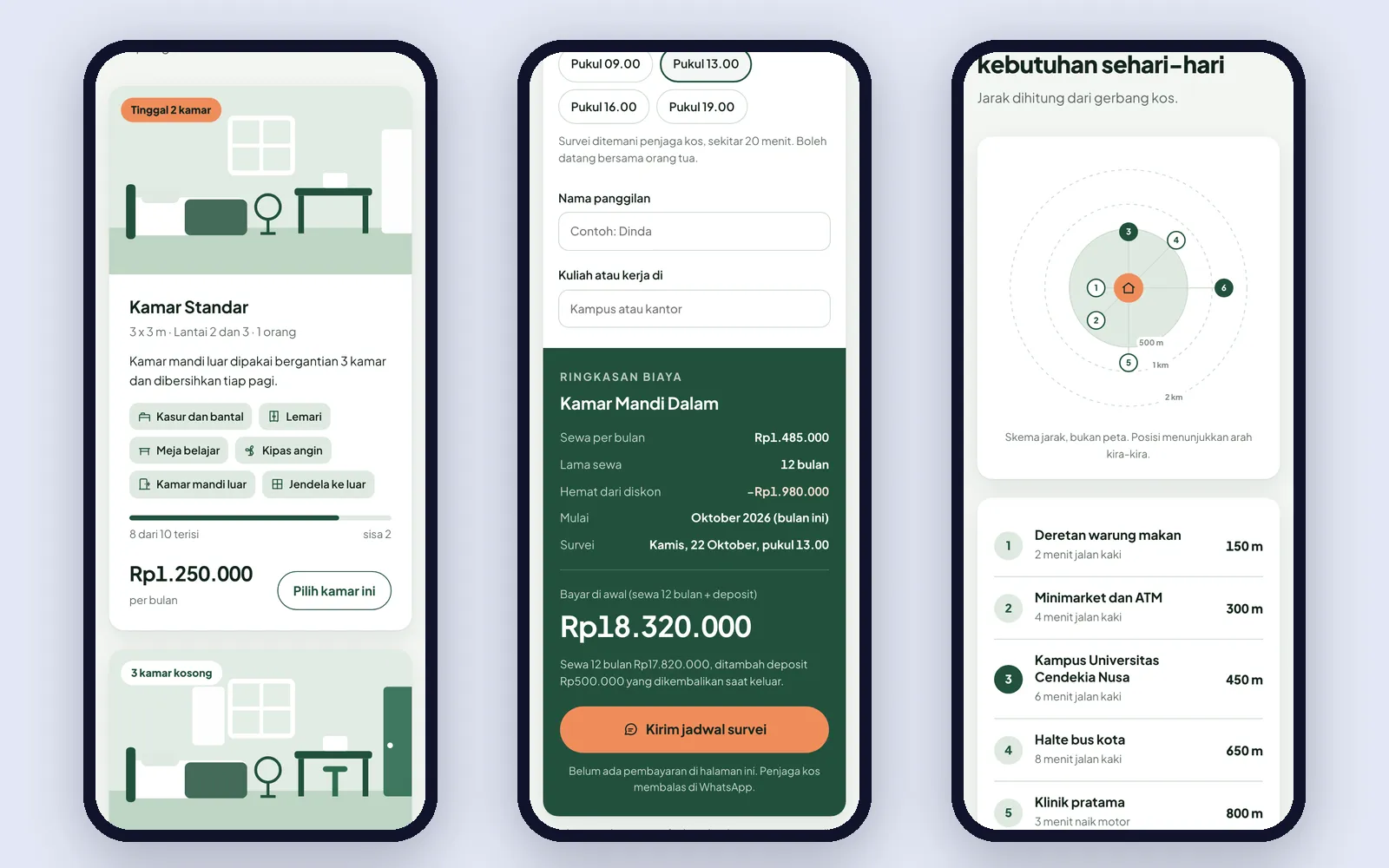
A single boarding house page for owners and managers, one HTML file with no server: a hero with a building illustration whose windows are counted from the rooms (free rooms in the accent colour), room types with facilities, monthly prices, and rooms left, then a cost box (long-stay discounts, an extra occupant, deposit) that also books a viewing slot. One button opens WhatsApp to the caretaker with a full message, or a waiting list when a type is full. Plus house rules, shared facilities, and a distance diagram to campus.
Verified by SkillFlow
We checked every file in this skill automatically: no command that downloads and runs a program, no hidden code, no instruction telling your AI to ignore you.
- Loads from outside
- Fonts: Google Fonts
See the 5 files inside
skill.json13 KBSKILL.md7 KBprompt.md6 KBprompt.en.md6 KBfiles/kos.html63 KB
Checked 14 Nov 2026
Part of SkillFlow Pro
Pro opens every skill in every category: copy, ZIP, Send to AI, install, save, and request new skills.
Get Pro Already subscribed? Sign inWhat you get
- A one-file HTML boarding house page, responsive down to 320 px, driven by one KOS object
- Room type cards: a room illustration drawn from the facility list, size, floor, monthly price, occupancy bar and rooms left
- A cost box: rental length with discounts, move-in month, number of occupants, deposit, first payment
- Viewing slots by date and time (days off skipped), then a WhatsApp message holding every choice
- Full room types stay selectable for a waiting list, with the button and message changing to match
- Shared facilities, what rent includes and excludes, house rules, a distance diagram to campuses and nearby places
- A building illustration from the room count or your own photo, 3 palettes (indigo, terracotta, leaf), a sticky bar on phones
- A "Sample data" ribbon that must be switched off before sharing
Good fit
- Owners of women's, men's, couples, or worker boarding houses with 1 to 5 room types
- Managers of several boarding houses wanting one page per location
- Boarding houses often asked about price, rooms left, guest rules, curfew, and electricity
- Owners who want prospects to pick their own viewing time
Not for
- It does not take bookings or payments online and does not reserve rooms
- Not for hotels, nightly stays, or a multi owner listings site
- Rooms left are updated by hand and must reflect rooms actually free
- The Sample data ribbon must be turned off before sharing the page
About this skill
/halaman-kos-kosan Build a page for our women's boarding house near campus, 3 room types with prices and rooms left, 6 and 12 month discounts, a deposit, viewing slots, house rules, and messages to the caretaker's WhatsApp
Show more
A single boarding house page for owners and managers, one HTML file with no server: a hero with a building illustration whose windows are counted from the rooms (free rooms in the accent colour), room types with facilities, monthly prices, and rooms left, then a cost box (long-stay discounts, an extra occupant, deposit) that also books a viewing slot. One button opens WhatsApp to the caretaker with a full message, or a waiting list when a type is full. Plus house rules, shared facilities, and a distance diagram to campus.
User reviews
FAQ
How is the rent calculated on the page?
From the monthly price, rental length with the discounts you set, number of occupants if two are allowed, and the deposit. The result shows as the first payment and goes into the WhatsApp message.
A room type is full, can it still be picked?
Yes, for the waiting list. The button and WhatsApp message change to a waiting list request.
How are room facilities written?
Use the available keys such as bed, wardrobe, desk, fan, AC, ensuite bathroom, wifi, or fridge, or free text. The room illustration is drawn from that list.
Which AI can I use it with?
Copy the prompt into a chat AI (ChatGPT, Claude, Gemini, DeepSeek); or download the ZIP and install it in an AI agent (Claude Code, Codex, Antigravity, Hermes Agent, Cursor, GitHub Copilot, Gemini CLI, OpenCode, Kimi Code, Trae), which then builds the files for you.
What is in the ZIP?
One folder named halaman-kos-kosan with SKILL.md (the instructions an AI agent reads) and the prompt, 5 files in all. Extract it into your agent's skills folder, or install it with npx skillflow-ai add halaman-kos-kosan. Pro only.
Is there a per-use fee or credits?
Not from SkillFlow. The skill runs on the AI you already use, so any cost follows that plan.
Which plan includes it?
SkillFlow Pro. It opens every skill in every category.
Can I use my own colours and brand?
Yes. Pick a colour theme on this page, or fill in your brand profile once; both go into the prompt you copy and into the ZIP.
Can I share what I made?
Pro members can upload the result and get a page at share.skillflow.ai.id to send to anyone. The page carries a small "Made with SkillFlow AI" mark.
Is there a download limit?
Yes, per day: 50 skills on Pro, 10 on other plans. Downloading a skill again on the same day does not count.



