

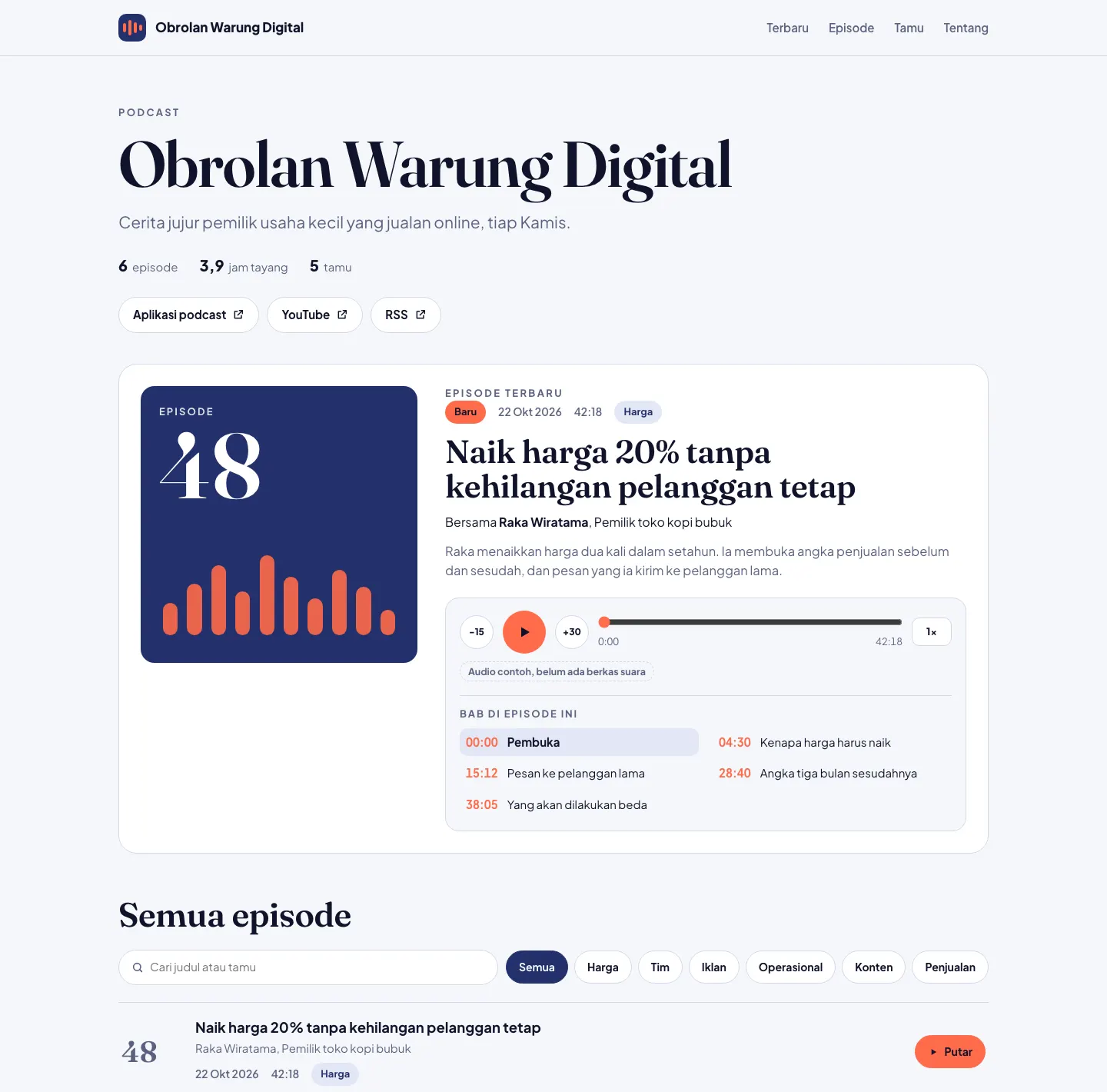
Desktop: serif headline, latest episode with player and chapters
SKILL.md contents
Premium subscribers can read, copy, and install this skill.
Unlock with Premium Sign inPodcast Page
Description
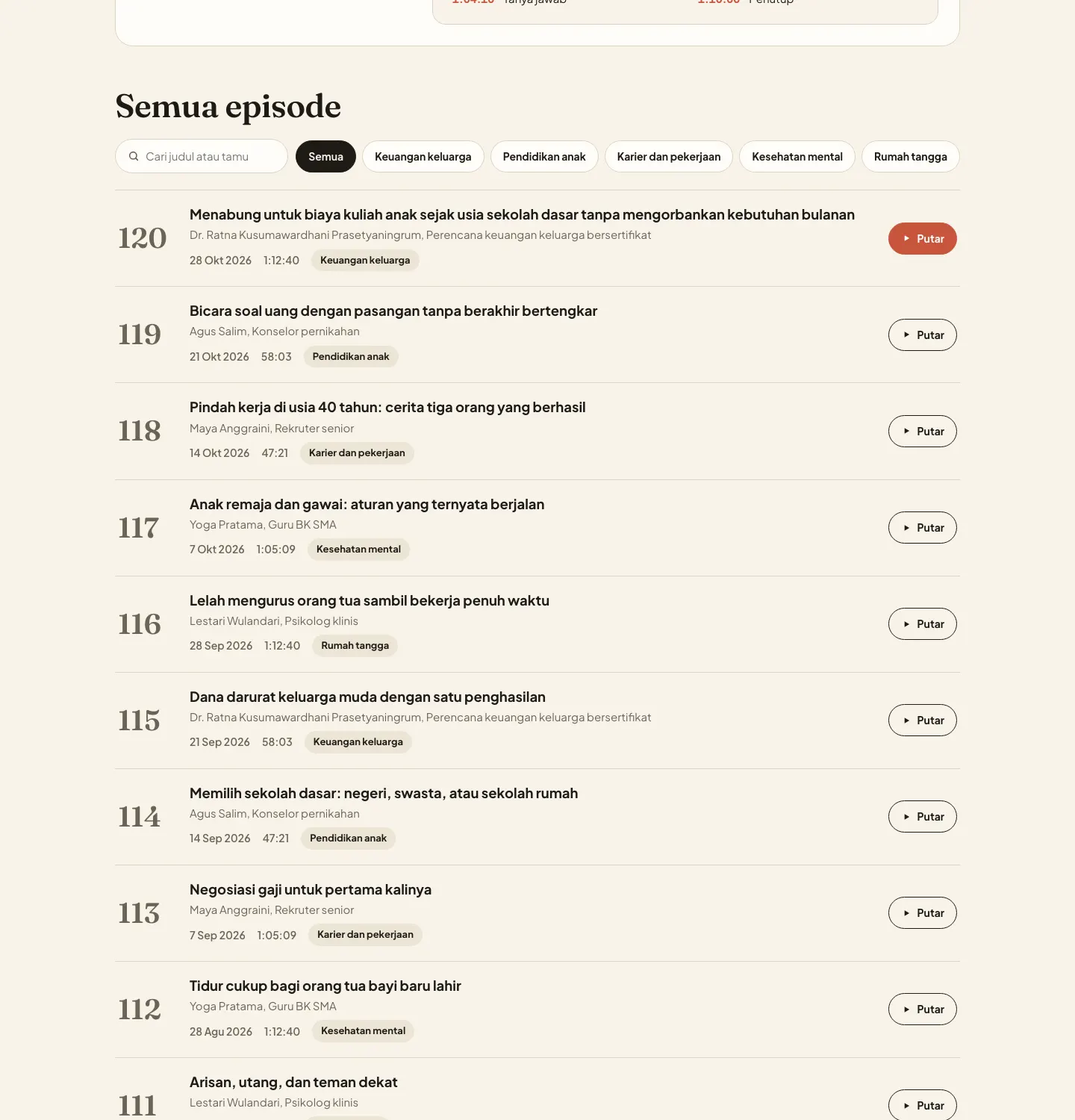
A magazine-style podcast page with large serif headlines: the latest episode in a main card with a player (play, back 15 seconds, forward 30 seconds, scrub, speed 1x to 2x) and clickable chapters, the full episode list with search and topic filters, guest cards built automatically from the episode list, a host profile, listening links, and a WhatsApp button to suggest a guest or sponsor. A mini player sticks to the bottom of the screen while an episode plays. One HTML file with no server, driven by one object.
Verified by SkillFlow
We checked every file in this skill automatically: no command that downloads and runs a program, no hidden code, no instruction telling your AI to ignore you.
- Loads from outside
- Fonts: Google Fonts
See the 6 files inside
skill.json10 KBSKILL.md6 KBprompt.md4 KBprompt.en.md4 KBfiles/contoh/empat-belas-episode-koran.html33 KBfiles/podcast.html31 KB
Checked 14 Nov 2026
Part of SkillFlow Pro
Pro opens every skill in every category: copy, ZIP, Send to AI, install, save, and request new skills.
Get Pro Already subscribed? Sign inWhat you get
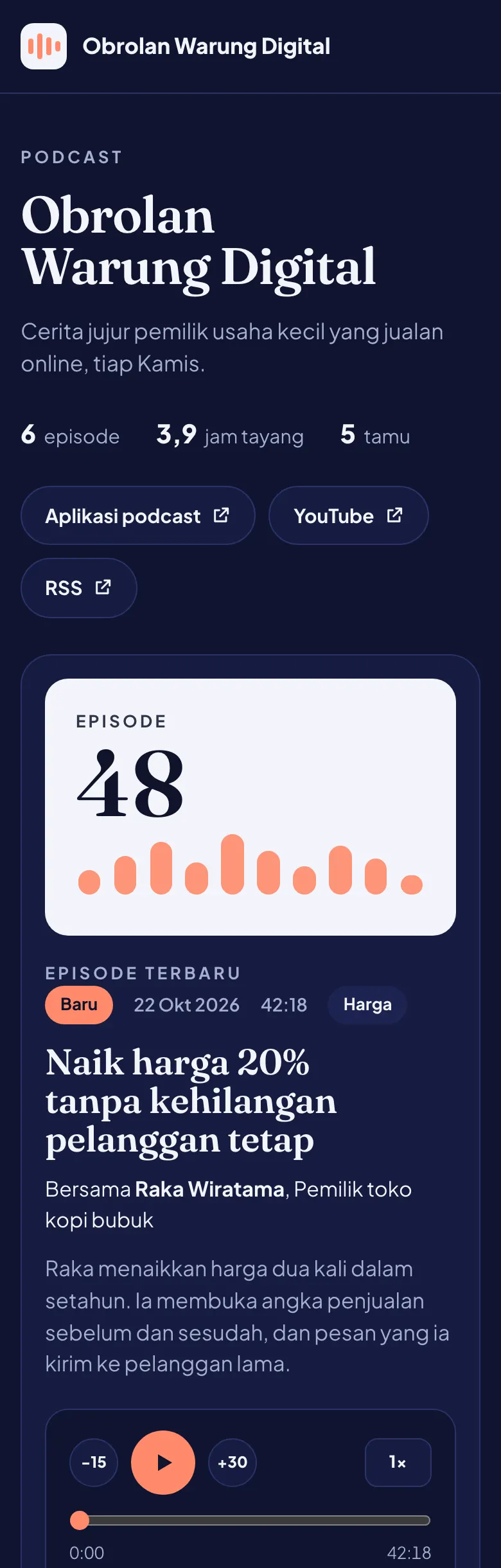
- A one-file HTML podcast page, responsive down to a 320 px phone
- An episode player with chapters, speed control, and a sticky mini player
- An episode list with search and topic filters
- Guest cards, episode count, and total listening hours worked out automatically
- Listening links, a host profile, and a WhatsApp button with a prefilled message
- 3 palettes: indigo, newsprint, night
Good fit
- Creators and teachers with a podcast or audio class who need one home on the web
- Brands and communities wanting an episode archive that is easy to search
- Podcasters looking for guests or sponsors over WhatsApp
Not for
- It does not host audio files or build an RSS feed; MP3 and feed addresses come from your own hosting
- Without an audio file the player runs as a silent sample and says so
- Not a paid subscription app or a full transcript page
About this skill
/halaman-podcast Make a page for the Obrolan Warung Digital podcast: the last 6 episodes with guests and topics, the latest episode with chapters, YouTube and RSS links, and a WhatsApp button to suggest a guest
Show more
A magazine-style podcast page with large serif headlines: the latest episode in a main card with a player (play, back 15 seconds, forward 30 seconds, scrub, speed 1x to 2x) and clickable chapters, the full episode list with search and topic filters, guest cards built automatically from the episode list, a host profile, listening links, and a WhatsApp button to suggest a guest or sponsor. A mini player sticks to the bottom of the screen while an episode plays. One HTML file with no server, driven by one object.
User reviews
FAQ
How do I add the real episode audio?
Put the MP3 (or M4A) address in each episode's audio field. The player uses it straight away, with chapters and speed; the Sample audio label disappears on its own.
Do I need to fill in the guest list separately?
No. Guest cards are built from the guest names in each episode, with the episodes they appeared in. A guest who came twice shows up once.
Which episode is shown as the latest?
The one with the highest number. Add a new episode with the next number and the main card moves to it.
Which AI can I use it with?
Copy the prompt into a chat AI (ChatGPT, Claude, Gemini, DeepSeek); or download the ZIP and install it in an AI agent (Claude Code, Codex, Antigravity, Hermes Agent, Cursor, GitHub Copilot, Gemini CLI, OpenCode, Kimi Code, Trae), which then builds the files for you.
What is in the ZIP?
One folder named halaman-podcast with SKILL.md (the instructions an AI agent reads) and the prompt, 6 files in all. Extract it into your agent's skills folder, or install it with npx skillflow-ai add halaman-podcast. Pro only.
Is there a per-use fee or credits?
Not from SkillFlow. The skill runs on the AI you already use, so any cost follows that plan.
Which plan includes it?
SkillFlow Pro. It opens every skill in every category.
Can I use my own colours and brand?
Yes. Pick a colour theme on this page, or fill in your brand profile once; both go into the prompt you copy and into the ZIP.
Can I share what I made?
Pro members can upload the result and get a page at share.skillflow.ai.id to send to anyone. The page carries a small "Made with SkillFlow AI" mark.
Is there a download limit?
Yes, per day: 50 skills on Pro, 10 on other plans. Downloading a skill again on the same day does not count.



