

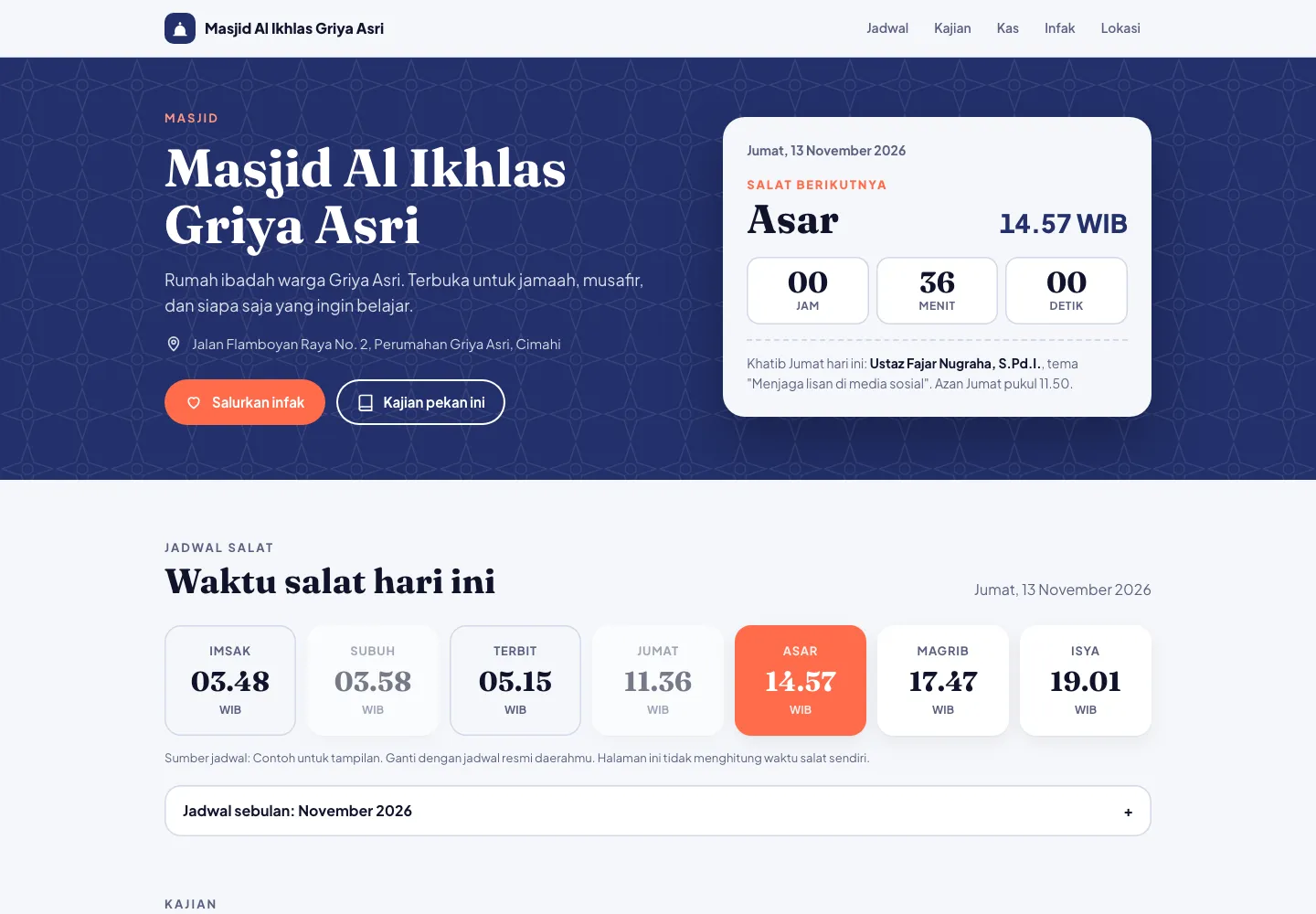
Hero with a countdown to Asr and today's prayer times on a Friday afternoon
SKILL.md contents
Premium subscribers can read, copy, and install this skill.
Unlock with Premium Sign inMosque Profile Page
Description
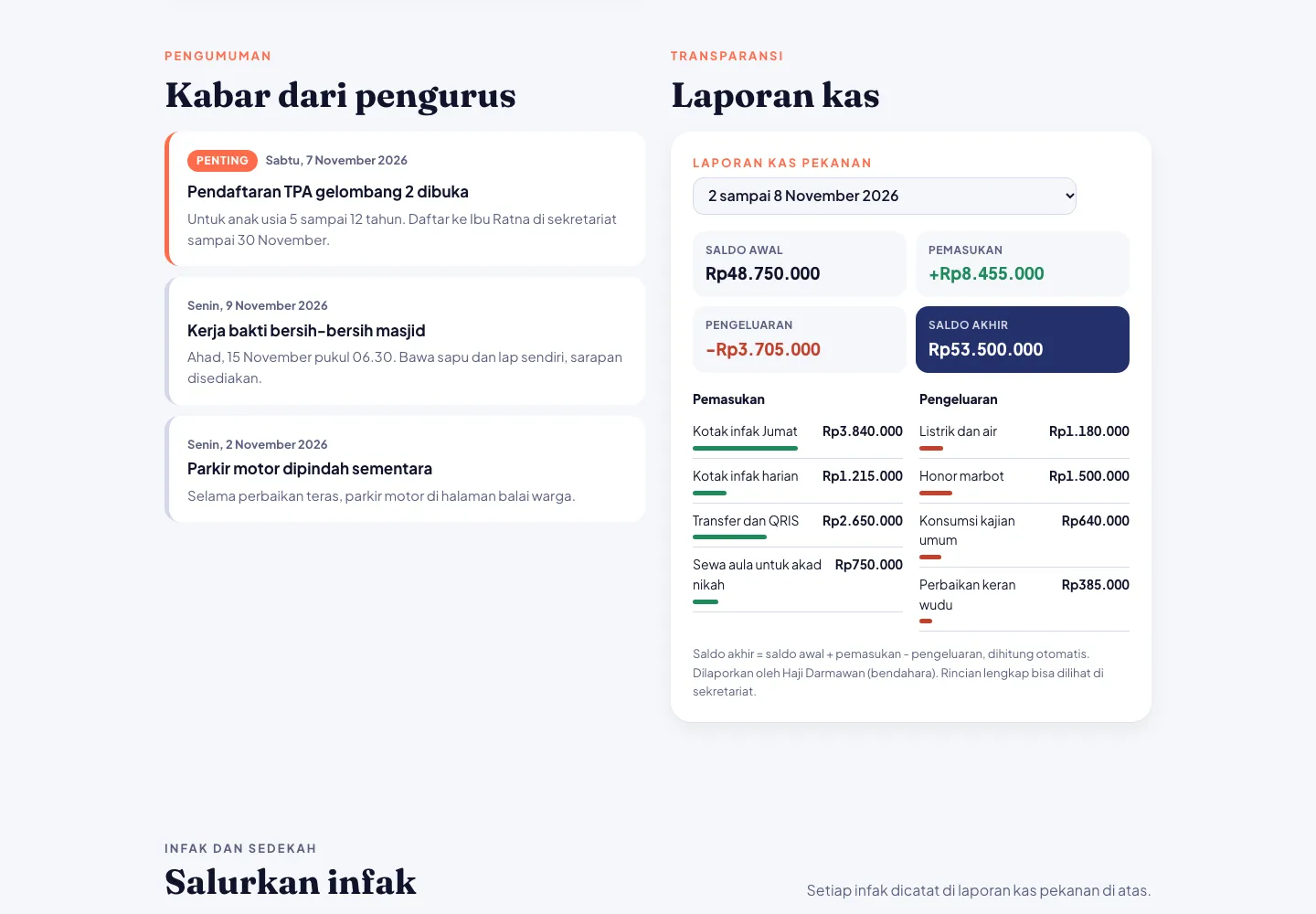
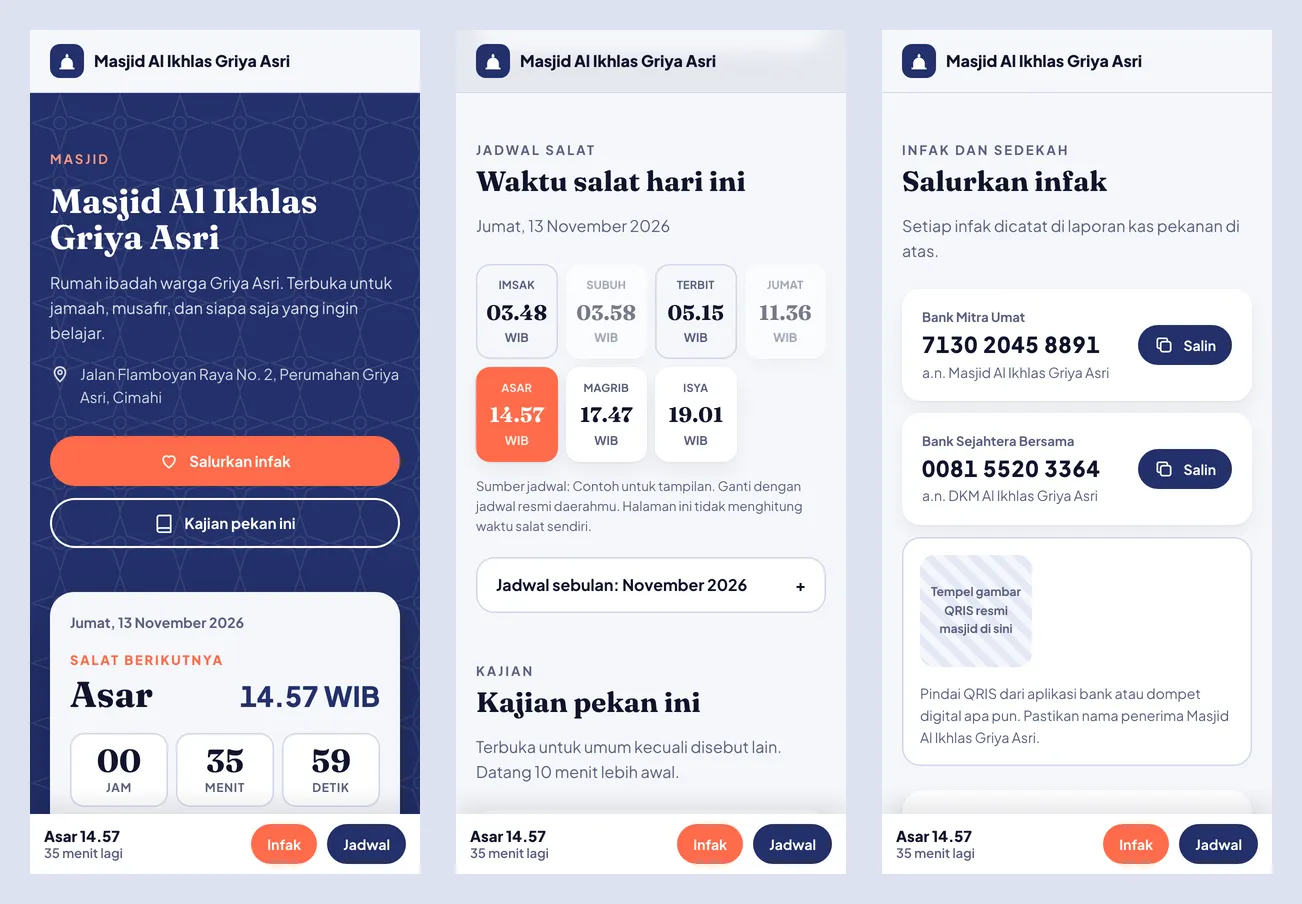
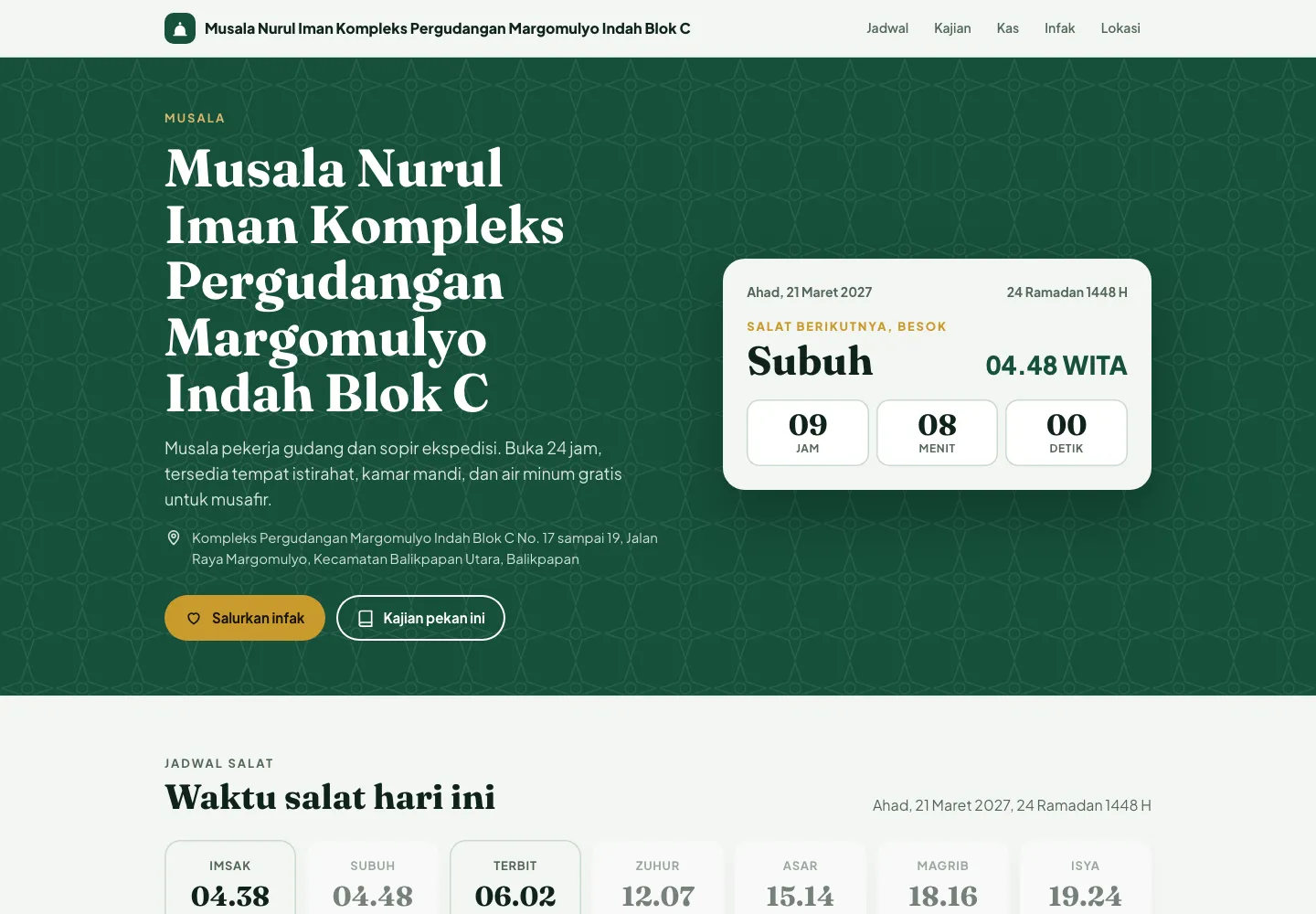
A mosque or prayer room page in one HTML file: today's prayer times from the official monthly timetable the committee pastes in (never calculated, no API), a countdown to the next prayer, this week's study circles, announcements, a weekly cash report with the closing balance worked out, donation accounts and a payment QR with copy buttons, donation confirmation to the treasurer's WhatsApp, location, facilities, and committee contacts. Responsive down to 320 px, shared by link.
Verified by SkillFlow
We checked every file in this skill automatically: no command that downloads and runs a program, no hidden code, no instruction telling your AI to ignore you.
- Loads from outside
- Fonts: Google Fonts
See the 6 files inside
skill.json15 KBSKILL.md6 KBprompt.md7 KBprompt.en.md7 KBfiles/contoh/musala-gudang-ramadan-wita.html46 KBfiles/masjid.html46 KB
Checked 14 Nov 2026
Part of SkillFlow Pro
Pro opens every skill in every category: copy, ZIP, Send to AI, install, save, and request new skills.
Get Pro Already subscribed? Sign inWhat you get
- Today's prayer times from the pasted official table, next prayer highlighted, full month on demand
- A countdown in the mosque's time zone, tomorrow's Fajr after Isha, Jumuah label and preacher
- This week's study circles from weekly and one-off schedules, plus announcements
- Weekly cash report: opening balance, itemised income and spending, calculated closing balance, continuity check
- Donation accounts and payment QR with copy buttons, a confirmation form to the treasurer's WhatsApp
- Location with open map and copy address, facilities with icons, committee contacts, a phone bottom bar
- One HTML file with no server and no API, 3 palettes, responsive from 320 to 1440 px
Good fit
- Mosque committees in housing estates or villages wanting one information link for their chat group
- Prayer rooms in offices, markets, or industrial estates wanting study times and donation accounts easy to find
- Treasurers who want the weekly cash report open to worshippers
Not for
- It does not calculate prayer times or the qibla; the timetable is pasted from the official local source
- It does not take online payments; donations still go to the mosque's own accounts or QR
- It does not store worshipper or donor data; confirmations only go to the treasurer's WhatsApp
- Not a fundraising page with a target and progress
About this skill
/halaman-profil-masjid Make a profile page for Masjid Al Ikhlas Griya Asri in Cimahi with prayer times from the table I paste, this week's study circles, a weekly cash report, and donation accounts
Show more
A mosque or prayer room page in one HTML file: today's prayer times from the official monthly timetable the committee pastes in (never calculated, no API), a countdown to the next prayer, this week's study circles, announcements, a weekly cash report with the closing balance worked out, donation accounts and a payment QR with copy buttons, donation confirmation to the treasurer's WhatsApp, location, facilities, and committee contacts. Responsive down to 320 px, shared by link.
User reviews
FAQ
Why must the prayer timetable be pasted instead of calculated automatically?
Official timetables differ by region and by the body that sets them, and a mosque usually already follows one. So the page never disagrees with the timetable board in the mosque, it only reads the table the committee pastes and picks today's row. Nothing is calculated and no outside service is called.
What happens when the month changes?
If the new month's table has not been pasted yet, the next prayer card says the timetable has not been updated instead of showing a wrong time. The committee only needs to replace the table and its month at the start of each month.
How is the cash report updated?
The treasurer adds a new week block at the top: period, opening balance, income and spending items. The closing balance is worked out by the page, and if the opening balance does not match the previous week's closing balance a warning appears to check it.
Which AI can I use it with?
Copy the prompt into a chat AI (ChatGPT, Claude, Gemini, DeepSeek); or download the ZIP and install it in an AI agent (Claude Code, Codex, Antigravity, Hermes Agent, Cursor, GitHub Copilot, Gemini CLI, OpenCode, Kimi Code, Trae), which then builds the files for you.
What is in the ZIP?
One folder named halaman-profil-masjid with SKILL.md (the instructions an AI agent reads) and the prompt, 6 files in all. Extract it into your agent's skills folder, or install it with npx skillflow-ai add halaman-profil-masjid. Pro only.
Is there a per-use fee or credits?
Not from SkillFlow. The skill runs on the AI you already use, so any cost follows that plan.
Which plan includes it?
SkillFlow Pro. It opens every skill in every category.
Can I use my own colours and brand?
Yes. Pick a colour theme on this page, or fill in your brand profile once; both go into the prompt you copy and into the ZIP.
Can I share what I made?
Pro members can upload the result and get a page at share.skillflow.ai.id to send to anyone. The page carries a small "Made with SkillFlow AI" mark.
Is there a download limit?
Yes, per day: 50 skills on Pro, 10 on other plans. Downloading a skill again on the same day does not count.



