

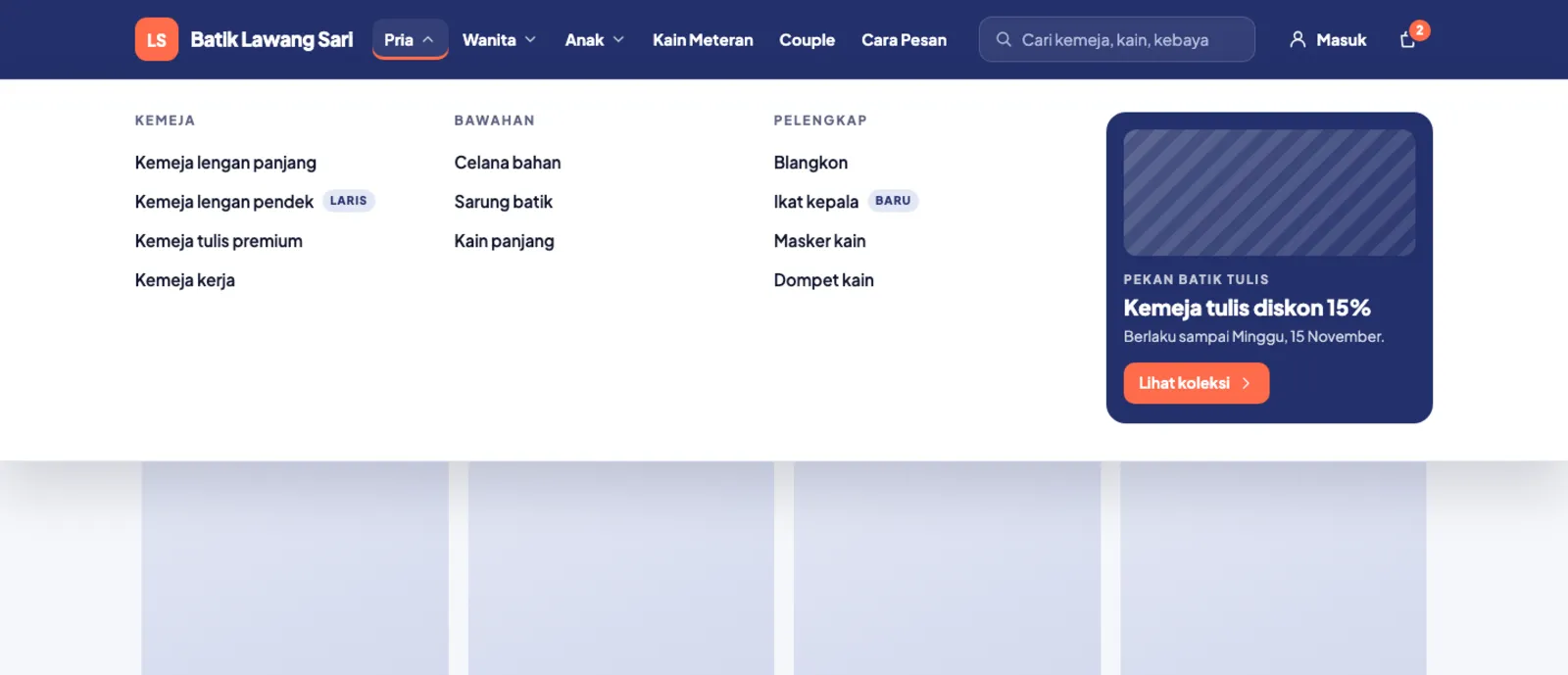
The Men mega panel: three subcategory columns, Best seller and New badges, a promo card
SKILL.md contents
Premium subscribers can read, copy, and install this skill.
Unlock with Premium Sign inMega Menu Header (Section)
Description
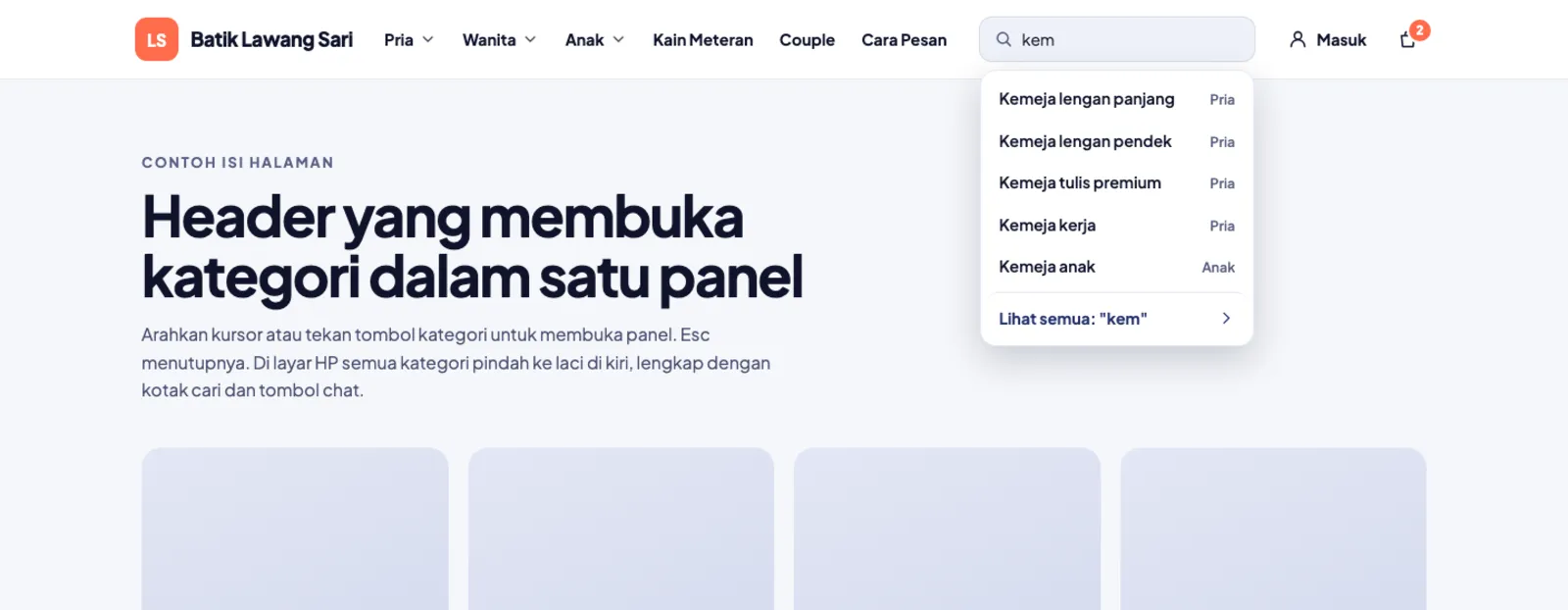
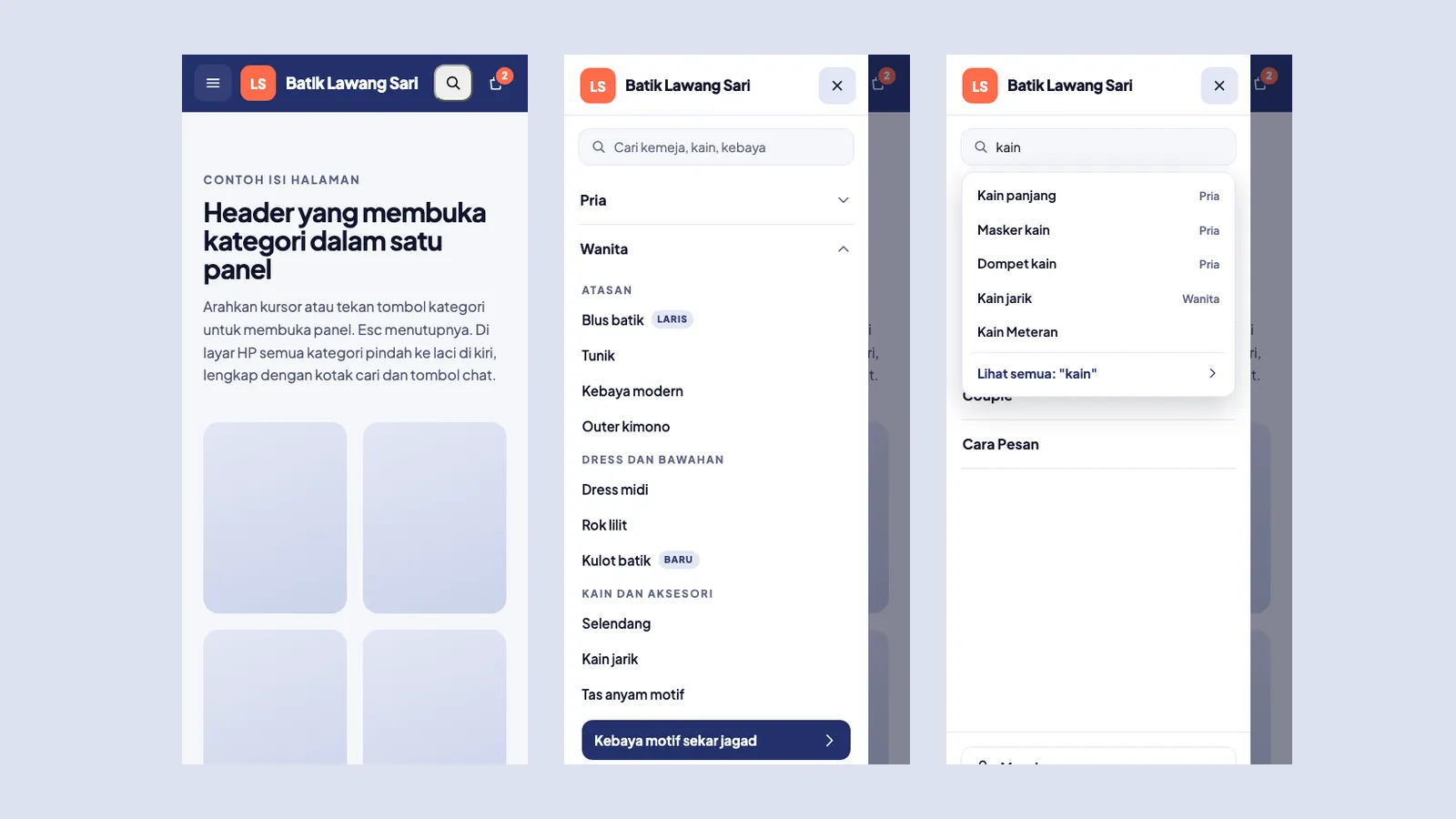
A sticky header for shops with many categories: a logo, menu items that open a mega panel with 2 to 4 subcategory columns, badges, and a promo card, a search box with suggestions from every menu link, an account button, and a cart icon whose count your shop code can update. Fully usable by keyboard, with Esc closing and returning focus. On phones everything moves into a left drawer with search, collapsible categories, account, and a chat button. One file, no library, one config object, 3 palettes matching the Full Store Footer.
Verified by SkillFlow
We checked every file in this skill automatically: no command that downloads and runs a program, no hidden code, no instruction telling your AI to ignore you.
- Loads from outside
- Fonts: Google Fonts
See the 5 files inside
skill.json10 KBSKILL.md8 KBprompt.md4 KBprompt.en.md4 KBfiles/header.html31 KB
Checked 14 Nov 2026
Part of SkillFlow Pro
Pro opens every skill in every category: copy, ZIP, Send to AI, install, save, and request new skills.
Get Pro Already subscribed? Sign inWhat you get
- A one-file HTML header section with no library and scoped CSS, driven by one config object
- Up to 6 main menu items; mega items open a 2-4 column subcategory panel with badges and a promo card
- A search box with suggestions from every menu link, pick with the arrow keys, Enter goes to the search page
- A cart icon with an item count you can change through window.sfhmCart, plus an account button
- A phone drawer with search, collapsible categories, account, and a chat button, with focus kept inside
- Keyboard and screen reader friendly: aria-expanded, down arrow, Esc, sticky while scrolling
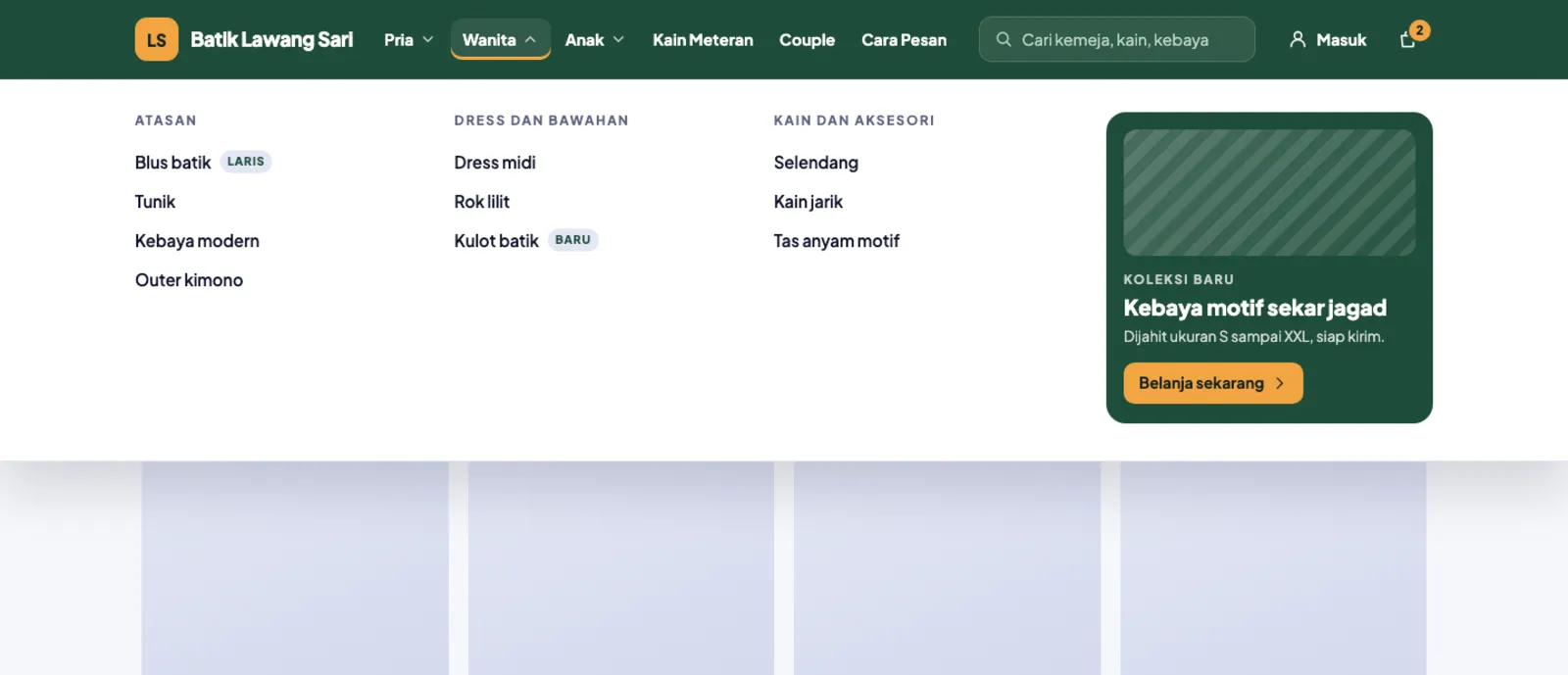
- 3 palettes (indigo, light, leaf) that match the Full Store Footer
Good fit
- Online shops with many categories and subcategories that do not fit in one menu row
- Site owners who want a sticky header with search and cart without a framework
- Anyone already using the Full Store Footer who wants a matching top of the page
Not for
- The search box only suggests menu links; real product search stays on your shop's search page
- The cart count does not connect to your shop system by itself; it needs one window.sfhmCart call
- Not a promo strip above the header; use Announcement Bar for that
About this skill
/header-menu-mega Make a header for our batik shop website with Men, Women, and Kids menus that open subcategory panels, a search box, a cart, and a drawer version for phones
Show more
A sticky header for shops with many categories: a logo, menu items that open a mega panel with 2 to 4 subcategory columns, badges, and a promo card, a search box with suggestions from every menu link, an account button, and a cart icon whose count your shop code can update. Fully usable by keyboard, with Esc closing and returning focus. On phones everything moves into a left drawer with search, collapsible categories, account, and a chat button. One file, no library, one config object, 3 palettes matching the Full Store Footer.
User reviews
FAQ
How does the cart count follow the real cart?
Call window.sfhmCart(count) from your shop code whenever an item is added or removed. Without it, the number in the config is shown.
Can it be used without a mouse?
Yes. Tab to a category, Enter or the down arrow opens the panel, Tab moves through it, and Esc closes it and returns focus to the category button. The phone drawer keeps focus inside until it is closed.
What about using it with the Announcement Bar?
Put the bar above the header. If both are sticky, set the header's top to the bar's height, or keep only the header sticky.
Which AI can I use it with?
Copy the prompt into a chat AI (ChatGPT, Claude, Gemini, DeepSeek); or download the ZIP and install it in an AI agent (Claude Code, Codex, Antigravity, Hermes Agent, Cursor, GitHub Copilot, Gemini CLI, OpenCode, Kimi Code, Trae), which then builds the files for you.
What is in the ZIP?
One folder named header-menu-mega with SKILL.md (the instructions an AI agent reads) and the prompt, 5 files in all. Extract it into your agent's skills folder, or install it with npx skillflow-ai add header-menu-mega. Pro only.
Is there a per-use fee or credits?
Not from SkillFlow. The skill runs on the AI you already use, so any cost follows that plan.
Which plan includes it?
SkillFlow Pro. It opens every skill in every category.
Can I use my own colours and brand?
Yes. Pick a colour theme on this page, or fill in your brand profile once; both go into the prompt you copy and into the ZIP.
Can I share what I made?
Pro members can upload the result and get a page at share.skillflow.ai.id to send to anyone. The page carries a small "Made with SkillFlow AI" mark.
Is there a download limit?
Yes, per day: 50 skills on Pro, 10 on other plans. Downloading a skill again on the same day does not count.



