

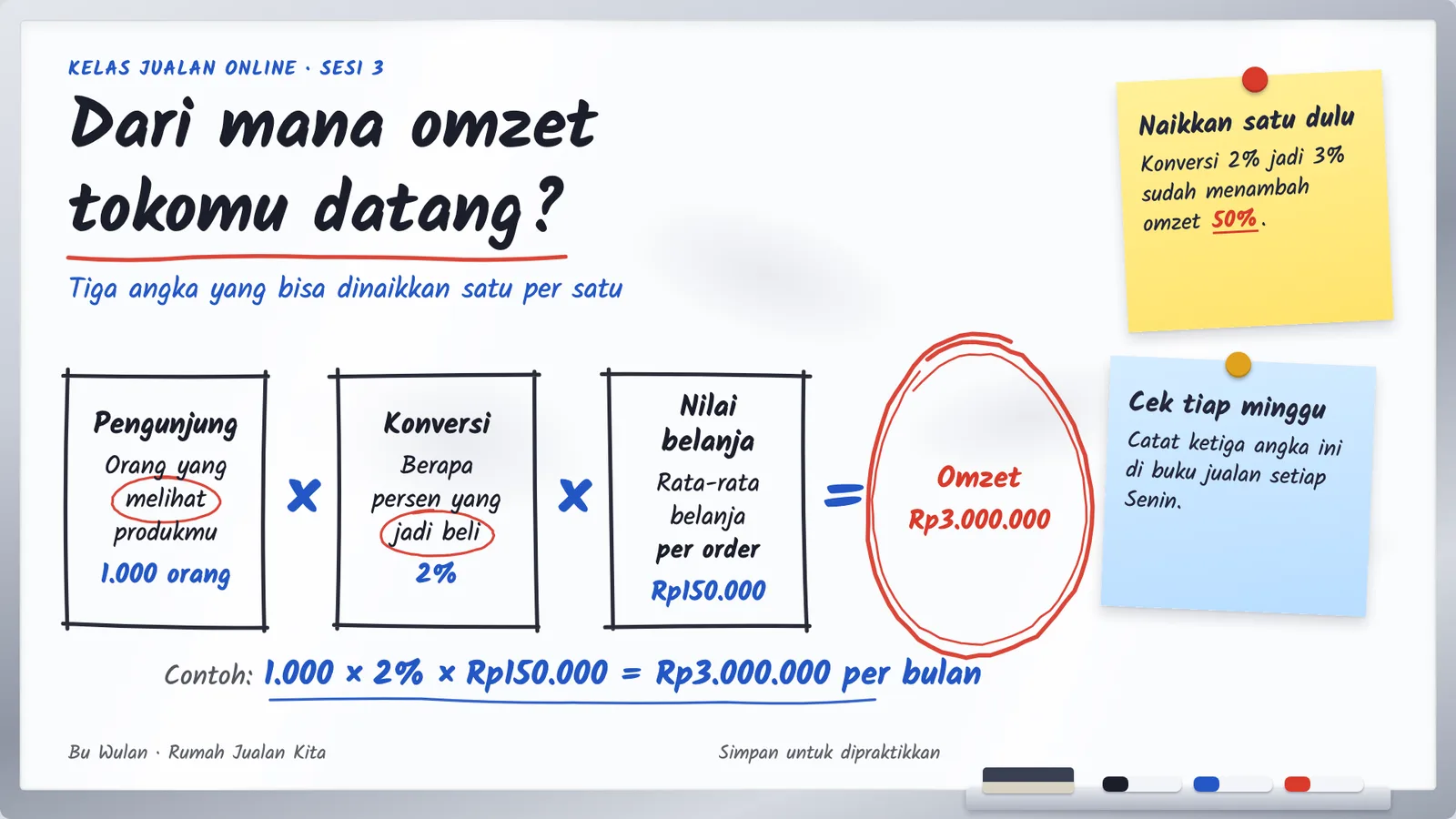
Formula layout 16:9: visitors × conversion × order value = revenue, a worked example, two sticky notes
SKILL.md contents
Premium subscribers can read, copy, and install this skill.
Unlock with Premium Sign inWhiteboard Infographic
Description
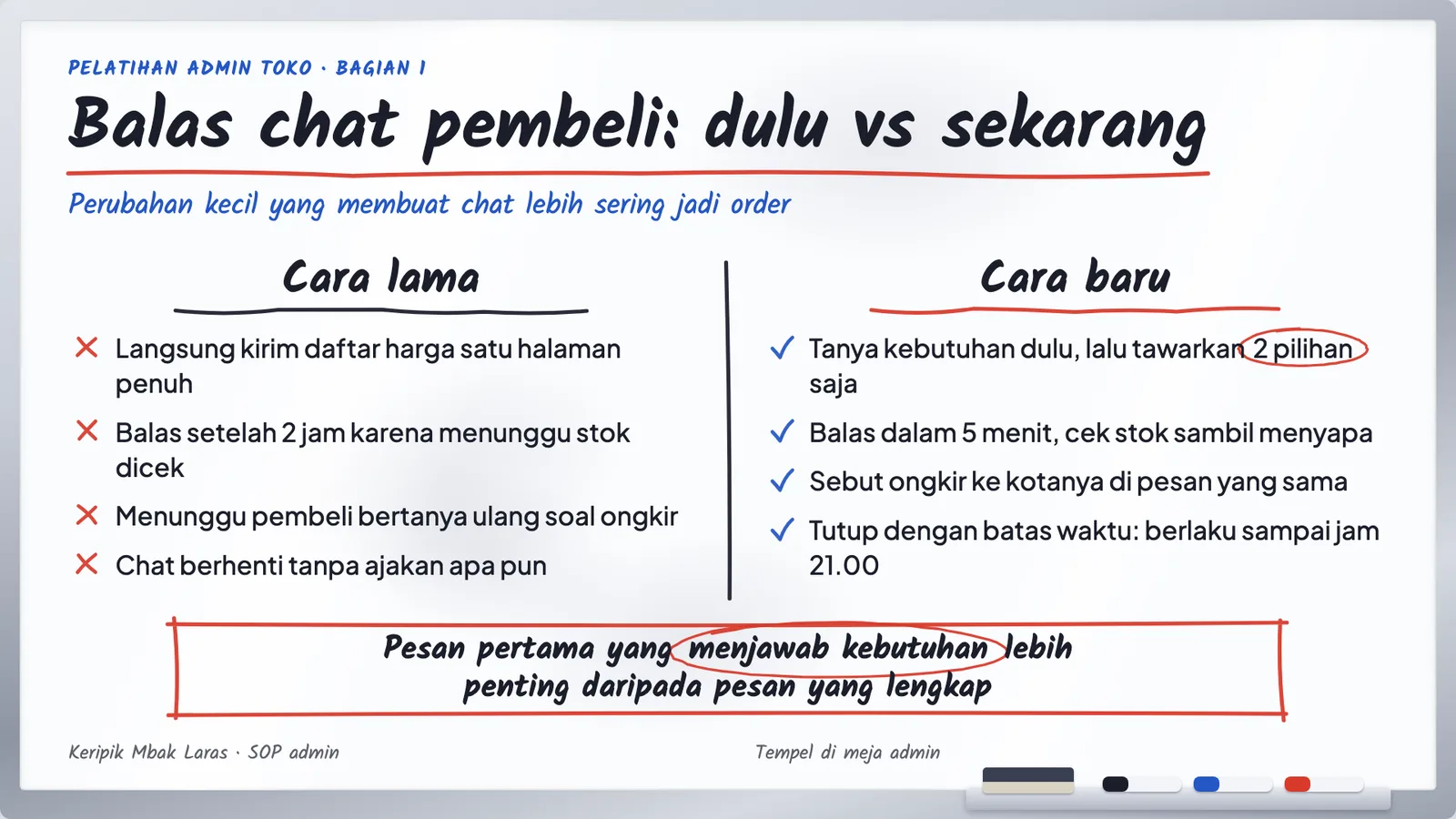
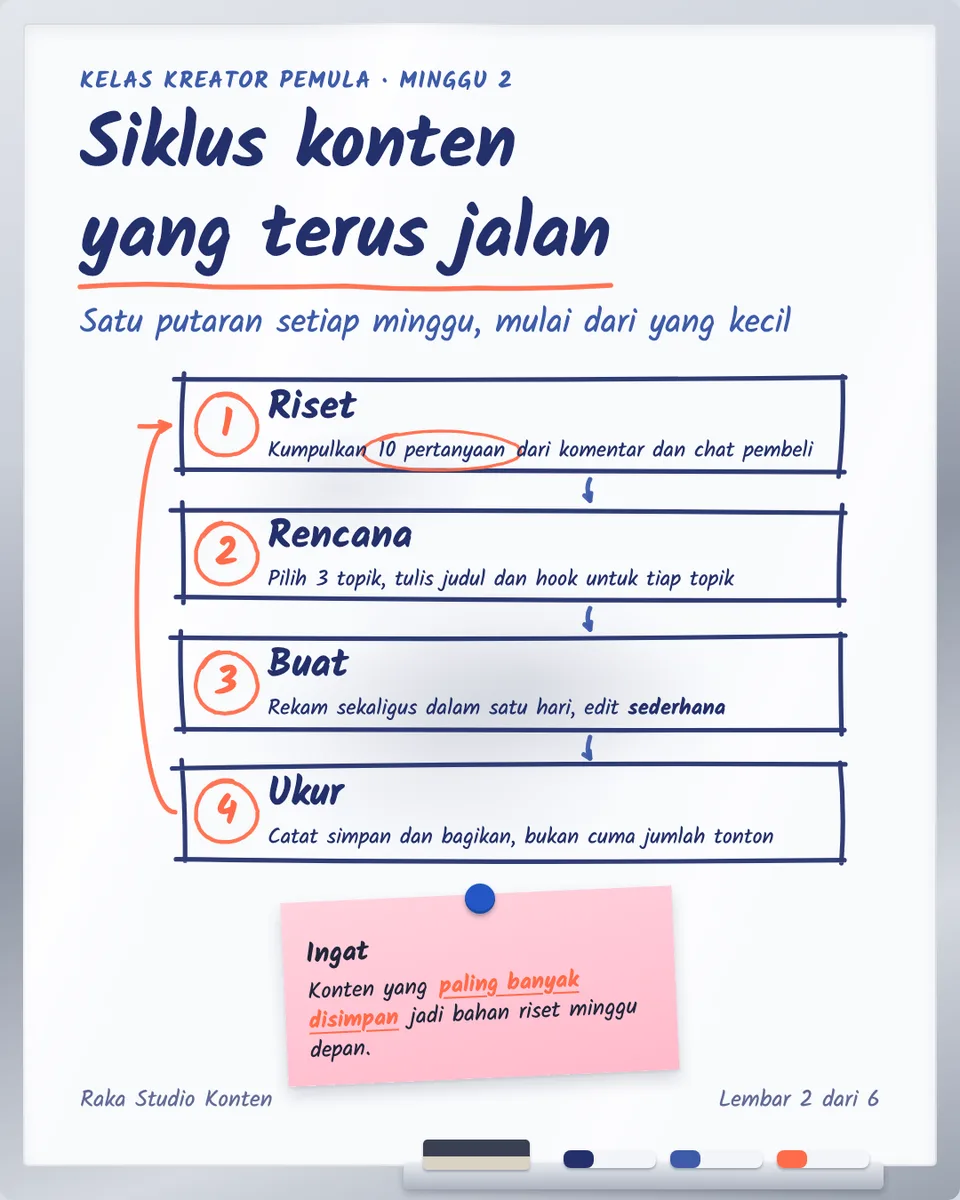
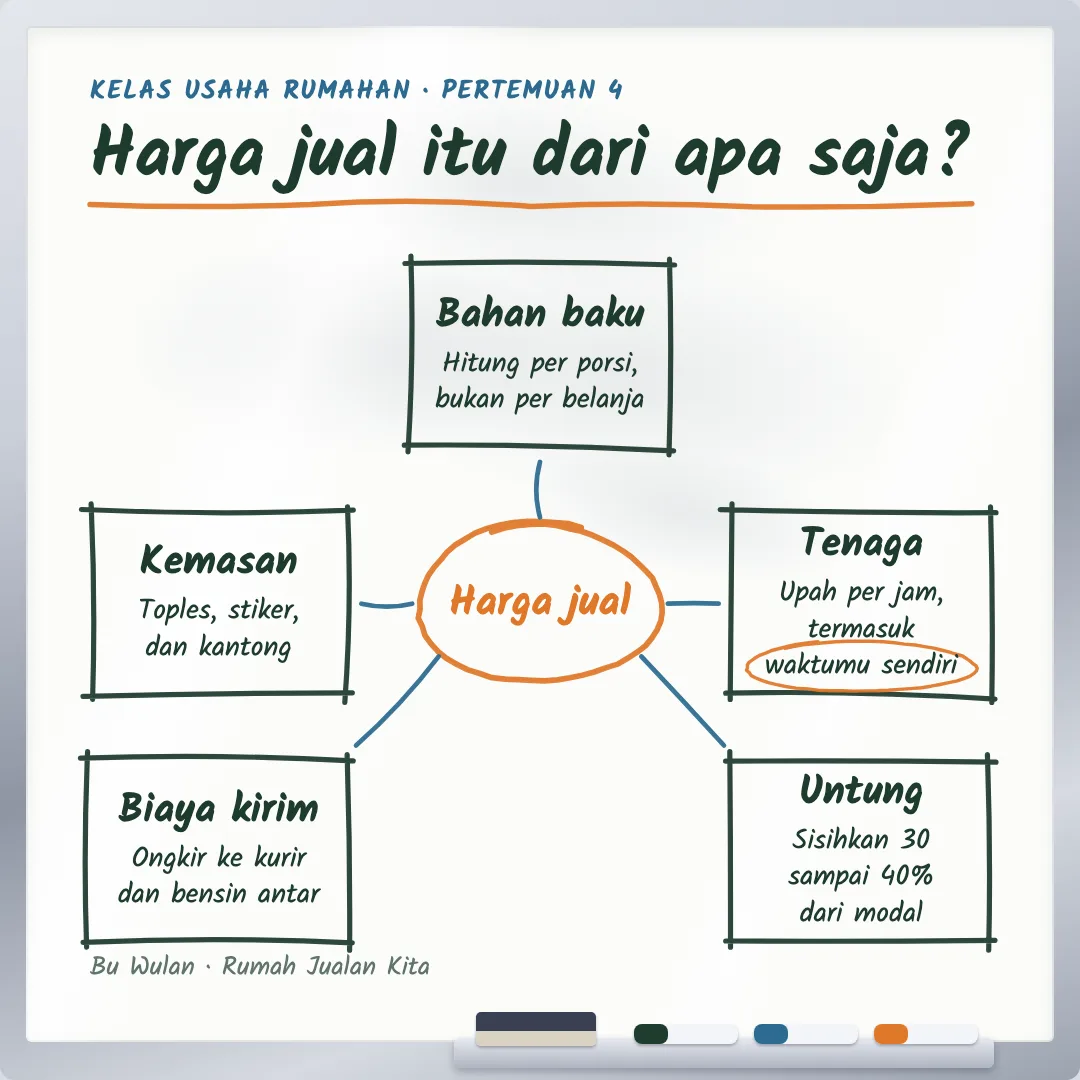
One concept explained the way a trainer draws it on a whiteboard: an aluminium frame, faint eraser marks, slightly uneven marker strokes, boxes, arrows, red circles around key words, and sticky notes held by magnets. Four ways to explain from one engine: a formula (A × B × C = result, with a worked example), a step flow that can loop, a two-column comparison with ticks and crosses, and a central concept with branches. Slide 16:9, feed 4:5, and square sizes. AI image prompt included.
Verified by SkillFlow
We checked every file in this skill automatically: no command that downloads and runs a program, no hidden code, no instruction telling your AI to ignore you.
- Loads from outside
- Fonts: Google Fonts
See the 8 files inside
skill.json8 KBSKILL.md8 KBprompt.md6 KBprompt.en.md6 KBfiles/contoh-bandingkan-lebar.html33 KBfiles/contoh-pusat-persegi.html32 KBfiles/contoh-siklus-konten-feed.html33 KBfiles/papan-tulis.html34 KB
Checked 14 Nov 2026
Included in Basic and Pro
Basic copies the prompt. Pro also downloads the ZIP, sends to AI, installs into agents, and opens every category.
Get Pro Get Basic Already subscribed? Sign inWhat you get
- The explanation tidied up: a question title, 2-6 short parts, key words, and 0-2 sticky notes
- A whiteboard HTML template from one content object, 4 layouts: formula, flow (can loop), compare, centre
- PNG 1920x1080 (slides/YouTube), 1080x1350 (feed), 1080x1080 (square) from the same content via ?size=
- Hand-made marker strokes with a fixed seed: boxes, ellipses, arrows, underlines, ticks, crosses
- 3 marker sets (black-blue-red, indigo-coral, green-orange) and 2 type styles (all handwritten / neat body)
- An AI image prompt for a text-free whiteboard illustration, with a spelling check rule
Good fit
- Teachers, coaches, and consultants explaining one concept on a slide or feed post
- Educational creators wanting a familiar "explained on the whiteboard" look
- Course hosts needing a 16:9 slide image plus a feed version
Not for
- One image covers one concept, not a whole chapter of material
- The marker writing is a font, not real handwriting or a photo of an actual board
- The accuracy of formulas or processes comes from your own material
About this skill
/infografis-papan-tulis Make a whiteboard infographic of Visitors x Conversion x Basket Value = Revenue for Guru Dagang Rani's online selling class, with a worked example and a sticky note
Show more
One concept explained the way a trainer draws it on a whiteboard: an aluminium frame, faint eraser marks, slightly uneven marker strokes, boxes, arrows, red circles around key words, and sticky notes held by magnets. Four ways to explain from one engine: a formula (A × B × C = result, with a worked example), a step flow that can loop, a two-column comparison with ticks and crosses, and a central concept with branches. Slide 16:9, feed 4:5, and square sizes. AI image prompt included.
User reviews
FAQ
Which explanation formats are available?
A formula with a worked example, a step flow that can loop, a two-column comparison with ticks and crosses, and a central concept with branches.
Why do the marker strokes look the same every render?
Strokes use a fixed seed, so the same content always renders identically. That makes revisions easy without random changes.
Which AI can I use it with?
Copy the prompt into a chat AI (ChatGPT, Claude, Gemini, DeepSeek); or download the ZIP and install it in an AI agent (Claude Code, Codex, Antigravity, Hermes Agent, Cursor, GitHub Copilot, Gemini CLI, OpenCode, Kimi Code, Trae), which then builds the files for you.
What is in the ZIP?
One folder named infografis-papan-tulis with SKILL.md (the instructions an AI agent reads) and the prompt, 8 files in all. Extract it into your agent's skills folder, or install it with npx skillflow-ai add infografis-papan-tulis. Pro only.
Is there a per-use fee or credits?
Not from SkillFlow. The skill runs on the AI you already use (and, for image prompts, the image AI you pick), so any cost follows that plan.
Which plan includes it?
Basic and Pro. Basic copies the prompt; Pro also downloads the ZIP, sends to AI, installs into agents and shares results by link.
Can I use my own colours and brand?
Yes. Pick a colour theme on this page, or fill in your brand profile once; both go into the prompt you copy and into the ZIP.
Can I share what I made?
Pro members can upload the result and get a page at share.skillflow.ai.id to send to anyone. The page carries a small "Made with SkillFlow AI" mark.
Is there a download limit?
Yes, per day: 50 skills on Pro, 10 on other plans. Downloading a skill again on the same day does not count.



