

Rendered sample video
SKILL.md contents
Premium subscribers can read, copy, and install this skill.
Unlock with Premium Sign inParticle Intro for Brand and App Launches
Description
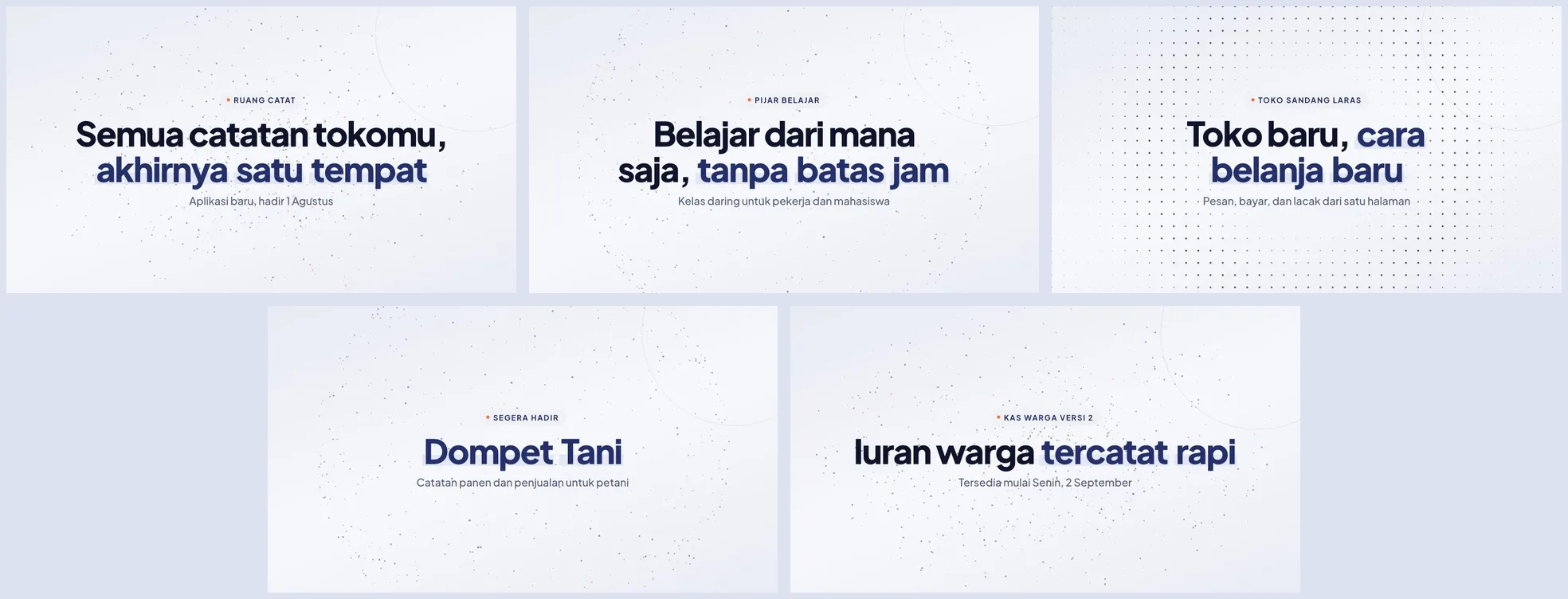
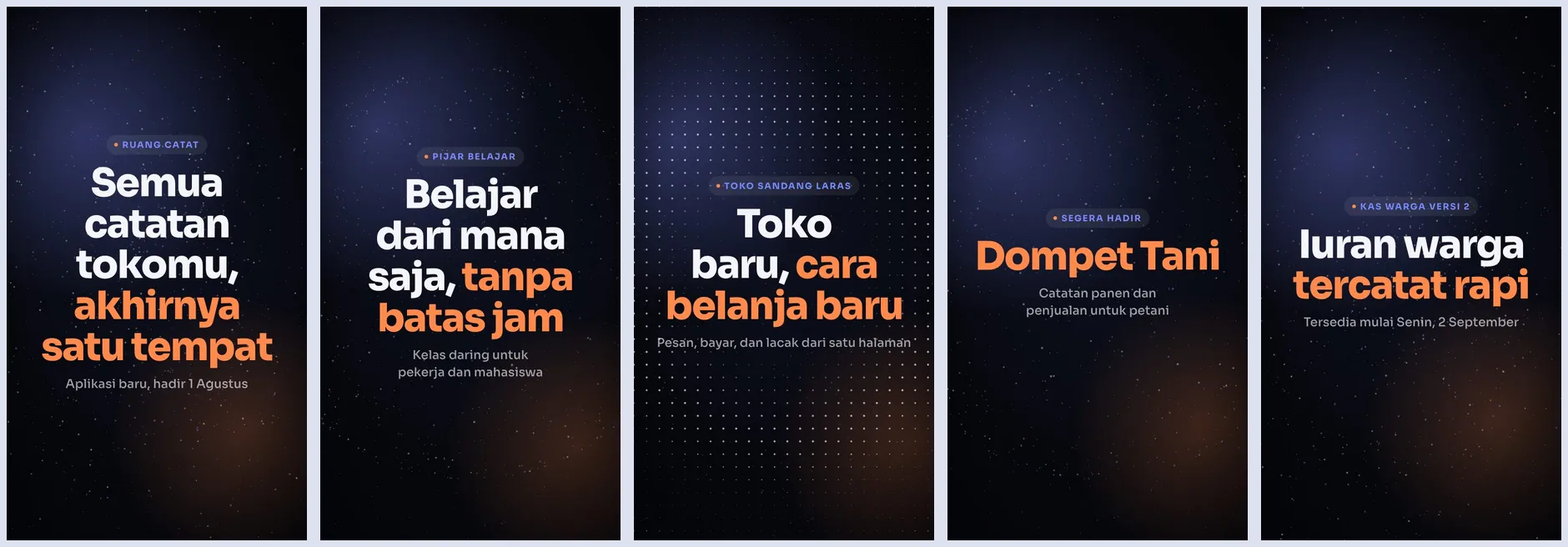
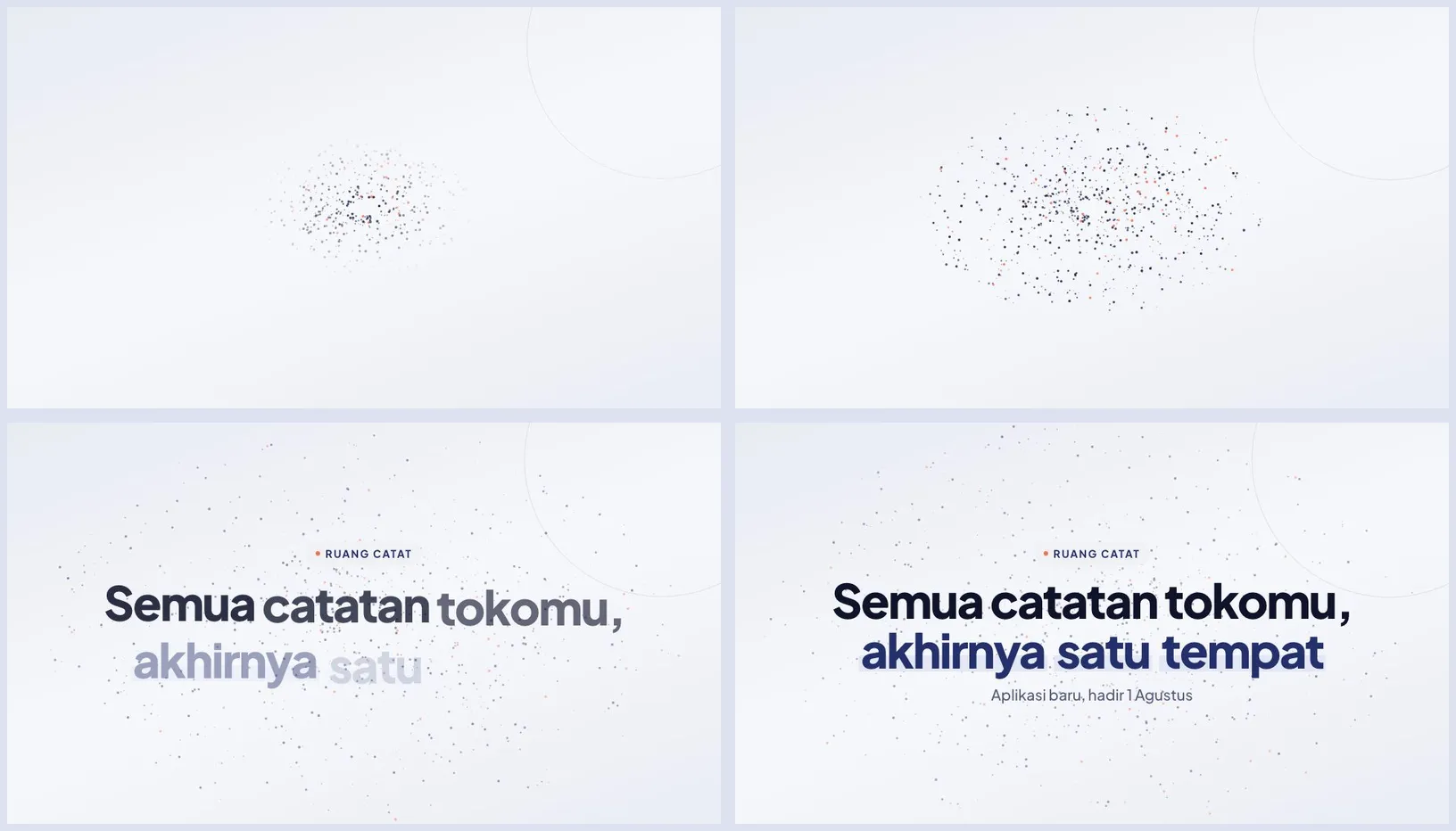
A 6-7 second abstract opener for launching an app, class, shop, or new brand: hundreds of particles move across the screen, then the brand name and one opening line appear word by word in the centre. Three particle motions: a spiral swirling like a galaxy, a rotating particle sphere, or a dot grid rippling out from the centre. No logo and no photo, so it works as a teaser before the product is shown. Use it alone or as the opener of a chain of other launch scenes. 16:9, 9:16, and 1:1 MP4, three themes, your own brand colours, home-made sound effects.
Verified by SkillFlow
We checked every file in this skill automatically: no command that downloads and runs a program, no hidden code, no instruction telling your AI to ignore you.
Good to know: Starts programs on the computer (files/alat/motion-mix.mjs), Starts programs on the computer (files/alat/motion-render.mjs), Starts programs on the computer (files/alat/motion-sfx.mjs) . These are tools that run on your own computer when you ask your agent to use them.
- Loads from outside
- Fonts: Google Fonts
See the 11 files inside
skill.json9 KBSKILL.md8 KBprompt.md3 KBprompt.en.md3 KBfiles/alat/kit-lib.mjs7 KBfiles/alat/launch-check.mjs8 KBfiles/alat/motion-mix.mjs8 KBfiles/alat/motion-render.mjs9 KBfiles/alat/motion-sfx.mjs2 KBfiles/alat/package.json1 KBfiles/video.html174 KB
Checked 14 Nov 2026
Part of SkillFlow Pro
Pro opens every skill in every category: copy, ZIP, Send to AI, install, save, and request new skills.
Get Pro Already subscribed? Sign inWhat you get
- A suggested particle motion (spiral, sphere, or grid) and opening line that suit the brand, shown before rendering
- 16:9 1920x1080, 9:16 1080x1920, and/or 1:1 1080x1080 MP4, 30 fps, 6-7 seconds per intro
- Brand name or small label, an opening line with highlighted words, and one closing line
- Several line versions from the same config to test in ads
- Home-made sound effects (rise and whoosh) as the particles open
- An HTML template (LAUNCH object) for the next intro or to chain with other launch scenes
Good fit
- App, online class, or brand launches that want an opener that feels modern and techy
- Coming soon teasers before the product or logo is shown
- Ads that test several opening lines over the same visual
- The opener of a launch video that continues with a demo, numbers, and a call to action
Not for
- The particles do not form a logo or letters; your logo is revealed with the logo reveal skill
- It shows no product photo or screenshot; the content is only particles and text
- In light themes, a per-scene colour background makes the particles nearly vanish; for a dark mood use the Cinematic Dark theme
- It does not run in an ordinary web chat: it needs an agent that can run programs on your computer
About this skill
/intro-partikel-launch Make a 9:16 intro for launching my shop notes app, spiral style, with the line: all your shop notes finally in one place
Show more
A 6-7 second abstract opener for launching an app, class, shop, or new brand: hundreds of particles move across the screen, then the brand name and one opening line appear word by word in the centre. Three particle motions: a spiral swirling like a galaxy, a rotating particle sphere, or a dot grid rippling out from the centre. No logo and no photo, so it works as a teaser before the product is shown. Use it alone or as the opener of a chain of other launch scenes. 16:9, 9:16, and 1:1 MP4, three themes, your own brand colours, home-made sound effects.

User reviews
FAQ
How is this different from the logo reveal and shop logo intro skills?
Both of those reveal a logo. This skill uses no logo at all: abstract particles move and then an opening line appears, so it suits a teaser or an opener that sells an idea rather than showing an identity. If you want the logo at the end, chain this scene with a logo scene from the same kit.
Which particle motion suits me?
Spiral feels like something being born, good for an app launch or a new version. Sphere feels whole and global, good for online classes or communities. The dot grid feels neat and orderly, good for shops, services, or work tools. The agent shows a contact sheet before rendering.
How long should the opening line be?
Best at 4-8 words with one or two highlighted. Longer lines still fit because the text shrinks automatically, but in 9:16 a very long word (over 14 letters) shrinks everything; the checker warns when that happens.
Which AI can I use it with?
Download the ZIP and install it in an AI agent (Claude Code, Codex, Antigravity, Hermes Agent, Cursor, GitHub Copilot, Gemini CLI, OpenCode, Kimi Code, Trae), which then builds the files for you.
What is in the ZIP?
One folder named intro-partikel-launch with SKILL.md (the instructions an AI agent reads) and the prompt, 11 files in all. Extract it into your agent's skills folder, or install it with npx skillflow-ai add intro-partikel-launch. Pro only.
Is there a per-use fee or credits?
Not from SkillFlow. The skill runs on the AI you already use (and, if you use an AI voice instead of your own recording, the voice service you pick), so any cost follows that plan.
Which plan includes it?
SkillFlow Pro. It opens every skill in every category.
Can I use my own colours and brand?
Yes. Pick a colour theme on this page, or fill in your brand profile once; both go into the prompt you copy and into the ZIP.
Can I share what I made?
Pro members can upload the result and get a page at share.skillflow.ai.id to send to anyone. The page carries a small "Made with SkillFlow AI" mark.
Is there a download limit?
Yes, per day: 50 skills on Pro, 10 on other plans. Downloading a skill again on the same day does not count.



