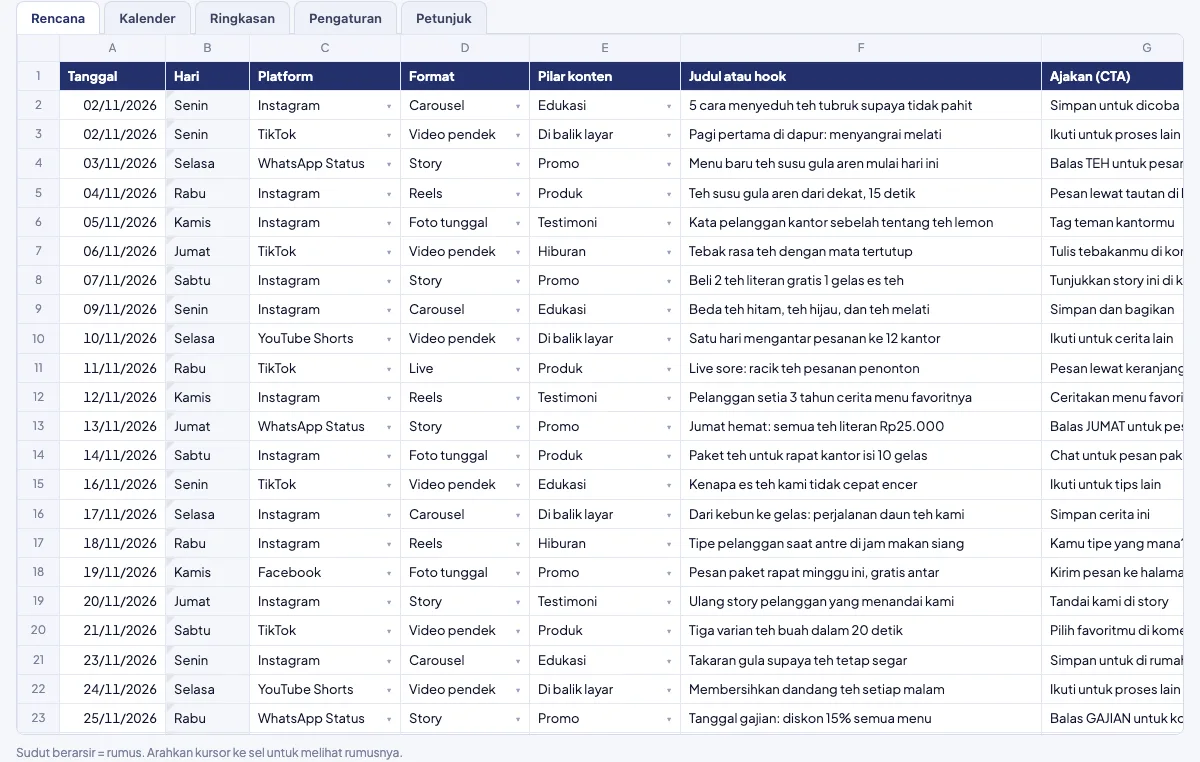
Plan sheet: one row per post, platform, format, and pillar from dropdowns
SKILL.md contents
Premium subscribers can read, copy, and install this skill.
Unlock with Premium Sign inMonthly Content Calendar
Description
An Excel workbook for one month of content, for small businesses, creators, and content teams: one row per post with date, platform, format, content pillar, title or hook, call to action, owner, and status from dropdowns, an automatic overdue flag, a month calendar that fills itself from the dates, and summaries per status, pillar, platform, format, and owner with percent done. The result is an .xlsx file that opens in Excel, Numbers, or Google Sheets.
Verified by SkillFlow
We checked every file in this skill automatically: no command that downloads and runs a program, no hidden code, no instruction telling your AI to ignore you.
- Loads from outside
- Fonts: Google Fonts SkillFlow: directory.skillflow.ai.id
See the 6 files inside
skill.json7 KBSKILL.md6 KBprompt.md7 KBprompt.en.md8 KBfiles/contoh/agensi-5-brand-oktober.html225 KBfiles/template.html203 KB
Checked 14 Nov 2026
Part of SkillFlow Pro
Pro opens every skill in every category: copy, ZIP, Send to AI, install, save, and request new skills.
Get Pro Already subscribed? Sign inWhat you get
- An .xlsx file with Plan, Calendar, Summary, Settings, and Guide sheets
- A plan for up to 300 posts: platform, format, pillar, owner, and status dropdowns, with day and week calculated
- An Overdue flag for posts whose date has passed but are not published
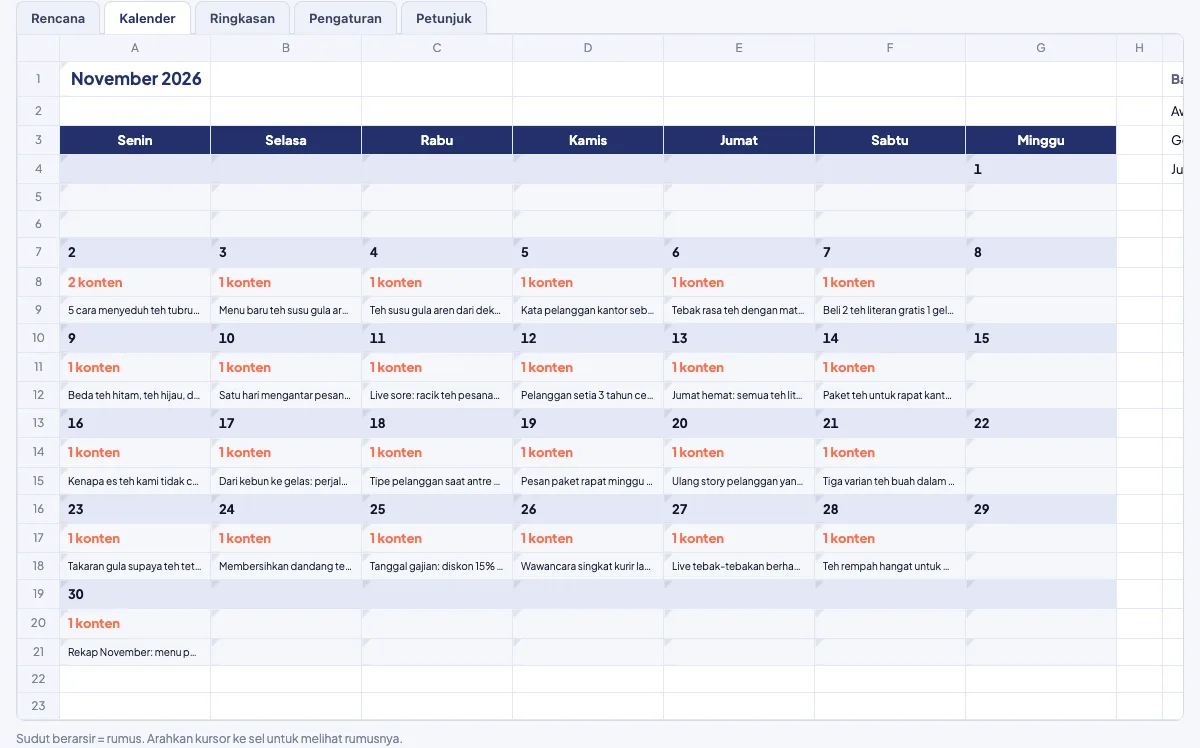
- A month calendar from the dates: posts per day and the first title
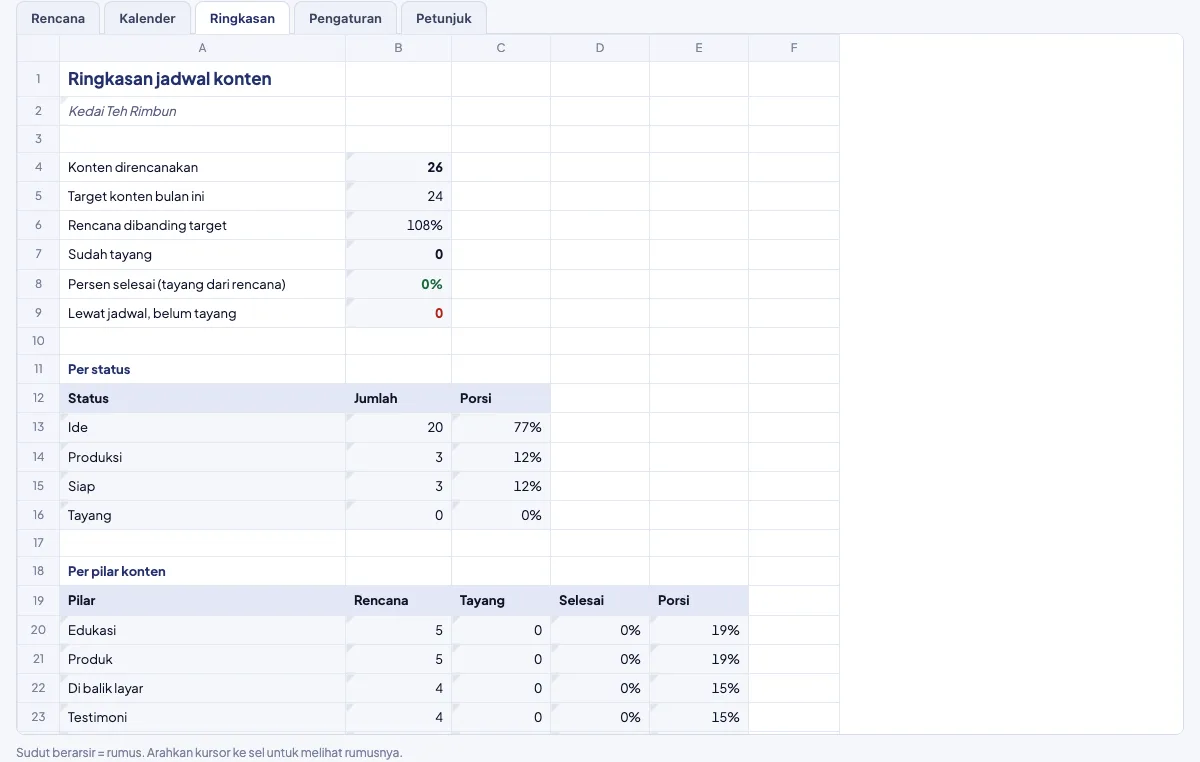
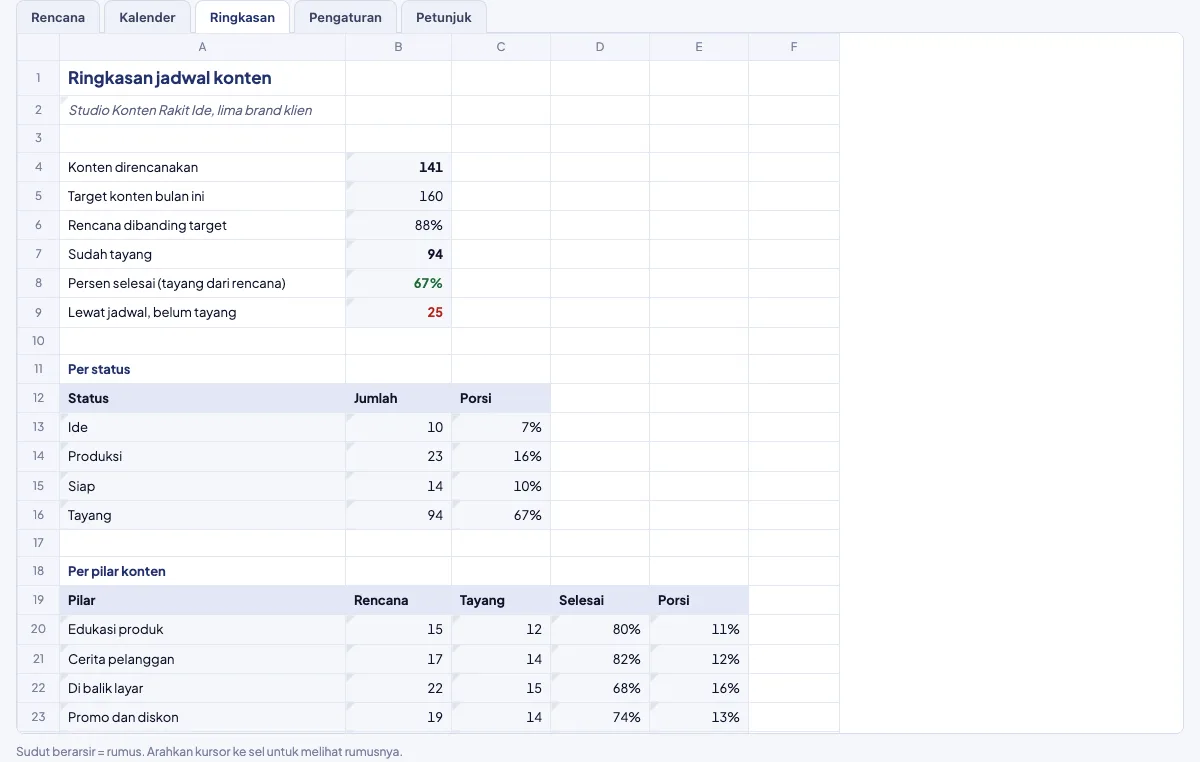
- A summary: plan versus target, percent done, and tables per status, pillar, platform, format, owner
- An HTML template with a sheet preview and a Download Excel button
Good fit
- Small businesses that want to post regularly and see which posts are not done yet
- Creators and small content teams splitting work between people
- Agencies and freelancers reporting monthly content progress to clients
Not for
- It does not schedule or publish posts to any platform; it is a planning workbook
- It does not write full captions or design the posts
- One file covers one month; the next month starts from a copy of the file
About this skill
/jadwal-konten-bulanan Make an Excel content calendar for November 2026 for Rimbun Tea House, a target of 24 posts across Instagram, TikTok, and WhatsApp Status, owners Rani, Dimas, and Sekar
Show more
An Excel workbook for one month of content, for small businesses, creators, and content teams: one row per post with date, platform, format, content pillar, title or hook, call to action, owner, and status from dropdowns, an automatic overdue flag, a month calendar that fills itself from the dates, and summaries per status, pillar, platform, format, and owner with percent done. The result is an .xlsx file that opens in Excel, Numbers, or Google Sheets.
User reviews
FAQ
Where does the Calendar sheet get its data?
From the Date column in the Plan sheet and the month in Settings. Change the month in Settings and the dates and day names move by themselves, then each date counts its posts.
When does the Overdue flag appear?
When a post's date is before today and its status is not Published. Once the status changes to Published the flag disappears and the percent done in the Summary goes up.
Which AI can I use it with?
Copy the prompt into a chat AI (ChatGPT, Claude, Gemini, DeepSeek); or download the ZIP and install it in an AI agent (Claude Code, Codex, Antigravity, Hermes Agent, Cursor, GitHub Copilot, Gemini CLI, OpenCode, Kimi Code, Trae), which then builds the files for you.
What is in the ZIP?
One folder named jadwal-konten-bulanan with SKILL.md (the instructions an AI agent reads) and the prompt, 6 files in all. Extract it into your agent's skills folder, or install it with npx skillflow-ai add jadwal-konten-bulanan. Pro only.
Is there a per-use fee or credits?
Not from SkillFlow. The skill runs on the AI you already use, so any cost follows that plan.
Which plan includes it?
SkillFlow Pro. It opens every skill in every category.
Can I use my own colours and brand?
Yes. Pick a colour theme on this page, or fill in your brand profile once; both go into the prompt you copy and into the ZIP.
Can I share what I made?
Pro members can upload the result and get a page at share.skillflow.ai.id to send to anyone. The page carries a small "Made with SkillFlow AI" mark.
Is there a download limit?
Yes, per day: 50 skills on Pro, 10 on other plans. Downloading a skill again on the same day does not count.