


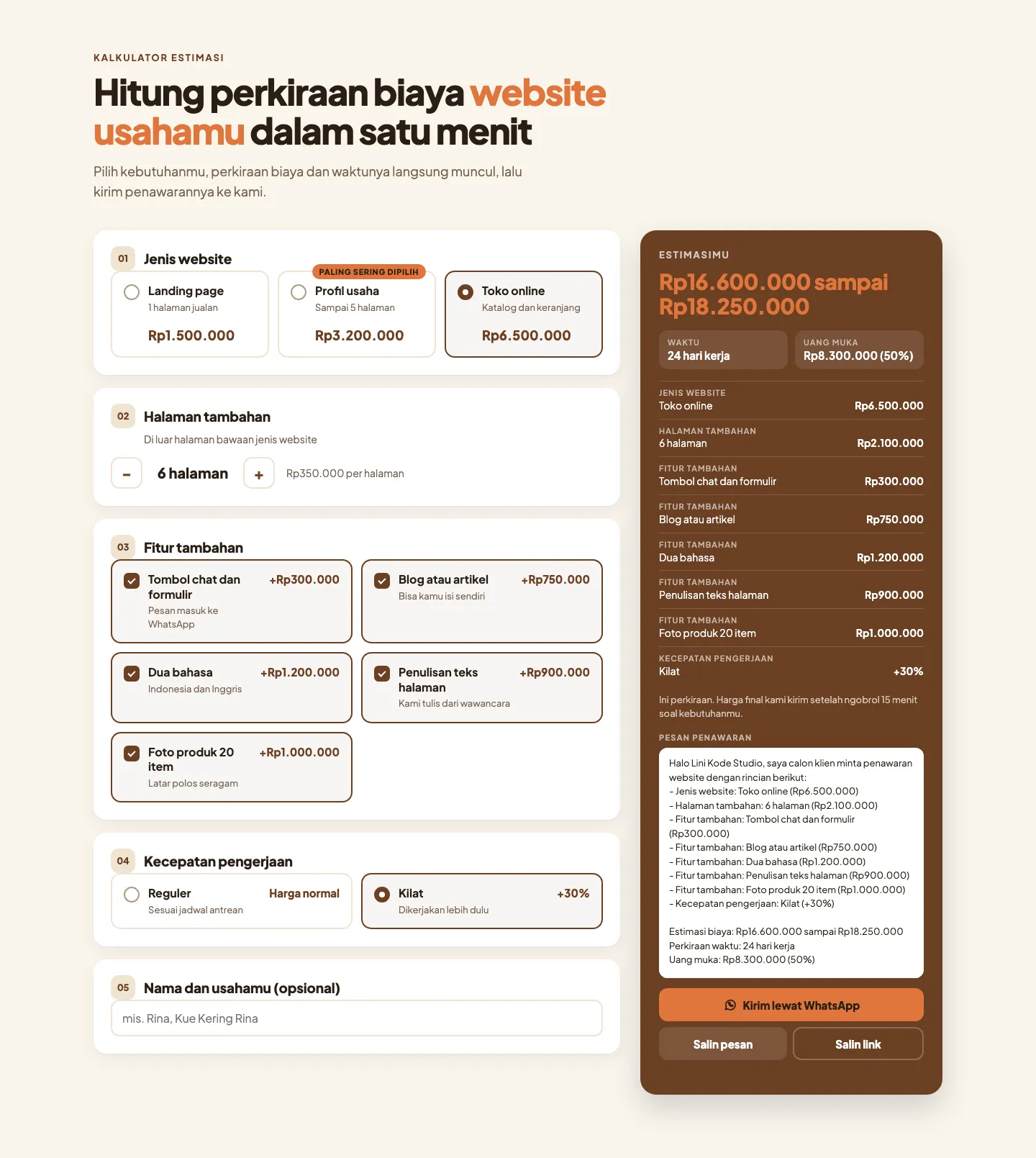
Desktop: choice steps on the left, the estimate summary and quote message pinned on the right
SKILL.md contents
Premium subscribers can read, copy, and install this skill.
Unlock with Premium Sign inService Price Estimator
Description
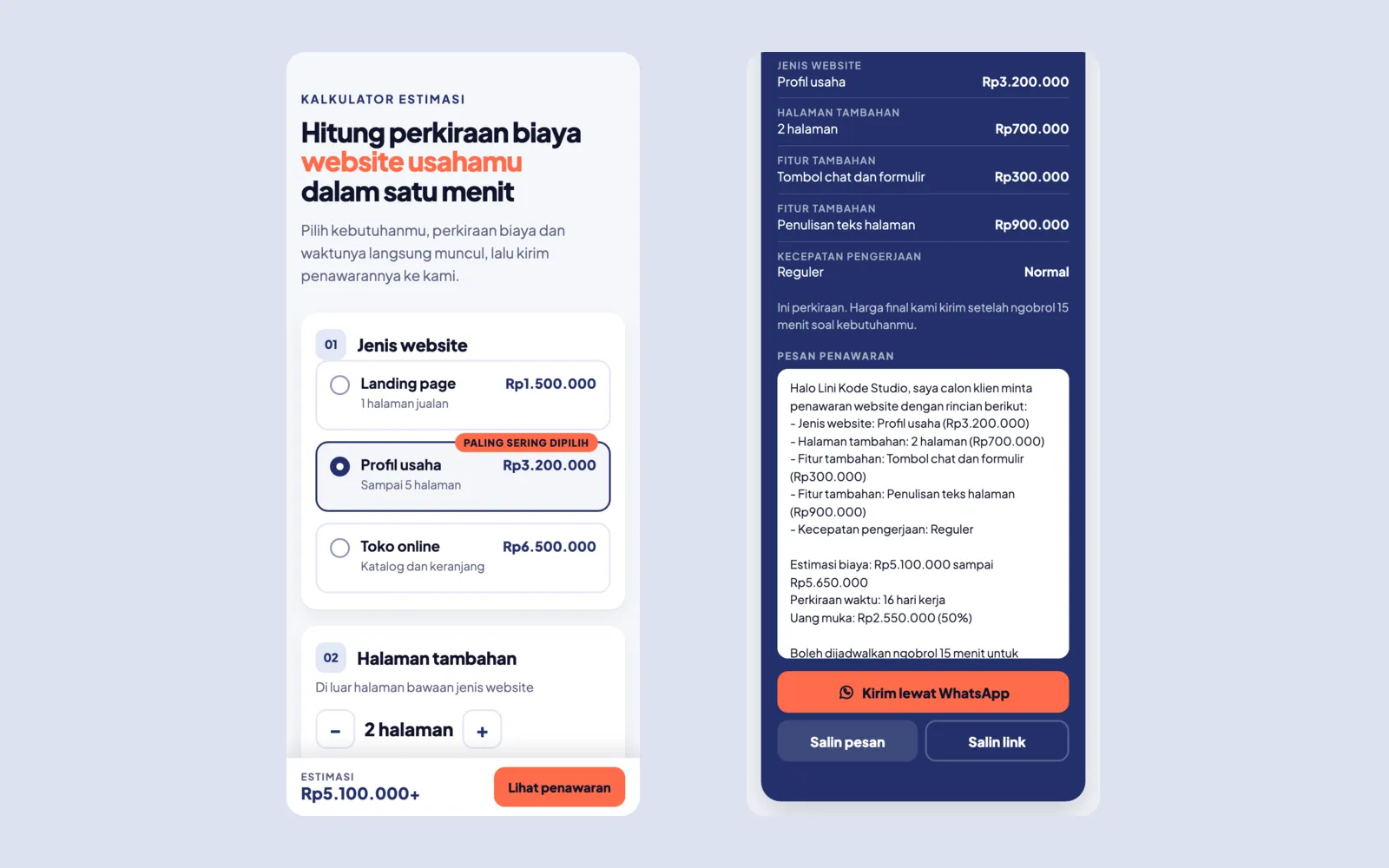
A price estimator for services whose cost depends on what the client needs, as one HTML file with no backend: prospects choose their needs through numbered steps (pick one, pick several, a quantity with plus and minus buttons, a speed multiplier), a summary panel instantly works out a cost range, estimated working days, and the deposit, then builds a quote message with every line, ready to send on WhatsApp, copy, or share as an estimate link. Driven by one config object, 3 palettes, and a total bar at the bottom of the phone screen.
Verified by SkillFlow
We checked every file in this skill automatically: no command that downloads and runs a program, no hidden code, no instruction telling your AI to ignore you.
- Loads from outside
- Fonts: Google Fonts
See the 5 files inside
skill.json9 KBSKILL.md8 KBprompt.md4 KBprompt.en.md4 KBfiles/kalkulator.html26 KB
Checked 14 Nov 2026
Part of SkillFlow Pro
Pro opens every skill in every category: copy, ZIP, Send to AI, install, save, and request new skills.
Get Pro Already subscribed? Sign inWhat you get
- One responsive HTML estimator file, no backend and no libraries
- Four step types: pick one, pick several, quantity, and speed multiplier
- A cost range, estimated working days, and deposit calculated live
- A quote message with every line, sent on WhatsApp or copied
- An estimate link that reopens the same choices, and a total bar on phones
- The price table used plus desktop and phone screenshots
Good fit
- Freelancers and service studios that keep hearing "roughly how much?"
- Website, design, photo, video, event catering, decoration, or renovation services
- Service owners who want incoming chats to already include the client's needs
- Service pages that need honest numbers without committing to a final price
Not for
- It does not take payments or create invoices; the result is an estimate and a quote message
- Not a physical product configurator with colour or material previews
- It does not store client data on a server; the message only goes out when the client presses the button
- It does not set your prices; you supply the prices, units, and working days
About this skill
/kalkulator-harga-jasa Build a price estimator for my small business website service: choose the website type, extra pages, add-ons, and speed, then send the result to my WhatsApp
Show more
A price estimator for services whose cost depends on what the client needs, as one HTML file with no backend: prospects choose their needs through numbered steps (pick one, pick several, a quantity with plus and minus buttons, a speed multiplier), a summary panel instantly works out a cost range, estimated working days, and the deposit, then builds a quote message with every line, ready to send on WhatsApp, copy, or share as an estimate link. Driven by one config object, 3 palettes, and a total bar at the bottom of the phone screen.
User reviews
FAQ
Why is the result a range instead of one number?
Custom work almost always has details that only come up in a conversation. A range (up to 10% higher by default) gives an honest picture without locking in a final price. If your pricing is fixed, set the range to 0 and a single number is shown.
What goes into the WhatsApp message?
The client's name if filled in, every choice with its price, the total, the estimated time, the deposit, and one next-step question. The wording and order come from one message template, and empty lines are removed automatically.
What is the estimate link for?
The client's choices are stored in the page address, so a copied link opens the same combination. Clients can send it to a colleague for approval, and you can open it to see exactly what they chose.
Which AI can I use it with?
Copy the prompt into a chat AI (ChatGPT, Claude, Gemini, DeepSeek); or download the ZIP and install it in an AI agent (Claude Code, Codex, Antigravity, Hermes Agent, Cursor, GitHub Copilot, Gemini CLI, OpenCode, Kimi Code, Trae), which then builds the files for you.
What is in the ZIP?
One folder named kalkulator-harga-jasa with SKILL.md (the instructions an AI agent reads) and the prompt, 5 files in all. Extract it into your agent's skills folder, or install it with npx skillflow-ai add kalkulator-harga-jasa. Pro only.
Is there a per-use fee or credits?
Not from SkillFlow. The skill runs on the AI you already use, so any cost follows that plan.
Which plan includes it?
SkillFlow Pro. It opens every skill in every category.
Can I use my own colours and brand?
Yes. Pick a colour theme on this page, or fill in your brand profile once; both go into the prompt you copy and into the ZIP.
Can I share what I made?
Pro members can upload the result and get a page at share.skillflow.ai.id to send to anyone. The page carries a small "Made with SkillFlow AI" mark.
Is there a download limit?
Yes, per day: 50 skills on Pro, 10 on other plans. Downloading a skill again on the same day does not count.



