

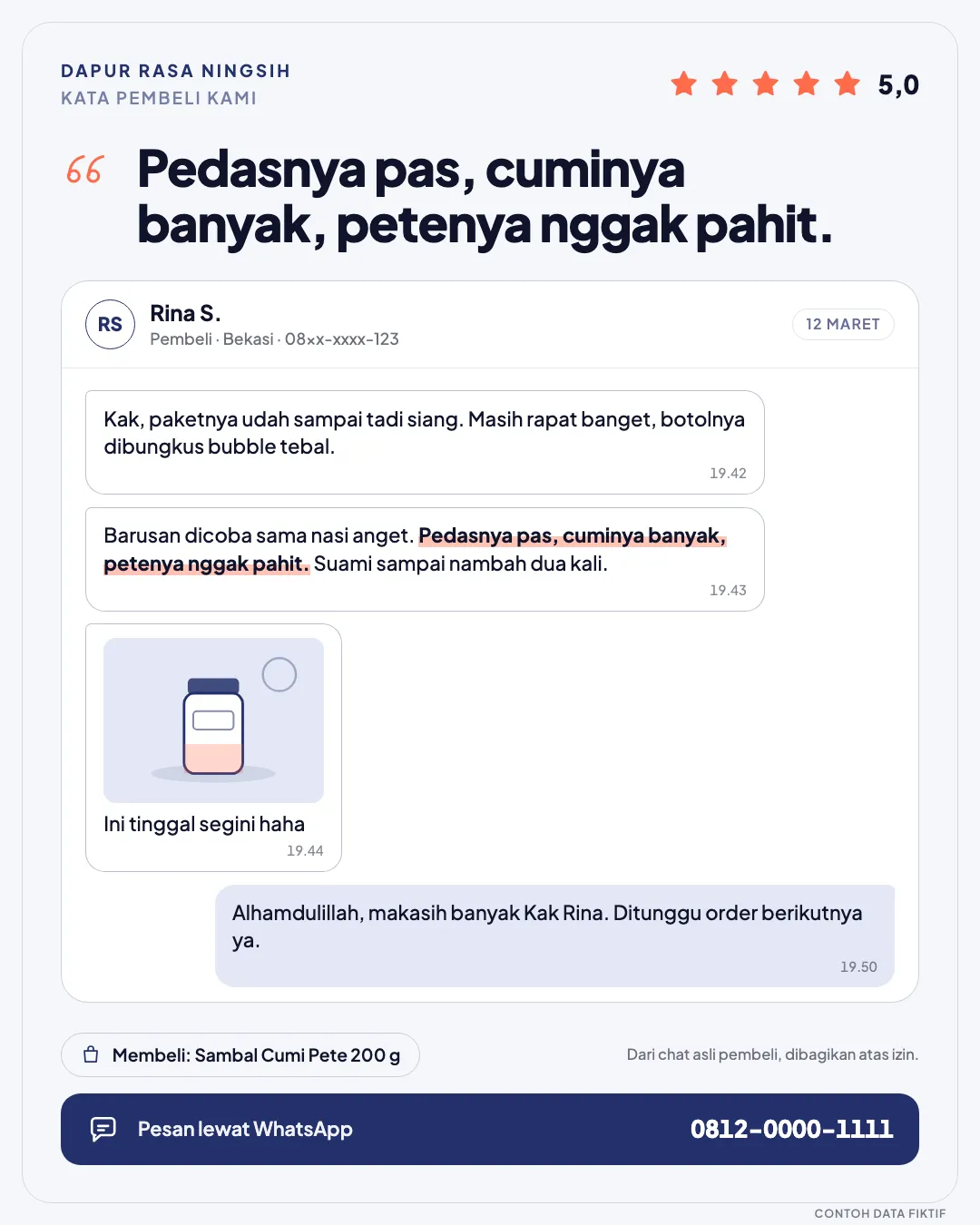
4:5 feed, quote style: best line large on top, the chat as proof, name and number masked
SKILL.md contents
Premium subscribers can read, copy, and install this skill.
Unlock with Premium Sign inChat Screenshot Testimonial Card
Description
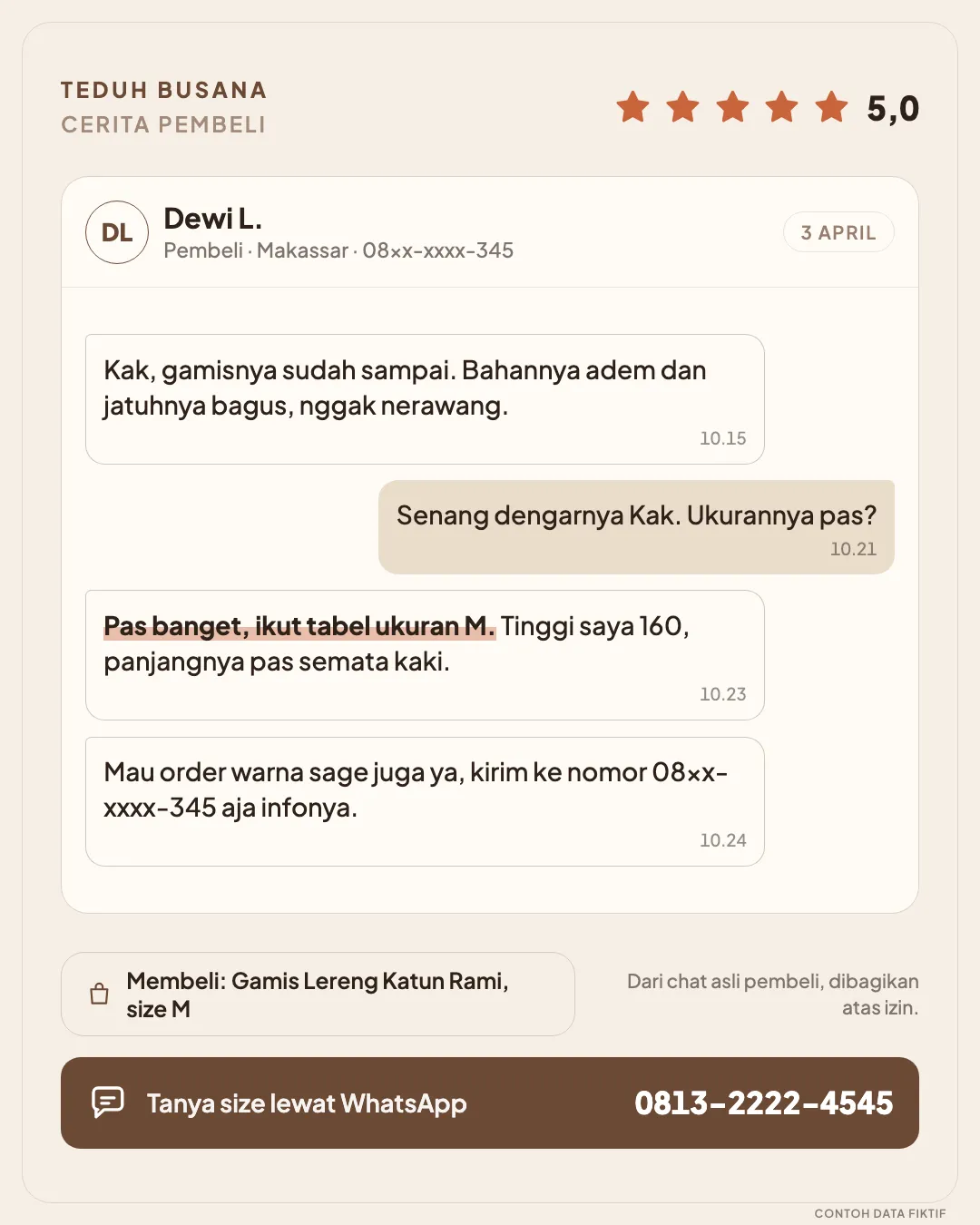
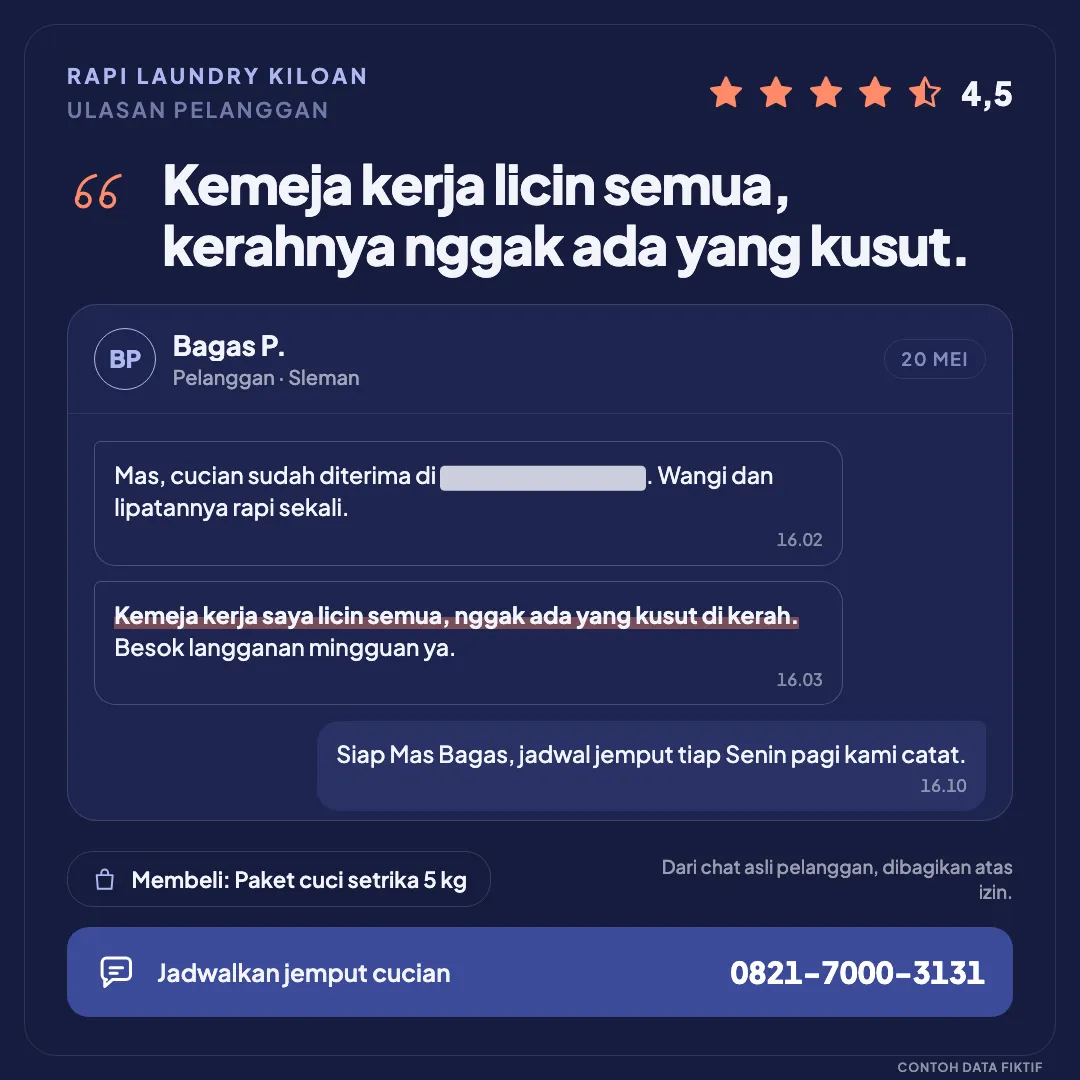
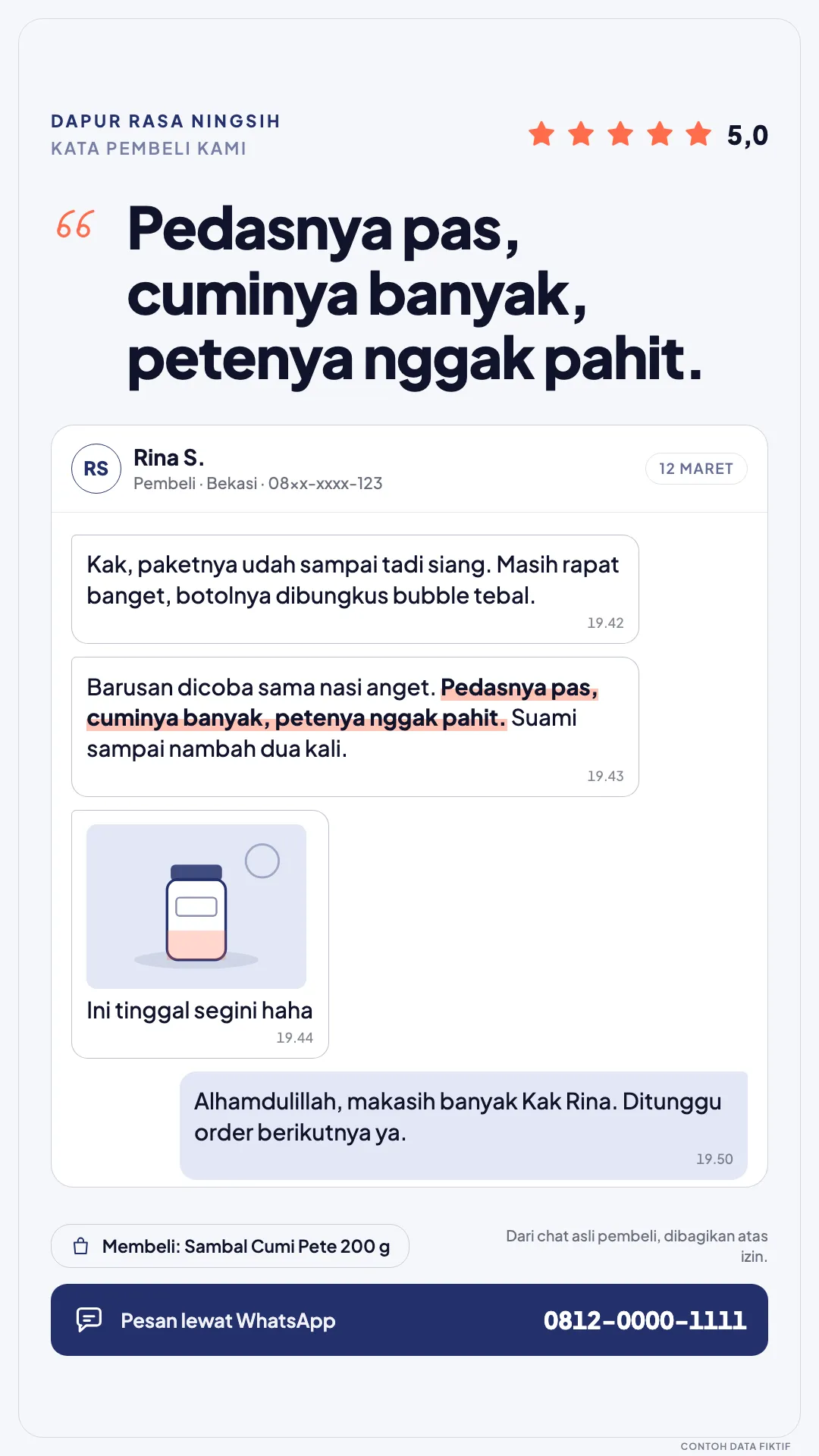
A messy screenshot of a buyer's chat, redrawn as a testimonial card ready to post: chat bubbles in a calm thin-line style, the buyer's name and phone number masked automatically (Rina S., 08xx-xxxx-123), addresses or private words covered with a block, the best line highlighted in the chat and lifted into a large quote, plus a star rating, the product bought, a permission note, and a WhatsApp button. One data object, two styles (quote or conversation), three palettes, and PNG exports for 4:5 feed, 1:1 square, and 9:16 story.
Verified by SkillFlow
We checked every file in this skill automatically: no command that downloads and runs a program, no hidden code, no instruction telling your AI to ignore you.
- Loads from outside
- Fonts: Google Fonts
See the 5 files inside
skill.json9 KBSKILL.md7 KBprompt.md3 KBprompt.en.md3 KBfiles/kartu-testimoni.html25 KB
Checked 14 Nov 2026
Included in Basic and Pro
Basic copies the prompt. Pro also downloads the ZIP, sends to AI, installs into agents, and opens every category.
Get Pro Get Basic Already subscribed? Sign inWhat you get
- The chat text tidied from the screenshot, without changing the buyer's words
- Name, phone number, and email masked automatically, plus a list of words covered with a block
- One best line highlighted in the chat and lifted into a large quote
- Quote or conversation style, star rating (half stars allowed), a chip for the product bought
- PNG feed 1080x1350, square 1080x1080, story 1080x1920 from one data object
- Text shrinks on its own to fit; messages that are not highlighted are dropped if it is still full
- 3 palettes: city, cream, night
Good fit
- Online shops with lots of praise in chats but messy screenshots
- Sellers who want to protect buyer privacy when sharing testimonials
- Businesses needing testimonials for feed, stories, and product galleries
Not for
- Chat content is copied as is; this skill does not change or invent the buyer's words
- Not a replica of any specific chat app; the bubbles use their own thin-line style
- Still ask the buyer's permission before posting their chat
About this skill
/kartu-testimoni-dari-chat Turn a buyer chat screenshot for Mbah Karto Coffee into a testimonial card, mask the name and number, and highlight the line "it smells just like grandma's kitchen"
Show more
A messy screenshot of a buyer's chat, redrawn as a testimonial card ready to post: chat bubbles in a calm thin-line style, the buyer's name and phone number masked automatically (Rina S., 08xx-xxxx-123), addresses or private words covered with a block, the best line highlighted in the chat and lifted into a large quote, plus a star rating, the product bought, a permission note, and a WhatsApp button. One data object, two styles (quote or conversation), three palettes, and PNG exports for 4:5 feed, 1:1 square, and 9:16 story.
User reviews
FAQ
What is masked automatically?
The buyer's name becomes something like Rina S., the phone number becomes 08xx-xxxx-123, and emails are hidden. Other personal words such as addresses can be blocked out via a word list.
What is the difference between quote and conversation styles?
Quote style features the best line as a large quote. Conversation style shows the full chat bubbles with the best line highlighted.
What if the chat is too long?
The text shrinks to fit. If it's still too full, messages that aren't highlighted are dropped first.
Which AI can I use it with?
Copy the prompt into a chat AI (ChatGPT, Claude, Gemini, DeepSeek); or download the ZIP and install it in an AI agent (Claude Code, Codex, Antigravity, Hermes Agent, Cursor, GitHub Copilot, Gemini CLI, OpenCode, Kimi Code, Trae), which then builds the files for you.
What is in the ZIP?
One folder named kartu-testimoni-dari-chat with SKILL.md (the instructions an AI agent reads) and the prompt, 5 files in all. Extract it into your agent's skills folder, or install it with npx skillflow-ai add kartu-testimoni-dari-chat. Pro only.
Is there a per-use fee or credits?
Not from SkillFlow. The skill runs on the AI you already use (and, for image prompts, the image AI you pick), so any cost follows that plan.
Which plan includes it?
Basic and Pro. Basic copies the prompt; Pro also downloads the ZIP, sends to AI, installs into agents and shares results by link.
Can I use my own colours and brand?
Yes. Pick a colour theme on this page, or fill in your brand profile once; both go into the prompt you copy and into the ZIP.
Can I share what I made?
Pro members can upload the result and get a page at share.skillflow.ai.id to send to anyone. The page carries a small "Made with SkillFlow AI" mark.
Is there a download limit?
Yes, per day: 50 skills on Pro, 10 on other plans. Downloading a skill again on the same day does not count.



