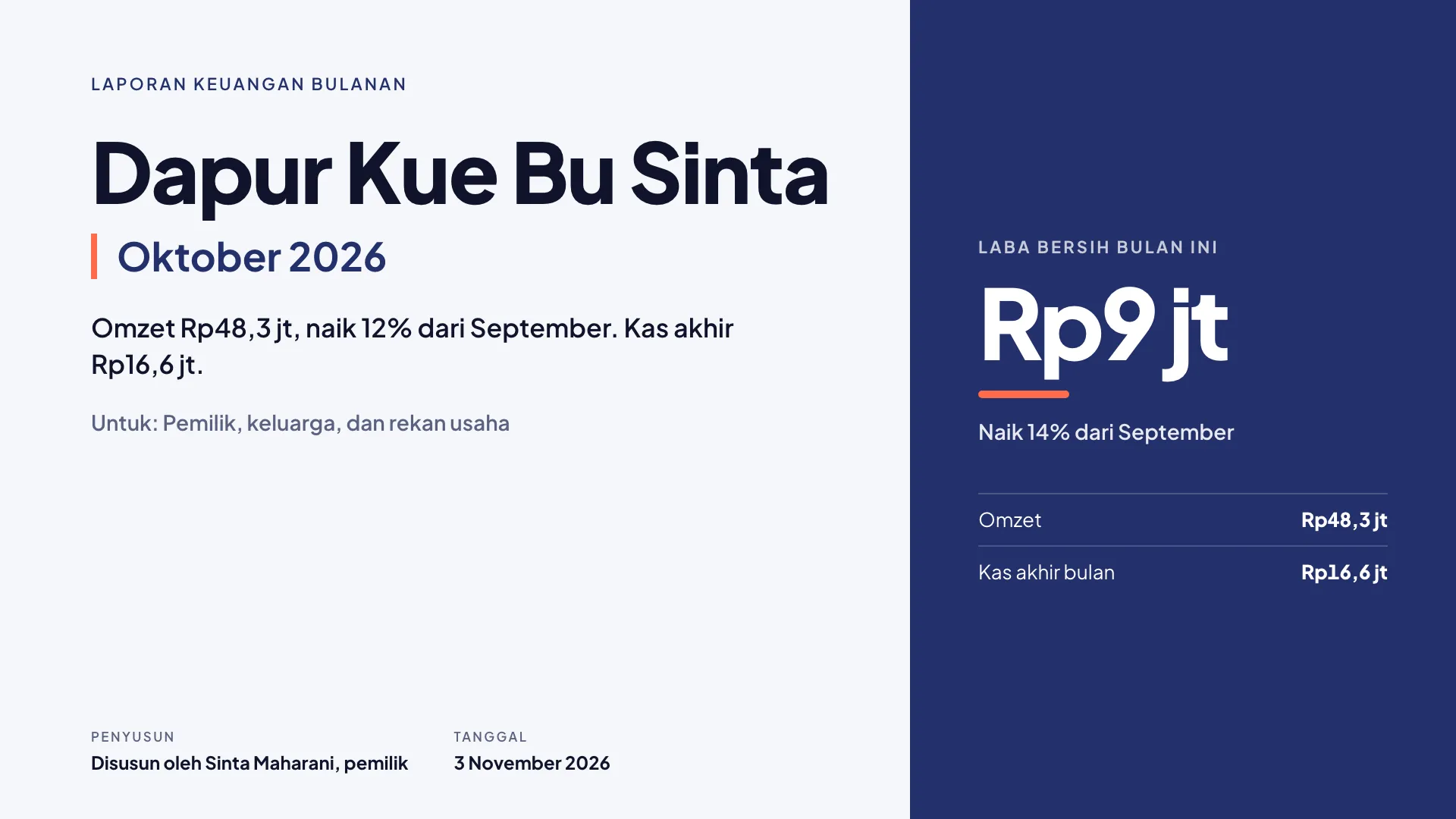
Cover: this month's net profit large on a dark panel, with revenue and closing cash
SKILL.md contents
Premium subscribers can read, copy, and install this skill.
Unlock with Premium Sign inSmall Business Finance Report
Description
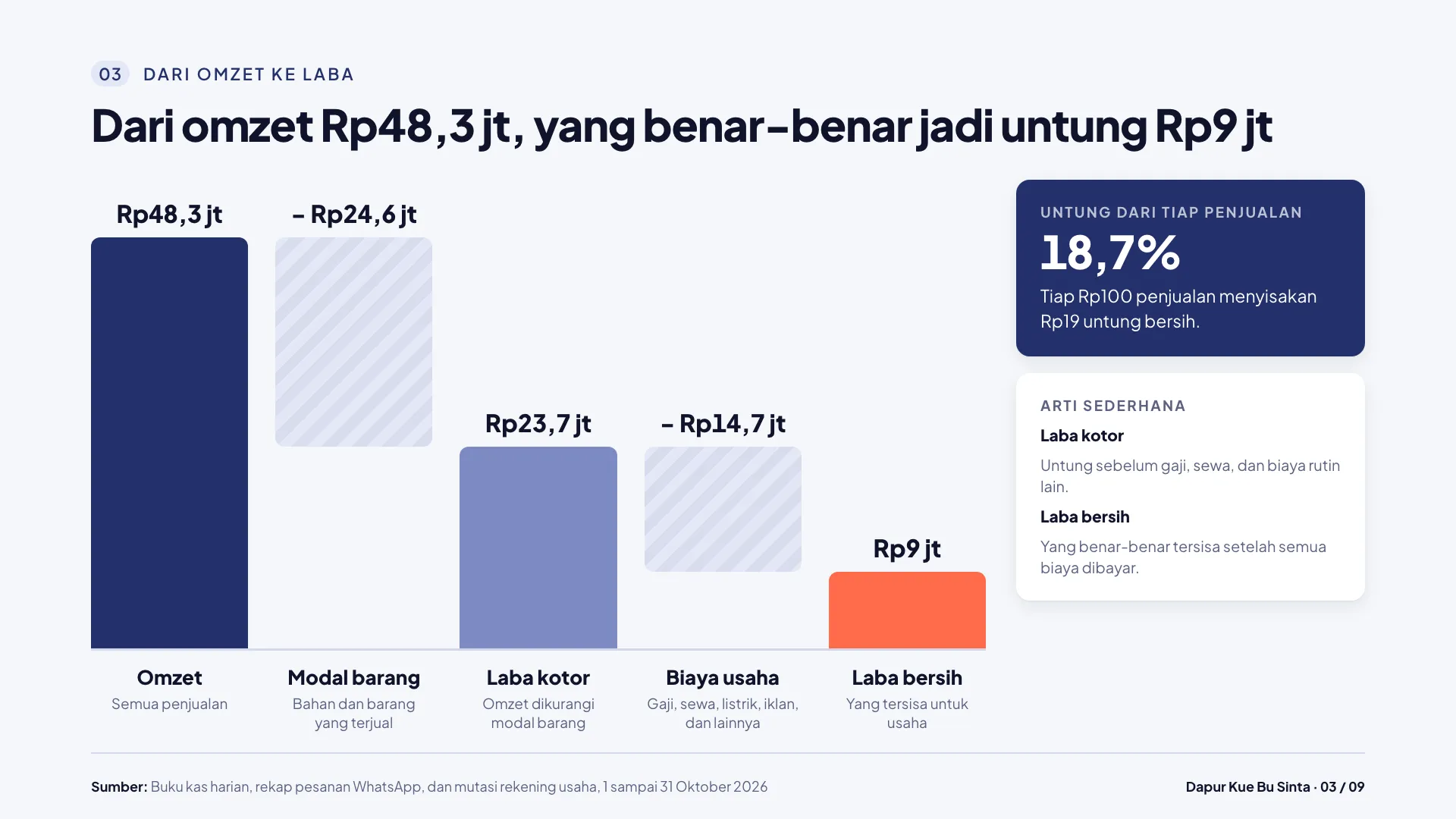
A monthly finance report deck for small businesses that a non-expert can follow: revenue, cost of goods, running costs, net profit, and cash flow in everyday language. It has a revenue to profit chart, where the money went item by item, a 6-month trend, an explanation of why profit is not the same as cash, a health check with statuses, notes, and next month's plan. Profit, percentages, changes from last month, closing cash, and titles are calculated from one data object. One HTML file, downloadable as PDF, PPTX, or images.
Verified by SkillFlow
We checked every file in this skill automatically: no command that downloads and runs a program, no hidden code, no instruction telling your AI to ignore you.
- Loads from outside
- Fonts: Google Fonts SkillFlow: directory.skillflow.ai.id
See the 6 files inside
skill.json13 KBSKILL.md7 KBprompt.md6 KBprompt.en.md6 KBfiles/contoh/bulan-rugi-12-pos-biaya.html46 KBfiles/deck.html46 KB
Checked 14 Nov 2026
Included in Basic and Pro
Basic copies the prompt. Pro also downloads the ZIP, sends to AI, installs into agents, and opens every category.
Get Pro Get Basic Already subscribed? Sign inWhat you get
- A 9-slide 16:9 deck from the cover to next month's plan
- Gross profit, net profit, profit share, and change from last month worked out for you
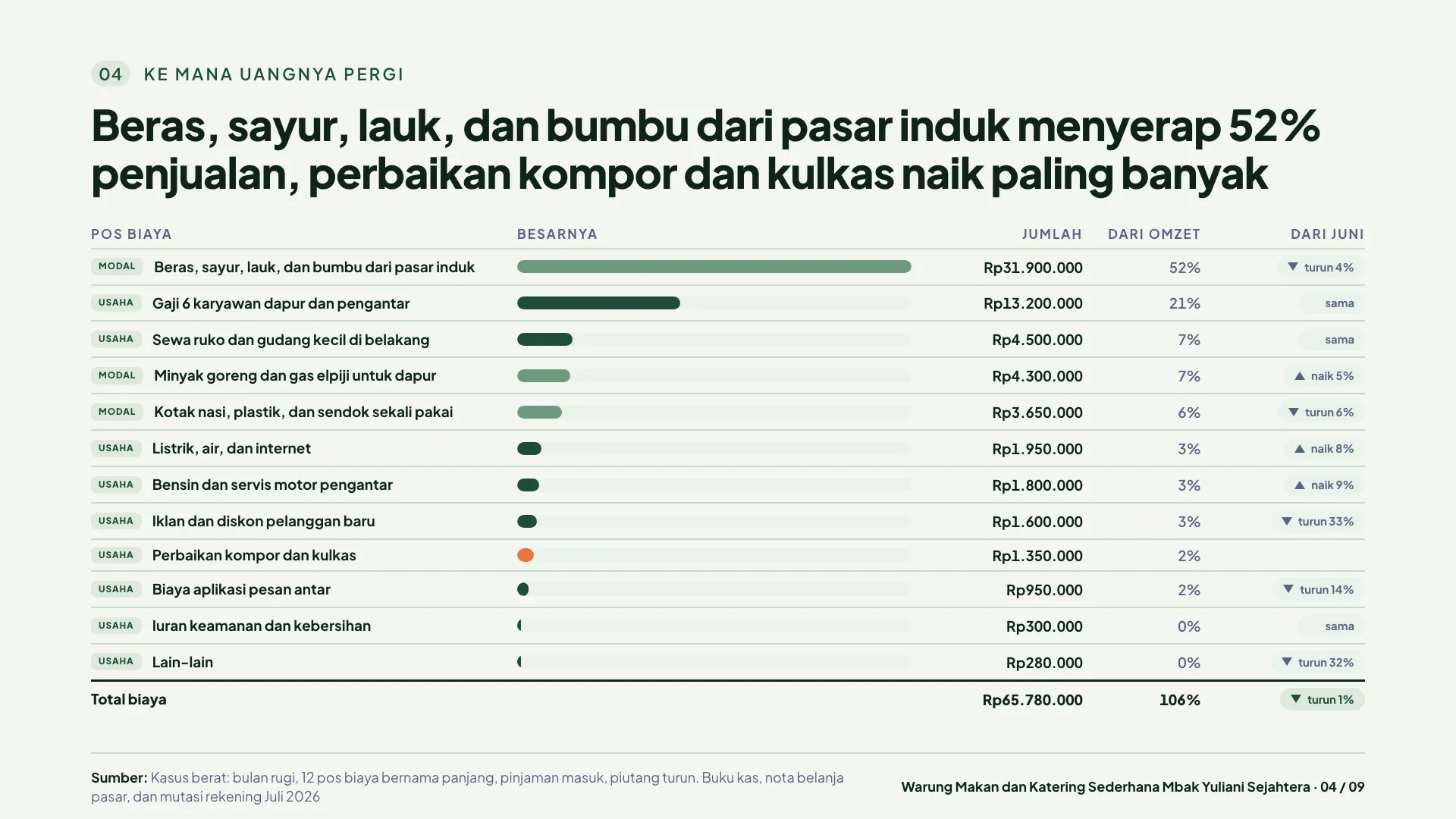
- A revenue to profit waterfall chart and a cost list with each item's share of revenue
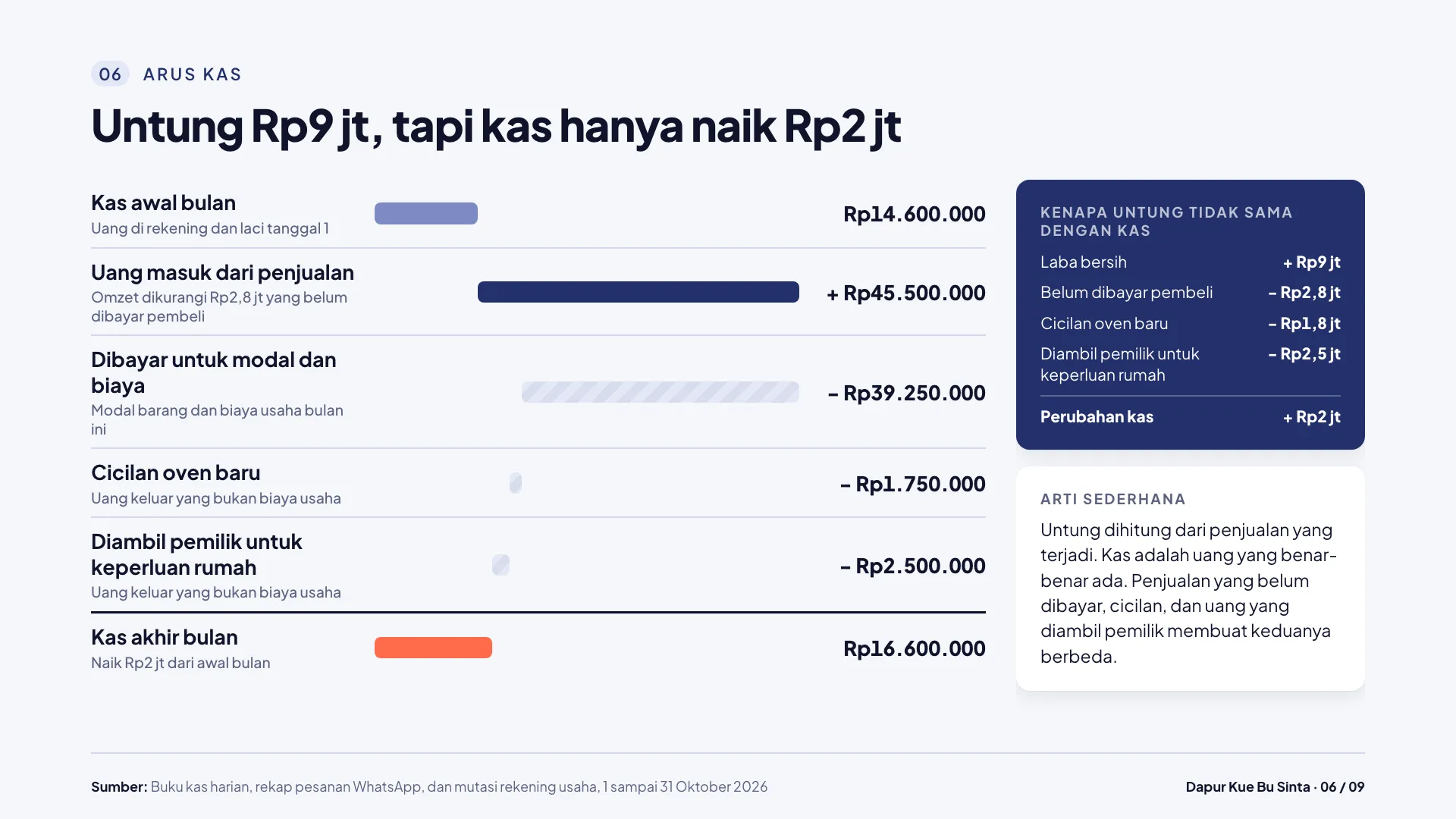
- Cash flow from opening to closing cash, explaining why profit is not the same as cash
- A health check of four signs (profit, cash buffer, receivables, costs) with a status
- Loss months worded correctly, plus 3 palettes and PDF, PPTX, image downloads
Good fit
- Small business owners reporting this month's results to family or an investing partner
- Businesses applying for or repaying a cooperative loan that need a regular report
- Consultants and business mentors explaining a client's finances in plain words
Not for
- Not an official accounting report for tax or audit; it is a simplified management report
- It does not total raw transactions; enter each item's total for the month
- One deck covers one month; for a yearly report use the annual report skill
About this skill
/laporan-keuangan-umkm Make the October finance report for Bu Sinta's Cake Kitchen: revenue 48.25 million (September 43.1 million), ingredients 21.4 million, packaging 3.15 million, wages 7.5 million, rent 2.5 million, ads 1.85 million. Opening cash 14.6 million, oven instalment 1.75 million. For the family to read.
Show more
A monthly finance report deck for small businesses that a non-expert can follow: revenue, cost of goods, running costs, net profit, and cash flow in everyday language. It has a revenue to profit chart, where the money went item by item, a 6-month trend, an explanation of why profit is not the same as cash, a health check with statuses, notes, and next month's plan. Profit, percentages, changes from last month, closing cash, and titles are calculated from one data object. One HTML file, downloadable as PDF, PPTX, or images.
User reviews
FAQ
Why can profit and cash be different?
Profit is counted from the sales that happened, while cash is the money you actually have. Unpaid sales, loan instalments, equipment purchases, and owner drawings make the two differ. The cash flow slide explains the gap item by item.
What if this month was a loss?
Every sentence adjusts: the cover says net loss, the comparison with last month avoids a misleading percentage, and the health check shows a warning. A loss month example is included.
What are cost of goods and running costs?
Cost of goods is the money spent on ingredients and goods that were sold, so it moves with sales. Running costs are regular bills such as wages, rent, and electricity that you pay even when sales are slow.
Which AI can I use it with?
Copy the prompt into a chat AI (ChatGPT, Claude, Gemini, DeepSeek); or download the ZIP and install it in an AI agent (Claude Code, Codex, Antigravity, Hermes Agent, Cursor, GitHub Copilot, Gemini CLI, OpenCode, Kimi Code, Trae), which then builds the files for you.
What is in the ZIP?
One folder named laporan-keuangan-umkm with SKILL.md (the instructions an AI agent reads) and the prompt, 6 files in all. Extract it into your agent's skills folder, or install it with npx skillflow-ai add laporan-keuangan-umkm. Pro only.
Is there a per-use fee or credits?
Not from SkillFlow. The skill runs on the AI you already use, so any cost follows that plan.
Which plan includes it?
Basic and Pro. Basic copies the prompt; Pro also downloads the ZIP, sends to AI, installs into agents and shares results by link.
Can I use my own colours and brand?
Yes. Pick a colour theme on this page, or fill in your brand profile once; both go into the prompt you copy and into the ZIP.
Can I share what I made?
Pro members can upload the result and get a page at share.skillflow.ai.id to send to anyone. The page carries a small "Made with SkillFlow AI" mark.
Is there a download limit?
Yes, per day: 50 skills on Pro, 10 on other plans. Downloading a skill again on the same day does not count.