

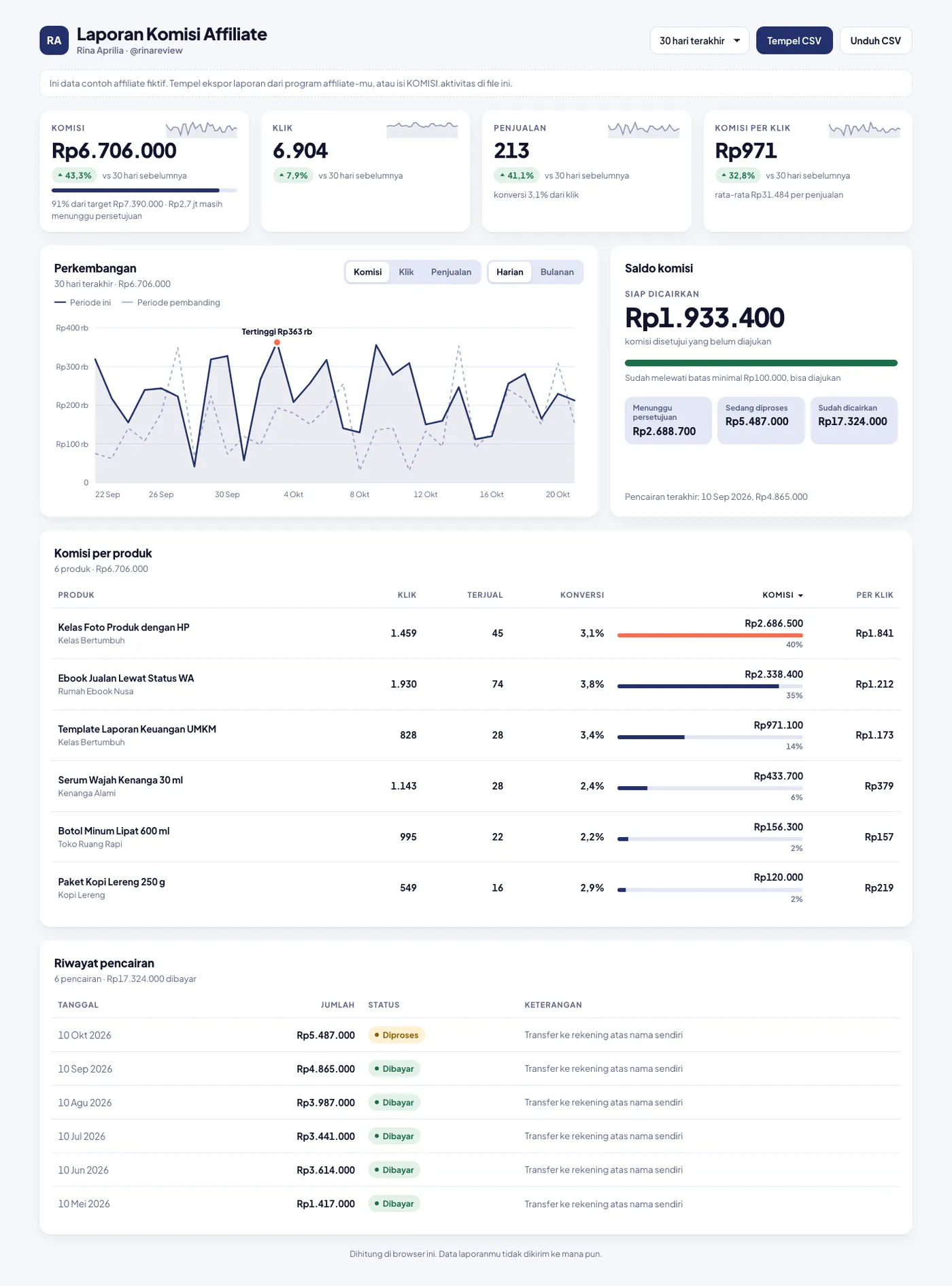
30-day report: KPIs vs the previous period, daily commission chart, balance, commission per product, payout history
SKILL.md contents
Premium subscribers can read, copy, and install this skill.
Unlock with Premium Sign inAffiliate Commission Report
Description
A personal affiliate dashboard in one HTML file that opens in a browser with no server: commission, clicks, sales with conversion, and earnings per click vs the previous period, a daily or monthly chart, a balance card (ready to withdraw, awaiting approval, processing, paid out, distance to the minimum payout), a sortable commission-per-product table, and payout history. Data is pasted from an affiliate program's CSV report export (columns detected automatically) or written in one config object.
Verified by SkillFlow
We checked every file in this skill automatically: no command that downloads and runs a program, no hidden code, no instruction telling your AI to ignore you.
- Loads from outside
- Fonts: Google Fonts
See the 5 files inside
skill.json10 KBSKILL.md8 KBprompt.md5 KBprompt.en.md5 KBfiles/laporan.html69 KB
Checked 14 Nov 2026
Part of SkillFlow Pro
Pro opens every skill in every category: copy, ZIP, Send to AI, install, save, and request new skills.
Get Pro Already subscribed? Sign inWhat you get
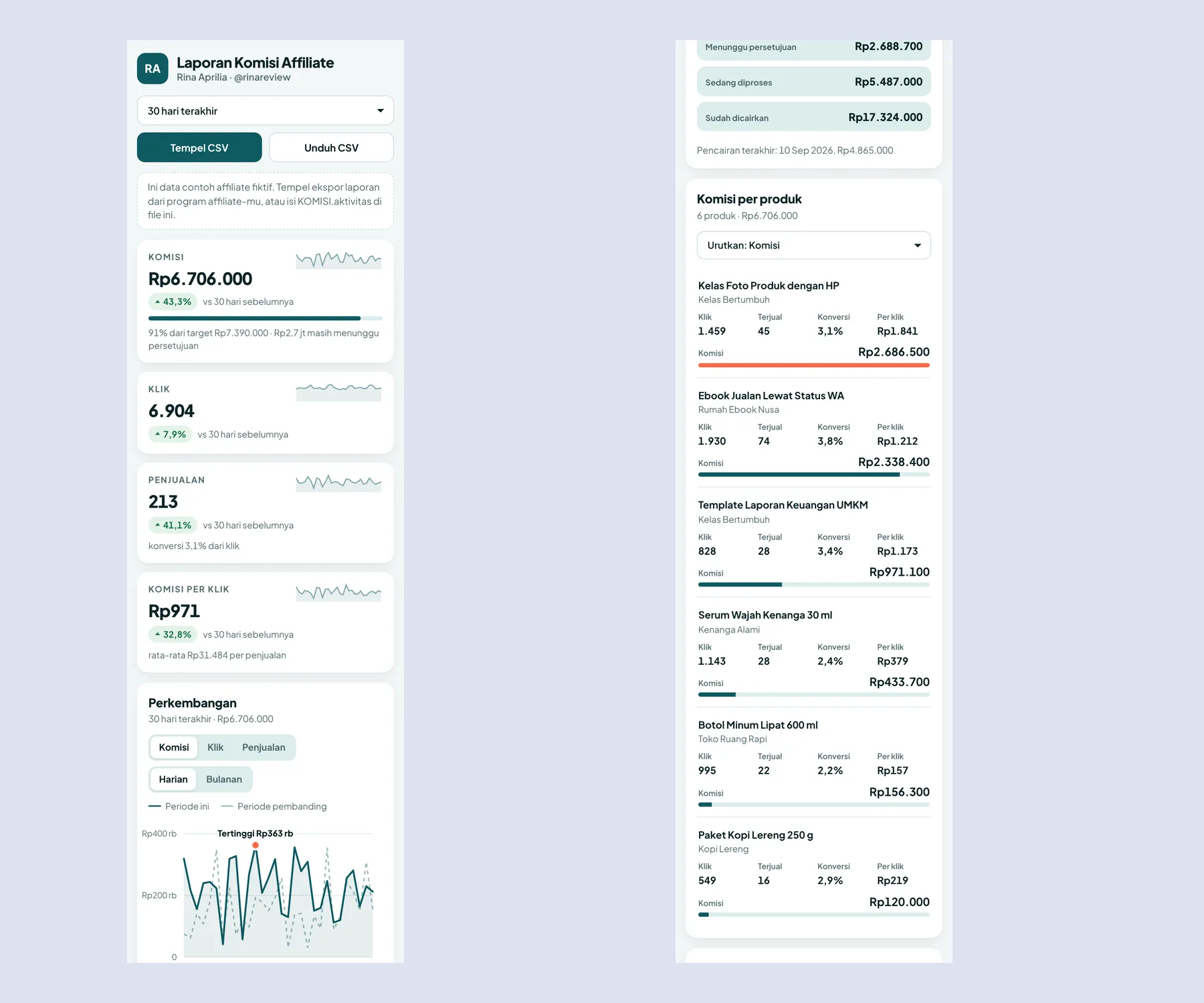
- A one-file HTML dashboard, responsive on desktop and phone, opens offline without a server
- 4 KPIs: commission (with a target meter), clicks, sales and conversion, earnings per click, vs the comparison period
- A daily/monthly chart of commission, clicks, or sales with a comparison line and the best day highlighted
- A balance card: ready to withdraw, awaiting approval, processing, paid out, distance to the minimum payout
- A sortable commission-per-product table (clicks, sold, conversion, commission, per click) that turns into cards on phones
- A payout history with statuses (paid, processing, rejected) and the total paid
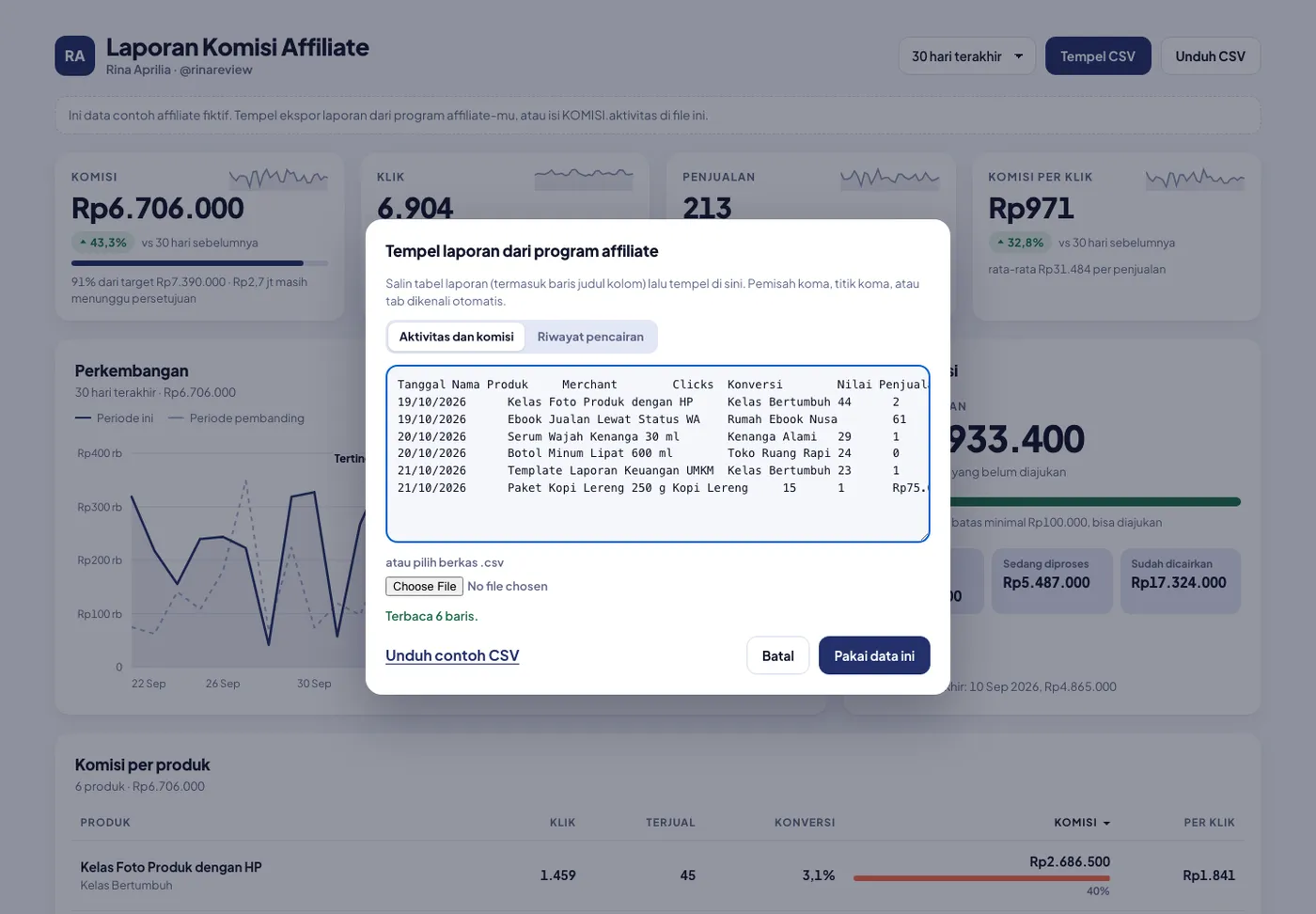
- Paste CSV for activity and payouts (columns and statuses detected automatically), download a per-product summary
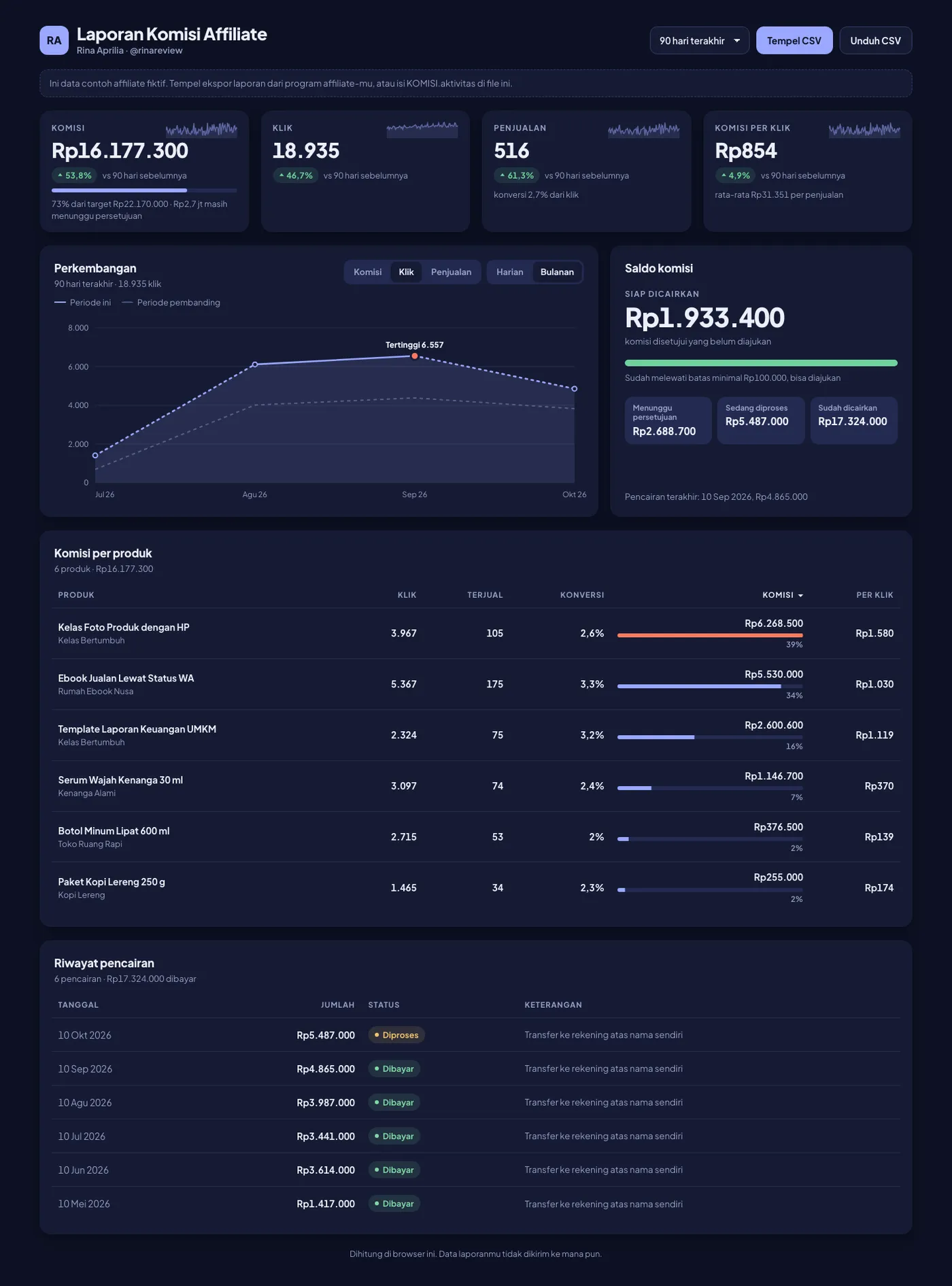
- 3 palettes (indigo, sea, dark charcoal), and every on-screen label can be translated in the config
Good fit
- Affiliates promoting several products who want to know which earns most per click
- Creators selling through affiliate links who want balance and payouts in one place
- Affiliates in more than one program who want one report from several exports
- Anyone who wants a monthly commission recap without manual spreadsheet sums
Not for
- It does not connect to any affiliate program; reports are exported and pasted in
- Not a program owner dashboard for managing many affiliates; this is one affiliate's report
- Not a shareable commission recap video; use the Affiliate Commission Recap video skill for that
- The balance is calculated from what you paste, so the official figure is still the one in your affiliate program
About this skill
/laporan-komisi-affiliate Build my affiliate commission dashboard from a 3 month report CSV export and my payout history, a monthly commission target, a minimum payout amount, dark charcoal palette
Show more
A personal affiliate dashboard in one HTML file that opens in a browser with no server: commission, clicks, sales with conversion, and earnings per click vs the previous period, a daily or monthly chart, a balance card (ready to withdraw, awaiting approval, processing, paid out, distance to the minimum payout), a sortable commission-per-product table, and payout history. Data is pasted from an affiliate program's CSV report export (columns detected automatically) or written in one config object.
User reviews
FAQ
My report has no clicks column, will it still work?
Yes. If the export is a list of transactions without clicks, each row counts as one sale, and the clicks, conversion, and per-click KPIs are marked as missing. Paste a daily clicks report from the same program too if you want conversion.
How is the balance ready to withdraw calculated?
All commission marked approved up to today, minus payouts already paid and those being processed. Commission still awaiting approval is shown separately, and cancelled commission is not counted at all.
Can I combine reports from two affiliate programs?
Yes, as long as the columns match: merge the rows in one spreadsheet, fill a program column with each name, then paste. The program name shows under the product name in the table.
Which AI can I use it with?
Copy the prompt into a chat AI (ChatGPT, Claude, Gemini, DeepSeek); or download the ZIP and install it in an AI agent (Claude Code, Codex, Antigravity, Hermes Agent, Cursor, GitHub Copilot, Gemini CLI, OpenCode, Kimi Code, Trae), which then builds the files for you.
What is in the ZIP?
One folder named laporan-komisi-affiliate with SKILL.md (the instructions an AI agent reads) and the prompt, 5 files in all. Extract it into your agent's skills folder, or install it with npx skillflow-ai add laporan-komisi-affiliate. Pro only.
Is there a per-use fee or credits?
Not from SkillFlow. The skill runs on the AI you already use, so any cost follows that plan.
Which plan includes it?
SkillFlow Pro. It opens every skill in every category.
Can I use my own colours and brand?
Yes. Pick a colour theme on this page, or fill in your brand profile once; both go into the prompt you copy and into the ZIP.
Can I share what I made?
Pro members can upload the result and get a page at share.skillflow.ai.id to send to anyone. The page carries a small "Made with SkillFlow AI" mark.
Is there a download limit?
Yes, per day: 50 skills on Pro, 10 on other plans. Downloading a skill again on the same day does not count.



