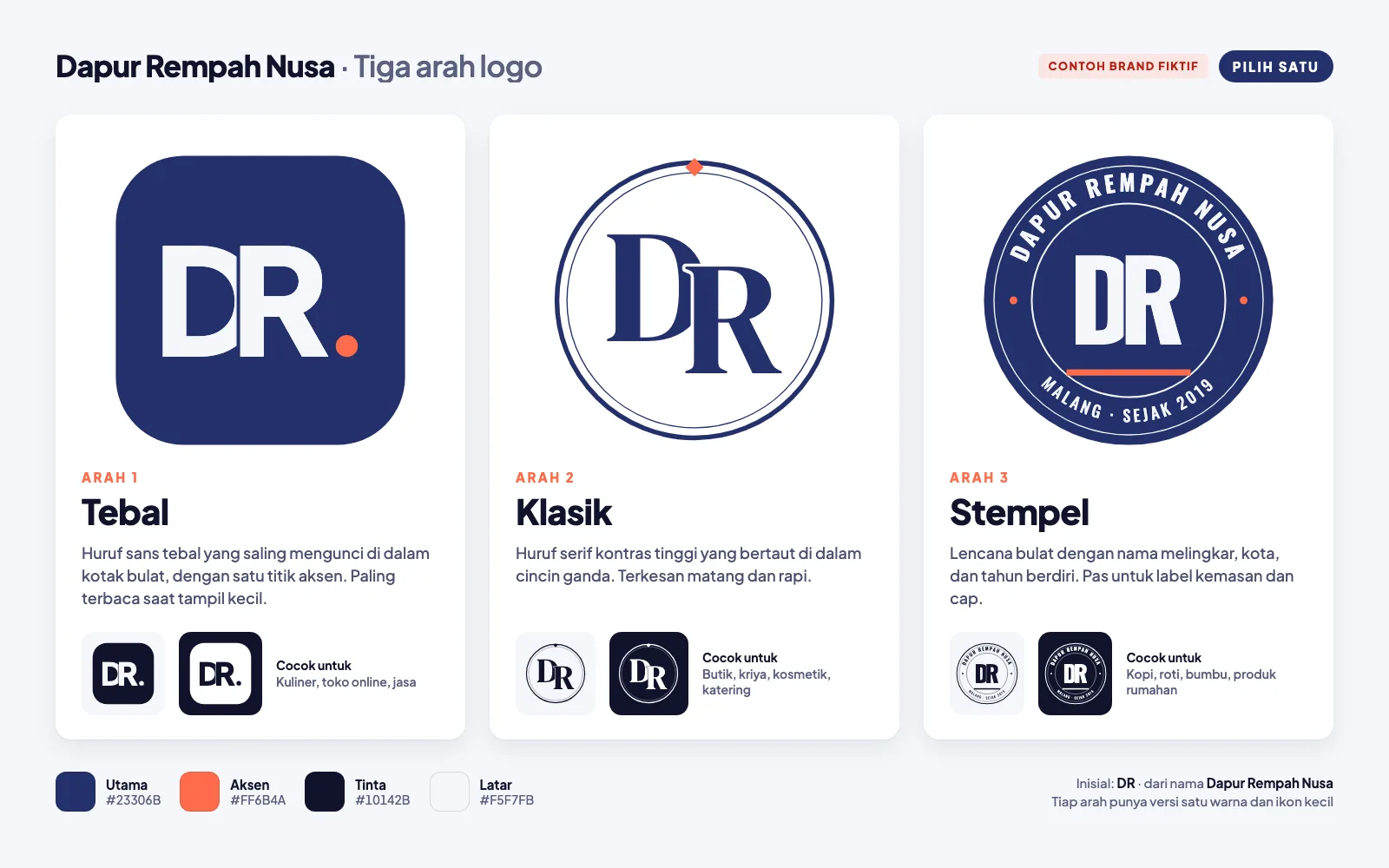
Three directions from one name: Bold, Classic, Stamp, each with one-colour versions
SKILL.md contents
Premium subscribers can read, copy, and install this skill.
Unlock with Premium Sign inSmall Business Monogram Logo
Description
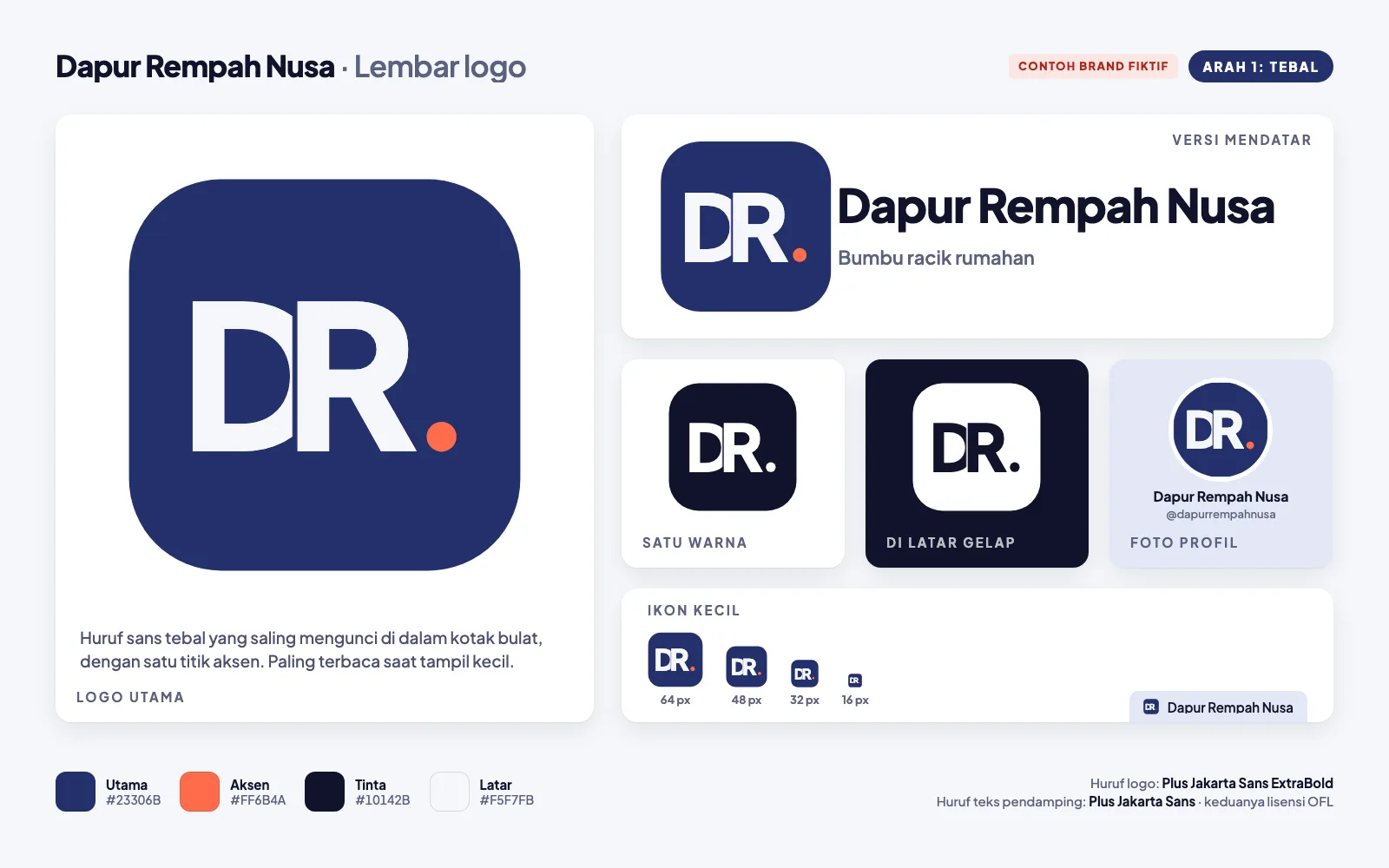
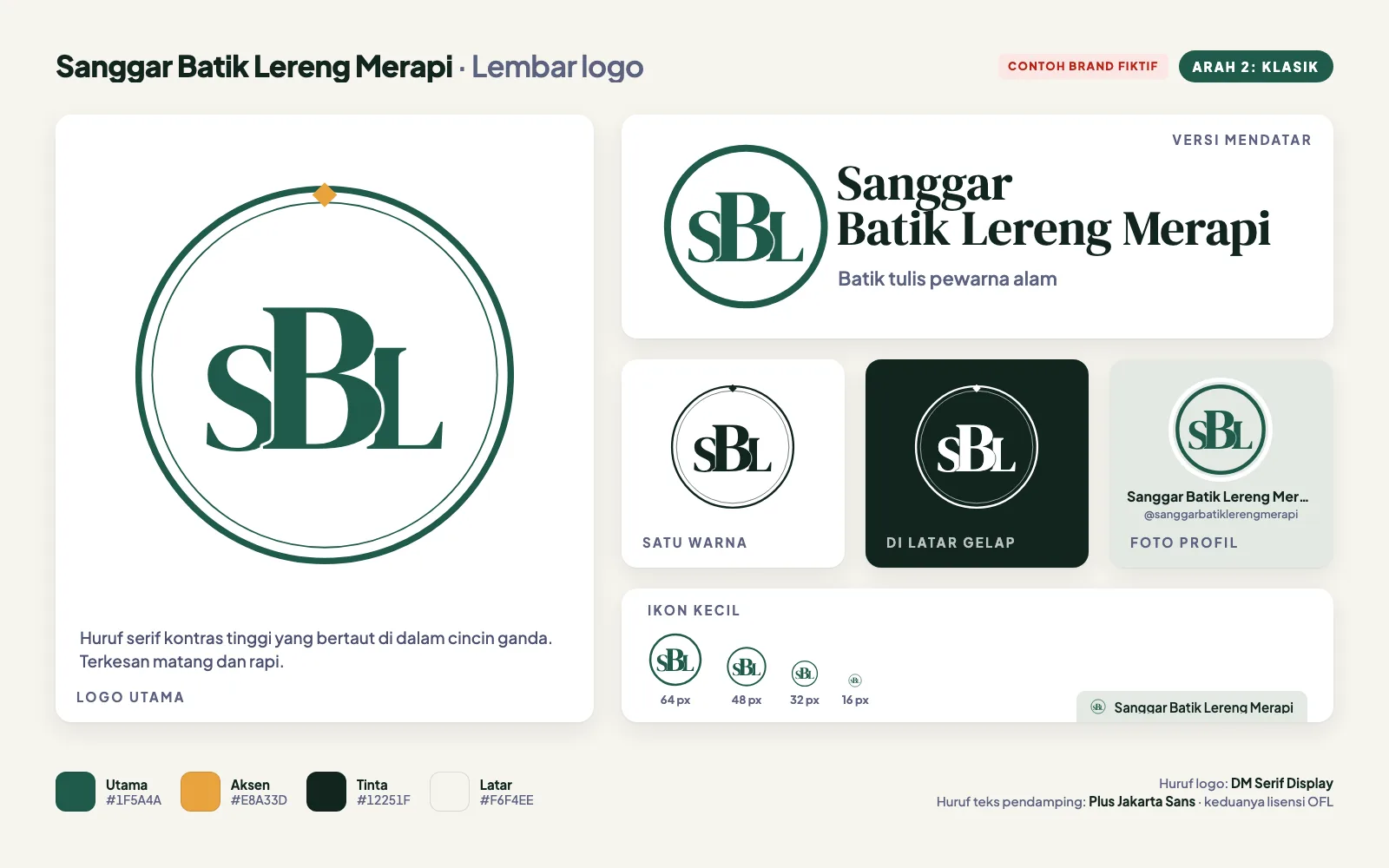
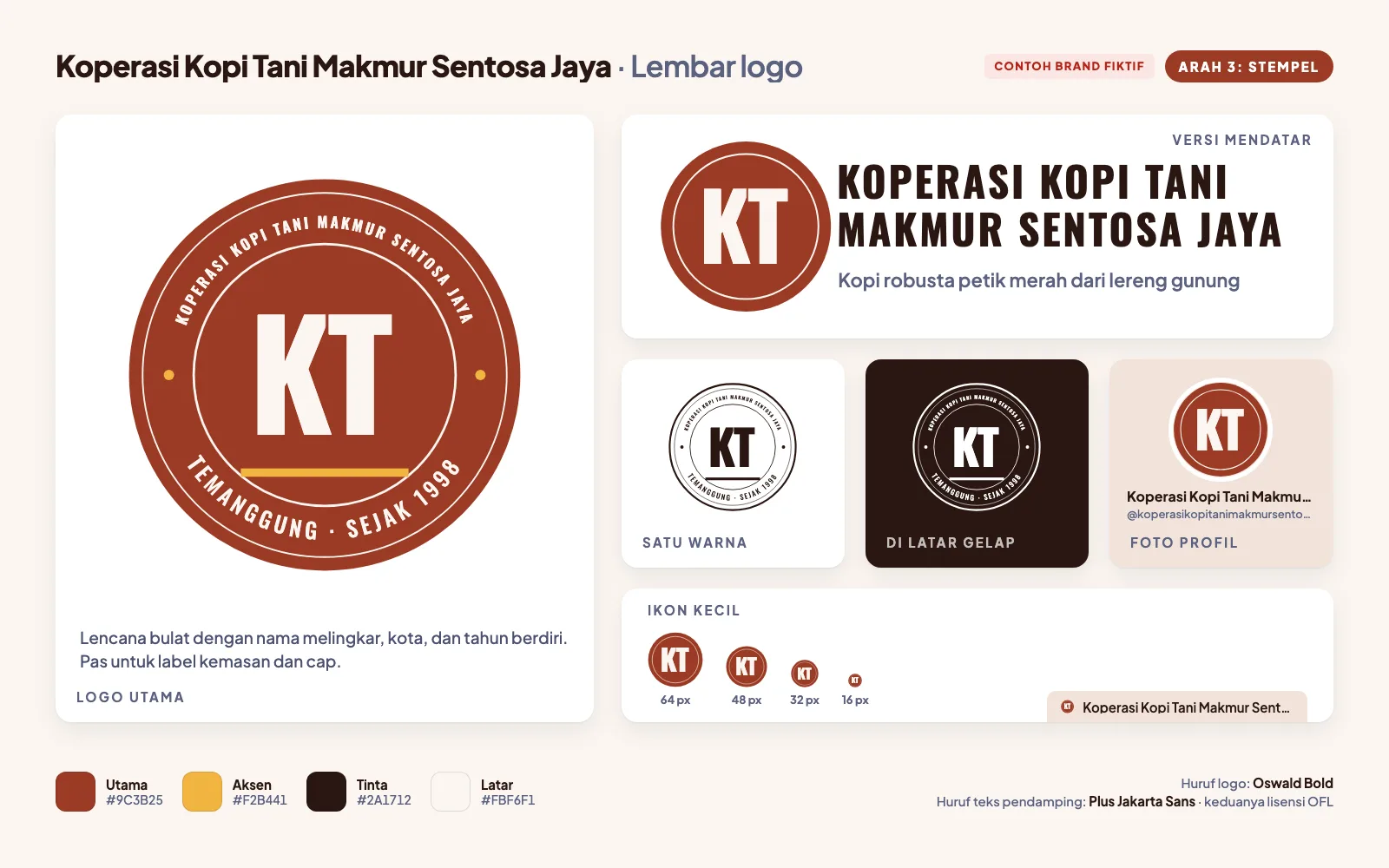
A monogram logo built from your business initials in three style directions: Bold (interlocking sans letters in a rounded square with an accent dot), Classic (linked serif letters inside a double ring), and Stamp (a round badge with the name around the edge, the town, and the founding year). Each direction comes with a horizontal version, one-colour versions for light and dark backgrounds, a small icon that still reads at 16 px, and a presentation sheet with the palette. One data object, transparent PNG and SVG export.
Verified by SkillFlow
We checked every file in this skill automatically: no command that downloads and runs a program, no hidden code, no instruction telling your AI to ignore you.
- Loads from outside
- Fonts: Google Fonts
See the 5 files inside
skill.json7 KBSKILL.md8 KBprompt.md3 KBprompt.en.md4 KBfiles/monogram.html31 KB
Checked 14 Nov 2026
Included in Basic and Pro
Basic copies the prompt. Pro also downloads the ZIP, sends to AI, installs into agents, and opens every category.
Get Pro Get Basic Already subscribed? Sign inWhat you get
- A 1-3 letter monogram made automatically from the business name, or initials of your choice
- 3 style directions side by side to choose from: Bold, Classic, Stamp
- A logo sheet per direction: main logo, horizontal version, one colour, dark background, profile photo, 64-16 px icons
- Interlocking letters with a transparent gap, not stacked colours
- SVG and 2048 px transparent PNG downloads with embedded fonts, straight from the browser
- 4 palettes: city indigo, emerald, brick, charcoal, or your own brand colours
- Automatic checks: initials that are too long, ring text that gets too small
Good fit
- New businesses that need a neat logo today without a long design project
- Small businesses whose logo is hard to read at small sizes like profile photos
- Owners needing a single-colour version for stamps and stickers
Not for
- Letter logos only; it doesn't create illustrations or mascots
- It does not check registered trademarks
- Initials are limited to 1 to 3 letters
About this skill
/logo-monogram-umkm Make a monogram logo for Kopi Senja Raya with the initials KSR, three style directions, a horizontal version, single-colour version, and a small profile icon
Show more
A monogram logo built from your business initials in three style directions: Bold (interlocking sans letters in a rounded square with an accent dot), Classic (linked serif letters inside a double ring), and Stamp (a round badge with the name around the edge, the town, and the founding year). Each direction comes with a horizontal version, one-colour versions for light and dark backgrounds, a small icon that still reads at 16 px, and a presentation sheet with the palette. One data object, transparent PNG and SVG export.
User reviews
FAQ
What are the three style directions?
Bold uses interlocking sans letters in a rounded square, Classic uses linked serif letters in a double ring, and Stamp is a round badge with the name around it, the city, and the founding year.
Which formats can I download?
SVG and a transparent 2048 px PNG with fonts embedded, straight from the browser.
Which AI can I use it with?
Copy the prompt into a chat AI (ChatGPT, Claude, Gemini, DeepSeek); or download the ZIP and install it in an AI agent (Claude Code, Codex, Antigravity, Hermes Agent, Cursor, GitHub Copilot, Gemini CLI, OpenCode, Kimi Code, Trae), which then builds the files for you.
What is in the ZIP?
One folder named logo-monogram-umkm with SKILL.md (the instructions an AI agent reads) and the prompt, 5 files in all. Extract it into your agent's skills folder, or install it with npx skillflow-ai add logo-monogram-umkm. Pro only.
Is there a per-use fee or credits?
Not from SkillFlow. The skill runs on the AI you already use (and, for image prompts, the image AI you pick), so any cost follows that plan.
Which plan includes it?
Basic and Pro. Basic copies the prompt; Pro also downloads the ZIP, sends to AI, installs into agents and shares results by link.
Can I use my own colours and brand?
Yes. Pick a colour theme on this page, or fill in your brand profile once; both go into the prompt you copy and into the ZIP.
Can I share what I made?
Pro members can upload the result and get a page at share.skillflow.ai.id to send to anyone. The page carries a small "Made with SkillFlow AI" mark.
Is there a download limit?
Yes, per day: 50 skills on Pro, 10 on other plans. Downloading a skill again on the same day does not count.