

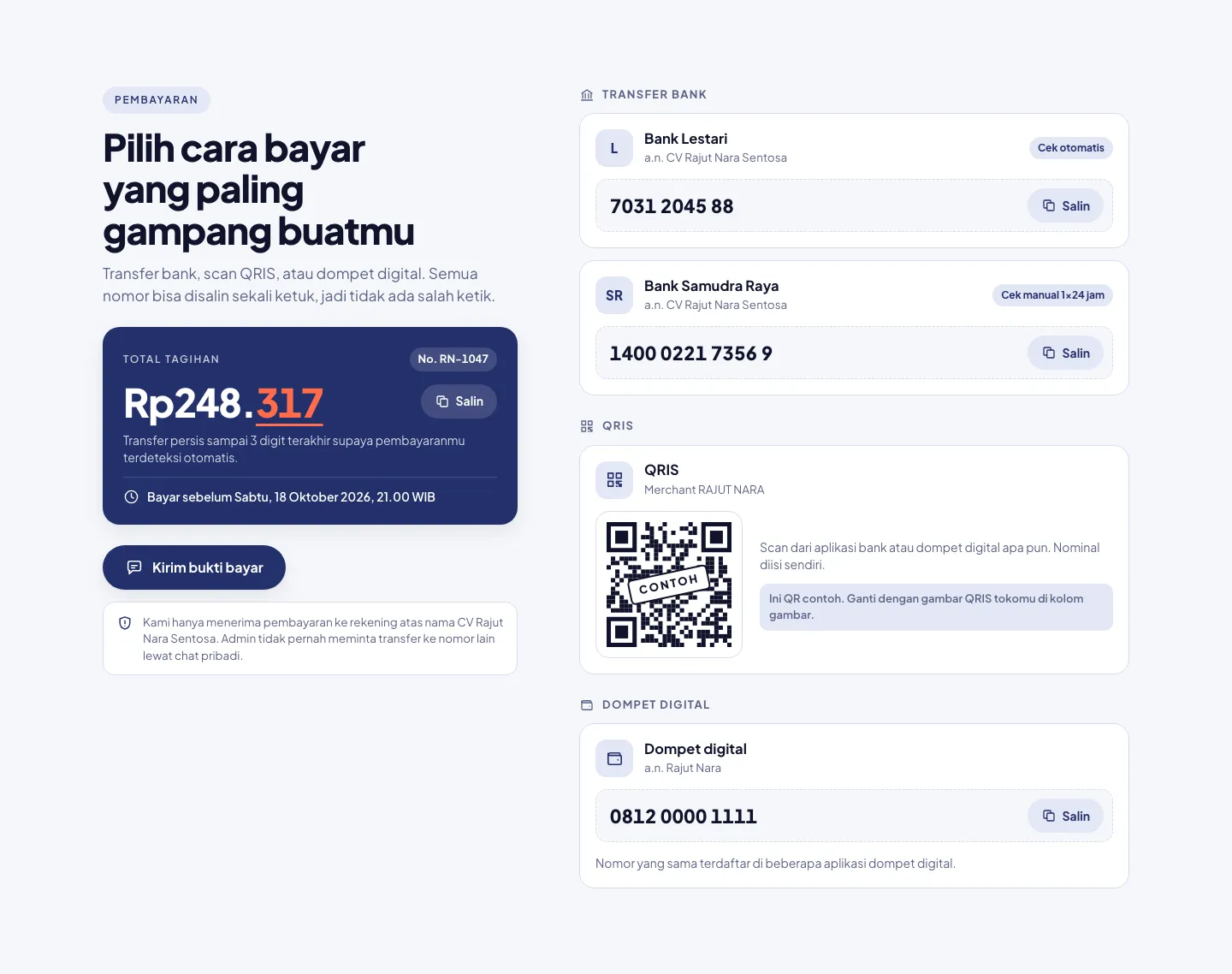
Card layout: the bill with its unique code on the left, bank, QRIS, and e-wallet on the right
SKILL.md contents
Premium subscribers can read, copy, and install this skill.
Unlock with Premium Sign inPayment Methods (Section)
Description
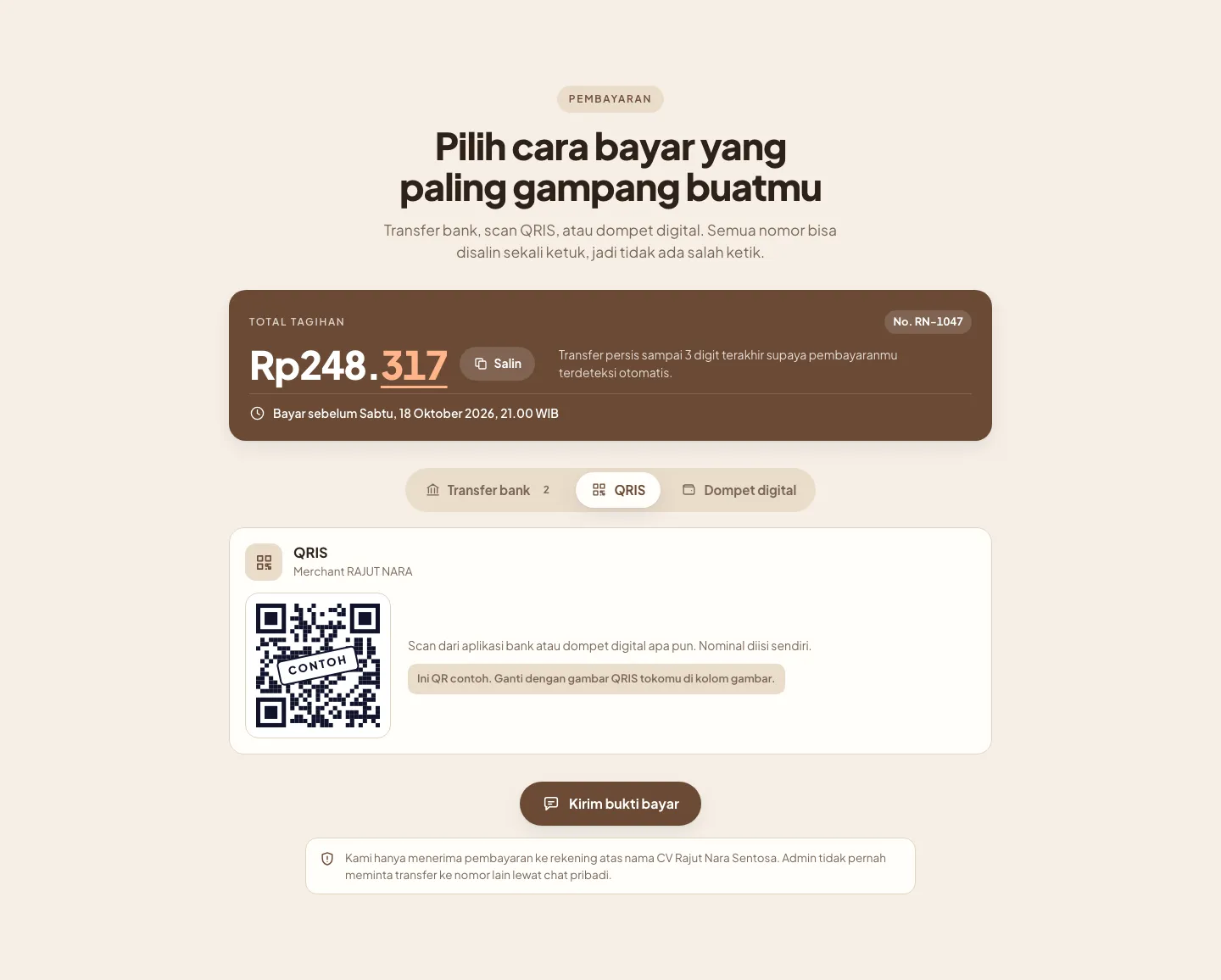
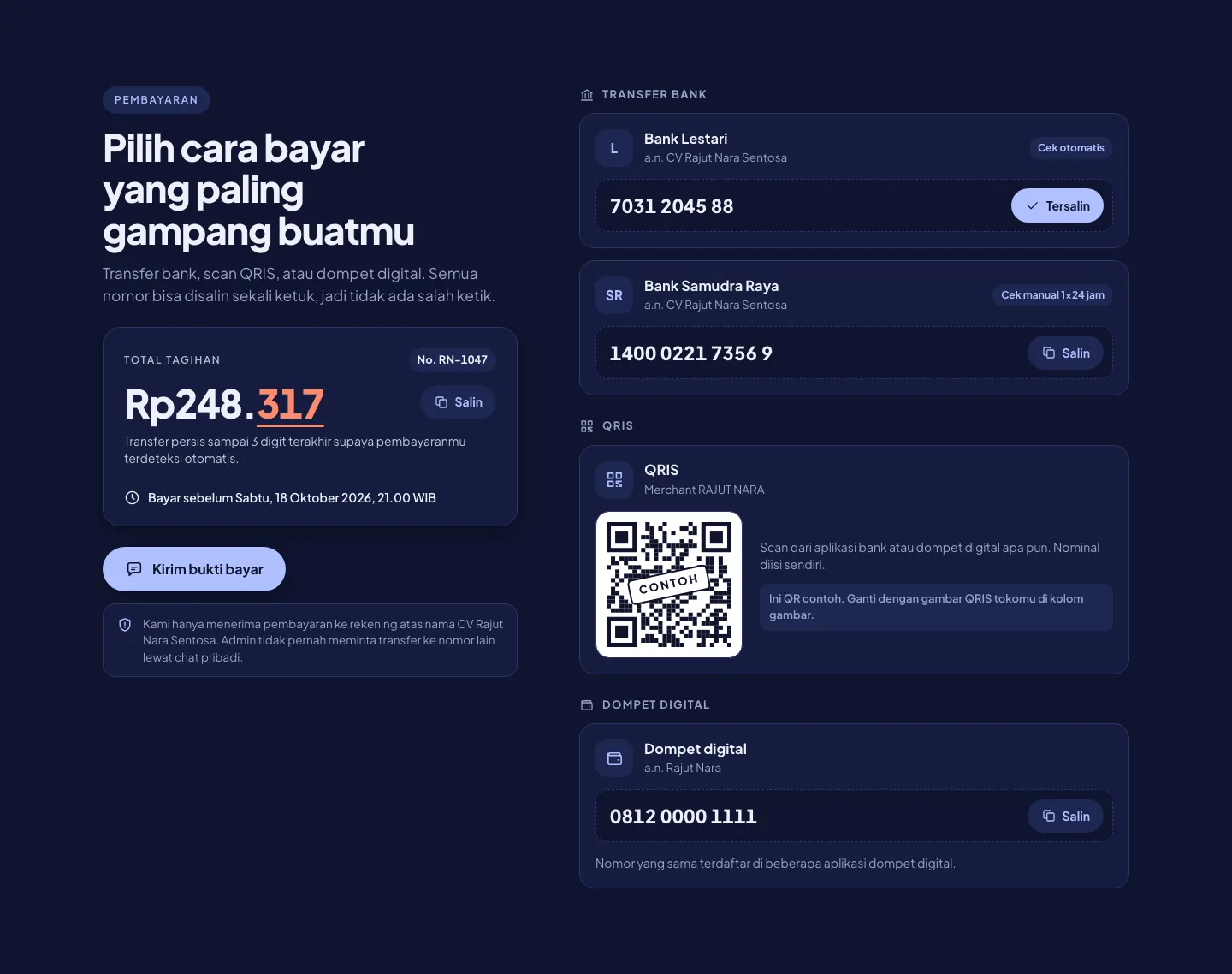
A payment section for a landing page, invoice, or manual checkout page: a bill total box with the unique code highlighted, bank account, QRIS, and e-wallet cards with one-tap copy buttons (numbers copy without spaces), a payment deadline, a send-proof-of-payment WhatsApp button whose message already holds the order number and amount, and an anti-scam note. The amount and order number can be passed in the page address. Two layouts, three palettes, one HTML file that is safe to paste.
Verified by SkillFlow
We checked every file in this skill automatically: no command that downloads and runs a program, no hidden code, no instruction telling your AI to ignore you.
- Loads from outside
- Fonts: Google Fonts
See the 5 files inside
skill.json9 KBSKILL.md6 KBprompt.md4 KBprompt.en.md4 KBfiles/metode-pembayaran.html27 KB
Checked 14 Nov 2026
Part of SkillFlow Pro
Pro opens every skill in every category: copy, ZIP, Send to AI, install, save, and request new skills.
Get Pro Already subscribed? Sign inWhat you get
- A one-file HTML section, scoped CSS so it is safe to paste into any page
- A bill total box: unique code highlighted, copy-amount button, order number, payment deadline
- Payment method cards (bank, QRIS, e-wallet, cash on delivery) with copy buttons
- QRIS from the shop's own image plus a download button; a clearly marked sample QR until replaced
- A send-proof-of-payment WhatsApp button and an official-account anti-scam note
- Amount and order number from the page address (?nominal=&order=), cleaned automatically
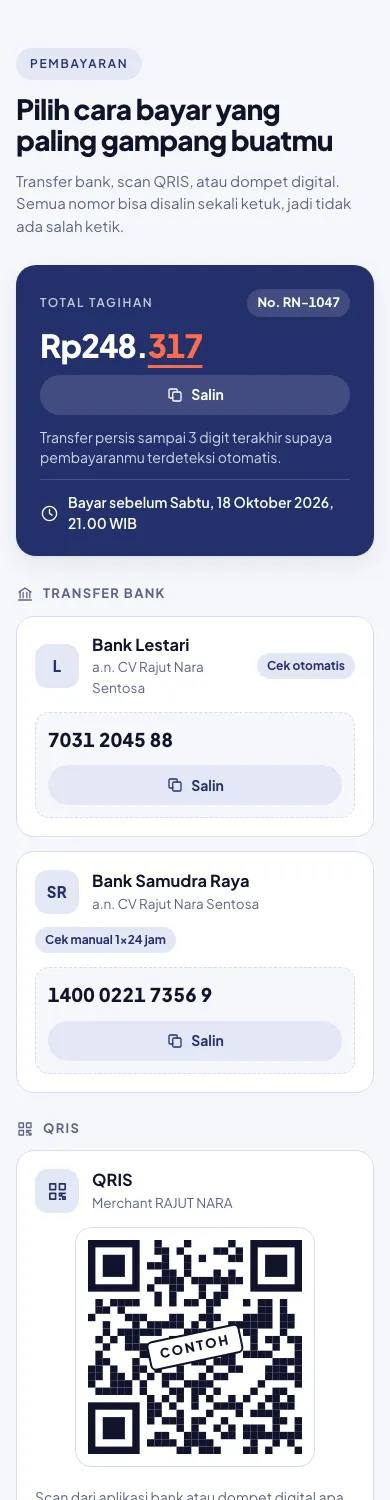
- 2 layouts (cards, tabs) and 3 palettes (city, cream, dark); tidy on phones
Good fit
- Shops taking manual payments by bank transfer, QRIS, e-wallets, or cash on delivery
- Admins often asked where to pay even though it is written down
- Per order bill pages with amount and order number from the URL
- Long landing pages needing a payment section under the buy button
Not for
- It does not process or verify payments
- It does not create or guess QRIS codes; only your shop's real QRIS image is used
- No bank, e-wallet, or QR provider logos
- Not a full payment instructions page with order status and countdown
About this skill
/metode-pembayaran Build a payment methods section for our knitting shop, 2 bank accounts, QRIS from our real image, cash on delivery for the capital region, a 3 digit unique code, and a send proof button to WhatsApp
Show more
A payment section for a landing page, invoice, or manual checkout page: a bill total box with the unique code highlighted, bank account, QRIS, and e-wallet cards with one-tap copy buttons (numbers copy without spaces), a payment deadline, a send-proof-of-payment WhatsApp button whose message already holds the order number and amount, and an anti-scam note. The amount and order number can be passed in the page address. Two layouts, three palettes, one HTML file that is safe to paste.
User reviews
FAQ
How is each order's amount shown?
Send a link with parameters, such as ?nominal=248317&order=RN-1047#pembayaran. Values are cleaned, the amount to digits only and the order to letters, digits, and hyphens, while the unique code stays from the settings.
Why does the copy button copy digits without spaces?
Account numbers can be shown with spaces for readability, but the copy button always copies the digits only so they paste straight into a banking app.
I do not have a QRIS yet, what shows?
The section shows a sample QR marked SAMPLE that cannot be used to pay. Replace it with your shop's real QRIS image and the download button works too.
Which AI can I use it with?
Copy the prompt into a chat AI (ChatGPT, Claude, Gemini, DeepSeek); or download the ZIP and install it in an AI agent (Claude Code, Codex, Antigravity, Hermes Agent, Cursor, GitHub Copilot, Gemini CLI, OpenCode, Kimi Code, Trae), which then builds the files for you.
What is in the ZIP?
One folder named metode-pembayaran with SKILL.md (the instructions an AI agent reads) and the prompt, 5 files in all. Extract it into your agent's skills folder, or install it with npx skillflow-ai add metode-pembayaran. Pro only.
Is there a per-use fee or credits?
Not from SkillFlow. The skill runs on the AI you already use, so any cost follows that plan.
Which plan includes it?
SkillFlow Pro. It opens every skill in every category.
Can I use my own colours and brand?
Yes. Pick a colour theme on this page, or fill in your brand profile once; both go into the prompt you copy and into the ZIP.
Can I share what I made?
Pro members can upload the result and get a page at share.skillflow.ai.id to send to anyone. The page carries a small "Made with SkillFlow AI" mark.
Is there a download limit?
Yes, per day: 50 skills on Pro, 10 on other plans. Downloading a skill again on the same day does not count.



